
1. Kirish
The Audizio Avola is a comprehensive audio system designed to provide a wide range of listening options. It integrates Internet Radio, DAB+, FM radio, a CD player, and Bluetooth connectivity into a single, elegant unit. This manual will guide you through the setup, operation, and maintenance of your Avola system, ensuring you can fully utilize its features for an optimal audio experience.
2. Xavfsizlik bo'yicha ko'rsatmalar
- Quvvatlantirish manbai: Faqat taqdim etilgan quvvat adapteridan foydalaning. Volumetage mintaqangiz talablariga mos keladi.
- Suv va namlik: Jihozni yomg'ir, namlik yoki suyuqliklar ta'sirida qoldirmang. Suyuqlik bilan to'ldirilgan narsalarni, masalan, vazalarni jihozga qo'ymang.
- Ventilyatsiya: Jihoz atrofida yetarli shamollatishni ta'minlang. Shamollatish teshiklarini to'sib qo'ymang.
- Issiqlik manbalari: Jihozni radiatorlar, isitish moslamalari, pechkalar yoki boshqa issiqlik chiqaradigan qurilmalar kabi issiqlik manbalaridan uzoqroq tuting.
- Tozalash: Disconnect the unit from the power supply before cleaning. Use a soft, dry cloth. Do not use liquid cleaners or aerosol cleaners.
- Xizmat ko'rsatish: Qurilmaga o'zingiz xizmat ko'rsatishga urinmang. Barcha xizmat ko'rsatishni malakali xizmat ko'rsatish xodimlariga topshiring.
- CD Pleyer: Do not insert foreign objects into the CD tray. Handle CDs by their edges to avoid scratches.
3. Paket tarkibi
Paketda barcha narsalar mavjudligini tekshiring:
- 1x Audizio Avola Internet Radio
- 1x masofadan boshqarish pulti
- 1 x quvvat adapteri
- 1x User Manual (Quick Start Guide)

Image: Audizio Avola unit shown with its remote control and power adapter.
4. Mahsulot tugadiview
4.1 Old panel

Rasm: old view of the Audizio Avola with the CD tray closed.
The front panel features the main display, control buttons, a CD tray, and input ports.
- Displey: Color display for navigation and information.
- Boshqarish tugmalari: MENU, INFO, REC/DEL, PRESET/REPEAT, STANDBY, I/R, Play/Pause, Stop, Skip/Fast Forward/Rewind.
- CD tepsisi: Audio CDlarni kiritish uchun.
- TUNE/SELECT Knob: Rotate to navigate menus, press to select.
- VOLUME tugmasi: Ovoz chiqishi darajasini sozlaydi.
- USB port: USB xotira qurilmalarini ulash uchun.
- SD karta uyasi: SD xotira kartalarini kiritish uchun.
- AUX kirish: 3.5mm jack for external audio sources.
- Eshitish vositasi uyasi: Shaxsiy tinglash uchun 3.5 mm raz'em.

Image: Close-up of the Audizio Avola front panel showing USB, SD, AUX, and headphone ports.
4.2 Orqa panel
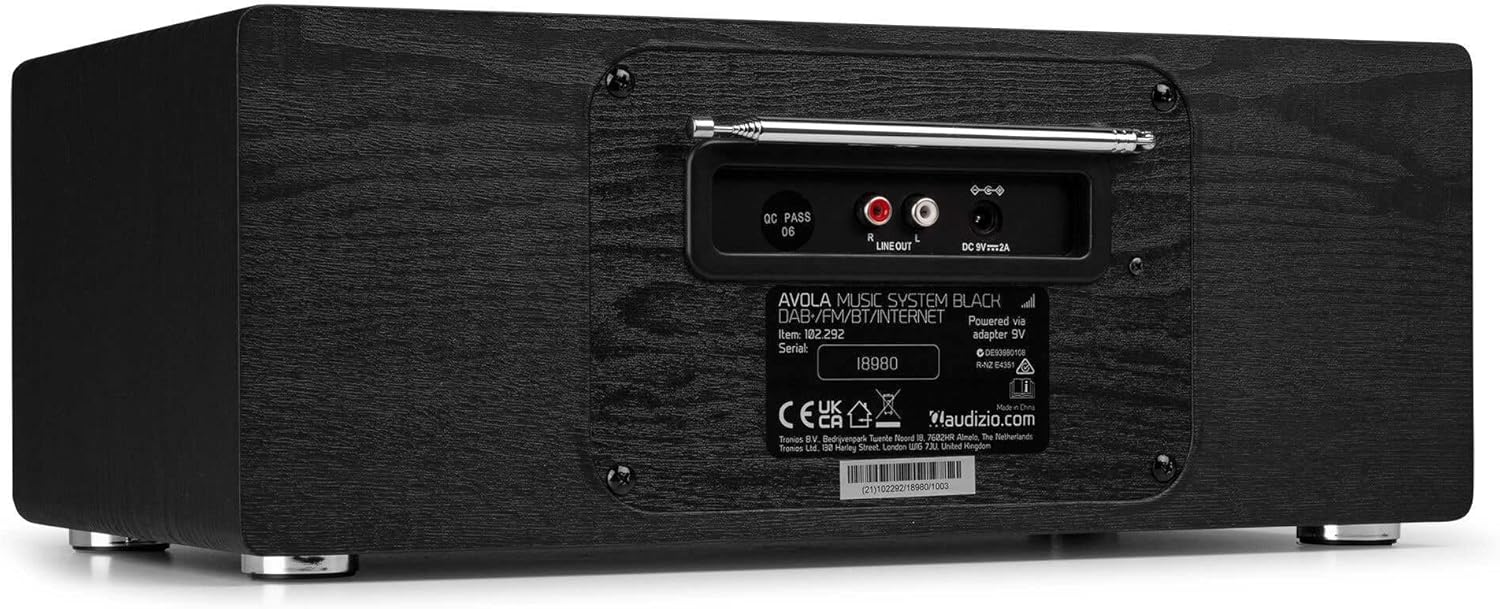
Rasm: orqa view of the Audizio Avola, highlighting the antenna and connection ports.
The rear panel houses essential connections:
- Teleskopik antenna: For DAB+ and FM radio reception. Extend fully for best signal.
- LINE OUT (RCA): Tashqi ulanish uchun ampko'targichlar yoki dinamiklar.
- DC 9V 2A Power Input: Quvvat adapterini ulash uchun.
5. Sozlash
5.1 Quvvatga ulanish
- Connect the power adapter to the DC 9V 2A input on the rear of the Avola unit.
- Quvvat adapterini mos keladigan rozetkaga ulang.
- The unit will enter standby mode. Press the STANDBY button on the unit or remote control to power on.
5.2 Antennani sozlash
For optimal DAB+ and FM radio reception, fully extend the telescopic antenna located on the rear panel. Adjust its position for the best signal quality.
5.3 Initial Setup (WLAN Connection)
To access Internet Radio features, the Avola must be connected to a Wi-Fi network.
- Upon first power-on, the unit may prompt you to set up the network connection. If not, press MENU, navigate to 'System Settings' and then 'Network'.
- Select 'Wi-Fi Network' and choose 'Scan' to find available networks.
- Ro'yxatdan Wi-Fi tarmog'ingizni tanlang.
- Enter your Wi-Fi password using the TUNE/SELECT knob to navigate characters and press to confirm each character.
- Once connected, the display will show a Wi-Fi icon.
6. Ishlash rejimlari
6.1 Internet radiosi
Access thousands of radio stations worldwide via your Wi-Fi connection.
- Press the MENU button and select 'Internet Radio'.
- You can browse stations by location, genre, or search for specific stations.
- Use the TUNE/SELECT knob to navigate and select.
- To save a station as a preset, press and hold the PRESET/REPEAT button until the preset menu appears, then select a preset number.

Image: The Audizio Avola display showing the Internet Radio interface.
6.2 DAB+ radiosi
Digital Audio Broadcasting Plus offers high-quality digital radio.
- Press the MENU button and select 'DAB Radio'.
- The unit will automatically scan for available DAB+ stations.
- Use the TUNE/SELECT knob to browse and select stations.
- Save presets as described for Internet Radio.
6.3 FM radiosi
Listen to traditional analog FM radio broadcasts.
- Press the MENU button and select 'FM Radio'.
- Use the TUNE/SELECT knob to manually tune or press and hold to auto-scan for stations.
- Save presets as described for Internet Radio.
6.4 CD pleer
Play your favorite audio CDs.
- Press the MENU button and select 'CD Player'.
- Press the 'Open' button next to the CD tray to open it.
- Carefully place an audio CD onto the tray with the label side facing up.
- Press the 'Open' button again to close the tray. The unit will begin playing the CD automatically.
- Use the Play/Pause, Stop, and Skip buttons for playback control.
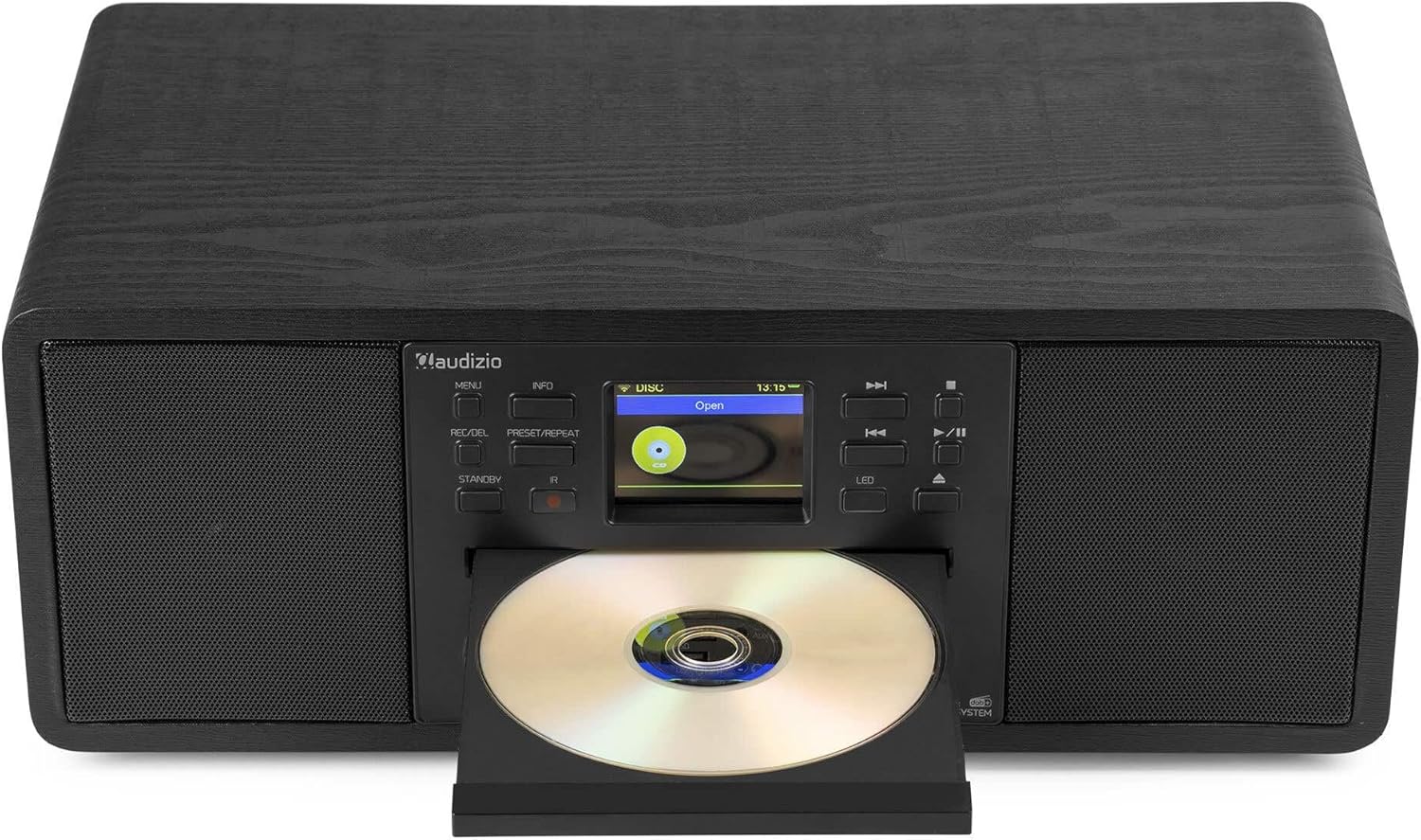
Image: The Audizio Avola with its CD tray open, ready for disc insertion.
6.5 Bluetooth ulanishi
Smartfoningiz, planshetingiz yoki boshqa Bluetooth yoqilgan qurilmalaringizdan simsiz audio uzating.
- Press the MENU button and select 'Bluetooth'.
- The Avola will enter pairing mode and become discoverable.
- On your Bluetooth device, search for 'Audizio Avola' in the Bluetooth settings and select it to pair.
- Once connected, the display will show 'BT Connected'. You can now play audio from your device through the Avola.

Image: The Audizio Avola display indicating a successful Bluetooth connection.
6.6 USB/SD ijro etish
Audio tinglash fileUSB drayvlar yoki SD kartalardan.
- Insert a USB drive into the USB port or an SD card into the SD card slot on the front panel.
- Press the MENU button and select 'USB' or 'SD' (the unit may automatically switch to the correct mode).
- Navigatsiya sizning files and folders using the TUNE/SELECT knob.
- Press the TUNE/SELECT knob to play a selected track.
7. Xizmat ko'rsatish
- Jihozni tozalash: Use a soft, dry, lint-free cloth to clean the exterior of the unit. Do not use abrasive cleaners, waxes, or solvents.
- CD Lens Cleaning: If CD playback becomes erratic, use a commercially available CD lens cleaner disc to clean the laser lens.
- Saqlash: Agar jihoz uzoq vaqt saqlansa, uni elektr ta'minotidan uzing va salqin, quruq joyda saqlang.
8. Muammolarni bartaraf qilish; nosozliklarni TUZATISH
| Muammo | Mumkin sabab | Yechim |
|---|---|---|
| Quvvat yo'q | Quvvat adapteri ulanmagan yoki nosoz rozetka. | Elektr ulanishlarini tekshiring. Boshqa rozetkani sinab ko'ring. |
| Ovoz yo'q | Volume too low, mute activated, or incorrect source selected. | Increase volume. Check if mute is active. Ensure correct input source is selected. |
| Internet radiosi ulanmayapti | Incorrect Wi-Fi password, weak signal, or network issue. | Re-enter Wi-Fi password. Move unit closer to router. Check router status. |
| DAB+/FM reception poor | Antenna kengaytirilmagan yoki signal maydoni yomon. | Teleskopik antennani to'liq uzating va sozlang. Jihozning o'rnini o'zgartirishga harakat qiling. |
| CD o'ynamaydi | CD inserted incorrectly, dirty/scratched CD, or unsupported format. | Ensure CD is inserted label-side up. Clean or replace CD. Verify CD format (supports CD-DA, MP3). |
| Bluetooth ulanmayapti | Device not in pairing mode, or Avola not discoverable. | Ensure both devices are in pairing mode. Check Bluetooth settings on your device. |
9. Texnik shartlar
| Xususiyat | Spetsifikatsiya |
|---|---|
| Model nomi | Avola |
| Element raqami | 102.292 |
| Olchamlari (UxKxY) | 45.8 x 25.8 x 19.7 sm |
| Og'irligi | 4 kg |
| Quvvat kiritish | 220 Volt (via power adapter) |
| Speaker Output Power (Max) | 60 Vt |
| Audio chiqish rejimi | Stereo |
| Qo'llab-quvvatlanadigan audio formatlari | CD-DA, MP3 |
| Ulanish texnologiyasi | WLAN, Bluetooth, AUX, RCA |
| Mos qurilmalar | MP3 Player, PC, Smartphone, Tablet |
| Rang | Qora |
10. Kafolat va qo'llab-quvvatlash
Audizio products are designed and manufactured to the highest standards. In the unlikely event of a problem with your product, please contact your retailer for assistance. Keep your proof of purchase for warranty claims. For further support or inquiries, please refer to the official Audizio websayt yoki mijozlarga xizmat ko'rsatish bilan bog'laning.