
1. Kirish
The Tera P150 is a robust Android 12 handheld barcode scanner PDA designed for efficient data collection in various environments such as logistics, warehouses, retail, and construction. It features a high-precision Zebra SE4710 scanning head, a powerful octa-core processor, and advanced wireless connectivity options to streamline operations.
2. Paket tarkibi
Iltimos, quyida keltirilgan barcha narsalar sizning paketingizga kiritilganligini tekshiring. Agar biron bir narsa yo'qolgan yoki shikastlangan bo'lsa, iltimos, mijozlarni qo'llab-quvvatlash xizmatiga murojaat qiling.
- 1x Tera P150 Android 12 Handheld Barcode Scanner
- 1x USB kabeli
- 1x Ekran himoyachisi
- 1x SIM-kartani chiqaruvchi
- 1x Lanyard
- 1x Foydalanuvchi qo'llanmasi (ushbu hujjat)
- 1x SDK (Software Development Kit)
- 1x Rugged Rubber Boot
- 1x Qo'l tasmasi

Image: Tera P150 Android Barcode Scanner and its included accessories, such as the USB cable, screen protector, hand strap, and rugged rubber boot.
3. Mahsulot tugadiview
The Tera P150 is designed for ergonomic handling and durability. It features a 5.5-inch full touch screen, a rear-mounted barcode scanner, and various ports and buttons for operation.
Asosiy komponentlar:
- 5.5 dyuymli displey: High-resolution touch screen, responsive even with gloves or wet hands.
- Shtrix-kod skaneri: Integrated Zebra SE4710 for 1D, 2D, and QR code scanning.
- Quvvat tugmasi: Located on the side for turning the device on/off and screen lock.
- Ovoz balandligi tugmalari: Ovoz darajasini sozlang.
- USB-C porti: Zaryadlash va ma'lumotlarni uzatish uchun.
- SIM/SD karta uyasi: For cellular connectivity and expandable storage.
- Hand Strap Attachment Points: For securing the included hand strap.
4. Sozlash
4.1 Dastlabki zaryadlash
Before first use, fully charge the Tera P150. Connect the provided USB cable to the device's USB-C port and a compatible power adapter. A full charge typically takes approximately 3 hours for the 5000mAh battery.

Image: The Tera P150 Barcode Scanner displaying its battery status, indicating it is designed for all-day use with a 5000mAh battery, offering over 300 hours standby and 12 hours working time.
4.2 Inserting SIM/SD Card
- SIM/SD karta uyasini qurilmaning yon tomoniga joylashtiring.
- Tovoqni ochish uchun taqdim etilgan SIM karta tepsisini chiqarish vositasidan foydalaning.
- Carefully place your Nano-SIM card(s) and/or microSD card into the designated slots.
- Tovoqni qurilmaga orqaga ohista suring.
4.3 Quvvatni yoqish/o‘chirish
- Yoqish uchun: Press and hold the Power button until the Tera logo appears on the screen.
- O'chirish uchun: Press and hold the Power button until the power options menu appears. Select "Power off".
- Qayta boshlash uchun: Press and hold the Power button until the power options menu appears. Select "Restart".
4.4 Androidni dastlabki sozlash
Upon first power-on, follow the on-screen prompts to complete the Android 12 setup process. This includes selecting your language, connecting to a Wi-Fi network, and setting up your Google account (optional).
5. Foydalanish bo'yicha ko'rsatmalar
5.1 Shtrix-kodni skanerlash
The Tera P150 is equipped with a Zebra SE4710 scanning head for rapid and accurate barcode capture.
- Open the scanning application on your device.
- Point the scanner window at the barcode you wish to scan. Ensure the red aiming line or dot covers the entire barcode.
- Press the dedicated scan button (usually on the side or front of the device).
- A successful scan will typically be indicated by an audible beep and/or a visual confirmation on the screen.

Image: A worker in a warehouse environment using the Tera P150 handheld device, demonstrating the use of its integrated Zebra SE4710 scanner to read barcodes on inventory.
5.2 Display and Touchscreen
The 5.5-inch full touch screen offers a clear display and responsive interaction. It supports operation even when wearing gloves or with wet hands, enhancing usability in various work conditions.
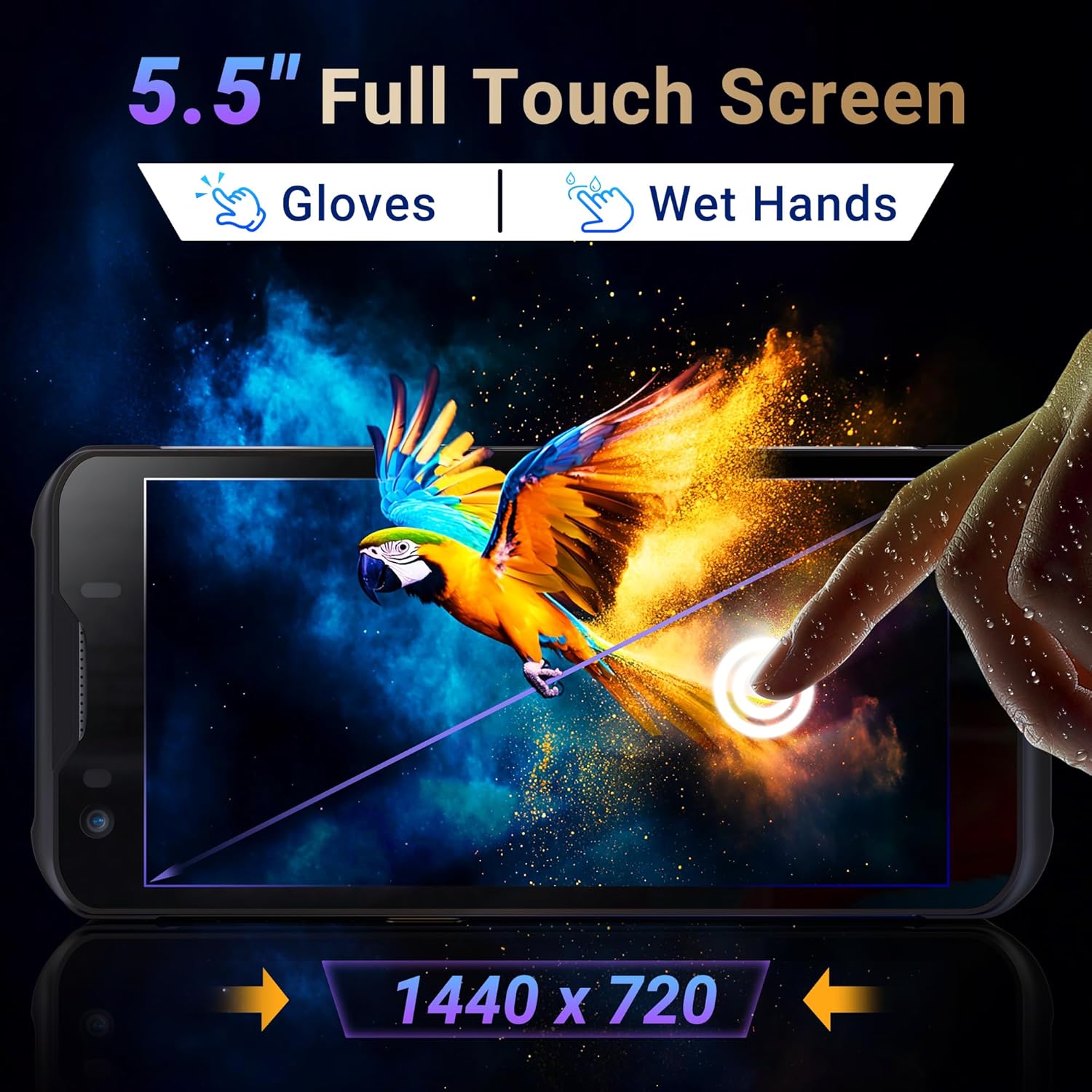
Image: The Tera P150's 5.5-inch full touch screen, highlighting its 1440x720 resolution and compatibility with both gloved and wet-hand operation.
5.3 Ulanish
The device supports multiple connectivity options for seamless data transmission.
- Wi-fi: Go to Settings > Network & internet > Wi-Fi to connect to available wireless networks. Supports dual-band Wi-Fi for stable connections.
- Bluetooth 5.0: Go to Settings > Connected devices > Bluetooth to pair with Bluetooth-enabled accessories. Bluetooth 5.0 offers faster speeds and extended range.
- 4G/3G Cellular: Insert a SIM card (as described in Section 4.2) to enable cellular data and communication.
- GPS: The integrated GPS module allows for location tracking and navigation.
5.4 Ishlash va ko'p vazifalarni bajarish
Powered by an MTK 2.0GHz octa-core processor with 4GB RAM and 64GB storage, the Tera P150 ensures smooth operation and efficient multitasking.

Image: The Tera P150 device highlighting its MTK 2.0GHz Octa-core processor and 4GB RAM + 64GB memory, indicating superior processing and performance compared to other devices.

Image: The Tera P150 device showcasing its Android 12 operating system and 4GB RAM + 64GB storage, illustrating its capability for seamless multitasking with multiple applications open.
6. Xizmat ko'rsatish
6.1 Qurilmani tozalash
To maintain optimal performance and appearance, clean the device regularly.
- Bir oz yumshoq, tuklarsiz matodan foydalaning dampened with water or a mild screen cleaner.
- Avoid using harsh chemicals, abrasive cleaners, or solvents, as these can damage the screen and casing.
- Tozalashdan oldin qurilma o'chirilganligiga va har qanday quvvat manbasidan uzilganligiga ishonch hosil qiling.
6.2 Batareyani parvarish qilish
The Tera P150 features a 5000mAh battery designed for extended use. Proper battery care can prolong its lifespan.
- Avoid extreme temperatures, both hot and cold, as they can degrade battery performance.
- Batareyani tez-tez to'liq zaryadsizlantirmang. Batareya juda past darajaga tushmasdan oldin uni zaryadlang.
- Faqat taqdim etilgan yoki tasdiqlangan zaryadlash aksessuarlaridan foydalaning.
6.3 Chidamlilik xususiyatlari
The Tera P150 is built with industrial-grade materials, featuring IP67 waterproofing and a 1.5-meter drop rating, making it suitable for harsh working environments.
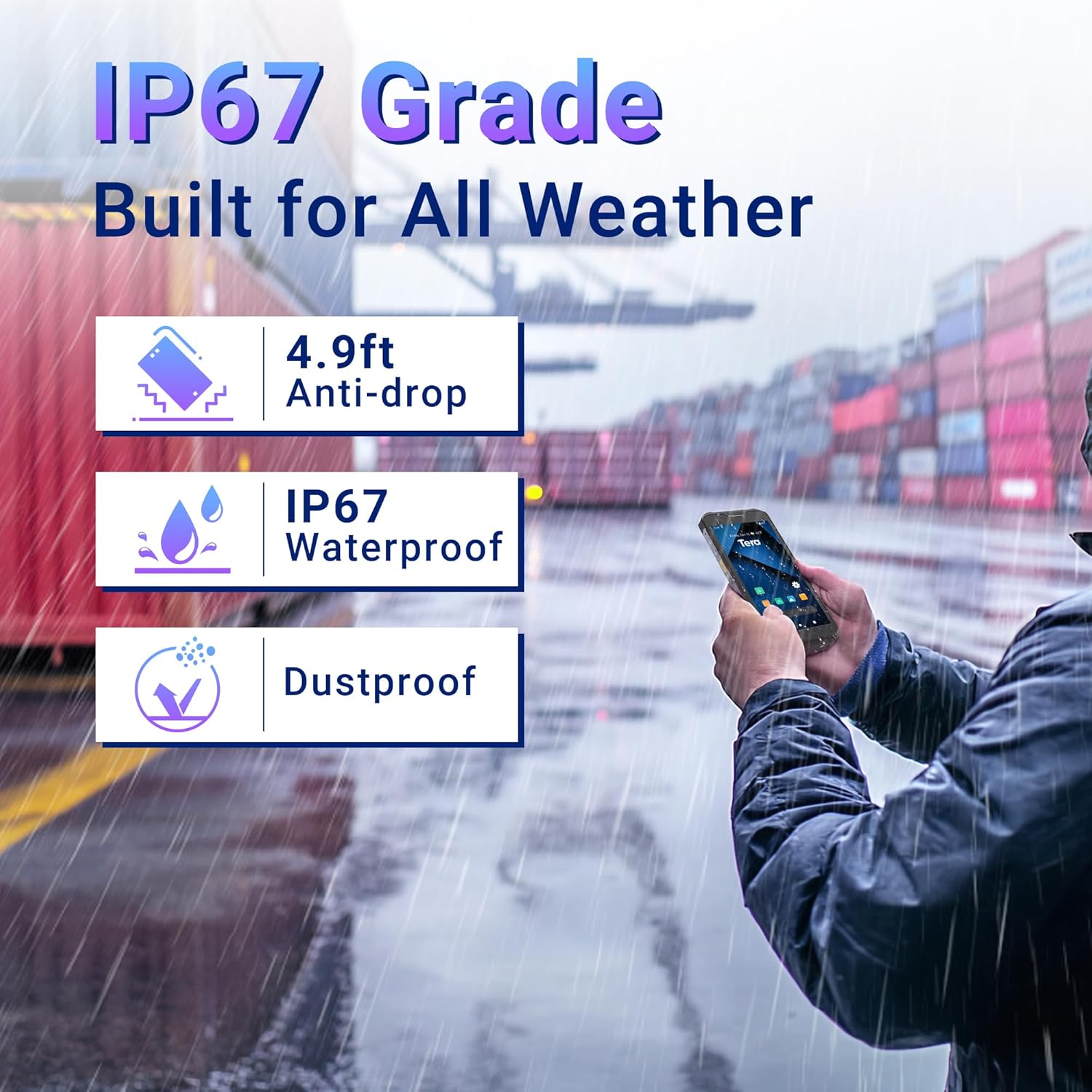
Image: The Tera P150 device highlighting its IP67 grade, 4.9ft anti-drop, IP67 waterproof, and dustproof capabilities, indicating its suitability for all-weather and rugged use.
7. Muammolarni bartaraf qilish; nosozliklarni TUZATISH
This section addresses common issues you might encounter with your Tera P150.
| Muammo | Mumkin sabab | Yechim |
|---|---|---|
| Qurilma yoqilmaydi | Kam batareya; Tizim ishdan chiqishi | Qurilmani kamida 30 daqiqa davomida zaryadlang. Agar hali ham javob bermasa, Quvvat tugmasini 10-15 soniya bosib ushlab turish orqali majburiy qayta ishga tushiring. |
| Barcode scanner not working | Scanning application not open; Barcode damaged/unreadable; Scanner module issue | Ensure the scanning application is active. Try scanning a different, known-good barcode. Clean the scanner window. Restart the device. |
| Wi-Fi tarmog‘iga ulanib bo‘lmadi | Incorrect password; Out of range; Router issue | Wi-Fi parolini tasdiqlang. Wi-Fi routerga yaqinroq bo'ling. Qurilmani va routerni qayta yoqing. |
| Sensorli ekran javob bermayapti | Temporary software glitch; Screen protector interference | Restart the device. Ensure the screen protector is correctly applied and not interfering. |
8. Texnik shartlar
Detailed technical specifications for the Tera P150 Android Barcode Scanner PDA.
- Model: P150
- Operatsion tizim: Android 12
- Protsessor: MTK 2.0GHz Octa-core
- RAM: 4 GB
- Saqlash: 64 GB
- Displey: 5.5-inch Full Touch Screen (1440 x 720 resolution)
- Shtrix-kod skaneri: Zebra SE4710 (1D, 2D, QR)
- Batareya: 5000mAh (Standby >300H, Working >12H, Charging >3H)
- Ulanish: 4G, 3G, Dual-band Wi-Fi, Bluetooth 5.0, GPS
- Chidamlilik: IP67 Waterproof, 1.5-meter Drop Rating, Industrial-grade materials
- Mos qurilmalar: Android devices (smartphones, tablets), POS systems
- Posilka o'lchamlari: 20 x 11 x 8 sm
- Og'irligi: 540 gr
9. Kafolat va qo'llab-quvvatlash
Tera products are manufactured to high-quality standards. For warranty information, please refer to the warranty card included with your product or visit the official Tera websayt.
For technical support, troubleshooting assistance, or inquiries regarding your Tera P150, please contact Tera customer service:
- Aloqa raqami: +1 (626)438-1404
- Onlayn qo'llab-quvvatlash: Refer to the official Tera webTez-tez so'raladigan savollar va qo'llab-quvvatlash manbalari uchun sayt.