

1. Mahsulot tugadiview
The OWON HDS241 is a versatile 3-in-1 handheld device integrating a single-channel oscilloscope, a 24000-count digital multimeter, and a 100kHz signal generator. Designed for both outdoor and indoor use, it offers a compact form factor with powerful measurement capabilities for various electrical and electronic applications.

Image 1.1: The OWON HDS241 device, highlighting its oscilloscope, multimeter, and signal generator functions.
2. Xavfsizlik ma'lumotlari
Before using the OWON HDS241, please read and understand all safety instructions to prevent electric shock, injury, or damage to the device. Keep this manual for future reference.
- Umumiy xavfsizlik: Qurilmadan har doim belgilangan hajmda foydalaningtage and current limits. Do not operate the device in wet or damp sharoitlar.
- Prob xavfsizligi: Ensure probes are correctly connected and rated for the measurement being performed. Avoid touching exposed wiring or components when the device is powered on.
- Batareya xavfsizligi: Use only the specified battery type. Do not disassemble, crush, or expose the battery to extreme temperatures.
- Xizmat: Refer all servicing to qualified personnel. Do not attempt to repair the device yourself.
3. Asosiy xususiyatlar
- Raqamli multimetr: 4 1/2 digit True RMS digital multimeter for measuring AC/DC voltage/current, resistance, diode, capacitance, and continuity. Maximum input voltage is AC 750V, DC 1000V.
- Signal Waveform Generator: 1-channel 100 kHz generator supporting sine, square, ramp, and pulse wave outputs. Maximum output amplitude is 2.5 Vpp.
- Osiloskop: Waveform refresh rate up to 10,000 wfms/s, 40MHz bandwidth, and real-time sampling rate up to 250MSa/s. Features auto-setup, multiple measurement functions, 8K record length, cursor measurement, and slow scan mode for long-term signal monitoring.
- Yilni dizayn: Portable form factor with a 3.5-inch high-definition color LCD screen, suitable for various environments.
- Uzoq batareya muddati: Low-power design with a 2000 mAh high-capacity lithium battery and standard Type-C port for charging and power bank compatibility.
4. Paket tarkibi
The standard package for the OWON HDS241 includes:
- OWON HDS241 Handheld Oscilloscope Unit
- Multimetr uchun sinov simlari
- Osiloskop probi
- USB toifa-C kabeli
- Foydalanuvchi uchun qo'llanma (ushbu hujjat)
Note: Additional accessories such as a BNC-to-alligator clip cable or carrying case may need to be purchased separately.
5. Qurilmaning joylashuvi va boshqaruv elementlari
Familiarize yourself with the physical components and controls of the HDS241.

5.1-rasm: Old va yon tomonlar view of the OWON HDS241 with key controls and ports labeled. Labels include: signal input connector, display area, multifunction keys, channel key, mode switching key, system settings, save settings, power button, relative value/activation menu key, multimeter input port, horizontal time base setting/signal adjustment, return key, range switch/measurement menu key, arrow keys, auto range/auto setting key, hold value/Stop/Run key, probe compensation output (2.5V/1kHz square wave or signal generator output), USB charging/communication interface, approximate weight (0.6 kg host, excluding battery), gross weight (1.2 kg).
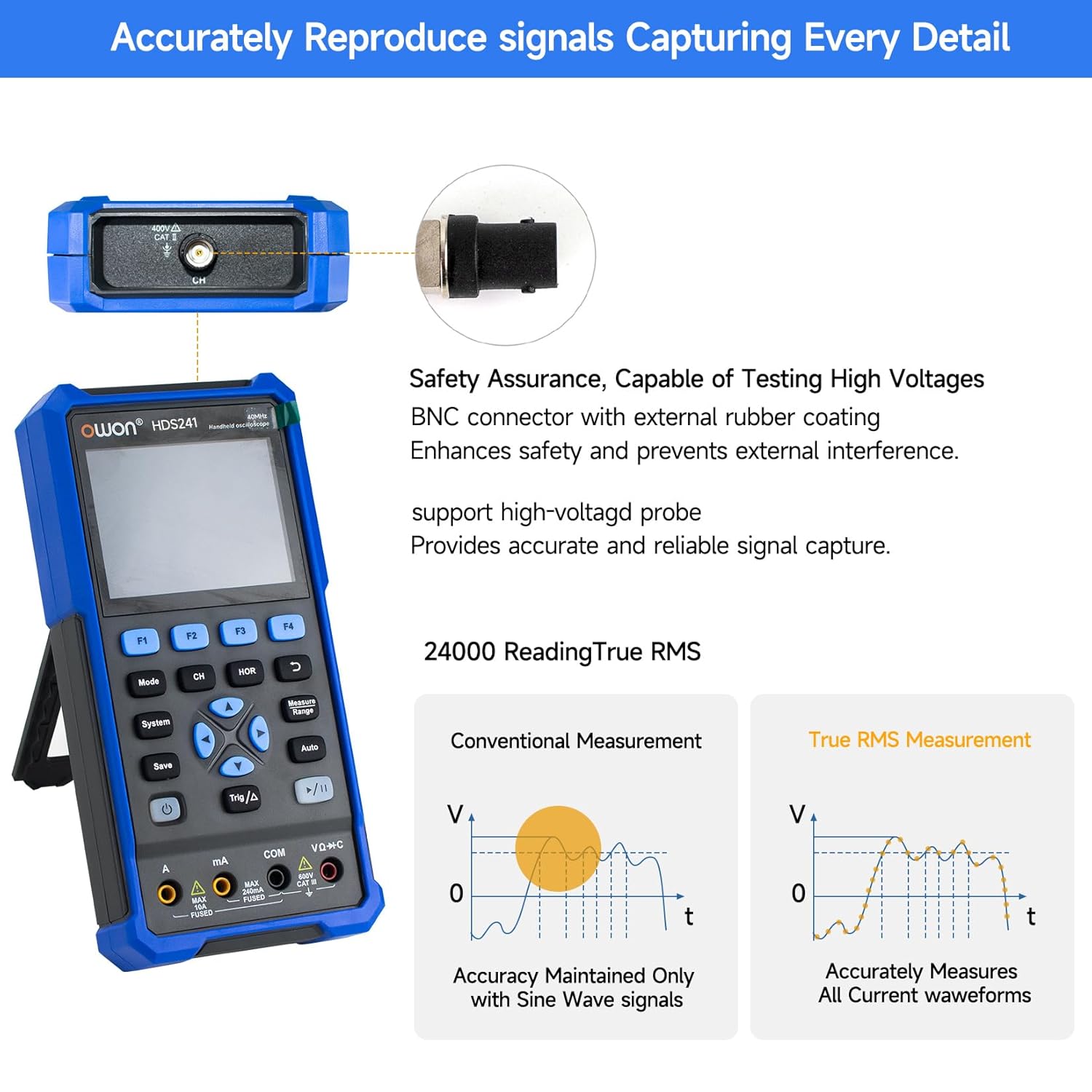
Image 5.2: Detail of the BNC connector, designed for safety and signal integrity, with external rubber coating.
6. Dastlabki sozlash
6.1 Qurilmani zaryadlash
The HDS241 is equipped with a built-in 2000 mAh lithium battery. Before first use, fully charge the device using the provided USB Type-C cable and a compatible power adapter (not included) or a computer USB port.
- Connect the USB Type-C cable to the device's Type-C port.
- Kabelning ikkinchi uchini USB quvvat manbaiga ulang.
- Zaryadlash indikatori zaryadlash holatini ko'rsatadi.

Image 6.1: The USB Type-C charging port and internal battery compartment, emphasizing long-lasting performance.
6.2 Quvvatni yoqish/o‘chirish
ni bosing va ushlab turing Quvvat qurilmani yoqish yoki o'chirish uchun tugma.
7. Ishlash rejimlari
The HDS241 features three primary operating modes: Oscilloscope, Multimeter, and Signal Generator. Press the Rejim ushbu funksiyalar o'rtasida almashish uchun tugmani bosing.
7.1 Osiloskop rejimi
In Oscilloscope mode, the device displays real-time waveforms, allowing for detailed analysis of electrical signals. Connect the oscilloscope probe to the BNC connector on the top of the device.
- Auto-Setup: ni bosing Avtomatik to'lqin shaklini avtomatik masshtablash va joylashtirish tugmasi.
- O'lchovlar: dan foydalaning O'lchov menu (accessed via F1) to select automatic measurements like Frequency, Period, Amplitude, Max, Min, Peak-to-Peak, and RMS.
- Kursor o'lchovlari: Activate cursor measurements (accessed via F2) to manually measure voltage (ΔV) and time (ΔT) differences between points on the waveform.
- Trigger sozlamalari: Adjust trigger type, level, and mode using the Trig/Δ tugmasi.
- Horizontal/Vertical Controls: Use the navigation arrows to adjust time base (horizontal) and voltage scale (vertical).

Rasm 7.1.1: Masalanamples of oscilloscope display features including dual sampling mode, high refresh rate, 8 types of auto-measurements, and cursor measurements.

Rasm 7.1.2: Masalanamples of actual measured waveforms, demonstrating the oscilloscope's signal capture capabilities for different signal types.
7.2 Multimetr rejimi
In Multimeter mode, the HDS241 functions as a digital multimeter. Connect the test leads to the appropriate input ports (VΩ+C, COM, A, mA) at the bottom of the device.
- Funktsiyani tanlash: dan foydalaning Rejim button to cycle through measurement types (Voltage, Current, Resistance, Capacitance, Diode, Continuity).
- Avtomatik diapazon: The device supports auto-ranging for convenient measurement.
- Maʼlumotlarni saqlash: dan foydalaning Saqlash button or a dedicated hold function (if available) to freeze the current reading.
7.3 Signal generatori rejimi
The Signal Generator mode allows the device to output various waveforms. Connect the output to the circuit under test using the appropriate cable (e.g., BNC to alligator clips, not included).
- To'lqin shaklini tanlash: Use the F-keys to select sine, square, ramp, or pulse waveforms.
- Parametrni sozlash: Chastotani sozlang va amplitude using the navigation arrows. The maximum output amplitude is 2.5 Vpp.
8. Ma'lumotlarni boshqarish
The HDS241 supports data transfer to a computer via its USB Type-C port for further analysis and record-keeping.
- Kompyuterga ulanish: Use the provided USB Type-C cable to connect the device to your computer.
- Dasturiy ta'minot: Refer to the OWON website for any necessary drivers or software to facilitate data transfer and analysis.
- Ma'lumotlarni saqlash: dan foydalaning Saqlash button to store waveform images, settings, or measurement data directly on the device.
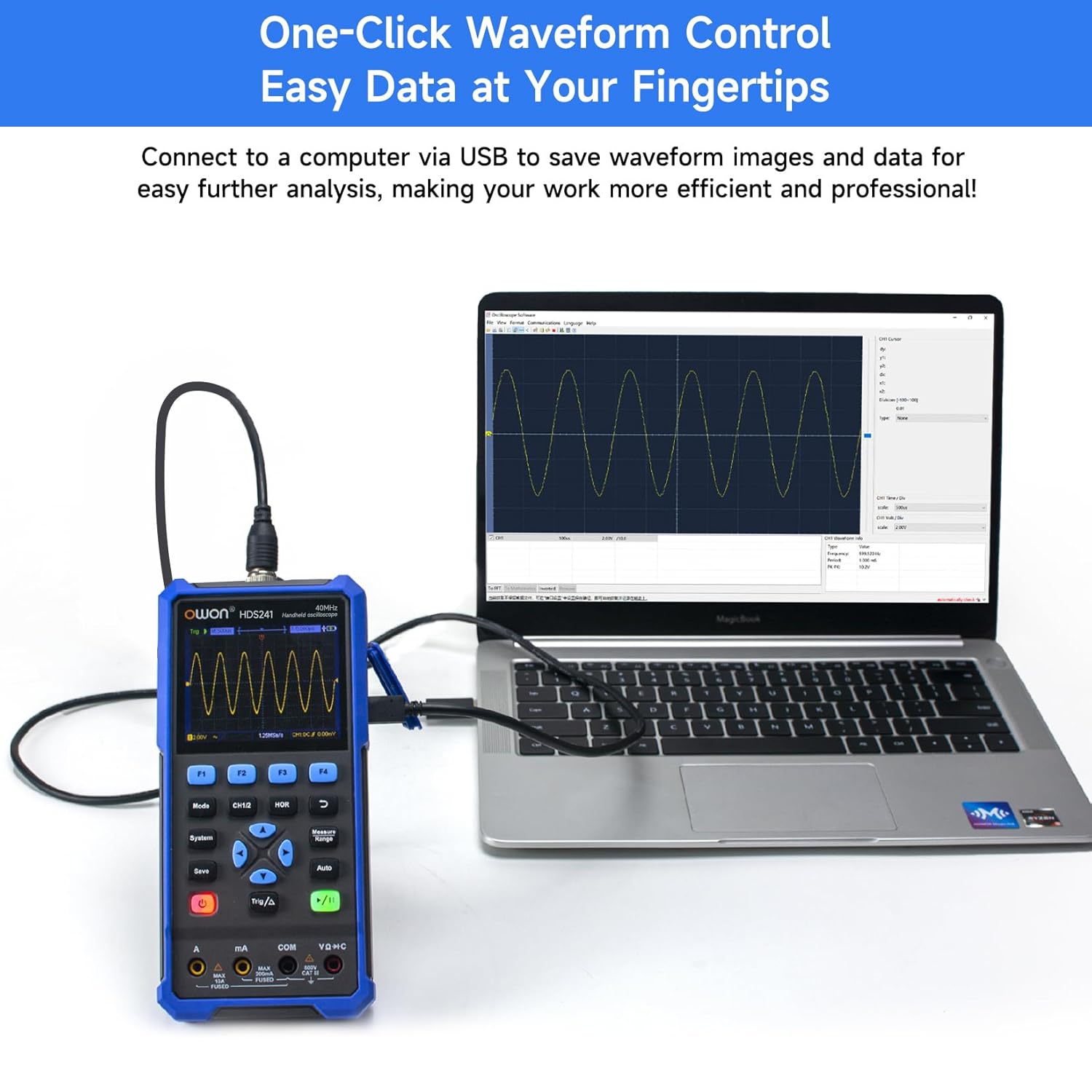
Image 8.1: The OWON HDS241 connected to a computer for data transfer and analysis, enabling easy waveform control.
9. Xizmat ko'rsatish
- Tozalash: Qurilmani yumshoq, quruq mato bilan tozalang. Abraziv tozalash vositalarini yoki erituvchilarni ishlatmang.
- Saqlash: Qurilmani to'g'ridan-to'g'ri quyosh nuri va haddan tashqari haroratdan uzoqda, salqin va quruq joyda saqlang.
- Batareya parvarishi: For long-term storage, ensure the battery is partially charged (around 50%) and recharge it every few months to maintain battery health.
- Probni kalibrlash: Periodically calibrate the oscilloscope probe using the dedicated probe compensation output to ensure accurate measurements.
10. Muammolarni bartaraf qilish; nosozliklarni TUZATISH
| Muammo | Mumkin sabab | Yechim |
|---|---|---|
| Qurilma yoqilmaydi. | Batareya quvvati kam yoki zaryadsizlangan. | Connect the device to a power source using the USB Type-C cable and allow it to charge. |
| Osiloskop rejimida hech qanday to'lqin shakli ko'rsatilmaydi. | Probe not connected correctly; signal too small or too large; incorrect time base or voltage masshtab. | Ensure probe is securely connected. Press Avtomatik for automatic setup. Adjust vertical and horizontal scales manually. Check trigger settings. |
| Multimetr ko'rsatkichlari noto'g'ri. | Test leads not properly connected; incorrect measurement function selected; external interference. | Verify test lead connections. Ensure the correct measurement mode (voltage, current, resistance) is selected. Minimize external electrical noise. |
| Signal generator output is not as expected. | Incorrect waveform type, frequency, or amplitude set. | Check the selected waveform, frequency, and amplitude settings in the signal generator menu. |
11. Texnik spetsifikatsiyalar
Osiloskopning texnik xususiyatlari:
| Parametr | Qiymat |
|---|---|
| Tarmoqli kengligi | 40 MGts |
| Kanal | 1 |
| Sampling darajasi | 250MSa / s |
| Qabul qilish rejimi | Sample, Peak Detect |
| Rekord uzunligi | Max. 8K |
| Displey | 3.5 dyuymli LCD displey |
| To'lqin shaklini yangilash tezligi | 10,000 XNUMX Vt/s/s |
| Kirish ulanishi | DC, AC, Ground |
| Kirish empedansi | 1 MΩ±2%, in parallel with 16 pF±10 pF |
| Probning zaiflashishi | 1X, 10X, 100X, 1000X |
| Maksimal kirish hajmitage | 400V (DC + AC, PK-PK) |
| Sensitivity Resolution | 10mV/div-10V/div |
| Vertikal o'lchamlari | 8 bit |
| Gorizontal masshtab | 5ns/div-1000s/div, step 1-2-5 |
| Trigger turi | Chet |
| Trigger rejimi | Avtomatik, Oddiy, Yakka |
| Avtomatik o'lchash | Davr, Chastota, O'rtacha, PK-PK, Maks, Min, Ampbalandlik, RMS |
| Kursor o'lchovi | ΔV, ΔT |

Image 11.1: Detailed oscilloscope specifications.
Digital Multimeter Specifications:
| Parametr | Qiymat |
|---|---|
| Displey soni | 4½ digits (max 24000 counts) |
| Sinov rejimlari | jildtage, Current, Resistance, Capacitance, Diode, Continuity |
| Maksimal kirish hajmitage | AC 750V, doimiy 1000V |
| Maksimal kirish oqimi | AC 10A, DC 10A |
| Avtoulov oralig'i | Ha |
| Haqiqiy RMS | Ha |

Image 11.2: Detailed digital multimeter specifications.
Signal Waveform Generator Specifications:
| Parametr | Qiymat |
|---|---|
| To'lqin shakllari | Sinus, kvadrat, Ramp, Puls |
| Chiqish chastotasi | 10Hz-100KHz |
| Ampkenglik | 2Vpp-2.5Vpp |

Image 11.3: Detailed signal waveform generator specifications.
Umumiy texnik xususiyatlar:
- O'lchamlari: 9.6 x 3.8 x 19.8 sm
- Mahsulot og'irligi: 1.2 kilogramm
- Quvvat manbai: Battery Powered (2000 mAh Lithium Battery)
- Rang: Moviy
- Sertifikatlar: CE, True RMS
12. Kafolat va qo'llab-quvvatlash
OWON products are designed for reliability and performance. For warranty information, technical support, or service inquiries, please refer to the official OWON websaytga kiring yoki mahalliy distribyutoringizga murojaat qiling.
- Kafolat muddati: Standard manufacturer's warranty applies. Please check your purchase documentation for specific terms and duration.
- Texnik yordam: Visit the OWON official website for FAQs, software downloads, and contact information for technical assistance.
- Qaytaradi: Refer to the retailer's return policy for details on product returns and exchanges.