
1. Kirish
Sotib olganingiz uchun tashakkurasing the KTC 24-inch WQHD 100Hz IPS Monitor. This manual provides essential information for the safe and efficient use of your new monitor. Please read it thoroughly before use and keep it for future reference.
This monitor features a 24-inch IPS panel with WQHD (2560x1440) resolution, offering stunning visual clarity and vibrant colors with 122% sRGB coverage. A 100Hz refresh rate and FreeSync & G-Sync compatibility ensure smooth, tear-free visuals, ideal for both office work and casual gaming. Advanced eye care technologies, including blue light reduction and flicker-free operation, provide a comfortable viewing experience even during extended use. The monitor also supports HDR10 for enhanced dynamic range and features flexible connectivity options with HDMI and DisplayPort.
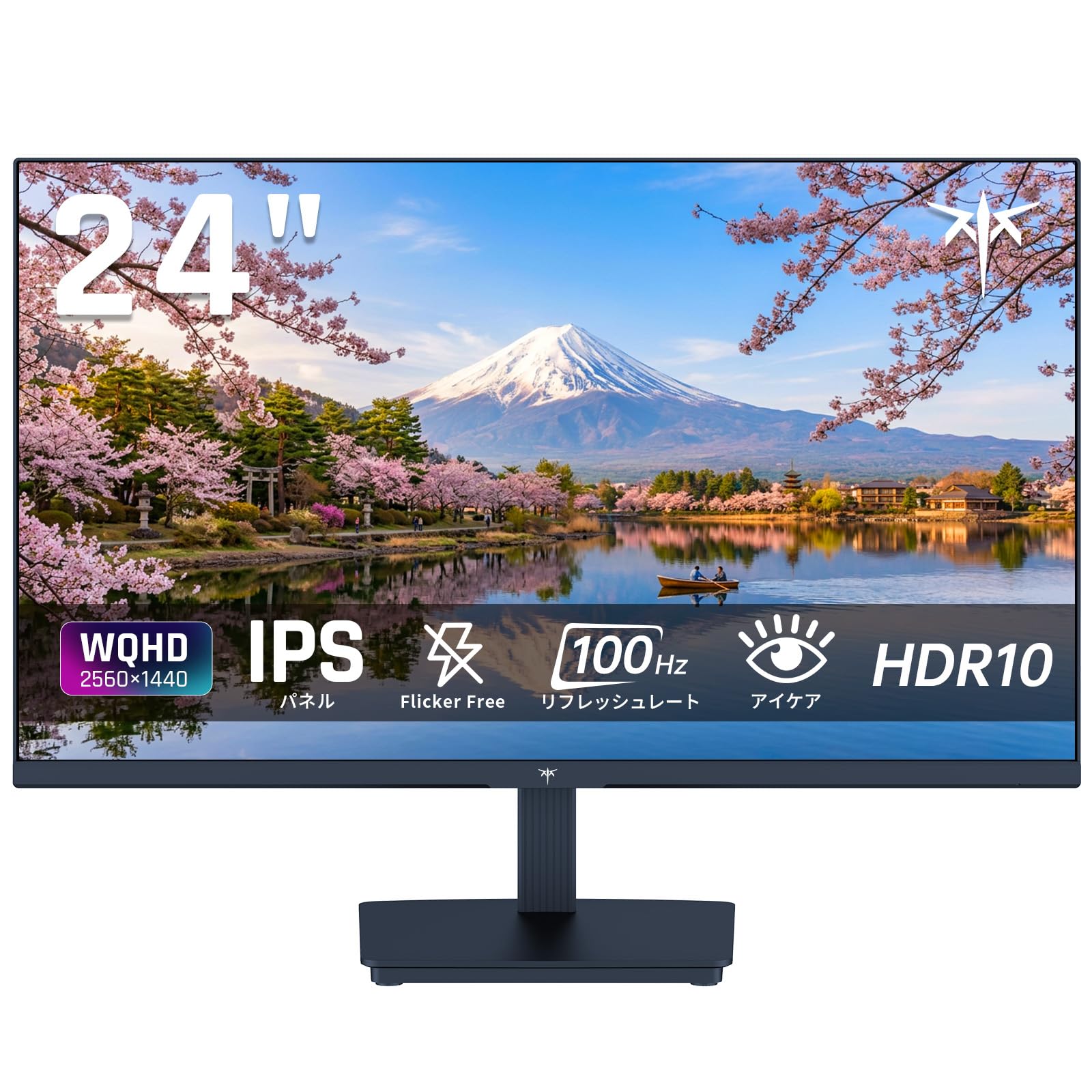
Image: KTC 24-inch WQHD 100Hz IPS Monitor.
2. Xavfsizlik ma'lumotlari
Please observe the following safety precautions to prevent damage to the monitor or injury to yourself or others:
- Monitorni yomg'ir, namlik yoki haddan tashqari harorat ta'siriga qo'ymang.
- Haddan tashqari issiqlikning oldini olish uchun monitor atrofida to'g'ri shamollatilishini ta'minlang.
- Faqat monitor bilan birga kelgan quvvat adapteridan foydalaning.
- Elektr simiga yoki monitorga og'ir narsalarni qo'yishdan saqlaning.
- Do not attempt to disassemble or repair the monitor yourself. Contact qualified service personnel.
- Monitorni kuchli magnit maydonlardan uzoqroq tuting.
3. Paket tarkibi
Paketda barcha elementlar mavjudligiga ishonch hosil qiling:
- KTC 24-inch WQHD 100Hz IPS Monitor (H24T27)
- Monitor bazasi
- HDMI kabeli
- Quvvat adapteri
- Foydalanuvchi uchun qo'llanma
4. Sozlash
4.1 Stendni yig'ish
- Carefully remove the monitor and base from the packaging.
- Stend bo'ynini monitor paneliga ulang.
- Secure the base to the stand neck using the provided screws.
4.2 Monitorni ulash
Tegishli kabellar yordamida monitorni kompyuteringizga yoki boshqa qurilmalarga ulang.
- Quvvat ulanishi: Connect the power adapter to the monitor's DC input and then plug it into a power outlet.
- Video ulanish: Use the supplied HDMI cable or a DisplayPort cable to connect your computer's video output to the corresponding port on the monitor.
- Ovoz chiqishi: If desired, connect headphones or external speakers to the 3.5mm audio output jack.

Image: Close-up of the KTC monitor's rear ports, including DC power, HDMI, DisplayPort, and audio out.
5. Foydalanish bo'yicha ko'rsatmalar
5.1 Quvvatni yoqish/o‘chirish
Press the power button located on the monitor to turn it on or off.
5.2 Ekrandagi displey (OSD) menyusi
The OSD menu allows you to adjust various monitor settings. Use the control buttons (usually located on the back or bottom of the monitor) to navigate the menu and make selections.
5.3 Displey sozlamalari
- Ruxsat: The monitor supports WQHD (2560x1440) resolution for sharp and detailed images. Ensure your graphics card is set to this resolution for optimal display.
- Yangilanish tezligi: Enjoy smooth visuals with a 100Hz refresh rate. This can be configured in your operating system's display settings.
- Ranglar gamuti: The monitor offers 122% sRGB coverage for rich and accurate colors.

Image: KTC monitor highlighting key features like IPS panel, 100Hz, WQHD, 24-inch, Adaptive Sync, and blue light reduction.

Image: Comparison of WQHD (2560x1440) and FHD (1920x1080) resolutions, demonstrating enhanced detail with WQHD.

Image: Comparison of 100Hz and 60Hz refresh rates, showing smoother motion with 100Hz.
5.4 Adaptive Sync (FreeSync & G-Sync)
The monitor supports both FreeSync and G-Sync technologies to eliminate screen tearing and stuttering, providing a fluid gaming experience. Ensure this feature is enabled in your graphics card settings and the monitor's OSD.

Image: Monitor display showing HDR10 content on one side and standard HDR on the other, along with FreeSync & G-Sync comparison (ON/OFF).
5.5 Ko'zni parvarish qilish xususiyatlari
The monitor includes Flicker-Free technology and a Blue Light Reduction mode to minimize eye strain during prolonged use. These settings can be adjusted via the OSD menu.

Image: KTC monitor displaying eye care features: Low Blue Light (ON/OFF) and Flicker-Free (ON/OFF).
5.6 HDR10 qo'llab-quvvatlashi
This monitor supports HDR10, providing a wider range of colors and contrasts for a more immersive viewing experience. Ensure HDR is enabled in your device's display settings for compatible content.
5.7 Sozlanishi stend
The monitor stand allows for tilt adjustment from -5° to 15°, enabling you to find the most comfortable viewkirish burchagi.

Rasm: yon view of the KTC monitor demonstrating the tilt-adjustable stand (-5° to 15°).
5.8 Keng Viewburchak
The IPS panel provides a wide 178-degree viewing angle, ensuring consistent color and image quality from almost any perspective.

Image: KTC monitor showcasing a wide 178-degree viewing angle with consistent color.
6. Xizmat ko'rsatish
6.1 Monitorni tozalash
- Tozalashdan oldin har doim monitorni elektr tarmog'idan uzing.
- Yumshoq, tuklarsiz matodan engil foydalaning dampsuv yoki yumshoq, abraziv bo'lmagan ekran tozalagich bilan qoplangan.
- Tozalash vositasini to'g'ridan-to'g'ri ekranga sepmang.
- Qattiq kimyoviy moddalar yoki abraziv materiallardan foydalanishdan saqlaning.
6.2 Umumiy parvarish
- Keep the monitor in a clean, dry environment.
- Ekranni o'tkir narsalardan himoya qiling.
- When moving the monitor, handle it carefully and avoid putting pressure on the screen.
7. Muammolarni bartaraf qilish; nosozliklarni TUZATISH
Agar siz monitor bilan bog'liq muammolarga duch kelsangiz, quyidagi umumiy muammolar va echimlarga murojaat qiling:
| Muammo | Mumkin yechim |
|---|---|
| Ekranda rasm yo'q | Check power connections. Ensure video cable is securely connected to both monitor and computer. Select correct input source via OSD. |
| Tasvir loyqa yoki buzilgan | Ensure the display resolution is set to 2560x1440. Check video cable for damage. |
| Ekranning yirtilishi yoki qoqilib ketishi | Verify FreeSync/G-Sync is enabled in both monitor OSD and graphics card settings. |
| Eshitish vositalaridan/karnaylardan ovoz yo'q | Check audio cable connection. Ensure volume is not muted on monitor or computer. |
| Monitor yoqilmayapti | Check power outlet and power adapter connection. Try a different power outlet. |
Agar ushbu yechimlarni sinab ko'rgandan keyin ham muammo davom etsa, iltimos, KTC mijozlarni qo'llab-quvvatlash xizmatiga murojaat qiling.
8. Texnik shartlar
Detailed technical specifications for the KTC H24T27 monitor:
| Xususiyat | Spetsifikatsiya |
|---|---|
| Brend | CTC |
| Model raqami | H24T27 |
| Ekran o'lchami | 24 dyuym |
| Rezolyutsiya | WQHD (2560 x 1440 pixels) |
| Aspekt nisbati | 16:9 |
| Panel turi | IPS |
| Ekran yuzasi | Yaltiroq bo'lmagan |
| Yangilanish tezligi | 100 Gts |
| Javob vaqti | 7 ms |
| Kontrast nisbati | 1300:1 |
| Yorqinlik | 300 cd/m² |
| Ranglar gamuti | 122% sRGB |
| Viewburchak | 178 daraja |
| HDR texnologiyasi | HDR10 |
| Moslashuvchan sinxronlash | FreeSync, G-Sync |
| Ulanish | 1x HDMI, 1x DisplayPort, Audio Out |
| Quvvat iste'moli | 12 vatt |
| jildtage | 100 volt |
| Olchamlari (D x G x Y) | 18.3 x 54 x 40.5 sm |
| Qo'shimcha xususiyatlar | Adaptive Sync, Eye Care, Flicker-Free, Blue Light Filter, Tilt Adjustment |
| Mos qurilmalar | Game Consoles, Laptops |
| Rang | Qora |
| Shakl | Yassi |
| Kelib chiqishi | Xitoy |
9. Kafolat va qo'llab-quvvatlash
9.1 Kafolat haqida ma'lumot
Your KTC monitor comes with a 3 yillik ishlab chiqaruvchi kafolati. In the event of a product defect, a free replacement will be provided. Please note that this warranty does not cover loss or damage caused by customer negligence.

Image: KTC's 3-year free replacement warranty details and contact information.
9.2 Mijozlarni qo‘llab-quvvatlash
For any inquiries or concerns, please feel free to contact us. We are committed to providing full support to ensure your satisfaction.
Telefon: 050-3606-8990
Email: support@ktcplay.com
You can also contact support through Amazon:

Image: Step-by-step guide on how to contact customer support via Amazon.
10. Mahsulot tugadiview Video
Vizual ko'rinish uchun ushbu videoni tomosha qilingview of the KTC QHD computer monitor and its features.
Video: This video showcases the KTC QHD computer monitor, highlighting its 2560x1440 (2K) resolution, 100Hz refresh rate, FreeSync and G-Sync compatibility, flicker-free and low blue light features, 8-bit & 116% sRGB color gamut, 3-side frameless design, -5° to 15° tilt adjustable stand, and available sizes (24, 27, 32 inches). It emphasizes its suitability for professional office use.


