
Kirish
Thank you for choosing the GOBOULT XO Pro Wired Earphones. This manual provides essential information for setting up, operating, maintaining, and troubleshooting your new earphones. Please read it carefully to ensure optimal performance and longevity of your device.
Paket tarkibi
Paketingizda barcha narsalar mavjudligini tekshiring:
- GOBOULT XO Pro Earphones
- Qo'shimcha quloq uchlari juftligi (turli o'lchamdagi)
- Kafolat kartasi
Sozlash; o'rnatish
1. Qurilmangizga ulanish
The GOBOULT XO Pro earphones feature a Type-C connector for direct digital audio transmission.
- Locate the Type-C port on your smartphone, tablet, laptop, or gaming device.
- Insert the Type-C connector of the earphones firmly into the device's Type-C port.
- Your device should automatically recognize the earphones. If not, check your device's audio output settings.
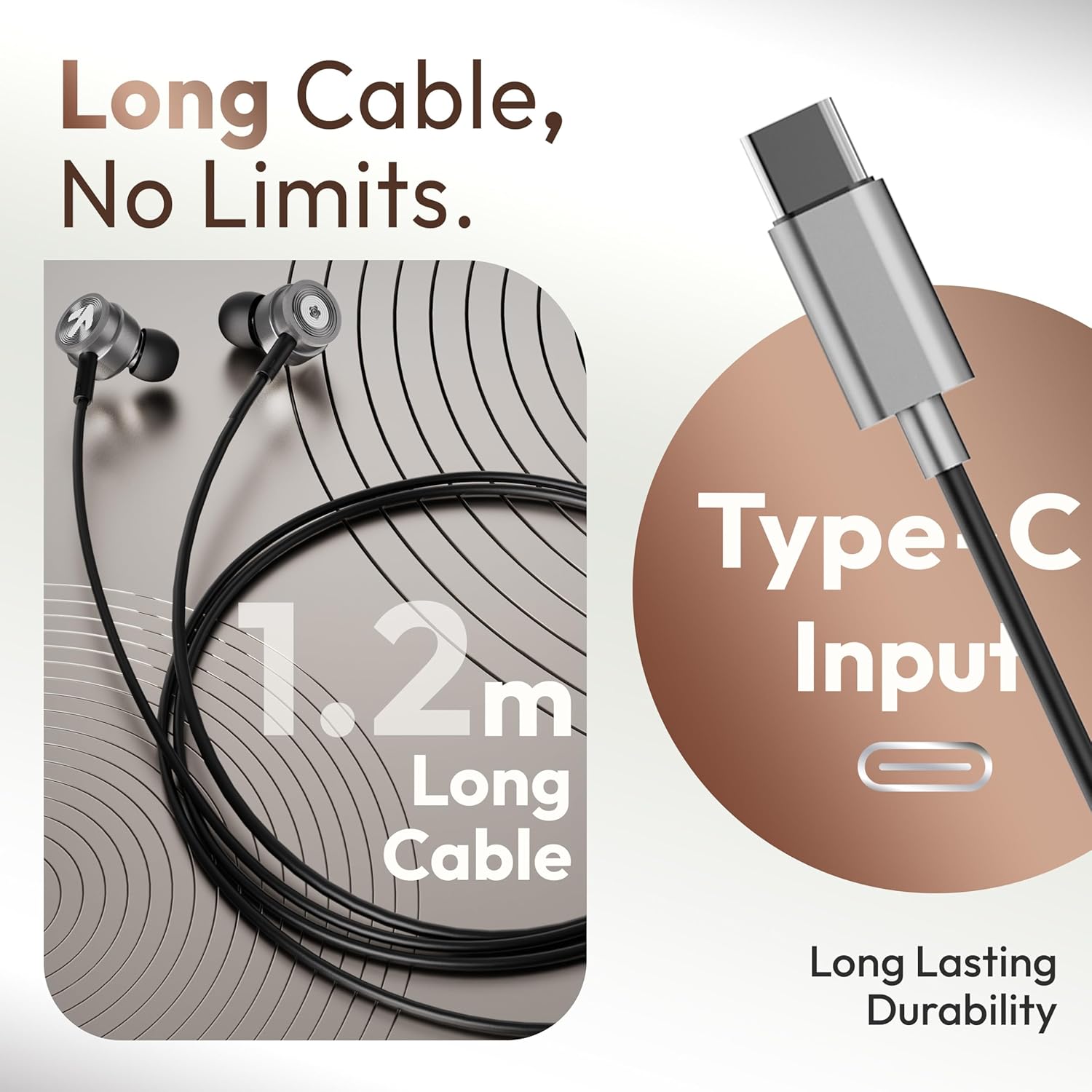
Image: The GOBOULT XO Pro earphones feature a 1.2m long Type-C cable for reliable connectivity.
2. To'g'ri quloq uchlarini tanlash
Properly sized eartips are crucial for comfort, sound quality, and noise isolation.
- Experiment with the different sizes of eartips provided.
- Select the size that creates a snug seal in your ear canal without causing discomfort. A good seal enhances bass response and blocks external noise.
3. Eshitish vositalarini taqish
Insert the earphones gently into your ears. The ergonomic design ensures a secure and comfortable fit for extended listening sessions.

Image: The earphones are designed for comfort with an ergonomic, feather-light, and snug fit.
Foydalanish bo'yicha ko'rsatmalar
The GOBOULT XO Pro earphones are equipped with an in-line remote for easy control of audio and calls.

Image: The in-line connector provides convenient access to music and call controls.
Musiqani ijro etish
- Oʻynatish/toʻxtatib turish: Ko'p funktsiyali tugmani bir marta bosing.
- Keyingi trek: Ko'p funksiyali tugmani ikki marta tez bosing.
- Oldingi trek: Ko'p funksiyali tugmani uch marta tez bosing.
- Ovozni boshqarish: Use the volume up (+) and volume down (-) buttons on the in-line remote.
Qo'ng'iroqlarni boshqarish
- Qo'ng'iroqqa javob berish/tugatish: Kiruvchi qo'ng'iroq yoki faol qo'ng'iroq paytida ko'p funksiyali tugmani bir marta bosing.
- Qo'ng'iroqni rad etish: Kiruvchi qo'ng'iroq paytida ko'p funksiyali tugmani taxminan 2 soniya bosib turing.
Ovozli yordamchi
- Ovozli yordamchini faollashtirish: Press and hold the multi-function button for approximately 2 seconds (when not on a call) to activate your device's voice assistant (e.g., Google Assistant, Siri).

Image: The earphones offer IPX5 water resistance and support voice assistant activation.
Xizmat
Tozalash
- Gently wipe the earphones and cable with a soft, dry, lint-free cloth.
- Remove eartips and clean them separately with mild soap and water if necessary. Ensure they are completely dry before reattaching.
- Qattiq kimyoviy moddalar, tozalovchi erituvchilar yoki kuchli yuvish vositalaridan foydalanmang.
Saqlash
- Eshitish vositalarini ishlatilmayotganda toza va quruq joyda saqlang.
- Haddan tashqari harorat va to'g'ridan-to'g'ri quyosh nurlaridan saqlaning.
- Do not wrap the cable too tightly to prevent damage. The tangle-free cable design helps maintain its integrity.
Suvga chidamlilik (IPX5)
The GOBOULT XO Pro earphones are IPX5 water resistant, meaning they can withstand splashes and sweat. This makes them suitable for workouts and light rain exposure.
- Eshitish vositalarini suvga botirmang.
- Avoid exposing them to pressurized water or high-velocity water streams.
- Ensure the Type-C port is dry before connecting to a device.
Muammolarni bartaraf qilish; nosozliklarni TUZATISH
| Muammo | Mumkin sabab | Yechim |
|---|---|---|
| Ovoz yo'q yoki past ovoz |
|
|
| Mikrofon ishlamayapti |
|
|
| Sound quality is poor (e.g., weak bass, tinny sound) |
|
|
| In-line controls not responding |
|
|
Texnik xususiyatlari

Image: The GOBOULT XO Pro features 10mm dynamic drivers for enhanced bass and high-fidelity sound.
| Xususiyat | Tafsilot |
|---|---|
| Model nomi | XO Pro |
| Ulanish texnologiyasi | Wired (Type-C) |
| Audio haydovchi turi | Dinamik haydovchi |
| Audio haydovchi o'lchami | 10 millimetr |
| Chastotaga javob | 20 Gts |
| Sezuvchanlik | 102 dB |
| Suvga chidamlilik darajasi | IPX5 suvga chidamli |
| Boshqarish turi | Tugma, Ovoz |
| Shovqinni nazorat qilish xususiyatlari | Ovoz izolyatsiyasi |
| Kabel uzunligi | Taxminan 1.2 metr |
| Material | Metall, silikon |
| Element og'irligi | 13 gramm |
| Mos qurilmalar | Cellphones, Desktops, Laptops, Tablets (with Type-C audio output) |
Kafolat va qo'llab-quvvatlash
Your GOBOULT XO Pro earphones come with a warranty. Please refer to the included Warranty Card for detailed information regarding warranty terms, conditions, and duration.
For technical support, service, or further inquiries, please contact GOBOULT customer service through the contact information provided on your Warranty Card or the official GOBOULT websayt.