
MOUNTUP Heavy Duty Single Monitor Arm
MOUNTUP Heavy Duty Single Monitor Arm (22-42 Inch Screens) Instruction Manual
Kirish
This manual provides detailed instructions for the installation, operation, and maintenance of your MOUNTUP Heavy Duty Single Monitor Arm. Designed for screens ranging from 22 to 42 inches and supporting weights from 4.4 to 33 lbs, this monitor arm offers superior stability and ergonomic adjustability to optimize your workspace. Please read this manual thoroughly before installation to ensure safe and correct usage.
Xavfsizlik ma'lumotlari
- O'rnatishdan oldin barcha komponentlar mavjudligiga va buzilmaganligiga ishonch hosil qiling. Agar biron bir qism etishmayotgan yoki nuqsonli bo'lsa, foydalanmang.
- Verify that your desk surface is strong enough to support the combined weight of the monitor arm and your monitor.
- Maksimal og'irlik sig'imi 33 funtdan (15 kg) oshmang.
- Follow all assembly steps carefully. Improper installation may result in product damage or personal injury.
- O'rnatish vaqtida bolalar va uy hayvonlarini uzoqroq tuting.
- Adjust the tension of the gas spring arm only after the monitor is mounted to prevent the arm from springing up unexpectedly.
Sozlash; o'rnatish
Paket tarkibi
Before beginning, ensure all parts are accounted for. The package typically includes:
- Monitor qo'llarini yig'ish
- C-Clamp Komponent
- Grommet Base Component
- VESA plitasi
- Uskuna to'plami (vintlar, yuvgichlar, olti burchakli kalitlar)
- Qo'llanma

Image: MOUNTUP Heavy Duty Single Monitor Arm, showcasing its main components including the adjustable arm, the C-clamp mounting option, and the grommet base option. A monitor is shown attached to the arm, illustrating its functionality.
O'rnatish imkoniyatlari
The MOUNTUP monitor arm offers two versatile mounting methods:
- C-Clamp O'rnatish: Ideal for desks without existing grommet holes. This method securely attaches the arm to the edge of your desk. It supports desk thicknesses between 0.39 inches and 2.76 inches.
- Grommet Hole Mount: Suitable for desks with a pre-existing hole. This provides a stable and flush mounting solution. It supports desk thicknesses between 0.39 inches and 2.36 inches, with a hole diameter between 0.39 inches and 2.36 inches.

Image: A detailed diagram illustrating the two available mounting options: the C-clamp for desk edges (0.39-2.76 inches thick) and the grommet hole mount for desks with existing holes (0.39-2.36 inches thick, 0.39-2.36 inches hole diameter).
Monitorni ulash
The monitor arm is compatible with VESA patterns of 75x75mm and 100x100mm. Ensure your monitor has one of these patterns.
- Taqdim etilgan vintlar yordamida VESA plitasini monitorning orqa tomoniga mahkamlang.
- Slide the monitor (with the attached VESA plate) onto the arm's mounting head until it clicks into place.
- Secure the monitor by tightening any safety screws or mechanisms as indicated in the detailed assembly guide.

Image: This graphic details the monitor arm's adaptability, showing VESA compatibility (75x75mm, 100x100mm), load capacity (4.4-33 lbs), height range (9.3-22.1 inches), and maximum extension (23.8 inches).
Monitor qo'lini boshqarish
Tuzatishlar
The MOUNTUP monitor arm allows for a wide range of adjustments to achieve optimal ergonomic positioning:
- Balandlikni sozlash: The arm can be adjusted to a maximum height of 22.1 inches, allowing you to position your monitor at eye level. Adjust the gas spring tension using the provided Allen key to ensure the arm holds your monitor's weight securely.
- Kengaytma: The arm extends up to 23.8 inches, providing flexibility for screen placement.
- Nishab: Adjust the monitor tilt from +90° to -45° to reduce glare and find your preferred viewkirish burchagi.
- Burilish: Swivel the monitor ±90° to share your screen with colleagues or change your viewistiqbolli.
- Aylanish: Landshaft va vertikal yo'nalishlar o'rtasida almashish uchun monitorni 360° aylantiring.
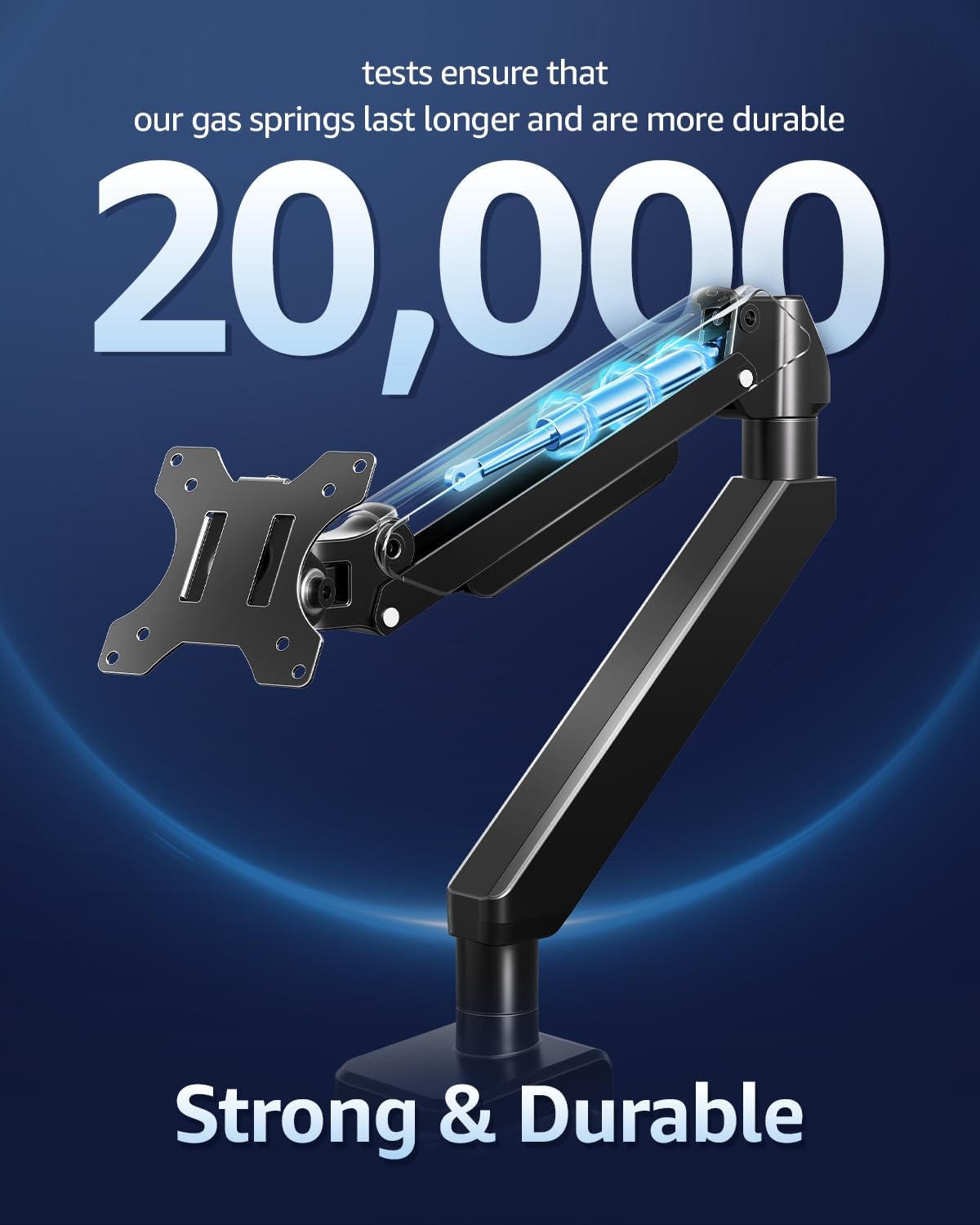
Image: This image showcases the monitor arm's full range of motion, including tilt (+90°/-45°), swivel (±90°), and 360° rotation, allowing for optimal ergonomic positioning.
Video: This video demonstrates the various adjustments possible with the MOUNTUP Heavy Duty Monitor Arm, including height, tilt, swivel, and rotation, highlighting its ergonomic flexibility.
Kabel boshqaruvi
The monitor arm features an integrated cable management system to keep your workspace tidy and free from clutter. Route your monitor cables through the designated channels along the arm to maintain a clean aesthetic and prevent cable damage.

Image: An image demonstrating the integrated cable management system of the monitor arm, which helps organize wires and free up desktop space for a cleaner, more productive environment.
Xizmat
- Doimiy ravishda barcha vintlardek va ulanishlarni tekshiring, ular mahkam va ishonchli bo'lib qoladi.
- Monitor qo'lini yumshoq, d bilan tozalangamp mato. Abraziv tozalash vositalaridan yoki erituvchilardan saqlaning.
- Periodically inspect the gas spring for any signs of wear or damage. The gas springs are designed for durability, tested for over 20,000 cycles.

Rasm: kesma view highlighting the durable gas springs within the monitor arm, indicating their longevity and reliability, tested for over 20,000 cycles.
Muammolarni bartaraf qilish; nosozliklarni TUZATISH
- Arm not holding position: Ensure the gas spring tension is correctly adjusted for your monitor's weight. Use the provided Allen key to increase tension if the arm sags, or decrease if it springs up too quickly.
- Monitor wobbles: Check that all mounting screws are securely tightened, especially the C-clamp or grommet base. Ensure the desk surface is stable.
- Sozlashdagi qiyinchiliklar: If the arm is stiff, check for any obstructions. If it's too loose, adjust the tension as described above.
Texnik xususiyatlari
| Xususiyat | Spetsifikatsiya |
|---|---|
| Mos keladigan monitor o'lchami | 22-42 dyuym |
| Yuklash quvvati | 4.4 - 33 funt (2 - 15 kg) |
| VESA muvofiqligi | 75x75mm, 100x100mm |
| O'rnatish turi | Stol usti o'rnatish (C-Cl)amp or Grommet Base) |
| C-Clamp Ish stolining qalinligi | 0.39 - 2.76 dyuym |
| Grommet stolining qalinligi | 0.39 - 2.36 dyuym |
| Grommet teshigi diametri | 0.39 - 2.36 dyuym |
| Harakat turi | Tilt, Rotate, Swivel, Height Adjust, Full Motion |
| Nishab burchagi | +90° / -45° |
| Burilish burchagi | ±90° |
| Aylanish | 360° |
| Maksimal balandlik | 22.1 dyuym |
| Maksimal kengaytma | 23.8 dyuym |
| Material | Qotishma po'lat |
| Rang | Qora |

Image: An illustration highlighting the monitor arm's robust load capacity, capable of supporting up to 33 pounds, ensuring stability for various monitor sizes.

Image: An image illustrating the monitor arm's capability to support large ultrawide monitors up to 42 inches, providing an expansive viewtajribasi.
Kafolat haqida ma'lumot
For detailed warranty information regarding your MOUNTUP Heavy Duty Single Monitor Arm, please refer to the official MOUNTUP website or the warranty card included in your product packaging. Warranty terms and conditions may vary by region and retailer.
Mijozlarni qo‘llab-quvvatlash
Should you require technical assistance, have questions about installation, or need further support for your MOUNTUP Heavy Duty Single Monitor Arm, please contact MOUNTUP customer service through their official website or the contact information provided in your product documentation. Please have your model number (Heavy Duty Single Monitor Arm) and purchase details ready when contacting support.
Ask a question about this manual
Ask about setup, troubleshooting, compatibility, parts, safety, or missing instructions. Manuals+ will review the question and use this page’s manual context to help answer it.