
1. Kirish
The Qiilu Industrial Grade Isolated USB to 4-Channel RS232 Converter provides a robust solution for connecting multiple RS232 serial devices to a computer via a single USB port. Designed for industrial environments, it features advanced isolation and protection mechanisms to ensure stable and reliable data communication. This manual provides detailed instructions for the proper setup, operation, and maintenance of your device.
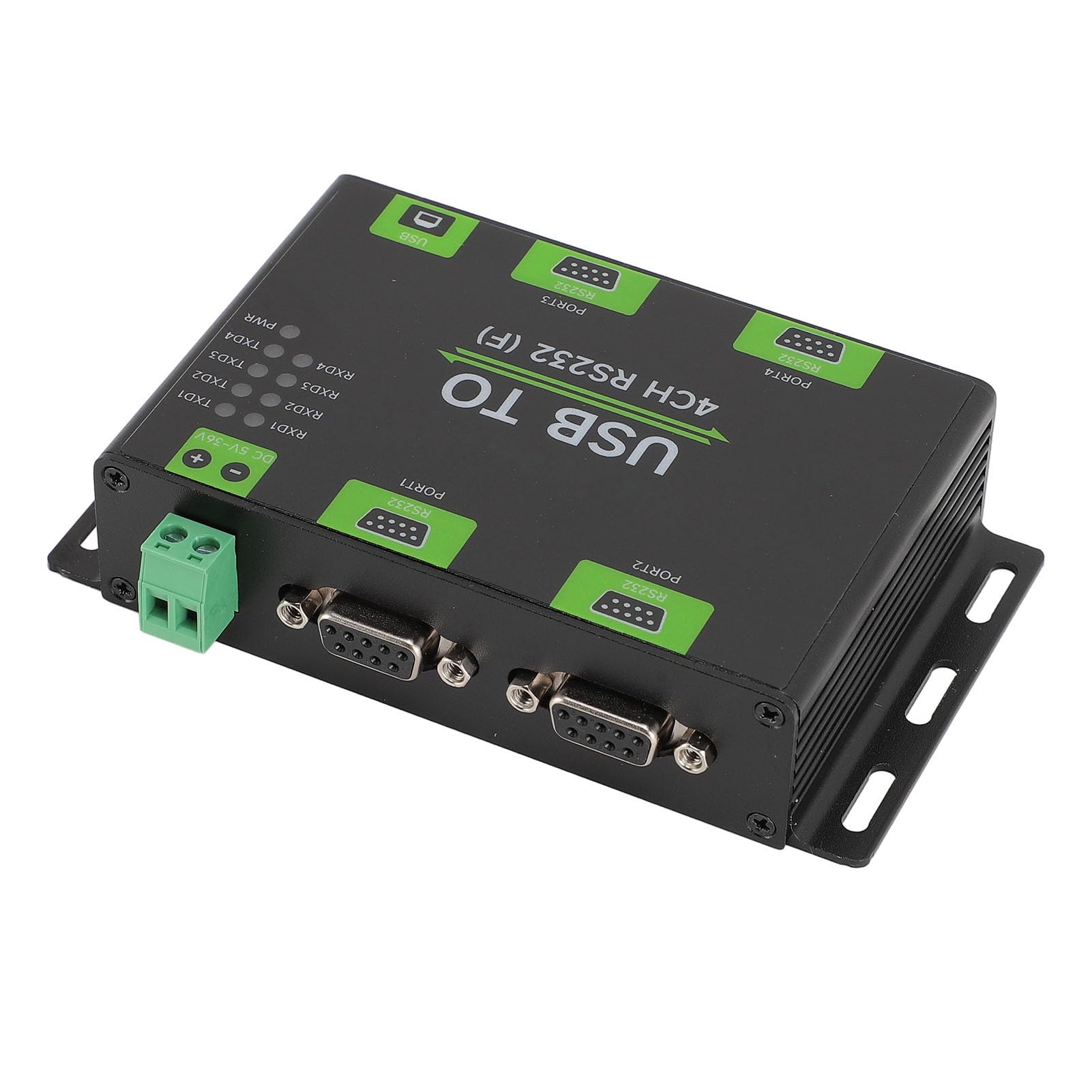
1-rasm: Yuqoridan pastga view of the Qiilu USB to 4-Channel RS232 Converter, showing USB, power, and RS232 ports with LED indicators.
2. Mahsulot xususiyatlari
- Yuqori tezlikda ishlash: Utilizes the original FT4232HL chip for stable and high-speed telecommunication, ensuring compatibility with various RS232 industrial devices.
- Advanced Isolation: Incorporates digital and power isolation mechanisms, offering low power consumption and strong anti-interference capabilities.
- Surge Voltage Himoya: Equipped with Transient Voltage Suppression (TVS) design to effectively mitigate surge and transient spike voltages, providing superior thunder and static protection.
- Joriy va jildtage Guard: Features a self-resetting fuse and diode to maintain stable output current and voltage, safeguarding the device from overcurrent and overvoltage sharoitlar.
- Foydalanuvchi uchun qulay ko'rsatkichlar: Includes external LED indicators for power supply and data transmission statuses (TXD/RXD), simplifying operation and monitoring.
3. Paket tarkibi
Paketga quyidagi elementlar kiradi:
- 1 x USB to RS232 Converter
- 1 x Power Adapter (for DC 5-36V input)
- 1 x USB kabeli
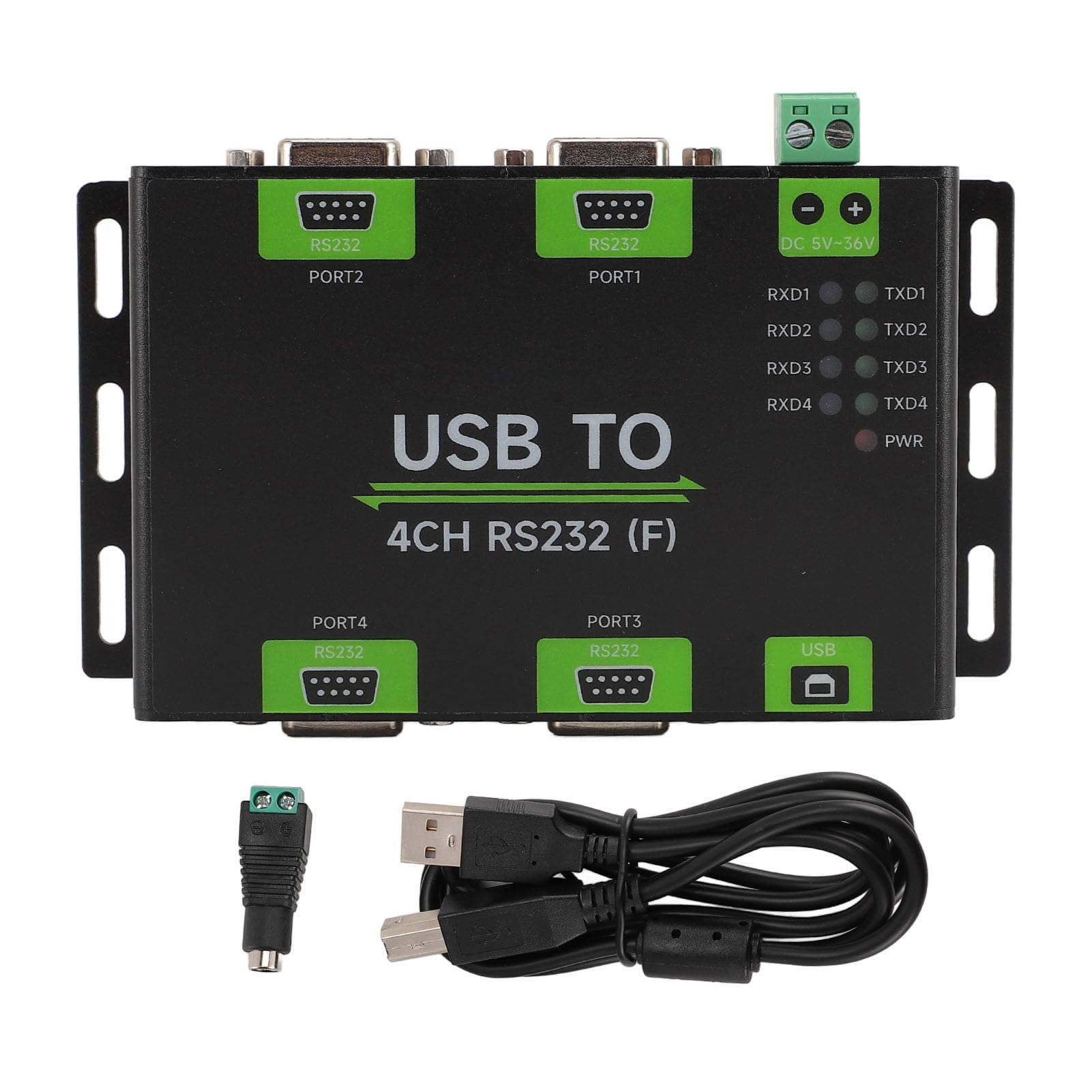
Figure 2: The converter unit shown with its accompanying power adapter and USB cable.
4. Texnik shartlar
| Xususiyat | Tavsif |
|---|---|
| Element turi | Industrial Grade Isolated USB to RS232 Converter |
| Material | Alyuminiy qotishmasi |
| Xost interfeysi | USB |
| Qurilma interfeysi | RS232 (4-channel) |
| Telecommunication Range | 300bps ~ 921600bps |
| USB Interface Working Level | 5V |
| USB ulagichi turi | USB B porti |
| USB Interface Guard | 200mA Self-Restoring Fuse, Isolated Output |
| USB Output Distance | Approximately 5m (16.4ft) |
| Quvvat manbai Voltage | 5 dan 36 V gacha doimiy oqim |
| Power Supply Terminals Interface Guard | Teskari ulanishni himoya qilish |
| RS232 Interface Form | DB9 Female Head |
| RS232 Interface Guard | TVS Tube Guard, Static Protection |
| RS232 Distance | Approximately 15m (49.2ft) |
| Ishlash harorati oralig'i | -40℃ ~ 85℃ |
| Ishlash namligi diapazoni | 5% ~ 95% RH |
| Operatsion tizimning muvofiqligi | For OS X, for Linux, for Android |
| Brend | Qiilu |
| Model raqami | Qiilu4a27tudq0n |
| Element og'irligi | 293 gramm |
5. O'rnatish bo'yicha ko'rsatmalar
- Quvvatni ulash: Connect the provided power adapter to the DC 5-36V power input terminal on the converter. Ensure the power source matches the specified voltage diapazoni.
- Connect USB Host: Connect one end of the USB cable to the USB B port on the converter and the other end to an available USB port on your computer (host device).
- Drayvlarni o'rnatish: Your operating system may automatically install necessary drivers. If not, please refer to the manufacturer's website for driver downloads specific to the FT4232HL chip.
- Connect RS232 Devices: Connect your RS232 serial devices to the DB9 female head ports (PORT1, PORT2, PORT3, PORT4) on the converter.
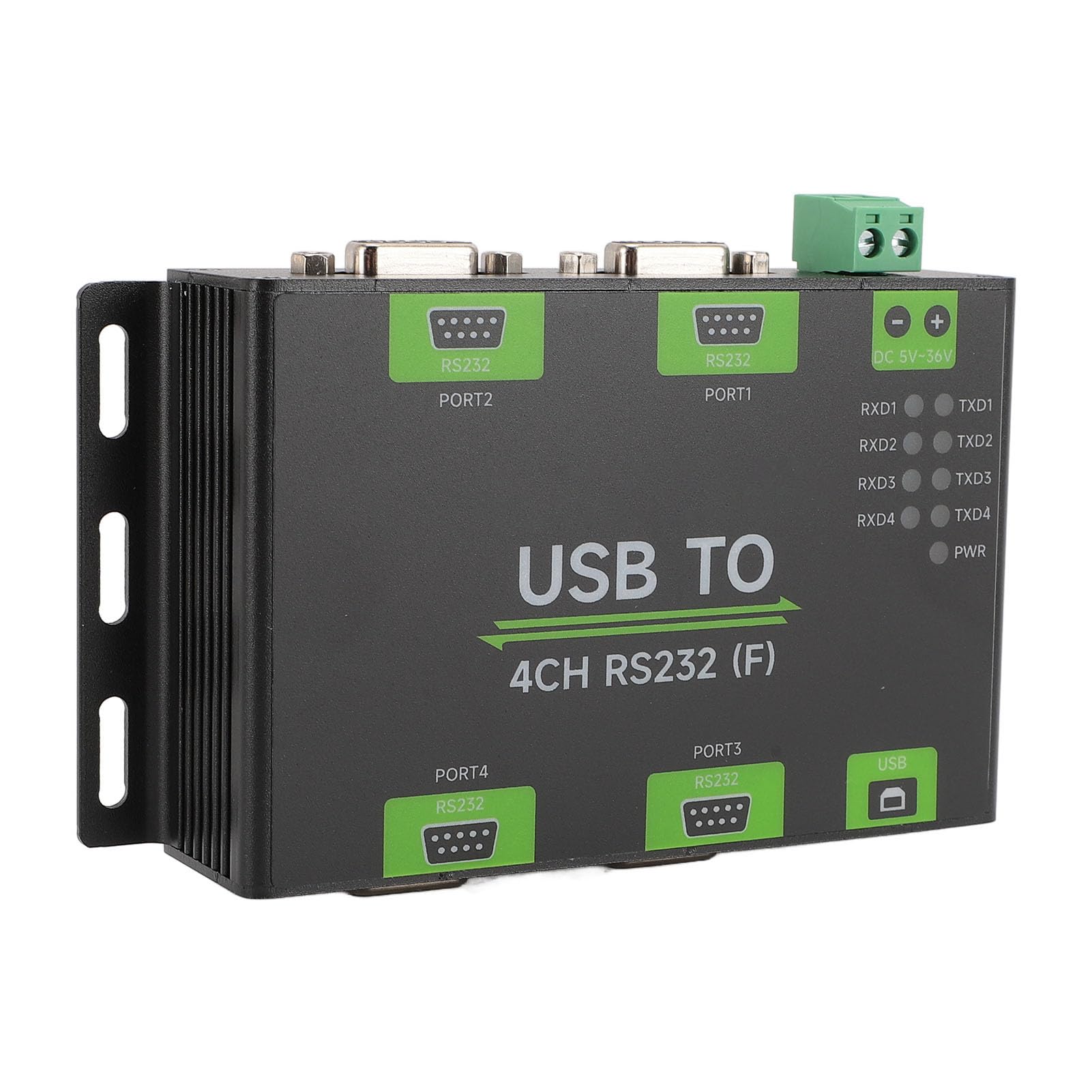
3-rasm: Burchakli view highlighting the USB, power input, and RS232 ports for connection.
6. Foydalanish bo'yicha ko'rsatmalar
Once connected and powered, the converter will begin operation. Monitor the LED indicators for status:
- PWR (Quvvat indikatori): This LED turns red when the USB is connected and voltage is detected, indicating the device is powered on.
- TXD (Send Indicator): This LED turns green when data is being sent from the RS232 interface.
- RXD (Receiving Indicator): This LED turns blue when data is being received by the RS232 interface.
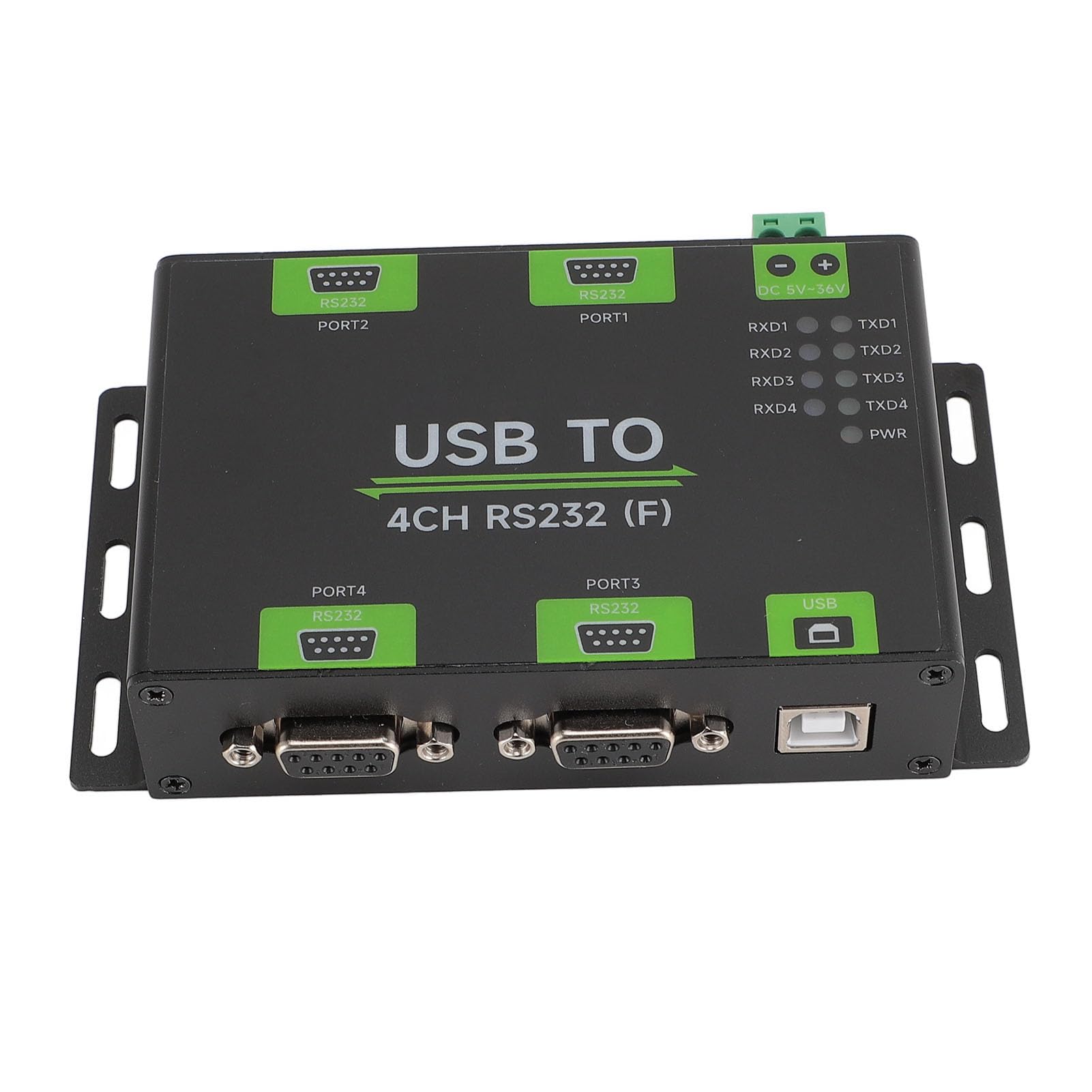
4-rasm: Yaqindan view of the PWR, TXD, and RXD LED indicators on the converter.
7. Xizmat ko'rsatish
- Keep the converter in a clean, dry environment.
- Avoid exposing the device to extreme temperatures or humidity outside the specified operating range.
- c ni ochishga urinmangasing or modify the internal components, as this will void the warranty and may damage the device.
- Tashqi qismini yumshoq, quruq mato bilan tozalang. Suyuq tozalagichlardan foydalanmang.
8. Muammolarni bartaraf qilish; nosozliklarni TUZATISH
- Quvvat yo'q (PWR LED o'chirilgan):
- Check if the USB cable is securely connected to both the converter and the host device.
- Verify that the host device's USB port is functional.
- Ensure the power adapter is correctly connected and providing power within the 5-36V range.
- No Data Transmission (TXD/RXD LEDs off during communication):
- Confirm that the RS232 devices are properly connected to the converter's DB9 ports.
- Verify that the RS232 devices are powered on and configured correctly.
- Check your software settings on the host computer to ensure the correct COM port is selected and communication parameters (baud rate, data bits, parity, stop bits) match those of the RS232 device.
- Ensure the drivers for the FT4232HL chip are correctly installed.
- Vaqti-vaqti bilan ulanish:
- Barcha kabel ulanishlarini bo'shashganligini tekshiring.
- Ensure the USB and RS232 cable lengths do not exceed the recommended distances (5m for USB, 15m for RS232).
- Boshqa elektron qurilmalardan kelib chiqadigan elektromagnit shovqinlarni minimallashtiring.
9. Kafolat haqida ma'lumot
This product comes with a manufacturer's warranty for 90 days from the date of purchase. Please retain your proof of purchase for warranty claims. The warranty covers defects in materials and workmanship under normal use. It does not cover damage caused by misuse, accident, unauthorized modification, or improper installation.
10. Qo'llab-quvvatlash
For further assistance or technical support, please contact Qiilu customer service. When seeking support, please refer to the product model number Qiilu4a27tudq0n.


