
1. Xavfsizlik bo'yicha muhim ko'rsatmalar
Please read these instructions carefully before using the Audizio Canzo DAB+ Internet Radio. Keep this manual for future reference.
- Yong'in yoki elektr toki urmasligi uchun qurilmani yomg'ir yoki namlik ta'siriga qo'ymang.
- c ni ochmangasing. Ichkarida foydalanuvchi tomonidan ta'mirlanadigan qismlar yo'q. Barcha xizmat ko'rsatish ishlarini malakali xodimlarga topshiring.
- Faqat qurilma bilan birga kelgan quvvat adapteridan foydalaning.
- Jihoz atrofida to'g'ri shamollatishni ta'minlang. Shamollatish teshiklarini to'sib qo'ymang.
- Jihozni issiqlik manbalari yaqiniga yoki to'g'ridan-to'g'ri quyosh nuriga qo'ymang.
- Jihozni faqat quruq, yumshoq mato bilan tozalang. Suyuq tozalagichlardan foydalanmang.
2. Mahsulot tugadiview
The Audizio Canzo is a versatile DAB+ Internet Radio designed for high-quality audio reception and playback. It features multiple connectivity options including Wi-Fi, Bluetooth 5.3, AUX, and USB, along with a remote control for convenient operation. The elegant wooden finish and clear display make it suitable for various home environments.
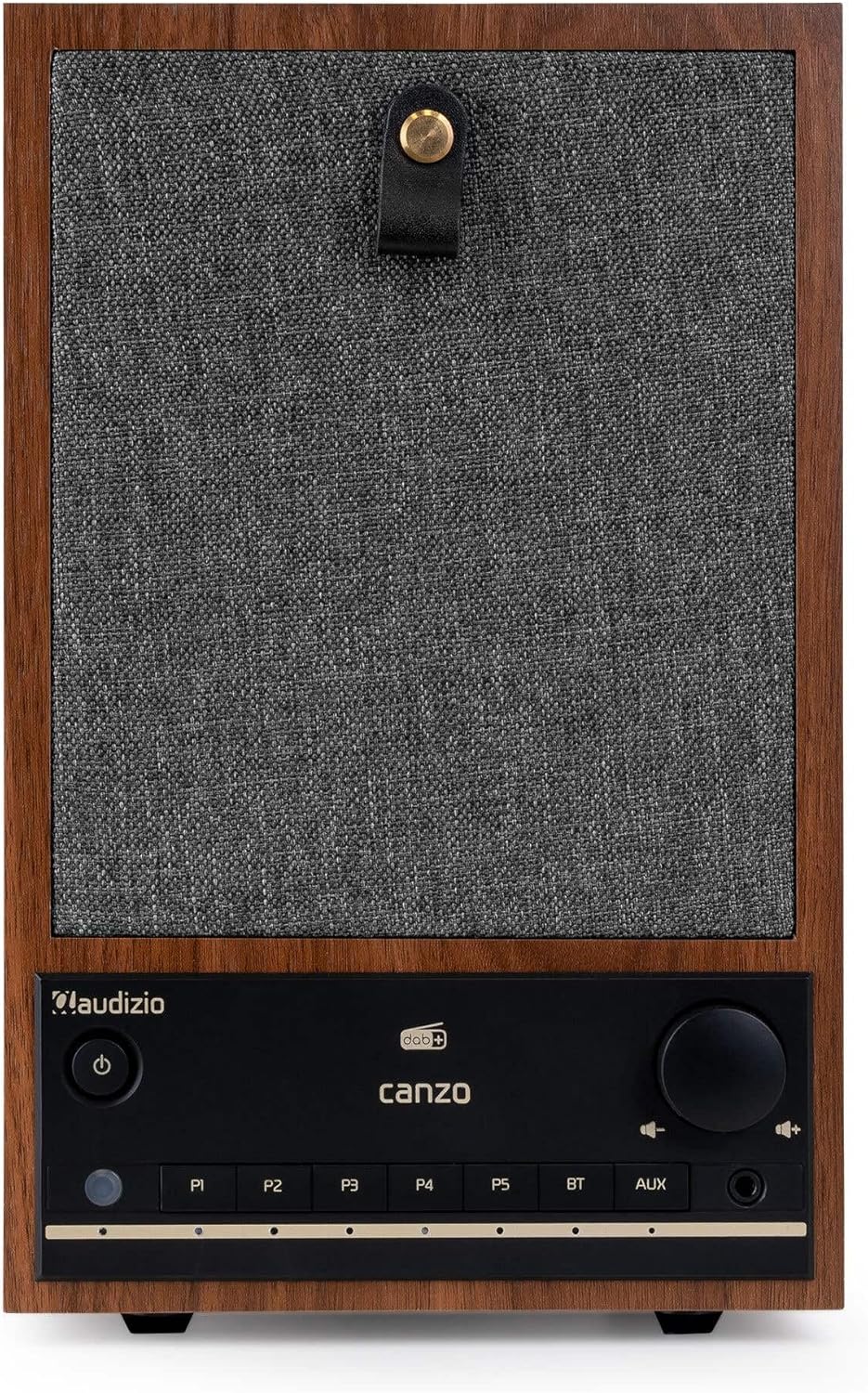
2.1-rasm: Old view of the Audizio Canzo DAB+ Internet Radio in walnut finish.

2.2-rasm: Old view with speaker grille removed, highlighting the speaker, display, and control panel.
3. Qutida nima bor
Qutini ehtiyotkorlik bilan oching va barcha narsalar mavjudligiga ishonch hosil qiling:
- Audizio Canzo DAB+ Internet Radio
- Quvvat adapteri
- Masofadan boshqarish
- Tez boshlash uchun qo'llanma
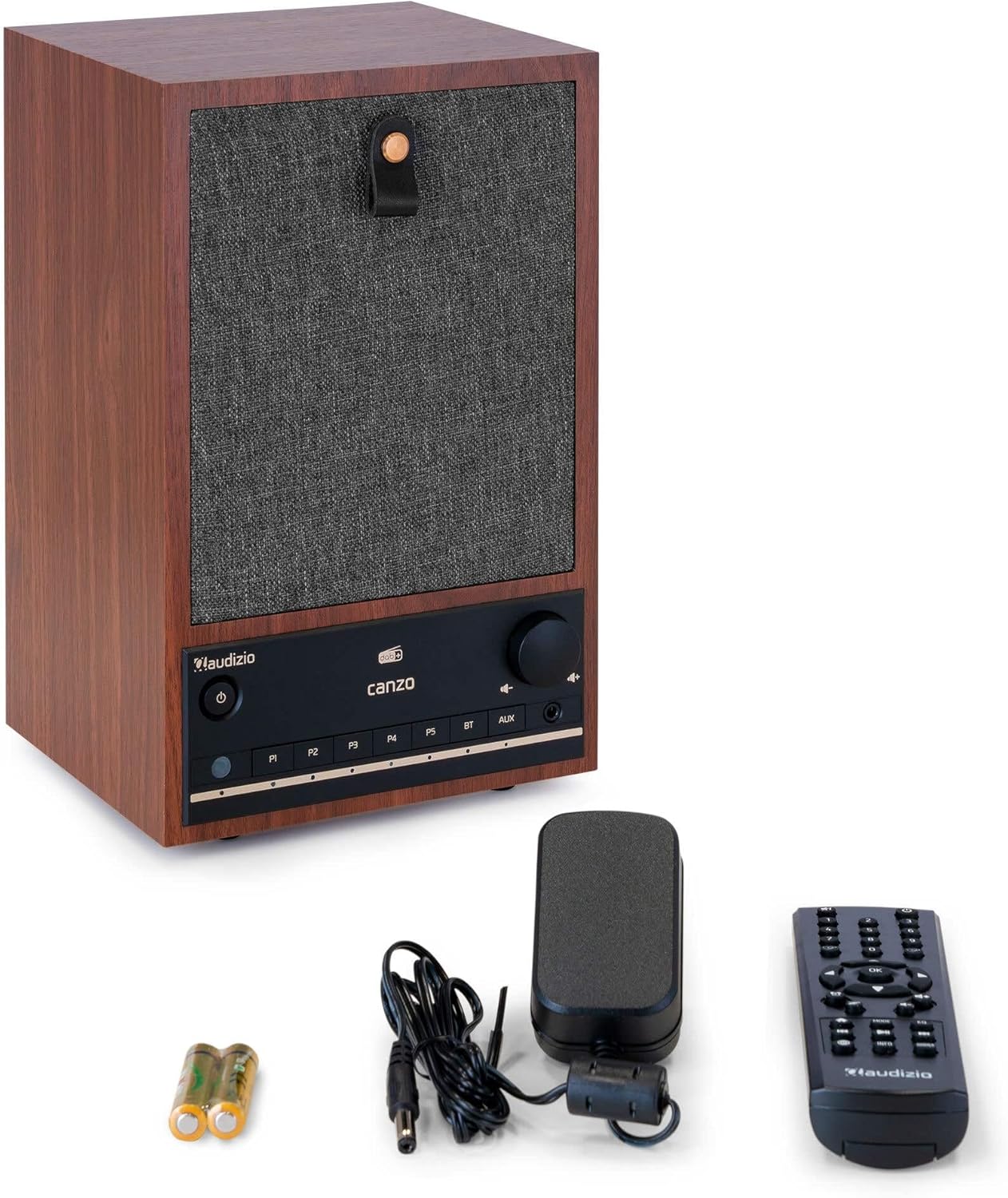
Figure 3.1: Audizio Canzo radio with its accessories.
4. Sozlash
4.1 Quvvatni ulash
- Insert the DC plug of the power adapter into the DC IN port on the back of the radio.
- Plug the power adapter into a standard wall outlet (220V).
- ni aylantiring ON/OFF switch on the back of the unit to the ON pozitsiya.
4.2 Antennaga ulanish
For optimal DAB+ and FM reception, extend the telescopic antenna located on the back of the unit. Adjust its position for the best signal.

Figure 4.1: Rear panel with power input, audio ports, USB, LAN, and antenna.
4.3 Dastlabki quvvatni yoqish va tarmoqni sozlash
- ni bosing Quvvat radioni yoqish uchun old paneldagi yoki masofadan boshqarish pultidagi tugmani bosing.
- The display will show the Audizio logo and then guide you through the initial setup wizard.
- O'zingiz yoqtirgan tilni tanlang.
- The radio will prompt you to connect to a network. Choose Wi-fi or LAN.
- Wi-Fi uchun: Select your Wi-Fi network from the list and enter the password using the navigation buttons and OK tugmasi.
- For LAN: Routeringizdan Ethernet kabelini ulang LAN port on the back of the radio. The connection should be established automatically.
- Once connected, the radio will update the time and date automatically.
5. Foydalanish bo'yicha ko'rsatmalar
5.1 Asosiy boshqaruv elementlari
The front panel features a power button, preset buttons (P1-P5), Bluetooth (BT) and AUX input buttons, a volume knob, and navigation controls. The remote control provides full access to all functions.
5.2 Rejim tanlash
ni bosing REJIM button on the radio or remote control to cycle through available modes: Internet Radio, DAB+, FM, Bluetooth, AUX, and USB Playback.
5.3 Internet radiosi
- Tanlang Internet radio rejimi.
- Use the navigation buttons to browse stations by location, genre, or search.
- bosing OK stantsiyani tanlash uchun.
- Stansiyani oldindan o'rnatilgan sifatida saqlash uchun ulardan birini bosib ushlab turing P1-P5 buttons until the display confirms.
5.4 DAB+ radiosi
- Tanlang DAB+ rejimi.
- Radio avtomatik ravishda mavjud DAB+ stansiyalarini qidiradi.
- Use the navigation buttons to scroll through the list of found stations.
- bosing OK stantsiyani tanlash uchun.
- Stansiyani oldindan o'rnatilgan sifatida saqlash uchun ulardan birini bosib ushlab turing P1-P5 tugmalar.
5.5 FM radiosi
- Tanlang FM rejimi.
- ni bosing va ushlab turing Skanerlash button (usually on the remote or via menu) to auto-scan for FM stations.
- Use the navigation buttons to tune manually or select from scanned stations.
- Stansiyani oldindan o'rnatilgan sifatida saqlash uchun ulardan birini bosib ushlab turing P1-P5 tugmalar.
5.6 Bluetooth ijrosi
- Tanlang Bluetooth mode. The radio will enter pairing mode, indicated on the display.
- Smartfon yoki planshetingizda Bluetooth-ni yoqing va mavjud qurilmalarni qidiring.
- Select "Audizio Canzo" from the list to pair.
- Once paired, you can play audio from your device through the radio.
5.7 AUX kirish
- Tashqi audio qurilmani (masalan, MP3 pleer) ga ulang AUX IN port on the back of the radio using a 3.5mm audio cable.
- Tanlang AUX rejimi.
- Audio from the connected device will now play through the radio.
5.8 USB orqali tinglash
- Ovozli USB flesh-diskini joylashtiring files ichiga USB ISHLATISH port on the back of the radio.
- Tanlang USB rejimi.
- Use the navigation buttons to browse and select audio fileijro etish uchun.
5.9 Budilnik va uyqu taymeri
- Signal: Access the Alarm settings via the menu. Set up to two alarms with desired time, source (buzzer, radio), and volume.
- Uyqu taymeri: Access the Sleep Timer settings via the menu. Set a duration (e.g., 15, 30, 60 minutes) after which the radio will automatically turn off.
- Takrorlash: Signal chalinganda, tugmasini bosing Kechiktirish button on the remote or radio to temporarily silence it.
6. Xizmat ko'rsatish
6.1 Tozalash
To clean the radio, use a soft, dry, lint-free cloth. Do not use abrasive cleaners, waxes, or solvents as they may damage the finish or internal components.
6.2 Saqlash
Agar jihoz uzoq vaqt saqlansa, uni elektr rozetkasidan uzing va salqin, quruq joyda, to'g'ridan-to'g'ri quyosh nuri va haddan tashqari haroratdan uzoqroq joyda saqlang.
7. Muammolarni bartaraf qilish; nosozliklarni TUZATISH
| Muammo | Mumkin sabab | Yechim |
|---|---|---|
| Quvvat yo'q | Power adapter not connected; ON/OFF switch is OFF. | Ensure power adapter is securely connected and ON/OFF switch is ON. |
| Ovoz yo'q | Volume too low; incorrect source selected; headphones connected. | Increase volume; select correct input mode; disconnect headphones. |
| Wi-Fi tarmog‘iga ulanib bo‘lmadi | Incorrect password; router too far; network issue. | Verify Wi-Fi password; move radio closer to router; restart router. |
| DAB+/FM qabul qilish yomon | Antenna uzaytirilmagan; signal maydoni zaif. | Fully extend and adjust the telescopic antenna; try repositioning the radio. |
| Masofadan boshqarish pulti ishlamayapti | Batareyalar tugagan; masofadan boshqarish pulti va radio o'rtasida tiqilib qolish. | Replace remote control batteries; ensure clear line of sight to the radio's sensor. |
8. Texnik shartlar
| Xususiyat | Spetsifikatsiya |
|---|---|
| Model raqami | Canzo |
| Mahsulot o'lchamlari | 22.5 x 20.5 x 34 sm |
| Element og'irligi | 2.9 kilogramm |
| Rang | Yong'oq |
| Ekran o'lchami | 2.4 dyuym |
| Ulanish texnologiyasi | Aux, Bluetooth, Wi-Fi, LAN |
| Bluetooth versiyasi | 5.3 |
| Qo'llab-quvvatlanadigan radio diapazonlari | DAB+, FM, Internet radiosi |
| Quvvat manbai | Corded Electric (220 Volt) |
| Maxsus xususiyatlar | Integrated Clock, Sleep Timer, Alarm, Remote Control, Preset Stations |
| Mos qurilmalar | Smartphone, Tablet, Headphones, MP3 Player, USB Storage Device |
9. Kafolat va qo'llab-quvvatlash
For warranty information and technical support, please refer to the warranty card included with your product or contact your retailer. Keep your proof of purchase for any warranty claims.