
Kirish
This manual provides comprehensive instructions for the setup, operation, and maintenance of your Lepro OE1 AI Smart RGBICW LED Corner Floor Lamp. Please read this manual thoroughly before use to ensure proper functionality and safety.
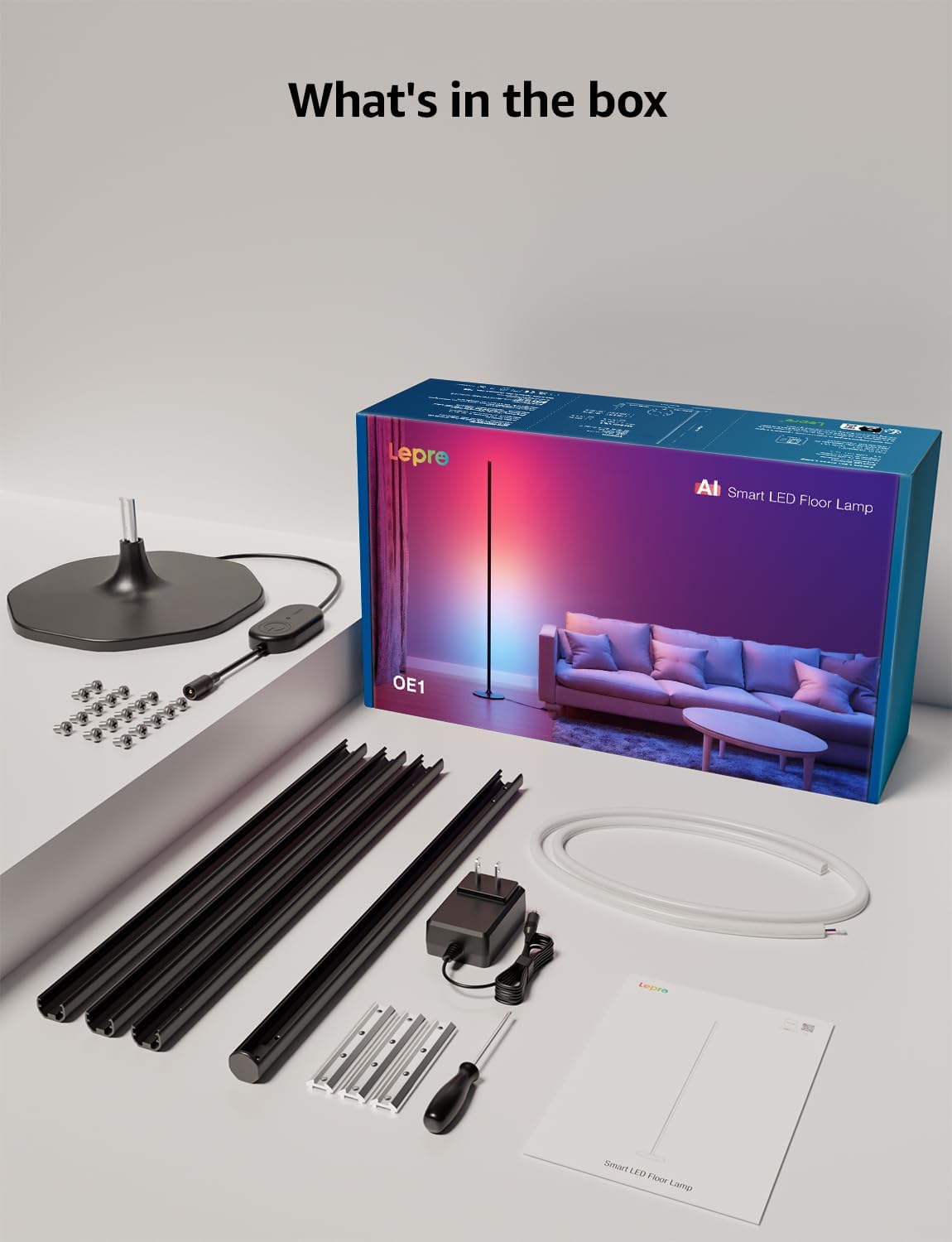
Paket tarkibi
Paketda barcha komponentlar mavjudligiga ishonch hosil qiling:
- Lamp Baza
- Metal Poles (multiple sections)
- Metal Connecting Pieces
- LED chiziqli chiroqlar
- Vintlar va tornavida
- Quvvat adapteri
- Foydalanuvchi uchun qo'llanma
O'rnatish va yig'ish
Follow these steps to assemble and set up your Lepro OE1 floor lamp:
- Assemble the Metal Poles: Align the metal slots of the pole sections with the connecting pieces. Use the provided screws and screwdriver to tighten them securely. Continue this process until all pole sections are connected to form the main lamp tanasi.
- Bazaga biriktiring: Secure the assembled metal pole to the lamp base using the designated screws.
- Insert LED Strip: Carefully insert the LED strip light into the channel of the assembled metal pole. Ensure the strip's bottom connector aligns with the wire from the base.
- Simlarni ulash: Connect the wire from the LED strip to the wire extending from the lamp asos.
- Position the LED Strip: Gently press and adjust the LED strip from the middle outwards to ensure it sits flush and evenly within the pole's channel. Do not cut the strip lights, as this will cause damage.
- Quvvat ulanishi: Quvvat adapterini l ga ulangamp and then plug it into a standard electrical outlet.

Ilovani yuklab olish va ulanish
The Lepro OE1 lamp is controlled via the Lepro app. It is compatible with 2.4GHz WiFi networks only. Ensure your phone's Bluetooth is enabled during the pairing process.
- Download the "Lepro" app from your device's app store. (Note: Not compatible with "Lepro Lampux" or "Smart Life" apps).
- Yangi hisob qaydnomasini ro'yxatdan o'tkazing yoki tizimga kiring.
- Ensure your phone's Bluetooth is on and connected to a 2.4GHz WiFi network.
- In the app, select "Add Device" and follow the on-screen instructions to pair your OE1 lamp.
Video 1: Step-by-step guide on how to assemble the Lepro OE1 AI floor lamp.
Video 2: Instructions on how to connect the OE1 AI floor lamp to the Lepro app.
Foydalanish bo'yicha ko'rsatmalar
The Lepro OE1 lamp offers various control methods and lighting features:
1. Lepro App Control
The Lepro app provides full control over your lamp's functions:
- LightGPM 4 - Personalized AI Lighting Designer: Use voice or text prompts to describe your desired mood or scene. The AI will generate lighting effects tailored to your preferences. The more you use it, the more it adapts.
- DIY Lighting: Customize your ambiance with over 16 million RGB colors and various effects. Adjust colors, brightness, and speed. Save your custom settings and explore community ideas within the app.
- Musiqani sinxronlash: The RGB+ICW color-changing floor lamp reacts to music beats, creating dynamic lighting effects.
- Photo-to-Vibe: Upload a photo of your room, a movie poster, or a game character, and LightGPM will generate a lighting design to match the image's theme.
- Issiq oq yoritish: For daily use, the lamp provides 1000 lumens of warm white light at 2700K, adjustable from 1% to 100% brightness.
- Masofadan boshqarish: Control your lamp remotely via the Lepro App, even when away from home.
- Rejalashtirish: Set automatic on/off timers for convenience.


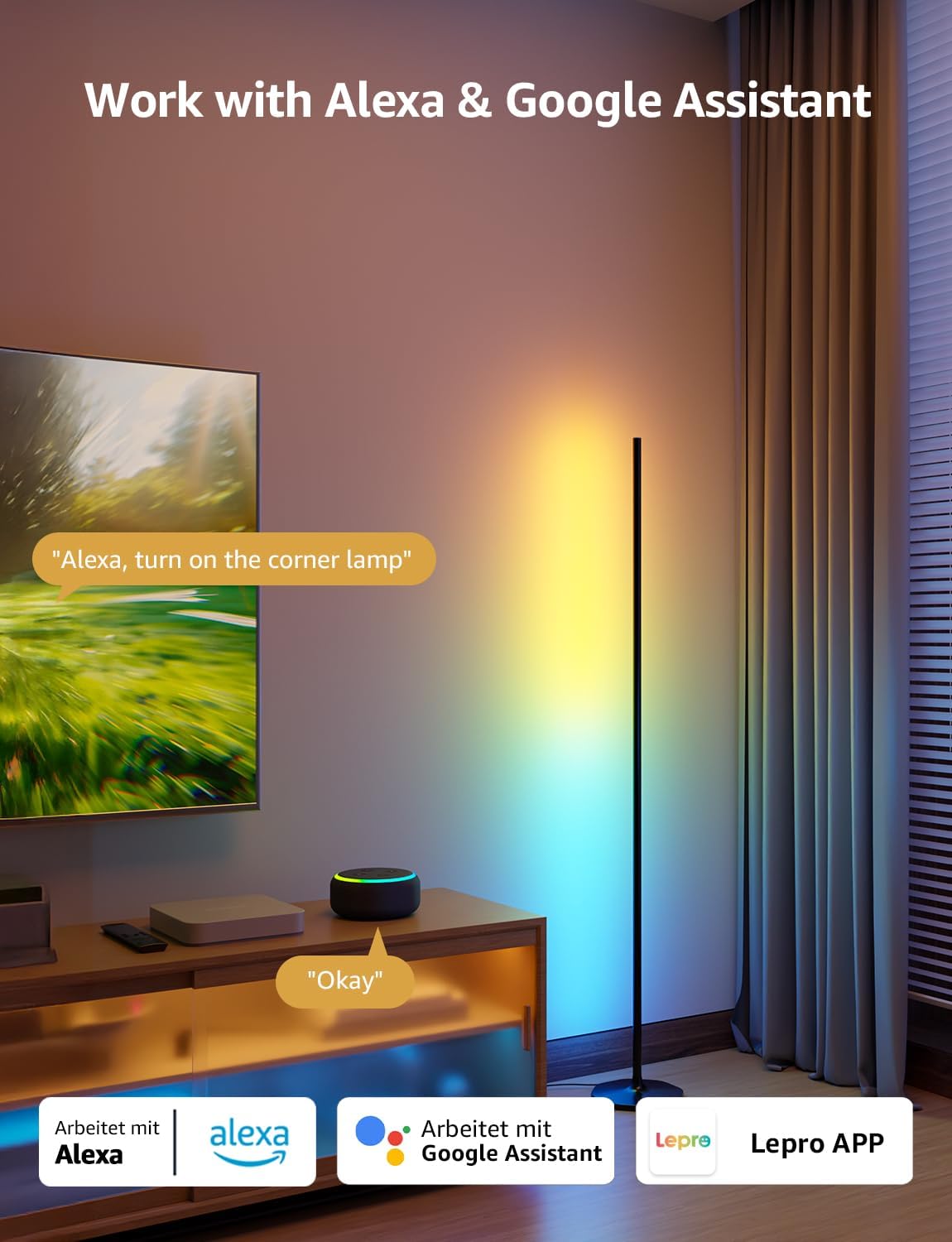
2. Ovozli boshqaruv (Alexa va Google Assistant)
The OE1 lamp supports effortless voice control through Amazon Alexa and Google Assistant. Link your Lepro account with Alexa or Google Assistant in their respective apps to enable voice commands.
- Example commands: "Alexa, turn on the corner lamp," "Hey Google, set the floor lamp to blue," "Alexa, dim the floor lamp 50% gacha."
3. Guruh nazorati
For multiple Lepro AI devices, simultaneous group control is supported through the Lepro app, allowing you to manage all your smart lights together.
Xizmat
To ensure the longevity and optimal performance of your Lepro OE1 floor lamp:
- Tozalash: Lni artib olingamp with a soft, dry cloth. Avoid using abrasive cleaners or solvents that may damage the finish or LED strip.
- Joylashtirish: l ni joylashtiringamp on a stable, flat surface. Avoid areas with excessive moisture or direct exposure to sunlight, which can affect the LED lifespan.
- Quvvat: Always disconnect the power adapter before cleaning or performing any maintenance.
Muammolarni bartaraf qilish; nosozliklarni TUZATISH
If you encounter issues with your Lepro OE1 floor lamp, refer to the following common solutions:
- Lamp yoqilmaydi:
- Quvvat adapteri ikkala l ga mahkam ulanganligiga ishonch hosil qilingamp va ishlaydigan elektr rozetkasi.
- Elektr rozetkasining ishlashini boshqa qurilmaga ulash orqali tekshiring.
- Unable to connect to the Lepro app:
- Verify your smartphone's Bluetooth is enabled.
- Confirm your WiFi network is 2.4GHz. The lamp does not support 5GHz WiFi.
- Ensure your phone is connected to the same 2.4GHz WiFi network as the lamp dastlabki sozlash paytida.
- l ni qayta tiklashga harakat qilingamp (see "Resetting the Lamp" below).
- Ovozli boshqaruv ishlamayapti:
- Ensure your Lepro account is correctly linked with your Alexa or Google Assistant app.
- Check your internet connection for both the lamp and your voice assistant device.
L ni qayta tiklashamp
If you experience persistent issues or need to re-pair your lamp, perform a factory reset:
- Locate the control button on the power cable.
- Tugmani 5 soniya bosib turing.
- A flashing blue light on the lamp indicates a successful reset. The lamp is now ready for re-pairing with the Lepro app.
Video 3: Visual demonstration of how to reset the Lepro OE1 AI floor lamp.
Texnik xususiyatlari
| Xususiyat | Tafsilot |
|---|---|
| Brend | Moxov |
| Model raqami | OEMNUMX |
| Mahsulot o'lchamlari | 7.87"D x 7.87"W x 55.11"Y |
| Element og'irligi | 2.86 funt |
| Nur manbai turi | LED |
| Yorqinlik | 1000 lumen |
| Rang harorati | 2700 Kelvin (Issiq oq) |
| Yengil rang | RGB, issiq oq |
| Wattage | 20 vatt |
| jildtage | 120 volt (AC) |
| Nazorat usuli | Voice, App (Lepro App) |
| Ulanish | Bluetooth, 2.4G WiFi (5GHz not supported) |
| O'rtacha umr | 20000 soat |
| Material | alyuminiy |
| Tugatish turi | Mat |
| Ichki/tashqi makonda foydalanish | Ichki |
| Yig'ish talab qilinadi | Ha |
| UPC | 810168791135 |
Kafolat va qo'llab-quvvatlash
For warranty information or technical support, please refer to the official Lepro websayti yoki bevosita mijozlarga xizmat ko'rsatish bilan bog'laning. Har qanday kafolat da'volari uchun xarid kvitansiyasini saqlang.
Optional protection plans may be available for purchase separately. Please check with your retailer for details.