
1. Mahsulot tugadiview
The MOVE SPEED 3-in-1 Portable Charger Power Bank (Model: MSP14) is a versatile charging solution designed for convenience and efficiency. It integrates a 20,000mAh power bank, a built-in retractable USB-C cable, and a foldable AC wall plug, allowing for charging on the go or directly from a wall outlet. This device supports 65W GaN fast charging and features a smart digital display to monitor battery status and power output.

Image: The MOVE SPEED 3-in-1 Portable Charger Power Bank, showcasing its compact design, integrated retractable USB-C cable, and foldable AC wall plug. The digital display shows 100% charge.
Asosiy xususiyatlar:
- 3-in-1 funksionalligi: Combines a 20,000mAh power bank, a built-in 70cm (27.6in) retractable USB-C cable, and a foldable AC wall plug for comprehensive charging.
- 65W GaN Fast Charging: Provides high-speed charging for compatible devices, including laptops like MacBook Air, and ensures efficient power delivery.
- 20,000mAh yuqori quvvat: Offers multiple charges for smartphones (e.g., iPhone 16 up to 4.5 times) and other portable electronics.
- Aqlli raqamli displey: Real-time display shows exact battery percentage (0-100%) and current input/output power status.
- Ko'p qurilmani zaryadlash: Equipped with a built-in USB-C cable, an additional USB-C port, and a USB-A port, allowing simultaneous charging of up to three devices.
- O'tish orqali zaryadlash: The power bank can be recharged while simultaneously charging connected devices.
- Sayohat uchun qulay dizayn: Compact, lightweight (1.08 pounds), and airline-approved (77Wh), making it suitable for travel.
2. Paket tarkibi
Paketda quyidagi elementlar mavjudligini tekshiring:
- MOVE SPEED 3-in-1 Portable Charger Power Bank (MSP14)
- Foydalanuvchi uchun qo'llanma (ushbu hujjat)
Note: Charging cables for external devices are not included unless specified. The device features a built-in USB-C cable.
3. O'rnatish va dastlabki foydalanish
3.1 Dastlabki to'lov
Before first use, it is recommended to fully charge the power bank. Connect the foldable AC plug directly into a wall outlet (AC 100-240V~50/60Hz). The digital display will show the charging progress, indicating 100% when fully charged.

Image: The power bank plugged into a wall outlet, demonstrating its ability to recharge itself and simultaneously charge a smartphone and a smartwatch via its ports and built-in cable.
3.2 Retractable USB-C Cable Operation
To extend the built-in USB-C cable, gently pull both ends of the cable simultaneously until it reaches the desired length (up to 27.6 inches / 70 cm). To retract, pull both ends slightly further, then release, and the cable will automatically retract into the unit. Avoid pulling only one side to prevent tangling or damage to the retraction mechanism.
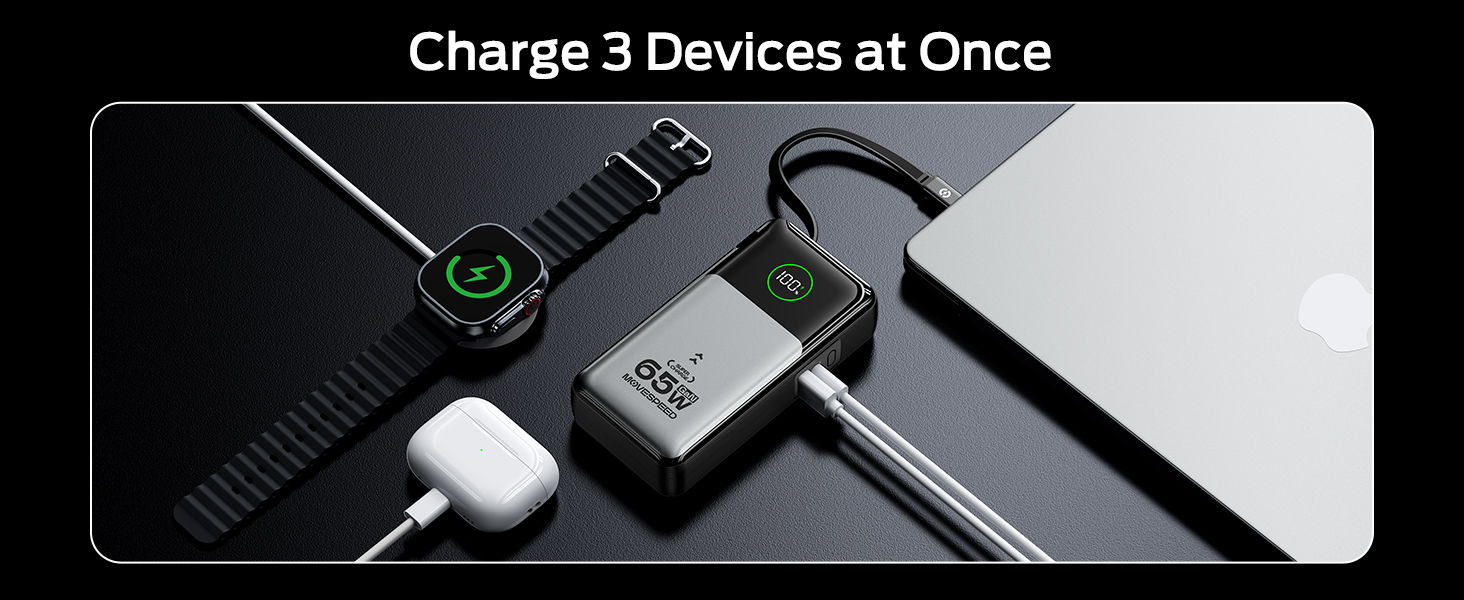
Image: A person demonstrating the extension of the 27.6-inch retractable USB-C cable from the power bank, highlighting its flexible and convenient design.
4. Foydalanish bo'yicha ko'rsatmalar
4.1 Charging Devices (Portable Charger Mode)
To charge your devices using the power bank function:
- Connect your device to the power bank using the built-in retractable USB-C cable, or an external USB-C to USB-C cable, or a USB-A to compatible cable.
- The power bank will automatically begin charging your device. The digital display will show the current battery percentage va chiqish quvvati.
- You can charge up to three devices simultaneously using the built-in USB-C cable, the USB-C port, and the USB-A port.
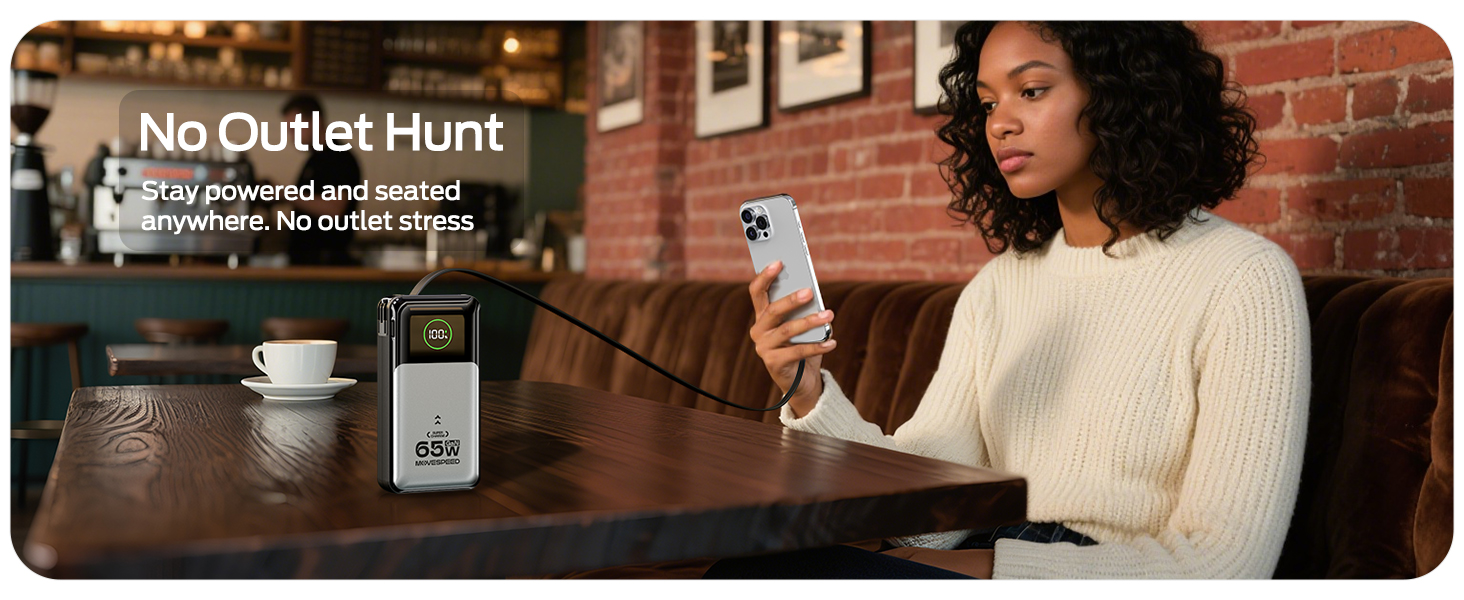
Image: A woman charging her phone from the power bank, which is stored in her bag, illustrating the convenience of the retractable cable for on-the-go charging without cable stress.
4.2 Charging Devices (Wall Charger Mode)
To use the device as a wall charger:
- Fold out the AC plug and insert the power bank directly into a wall outlet.
- Connect your device(s) to the power bank using the built-in retractable USB-C cable, or an external USB-C to USB-C cable, or a USB-A to compatible cable.
- The power bank will charge your device(s) and simultaneously recharge itself (pass-through charging).

Image: The power bank plugged into a wall outlet, charging a smartphone. This demonstrates its function as a direct wall charger, eliminating the need for a separate adapter.
4.3 Digital Display Information
Integratsiyalashgan raqamli displey real vaqt rejimida ma'lumot beradi:
- Percen batareyasitage: Shows the remaining charge of the power bank from 0-100%.
- Input/Output Power Status: Indicates the current power being drawn by the power bank (input) or delivered to connected devices (output).
5. Xizmat va parvarish
- Quvvat bankini haddan tashqari haroratdan, to'g'ridan-to'g'ri quyosh nuri va nam muhitdan uzoqroq tuting.
- Qurilmani suv yoki boshqa suyuqliklar ta'sirida qoldirmang.
- Sirtni yumshoq, quruq mato bilan tozalang. Abraziv tozalagichlar yoki erituvchilardan foydalanmang.
- Store the power bank in a cool, dry place when not in use. For long-term storage, it is recommended to charge the power bank to approximately 50-70% every three months to maintain battery health.
- Qurilmani yiqilib tushmaslik yoki kuchli zarbalarga duchor qilishdan saqlaning.
- Ensure the retractable cable is fully retracted when not in use to protect it from damage.
6. Muammolarni bartaraf qilish; nosozliklarni TUZATISH
| Muammo | Mumkin sabab | Yechim |
|---|---|---|
| Quvvat banki qurilmalarni zaryad qilmaydi. | Low battery on power bank; incorrect cable connection; device not compatible. | Recharge the power bank; ensure cables are securely connected; verify device compatibility. |
| Quvvat banki quvvatlanmaydi. | AC plug not fully inserted; wall outlet issue; damaged power bank. | Ensure AC plug is fully inserted into a working wall outlet; try a different outlet; contact support if issue persists. |
| Raqamli displey ishlamayapti. | Power bank is off or completely drained; internal malfunction. | Charge the power bank; if still unresponsive, contact customer support. |
| Qaytib olinadigan simi silliq cho'zilmaydi/orqaga tortilmaydi. | Improper pulling technique; internal mechanism issue. | Ensure you pull both ends simultaneously; avoid forcing the cable; if damaged, use external cables. |
7. Texnik shartlar
| Xususiyat | Tafsilot |
|---|---|
| Model raqami | MSP14 |
| Batareya quvvati | 20,000mAh (77Wh) |
| Mahsulot o'lchamlari | 8.19 x 4.49 x 1.56 dyuym |
| Element og'irligi | 1.08 funt |
| Rang | Kumush |
| Ulagich turi | USB Type-C, USB Type-A |
| O'rnatilgan kabel uzunligi | 70 sm (27.6 dyuym) |
| Zaryadlovchi qurilmaga kirish | AC 100-240V~50/60Hz 1A |
| Portable Charger Input (USB-C / Retractable Cable) | 65W Maks |
| Single Port Output (Portable Charger Mode) | USB-C: 65W, USB-A: 22.5W, Retractable USB-C Cable: 65W |
| Dual/Triple Port Output (Portable Charger Mode) | Combined output up to 15W per port (e.g., Type-C + Retractable Cable: 15W, Type-C + USB-A: 15W, Type-C + Retractable Cable + USB-A: 15W) |
| Single Port Output (Wall Charger Mode) | USB-C: 30W, USB-A: 22.5W, Retractable USB-C Cable: 30W |
| Dual/Triple Port Output (Wall Charger Mode) | Combined output up to 15W per port (e.g., Type-C + Retractable Cable: 15W, Type-C + USB-A: 15W, Type-C + Retractable Cable + USB-A: 15W) |
| Maxsus xususiyatlar | GaN Technology, Smart Digital Display, Flight-approved |
Note: Output power may vary based on the number of devices connected and their power requirements.
8. Xavfsizlik ma'lumotlari
- Qurilmani o'zingiz qismlarga ajratmang, o'zgartirmang yoki ta'mirlamang.
- Avoid using the device in environments with high humidity or extreme temperatures.
- Bolalar qo'li etmaydigan joyda saqlang.
- Dispose of the product responsibly according to local regulations for electronic waste.
- Faqat mos keladigan zaryadlash kabellari va adapterlaridan foydalaning.
9. Kafolat va qo'llab-quvvatlash
MOVE SPEED products are manufactured with high-quality standards. For information regarding warranty coverage, technical support, or customer service, please refer to the warranty card included with your product or visit the official MOVE SPEED websayt.
You may also contact the seller directly through the platform where the purchase was made for assistance.
Manufacturer: Shenzhen Speedmobile Technology Co.,Ltd.