
1. Kirish
This manual provides essential information for setting up, operating, and maintaining your OnePlus Nord 5 smartphone. Please read this guide thoroughly to ensure optimal performance and longevity of your device.

1-rasm: old va orqa view of the OnePlus Nord 5 smartphone.
2. Qutidagi tarkib
Upon unboxing your OnePlus Nord 5, verify that all the following items are included:
- OnePlus Nord 5 Smartphone
- Quvvat adapteri (80 Vt)
- USB kabeli (C tipi)
- SIM karta tepsisini chiqarish
- Ekran himoyasi (oldindan qo'llaniladi yoki qutida)
- Telefon qutisi
- Tez boshlash uchun qo'llanma
- Kafolat kartasi
Video 1: Unboxing the OnePlus Nord 5 and reviewing its contents.

2-rasm: Old view of the OnePlus Nord 5.

3-rasm: Orqaga view of the OnePlus Nord 5.
3. Sozlash
3.1 SIM-kartani o'rnatish
- Qurilmaning yon tomonidagi SIM-karta tepsisini toping.
- SIM-karta chiqarish moslamasini patnis yonidagi kichik teshikka soling va laganda chiqib ketguncha mahkam bosing.
- Nano-SIM karta(lar)ingizni patnisdagi maxsus uyalarga joylashtiring. Oltin kontaktlari pastga qaraganligiga ishonch hosil qiling.
- SIM tepsisini telefonga ehtiyotkorlik bilan joyiga qo'ymaguncha joylashtiring.
3.2 Dastlabki yoqish
Press and hold the Power button on the side of the device until the OnePlus logo appears. Follow the on-screen instructions to complete the initial setup, including language selection, Wi-Fi connection, and Google account setup.
4. Qurilmangiz bilan ishlash
4.1 Ishlash
The OnePlus Nord 5 is equipped with the Snapdragon 8s Gen 3 processor and LPDDR5X RAM, designed for demanding applications and gaming. The device features a 7300mm² VC cooling system to maintain optimal temperatures during extended use.
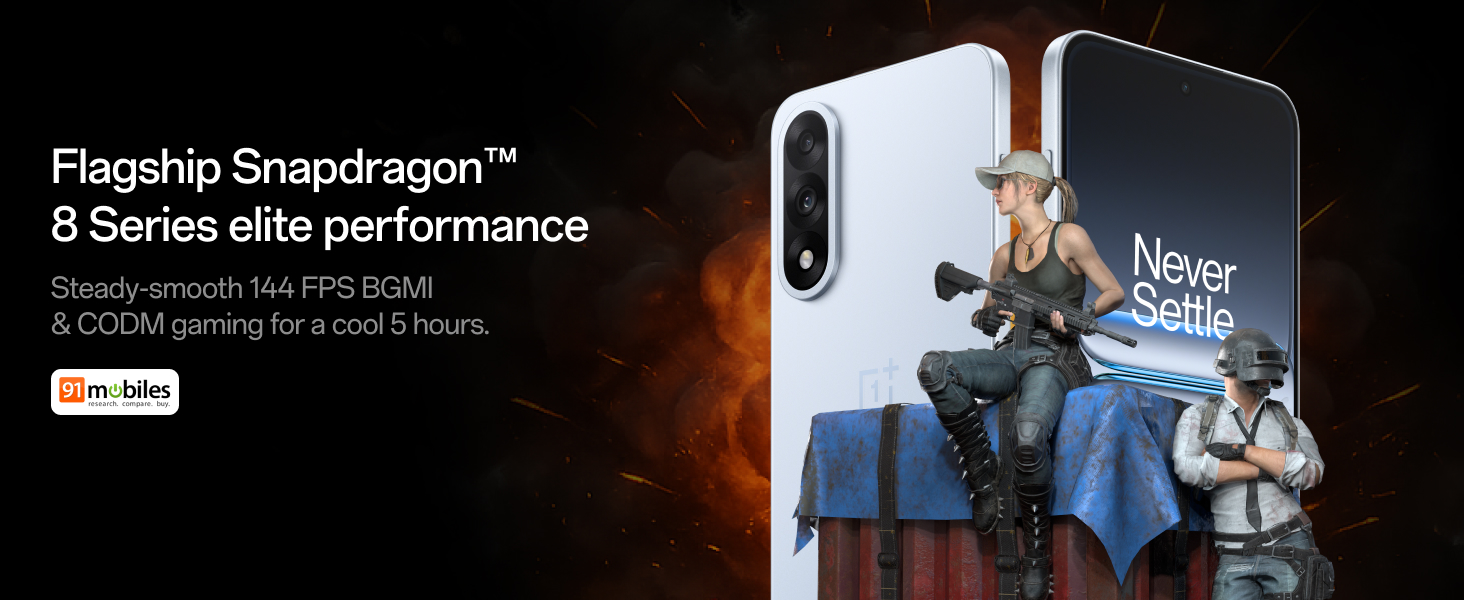
Figure 4: Snapdragon 8s Gen 3 processor for elite performance.
Video 2: Demonstration of gaming performance on the OnePlus Nord 5.
4.2 Kamera xususiyatlari
The device features a dual 50MP camera system, including a 50MP front camera (ISOCELL JN5 with hardware autofocus) and a 50MP Sony LYT-700 back camera with Optical Image Stabilization (OIS). It supports 4K 60 FPS video capture.
AI Camera Enhancements:
- AI o'chirgich: Removes unwanted objects or people from photos.
- AI Detail Boost: Enhances image clarity and detail.
- AI Unblur: Corrects blurry images.
- AI Reframe: Suggests improved compositions for photos.
- AI Perfect Shot: Adjusts facial expressions and corrects blinked eyes in group photos.

Figure 5: Dual 50MP camera system overview.

Figure 6: AI features for photo enhancement.
4.3 Batareya va zaryadlash
The OnePlus Nord 5 features a 6800 mAh battery and supports 80W ultra-fast charging. It also includes an all-new Bypass Charging feature, which powers the phone directly from the charger during gaming to reduce heat and maintain performance.

Figure 7: Illustration of Bypass Charging technology.
4.4 Displey
Experience visuals on a 144Hz 1.5K AMOLED display with Aqua Touch 2.0 technology, offering a resolution of 2800 x 1272 pixels and up to 1400 nits brightness. Aqua Touch 2.0 improves touch responsiveness, even with wet or oily fingers.

Figure 8: Details of the 144Hz AMOLED display.
4.5 AI xususiyatlari
The OnePlus Nord 5 integrates various AI functionalities to enhance user experience:
- AI Voice Scribe: Transcribe, translate, and summarize meetings or content.
- Izlash uchun doira: Quickly search for information by circling content on your screen.
- Gemini Live: An AI assistant for queries and information.
- AI qidiruvi: Intuitively understands natural language prompts for searching device content.

Figure 9: AI VoiceScribe interface.
4.6 Multitasking with Open Canvas
The Open Canvas feature allows for enhanced split-screen multitasking, enabling flexible resizing of applications and drag-and-drop functionality between apps. This improves productivity by extending split-screen capabilities beyond physical display limits.
Video 3: Demonstration of multitasking features on the OnePlus Nord 5.

Figure 10: Open Canvas for advanced multitasking.
4.7 Ulanish
The Nord 5 supports 5G-Advanced networking, offering faster internet speeds and improved signal stability, particularly in congested areas.

Figure 11: 5G-Advanced network features.
4.8 dasturiy ta'minoti
The device runs on OxygenOS 15, based on Android 15. It is guaranteed to receive 4 Android version upgrades and 6 years of security updates, ensuring long-term software support and system smoothness.
5. Xizmat ko'rsatish
- Dasturiy ta'minot yangilanishlari: Regularly install system updates to ensure optimal performance, security, and access to new features.
- Batareya parvarishi: To prolong battery life, avoid extreme temperatures and frequent full discharges. The device includes a 4-year healthy battery promise.
- Tozalash: Ekran va korpusni tozalash uchun yumshoq, tuklarsiz matodan foydalaning. Aşındırıcı materiallardan yoki qattiq kimyoviy moddalardan saqlaning.
- Saqlash boshqaruvi: Vaqti-vaqti bilan tozalash keraksiz files and apps to maintain device speed and free up storage space.
6. Muammolarni bartaraf qilish; nosozliklarni TUZATISH
If you encounter issues with your OnePlus Nord 5, consider the following general troubleshooting steps:
- Qurilmani qayta ishga tushirish: Oddiy qayta ishga tushirish ko'plab kichik dasturiy nosozliklarni hal qilishi mumkin.
- Yangilanishlarni tekshiring: Qurilmangiz dasturiy ta'minoti yangilanganligiga ishonch hosil qiling.
- Keshni tozalash: For app-specific issues, try clearing the app's cache in Settings.
- Zavod parametrlarini tiklash: So'nggi chora sifatida, zavod sozlamalarini tiklash doimiy dasturiy ta'minot muammolarini hal qilishi mumkin. Ogohlantirish: This will erase all data on your device. Back up important information before proceeding.
- Qo‘llab-quvvatlash xizmatiga murojaat qiling: If the issue persists, refer to the support section for contact information.
7. Texnik shartlar
| Xususiyat | Tafsilot |
|---|---|
| Operatsion tizim | Android 15, OxygenOS 15 |
| Protsessor | Snapdragon 8s Gen 3 (CPU Speed: 2, 2.8, 3 GHz) |
| Ram | 12 GB (joriy model bo'yicha) |
| Displey | 144Hz 1.5K AMOLED, 2800 x 1272 Resolution |
| Orqa kamera | 50MP Sony LYT-700 with OIS |
| Old kamera | 50MP ISOCELL JN5 with Autofocus |
| Batareya | 6800 mAh, 80W Fast Charging |
| Ulanish | 5G-Advanced, Bluetooth, NFC, USB, Wi-Fi |
| O'lchamlari | 16.41 x 7.7 x 0.81 sm |
| Og'irligi | 211 gr |
| Model raqami | CPH2707 |
| Ishlab chiqaruvchi | Oppo Mobiles India Private Limited |
8. Kafolat va qo'llab-quvvatlash
The OnePlus Nord 5 comes with a Lifetime Display Warranty, covering green line issues. For detailed terms and conditions, please refer to the official OnePlus website or the warranty card included in the box.

Figure 12: Lifetime Display Warranty information.
For customer service and technical support, you can contact OnePlus using the following information:
- Customer Service Contact Number: 1800 102 8411
- WhatsApp qo'llab-quvvatlash: +91-9289606888
- Ishlab chiqaruvchi manzili: PLOT-NO.1, SECTOR ECOTECH-VII, GREATER, NOIDA, UTTAR PRADESH, India-201306