
1. Kirish
This manual provides essential information for the safe operation and maintenance of your SuperRC V666 Drone with Camera. Please read it thoroughly before first use to ensure proper setup and to maximize your flying experience. The V666 drone features a brushless motor, optical flow positioning, and an HD 180° adjustable camera, designed for both beginner and adult users.
2. Xavfsizlik choralari
- Parvoz muhiti: Ochiq joylarda, odamlar, hayvonlar, binolar va elektr uzatish liniyalaridan uzoqda uching. Kuchli shamol yoki noqulay ob-havo sharoitida uchishdan saqlaning.
- Batareya xavfsizligi: Use only the provided batteries and charging cable. Do not overcharge or puncture batteries. Discontinue use if batteries show signs of damage or swelling.
- Pervanel xavfsizligi: Qo'llaringizni, yuzingizni va keng kiyimlaringizni aylanuvchi vintlardan uzoqroq tuting. Parvozdan oldin vintlarning mahkam o'rnatilganligiga ishonch hosil qiling.
- Ko'rish chizig'i: Parvoz paytida har doim dron bilan ko'rish chizig'ini saqlang.
- Yosh tavsiyasi: This product is suitable for users aged 14 and above.
- Interferentsiya: Avoid flying near strong electromagnetic interference sources.
- Multiple Drones: When operating multiple drones simultaneously, power on and pair each drone and its remote control separately to prevent frequency conflicts.
3. Paket tarkibi
Quyida sanab o'tilgan barcha narsalar paketingizga kiritilganligini tekshiring:
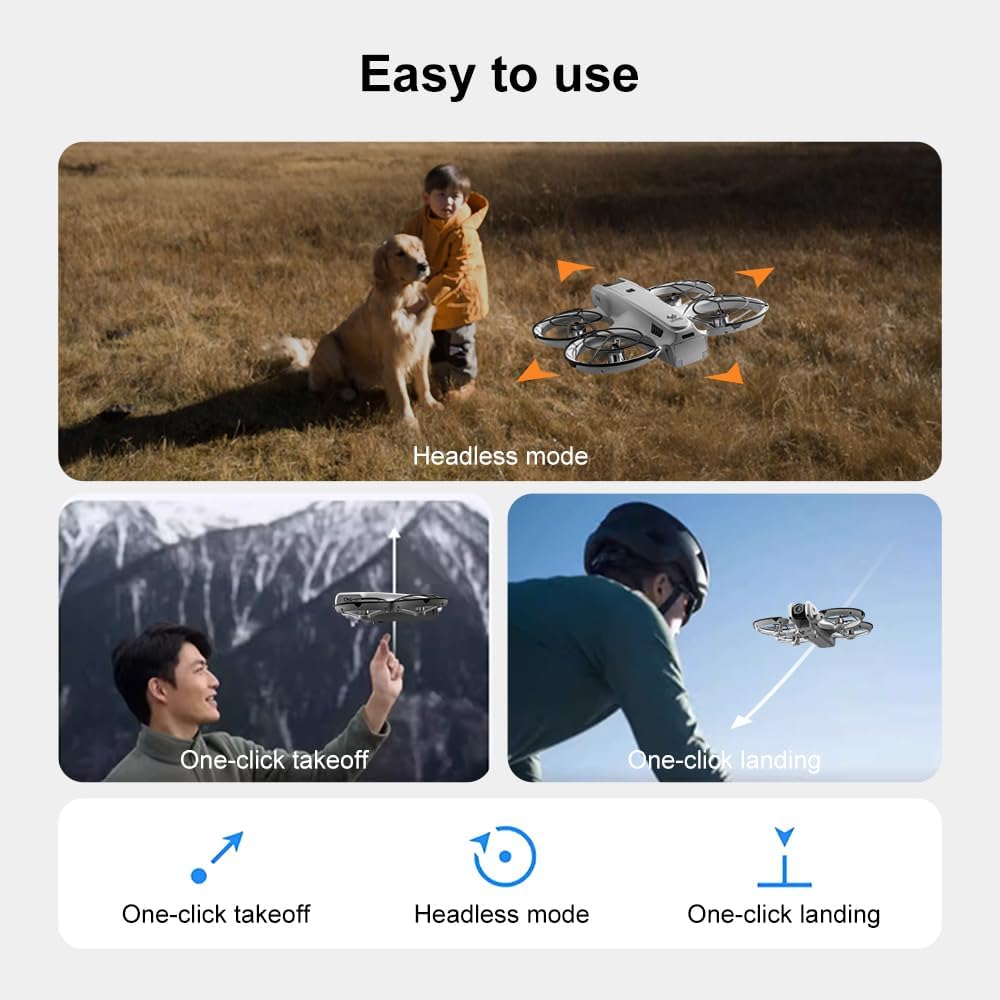
Rasm: tugadiview of the SuperRC V666 Drone package contents, showing the drone, remote control with screen, two batteries, spare propellers, screwdriver, USB charging cable, card reader, and memory card.
- SuperRC V666 Drone
- Remote Control with Integrated Screen
- 2 x Lithium Ion Batteries (1000mAh each)
- Zaxira parvonalar
- Pervanel qo'riqchilari
- Qo'l sumkasi
- Micro-USB kabeli
- Tornavida
- Karta o'quvchi
- Xotira kartasi
4. Komponentni aniqlash
4.1 Dron ustidanview
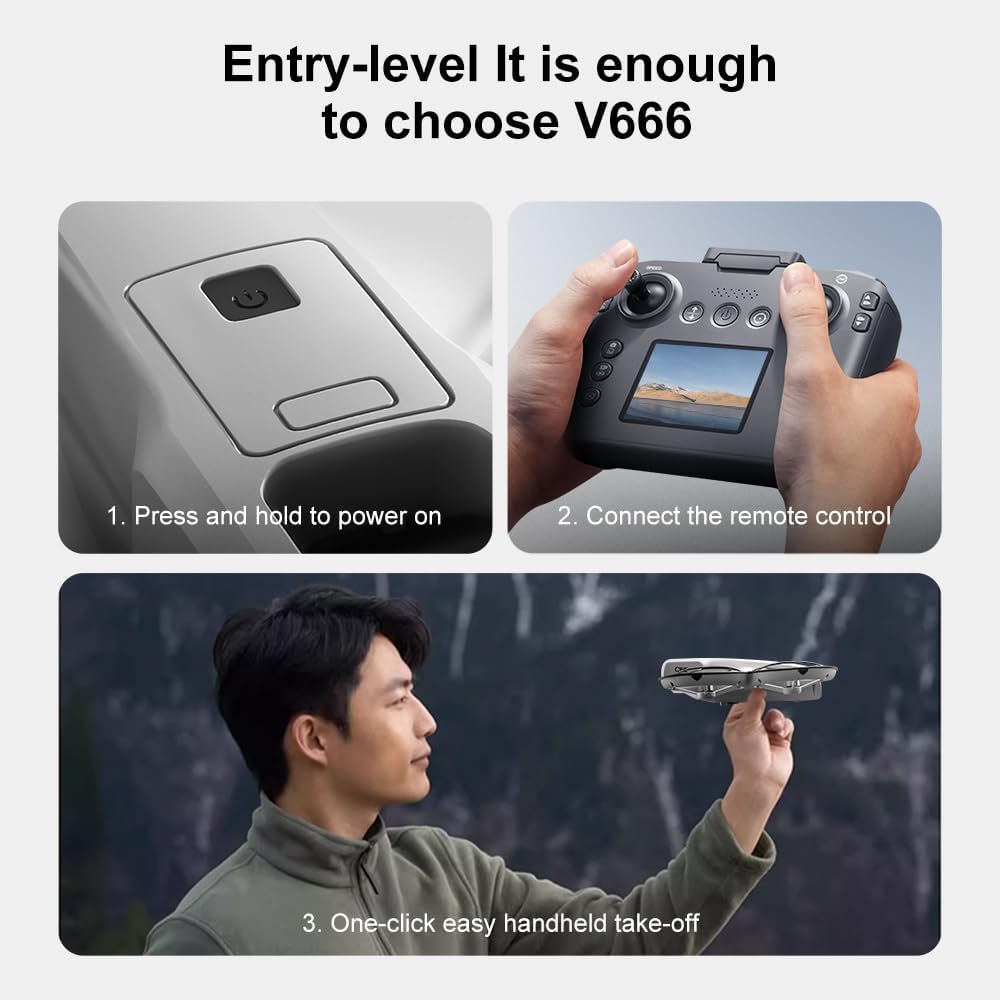
Rasm: batafsil view of the SuperRC V666 Drone, showing the main body, camera, and protected propellers.
Familiarize yourself with the drone's key components:
- Kamera: Front-mounted, 180° manually adjustable HD camera.
- Pervanellar: Four propellers with protective guards.
- Cho'tkasiz motorlar: Provide stable and powerful flight.
- Batareya bo'limi: Located on the drone's body.
- Quvvat tugmasi: For turning the drone on/off.
- Body Light: Integrated lighting for visibility.
4.2 Masofadan boshqarish pultiview
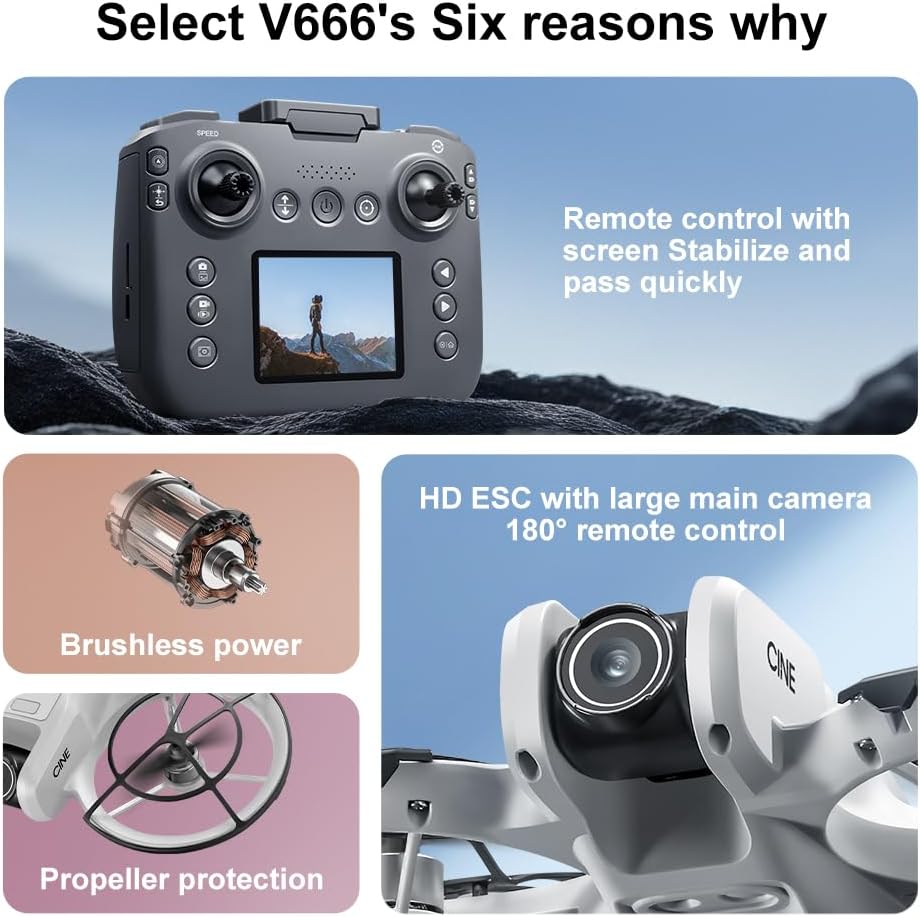
Image: The remote control for the SuperRC V666 Drone, featuring a central display screen, dual joysticks, and multiple control buttons.
Masofadan boshqarish pultining xususiyatlari:
- Joystiklar: Left for throttle/yaw, right for pitch/roll.
- Integrated Screen: Displays flight information and live camera feed.
- Quvvat tugmasi: Masofadan boshqarish pultini yoqish/o'chirish uchun.
- Bir kalitli uchish/qo‘nish tugmasi: Avtomatik uchish yoki qo'nishni boshlaydi.
- Tezlikni sozlash tugmasi: Turli parvoz tezliklari o'rtasida almashinadi.
- Photo/Video Buttons: For capturing images and recording video.
- Kesish tugmalari: For fine-tuning drone stability.
5. Sozlash
5.1 Batareyani o'rnatish va zaryadlash
- Insert the fully charged Lithium Ion battery into the drone's battery compartment. Ensure it clicks into place securely.
- To charge the battery, connect it to the Micro-USB cable and then to a USB power source (e.g., computer, USB wall adapter). The charging indicator will show the charging status.
- Charge the remote control battery using its dedicated charging port and cable.
5.2 Parvona o'rnatish
The drone comes with propeller guards pre-installed. If you need to replace propellers:
- Identify the correct propeller type (A or B) for each motor. Propellers are typically marked.
- Align the propeller with the motor shaft and press down firmly until it is secure.
- Ensure all propellers rotate freely without obstruction.
5.3 Dron va masofadan boshqarish pultini ulash

Image: Visual guide demonstrating the steps for powering on the drone, connecting the remote control, and initiating a one-click handheld take-off.
- Dronni tekis, tekis yuzaga qo'ying.
- Press and hold the power button on the drone until its indicator lights turn on.
- Masofadan boshqarish pultini yoqing.
- The drone and remote control will automatically attempt to pair. Once paired, the drone's indicator lights will become solid.
- Eslatma: If operating multiple drones, power on and pair each drone and its remote control individually to avoid signal interference.
6. Foydalanish bo'yicha ko'rsatmalar
6.1 Asosiy parvozlarni boshqarish vositalari
- Chap joystik (gaz kelebeği/yaw):
- Push up/down: Increase/decrease altitude (Throttle).
- Push left/right: Rotate drone left/right (Yaw).
- O'ng joystik (Pitch/Roll):
- Push up/down: Move drone forward/backward (Pitch).
- Push left/right: Move drone left/right (Roll).
- Tezlikni sozlash: Press the speed button on the remote to cycle through different flight speeds (e.g., low, medium, high).
6.2 One-Key Functions
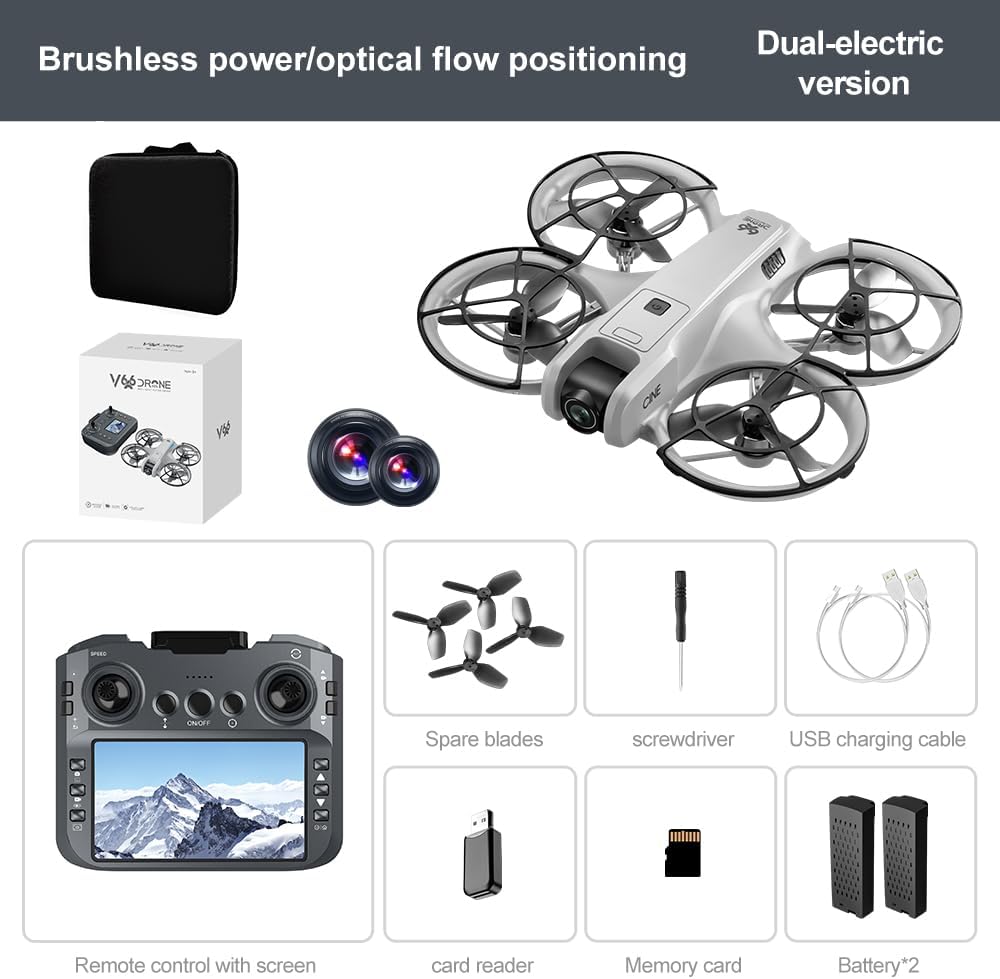
Image: Visual representation of the drone's Headless Mode, One-Click Take-off, and One-Click Landing functionalities.
- Bir kalitli uchish: Press the designated button once, and the drone will automatically ascend to a stable hovering height.
- Bir kalitli qo'nish: Press the designated button once, and the drone will automatically descend and land gently.
- Bir kalit bilan qaytish: Activates the drone's return-to-home function. The drone will attempt to return to its take-off point.
6.3 Boshsiz rejim
In Headless Mode, the drone's orientation is relative to the pilot, regardless of which way the drone's front is facing. This simplifies control for beginners.
6.4 Imo-ishoralarni boshqarish
The drone supports gesture-based photo and video capture. Perform specific hand gestures in front of the camera to trigger these functions during flight.
6.5 Kamera bilan ishlash
- Kamera burchagini sozlash: The camera lens can be manually adjusted 180° before flight to achieve the desired viewkirish burchagi.
- Foto/videoga olish: Suratga olish yoki video yozishni boshlash/to'xtatish uchun masofadan boshqarish pultidagi maxsus tugmalardan foydalaning.
- Jonli tasma: The integrated screen on the remote control provides a real-time view from the drone's camera via Wi-Fi connectivity.
- Saqlash: Captured photos and videos are saved to the inserted memory card.
7. Xizmat ko'rsatish
- Tozalash: Dron va masofadan boshqarish pultini tozalash uchun yumshoq, quruq matodan foydalaning. Erituvchilar yoki kuchli kimyoviy moddalardan foydalanishdan saqlaning.
- Pervanelni almashtirish: If propellers are damaged, replace them with spare parts using the provided screwdriver. Ensure correct propeller type (A or B) is used for each motor.
- Saqlash: Store the drone and its components in a cool, dry place, away from direct sunlight and extreme temperatures. Remove batteries if storing for extended periods.
8. Muammolarni bartaraf qilish; nosozliklarni TUZATISH
| Muammo | Mumkin sabab | Yechim |
|---|---|---|
| Drone yoqilmaydi | Batareya zaryadlanmagan yoki noto'g'ri o'rnatilgan. | Batareya to'liq zaryadlangan va to'g'ri kiritilganligiga ishonch hosil qiling. |
| Drone fails to pair with remote control | Remote control not powered on, or pairing sequence incorrect. | Ensure both devices are powered on. Follow pairing steps (Section 5.3). Avoid multiple drones pairing simultaneously. |
| Uchuvchisiz uchish paytida uchib ketadi | Not calibrated on a flat surface, or environmental factors. | Ensure drone is placed on a flat surface before take-off. Perform calibration if available (refer to remote control instructions). Avoid strong winds. |
| Poor camera image quality or no live feed | Weak Wi-Fi signal, camera lens dirty, or memory card issue. | Ensure drone is within Wi-Fi range. Clean camera lens. Check memory card for proper insertion and sufficient space. |
| Qisqa parvoz vaqti | Battery not fully charged, or battery degradation. | Fully charge batteries before each flight. Consider replacing old batteries if performance significantly degrades. |
9. Texnik shartlar
| Xususiyat | Tafsilot |
|---|---|
| Brend | SuperRC |
| Model nomi | V666 |
| Rang | Kulrang |
| Element og'irligi | 0.2 kilogramm (taxminan 7 untsiya) |
| Mahsulot o'lchamlari | 7"L x 6"W x 2"Y |
| Malaka darajasi | Boshlovchi |
| Dvigatel turi | Cho'tkasiz motor |
| Kamera | HD 180° Manually Adjustable |
| Video suratga olish ruxsati | 720p |
| Video suratga olish formati | MP4 |
| Ulanish texnologiyasi | Wi-Fi, Radio Frequency |
| Optik sensor texnologiyasi | Optik oqim, CMOS |
| Batareya turi | Lityum ion |
| Batareya quvvati | 1000 mA/soat |
| Boshqarish turi | Masofadan boshqarish |
| Maxsus xususiyatlar | Adjustable Camera, One Button Return, One Key Rotation, Rechargeable, Speed Adjustment, Optical Flow Positioning |
10. Kafolat va qo'llab-quvvatlash
For warranty information or technical support, please refer to the documentation included with your purchase or contact SuperRC customer service directly. Keep your proof of purchase for any warranty claims.
Qo'shimcha yordam uchun siz tashrif buyurishingiz mumkin SuperRC Store on Amazon.