
Kirish
This manual provides detailed instructions for the setup, operation, and maintenance of your HANNspree HT240CUA 23.8-inch Multitouch Monitor. Please read this manual thoroughly before using the product to ensure proper functionality and to prevent damage.
Paket tarkibi
Quyida keltirilgan barcha mahsulotlar mahsulot qadoqingizga kiritilganligiga ishonch hosil qiling. Agar biror narsa yo'qolgan yoki shikastlangan bo'lsa, iltimos, sotuvchingizga murojaat qiling.
- HANNspree HT240CUA Multitouch Monitor
- Quvvatlantirish manbai
- Quvvat kabeli (1.5 m)
- HDMI kabeli
- USB AC kabeli
- Kafolat kartasi
- Tez boshlash uchun qo'llanma
Mahsulot tugadiview
The HANNspree HT240CUA is a 23.8-inch multitouch monitor designed for versatile use in various environments. It features PCAP touch technology with 10 touch points, Full HD resolution, optical bonding, and a durable 7H tempered glass surface.
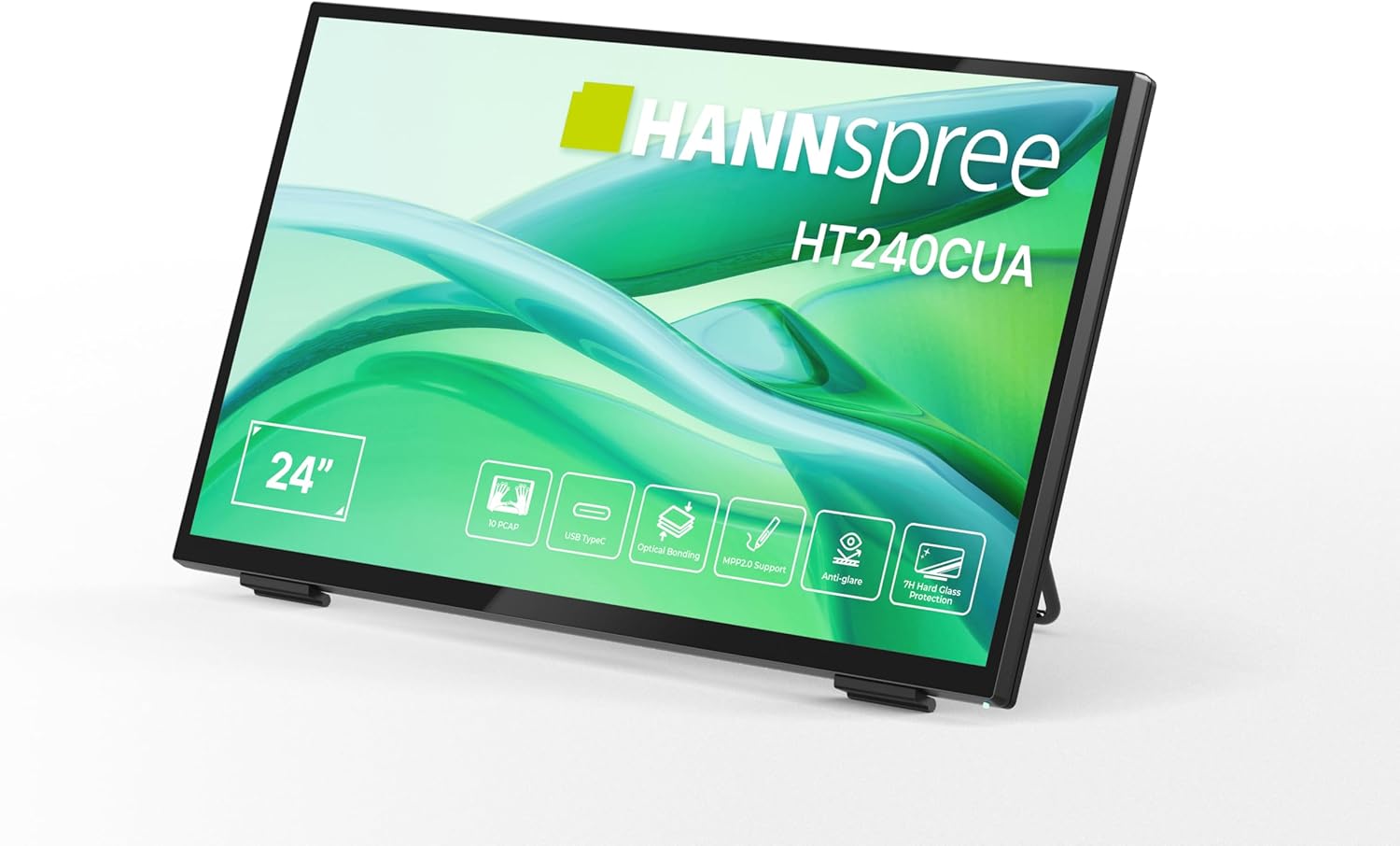
Old view of the HANNspree HT240CUA monitor, showcasing its sleek design and 24-inch display.

Orqa view of the HANNspree HT240CUA monitor, highlighting the various input/output ports including USB Type-C, HDMI, and DisplayPort.
Sozlash; o'rnatish
- Unpacking the Monitor: Carefully remove the monitor and all accessories from the packaging. Place the monitor on a stable, flat surface.
- Quvvatni ulash:
- Elektr kabelini quvvat manbaiga ulang.
- Plug the power supply into the DC IN port on the back of the monitor.
- Elektr kabelining ikkinchi uchini yerga ulangan elektr rozetkasiga ulang.
- Kompyuterga ulanish:
- USB Type-C ulanishi: For video, audio, and touch functionality with a single cable, connect the supplied USB A-C cable to the USB Type-C port on the monitor and to a compatible USB Type-C port on your computer.
- HDMI ulanishi: HDMI kabelining bir uchini monitordagi HDMI portiga, ikkinchi uchini esa kompyuteringizdagi HDMI chiqish portiga ulang.
- DisplayPort ulanishi: Connect a DisplayPort cable (not included) to the DP port on the monitor and to the DisplayPort output on your computer.
- VGA ulanishi: Connect a VGA cable (not included) to the VGA port on the monitor and to the VGA output on your computer.

Diagram illustrating the versatile connectivity options available on the HANNspree HT240CUA monitor, including USB-C, DisplayPort, HDMI, and VGA.
- Adjusting the Stand: The monitor features an ergonomically adjustable stand with a tilt angle of 15-70 degrees. Adjust the stand to your preferred viewkirish burchagi.
- VESA o'rnatish (ixtiyoriy): The monitor supports VESA mount 100 x 100 mm for alternative mounting solutions, such as wall mounts or mini PC attachments.
Foydalanish bo'yicha ko'rsatmalar
Quvvatni yoqish/o‘chirish
Press the power button located on the side of the monitor to turn it on or off.
Using the Multitouch Functionality
The HT240CUA supports 10-point PCAP multitouch. Ensure your operating system is configured for touch input.

Image showing the HANNspree HT240CUA monitor in use with 10-point multitouch functionality, allowing for smooth and precise interactions.
MPP 2.0 Stylus Support
The monitor supports MPP 2.0 compatible styluses (pen not included) for a pen-like writing and drawing experience with precise accuracy and low latency.
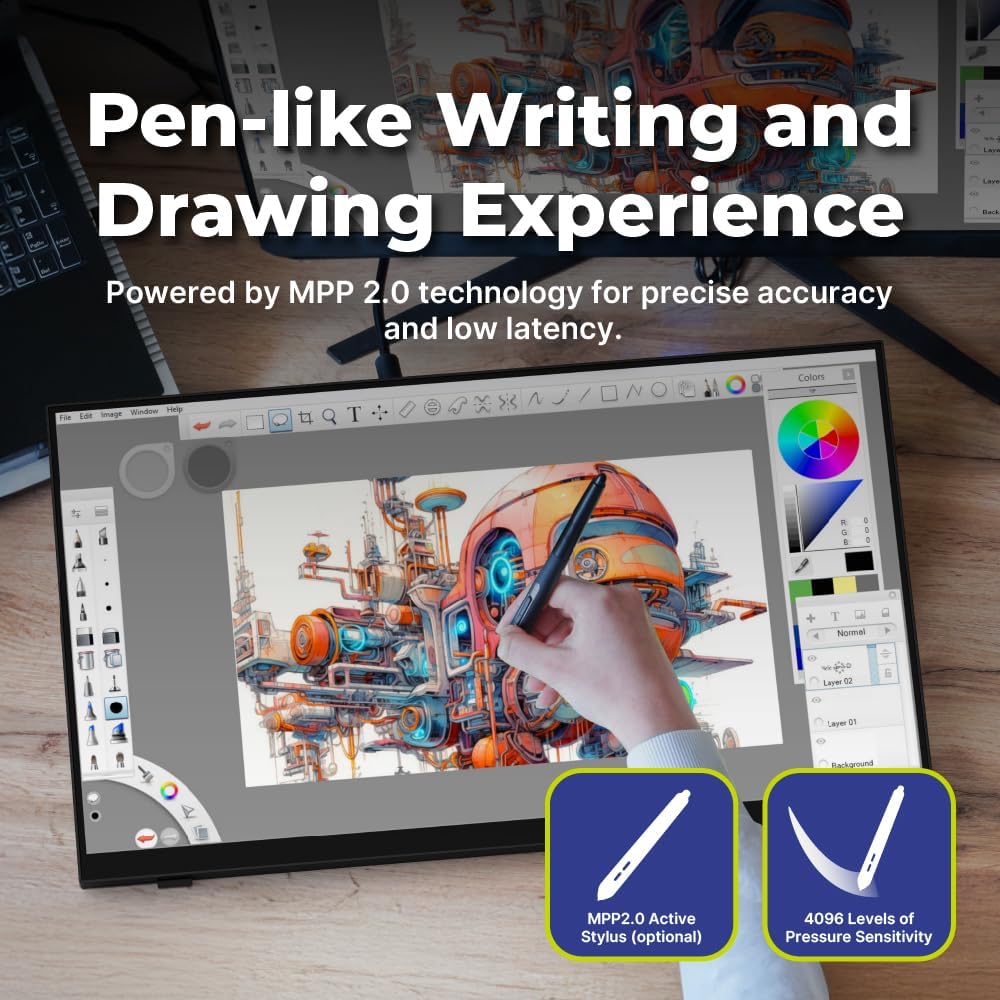
Illustration of the HANNspree HT240CUA monitor's support for MPP 2.0 styluses, enabling a natural writing and drawing experience.
Ekrandagi displey (OSD) menyusi
Use the buttons on the side of the monitor to navigate and adjust settings in the OSD menu. Common settings include brightness, contrast, input source selection, and color temperature.
- MENU tugmasi: OSD menyusini ochadi.
- YUQARI/PASTGA tugmalari: Menyu parametrlari bo'ylab harakatlaning.
- ENTER tugmasi: Variantni tanlaydi yoki sozlamani tasdiqlaydi.
- EXIT tugmasi: Joriy menyudan yoki ekran ekranidan chiqadi.
Xizmat
Monitorni tozalash
Monitor ekranini tozalash va vasing:
- Monitorni o'chiring va quvvat simini ajratib oling.
- Yumshoq, tuklarsiz matodan engil foydalaning dampsuv yoki abraziv bo'lmagan ekran tozalagich bilan qoplangan.
- Ekranni muloyimlik bilan arting vaasing. Avoid applying excessive pressure.
- Do not use alcohol, benzene, thinners, or other harsh chemicals, as these may damage the screen surface or casing.
Saqlash
Monitorni uzoq vaqt saqlashda uning o'chirilganligiga, elektrdan uzilganligiga va salqin, quruq joyda, to'g'ridan-to'g'ri quyosh nuri va haddan tashqari haroratdan uzoqroq joyda saqlanganligiga ishonch hosil qiling.
Muammolarni bartaraf qilish; nosozliklarni TUZATISH
Agar siz monitor bilan bog'liq muammolarga duch kelsangiz, quyidagi umumiy muammolar va echimlarga murojaat qiling.
Quvvat yo'q
- Ensure the power cable is securely connected to the monitor and the electrical outlet.
- Boshqa qurilmani ulab, elektr rozetkasining to'g'ri ishlayotganini tekshiring.
- Quvvat adapterida ko'rinadigan shikastlanishlar mavjudligini tekshiring.
Ekranda rasm yo'q
- Confirm that the monitor is powered on.
- Check the video cable (HDMI, DisplayPort, USB-C, VGA) connections at both the monitor and the computer.
- Monitorning OSD menyusida to'g'ri kirish manbai tanlanganligiga ishonch hosil qiling.
- Iloji bo'lsa, monitorni boshqa kompyuter yoki video manbasi bilan sinab ko'ring.
Touch Functionality Not Working
- For USB Type-C connections, ensure the cable supports data transfer for touch.
- If using HDMI/DP/VGA, ensure a separate USB cable is connected from the monitor's USB upstream port to your computer for touch data.
- Check your computer's operating system settings for touch screen calibration or driver issues.
- Restart both the monitor and the computer.
Tasvir sifati muammolari
- OSD menyusi orqali yorqinlik, kontrast va rang sozlamalarini sozlang.
- Kompyuteringizdagi displey o'lchamlari monitorning asl o'lchamiga (1920 x 1080) o'rnatilganligiga ishonch hosil qiling.
- Ekran yoki kabellarda jismoniy shikastlanish mavjudligini tekshiring.
Texnik xususiyatlari
| Xususiyat | Spetsifikatsiya |
|---|---|
| Ekran o'lchami | 23.8 dyuym |
| Rezolyutsiya | 1920 x 1080 (Full HD) |
| Aspekt nisbati | 16:9 |
| Sensorli texnologiyalar | PCAP, 10-point multitouch |
| Yuzaki qattiqlik | 7H Temperli shisha |
| Yorqinlik | 270 cd/m² |
| Ulanish | USB Type-C (Video/Audio/Touch), HDMI, DisplayPort, VGA, USB Hub 3.0 (2x) |
| Spikerlar | Integratsiyalashgan |
| Nishab burchagi | 15-70 daraja |
| VESA tog'i | 100 x 100 mm |
| Stylus qo'llab-quvvatlash | MPP 2.0 (pen not included) |
| Mahsulot o'lchamlari (U x G x Y) | 21.65 x 13.12 x 1.94 dyuym |
| Element og'irligi | 12.39 funt |
Kafolat va qo'llab-quvvatlash
For warranty information, please refer to the included Warranty Card in your package. For technical support or service inquiries, please visit the official HANNspree websaytga yoki mijozlarga xizmat ko'rsatish bo'limiga murojaat qiling.
Keep your purchase receipt and product serial number (found on the back of the monitor) readily available when contacting support.