
1. Kirish
This manual provides detailed instructions for the setup, operation, maintenance, and troubleshooting of your Tabwee T90 Android 16 Tablet. Please read this manual thoroughly before using your device to ensure proper functionality and to maximize your user experience.

Image: The Tabwee T90 tablet shown with its full suite of accessories, including a detachable keyboard, wireless mouse, stylus, protective case, charging adapter, and USB cable. This illustrates the complete package contents.
2. Paket tarkibi
Paketda barcha elementlar mavjudligiga ishonch hosil qiling:
- Tabwee T90 Tablet
- Bluetooth klaviatura
- Simsiz sichqoncha
- Stylus qalam
- Himoya sumkasi
- Ekranni himoya qiluvchi film
- Power Adapter (Type-C)
- USB Data Cable (Type-C)
- Foydalanuvchi uchun qo'llanma

Image: A visual representation of the Tabwee T90 tablet's dimensions and all components included in the retail package, such as the tablet, keyboard, mouse, stylus, and various cables and covers.
3. Dastlabki sozlash
3.1 Planshetni zaryadlash
Before first use, fully charge the tablet using the provided Type-C power adapter and USB cable. The charging port is located on the side of the tablet.

Image: The Tabwee T90 tablet being charged via its Type-C port, highlighting its 8000mAh battery and estimated usage times for various activities like web browsing, video playback, gaming, and music.
3.2 Quvvatni yoqish/o‘chirish
- Yoqish uchun: Ekran yoqilmaguncha Quvvat tugmasini bosib turing.
- O'chirish uchun: Quvvat tugmasini bosib ushlab turing, so'ngra variantlardan "O'chirish" -ni tanlang.
3.3 Dastlabki konfiguratsiya
Dastlabki sozlashni yakunlash uchun ekrandagi koʻrsatmalarga amal qiling, jumladan:
- Til tanlash
- Wi-Fi tarmog'iga ulanish
- Google hisobiga kirish
- Sana va vaqt sozlamalari
- Security settings (PIN, pattern, password, or face recognition)

Image: A collage of screenshots demonstrating key Android 16 features such as real-time notifications, robust security measures, access to the Google Play Store for app downloads, and options for regional language optimization.
3.4 Aksessuarlarni ulash
The Tabwee T90 comes with a Bluetooth keyboard and mouse. To connect them:
- Planshetingizda Bluetooth-ni Sozlamalar > Ulangan qurilmalar > Bluetooth orqali yoqing.
- Put the keyboard/mouse into pairing mode (refer to their individual manuals if needed).
- Ulash uchun planshetingizdagi mavjud qurilmalar ro'yxatidan aksessuarni tanlang.
The stylus pen does not require pairing.
4. Planshetingiz bilan ishlash
4.1 Android 16 interfeysi
The Tabwee T90 runs on Android 16, offering an intuitive and enhanced user experience with improved security and performance. Features include real-time notifications, efficient multitasking, and smart operational capabilities.
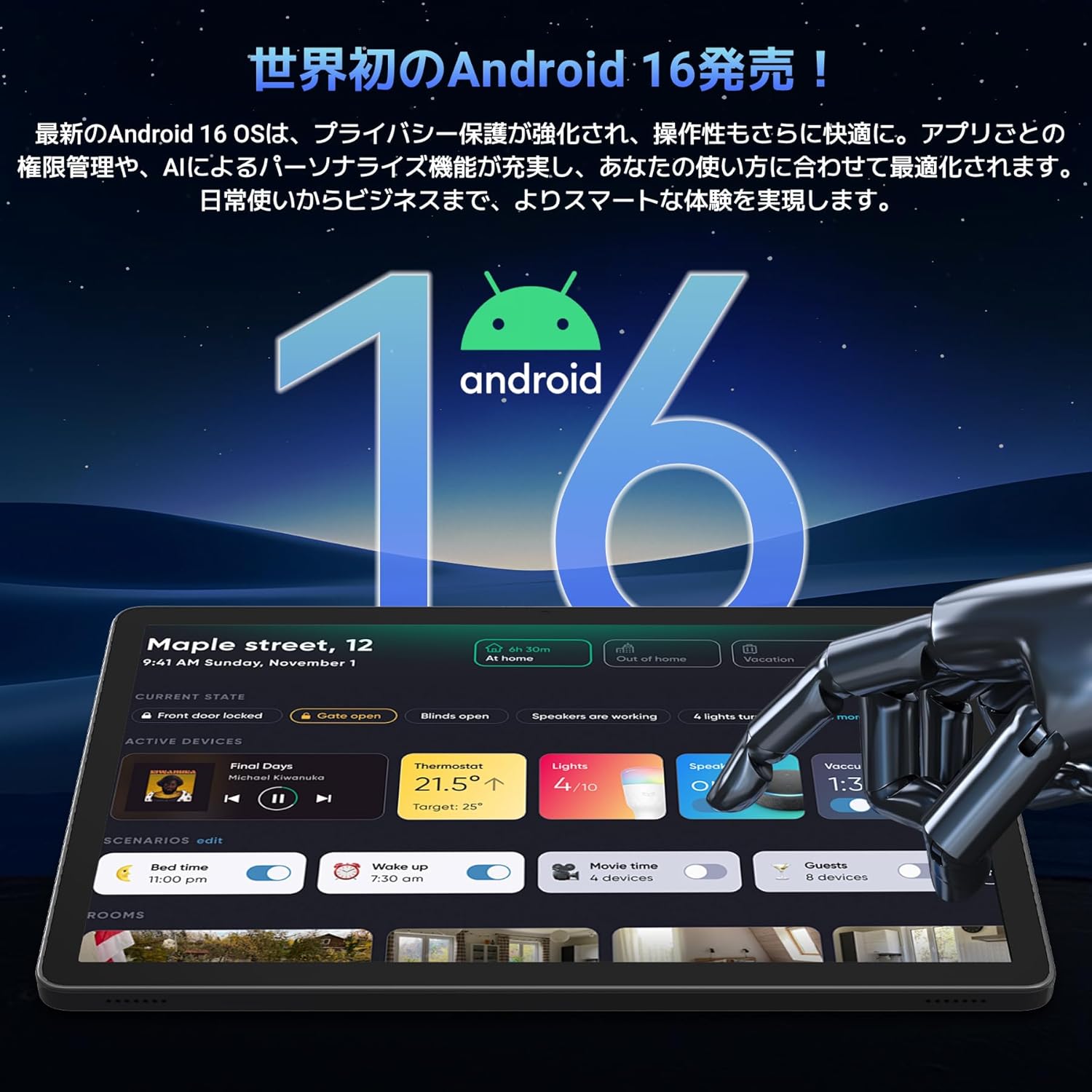
Image: A visual representation of the Android 16 operating system logo and its modern interface displayed on the Tabwee T90 tablet, emphasizing its new features and design.
4.2 Display and Media Playback
The 11-inch FHD IPS display (1920x1200 resolution) provides clear and vibrant visuals. With Widevine L1 support, you can stream high-definition content (1080p and above) from services like Netflix and Amazon Prime Video.

Image: The Tabwee T90 tablet showcasing a high-definition video of a baseball game, demonstrating its 11-inch FHD display and compatibility with streaming platforms like Netflix, YouTube, HBO, and Prime Video via Widevine L1.
4.3 Camera and Imaging
The tablet features a 5MP front camera for video calls and selfies, and a 13MP rear camera for capturing photos. Android 16's AI image processing enhances photo quality, and HEVC video encoding ensures stable editing and improved video quality. Google Lens integration allows for smart recognition, scanning, translation, and search functions.
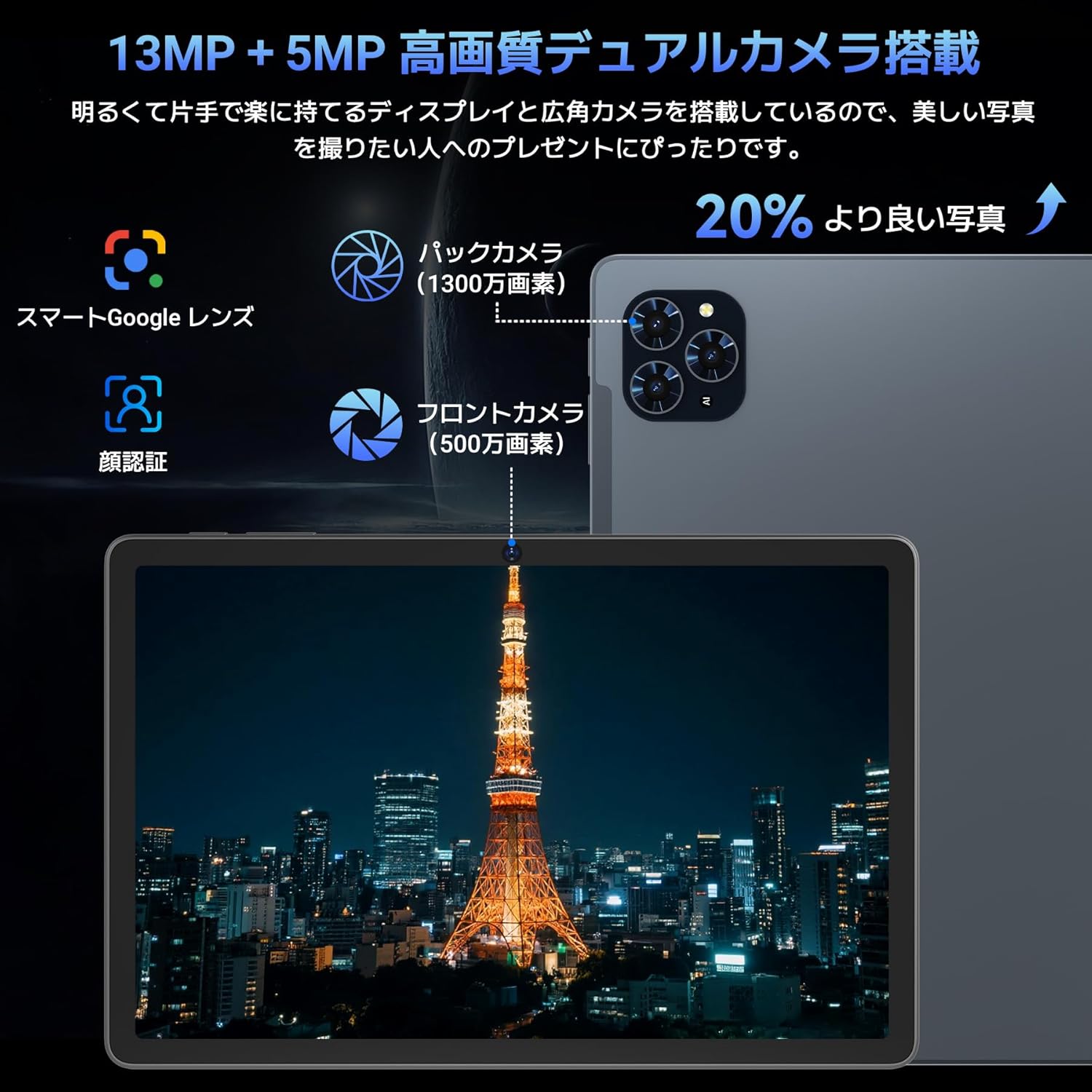
Rasm: batafsil view of the Tabwee T90 tablet's camera system, indicating a 13MP rear camera and a 5MP front camera. An example photo of Tokyo Tower is displayed on the screen, illustrating image capture capabilities.
4.4 Yuzni tanish
Utilize the face recognition feature for quick and secure unlocking of your tablet. Set it up in Settings > Security & privacy > Face unlock.
4.5 Gemini AI integratsiyasi
The tablet integrates with Gemini AI, optimizing performance across various scenarios. This AI assists with content recommendations, image processing, and semantic understanding, enhancing daily operations.

Image: A conceptual image depicting Gemini AI as a robotic figure interacting with multiple tablet screens, symbolizing its ability to support various tasks like email composition, schedule management, and information retrieval, enhancing user productivity.
4.6 Custom Keyboard Shortcuts
After connecting a Bluetooth keyboard, you can set custom shortcut keys to launch frequently used applications with a single press. Navigate to Settings > System > Keyboard > Keyboard shortcuts to configure.
5. Xizmat ko'rsatish
5.1 Tozalash
- Planshet ekrani va korpusini tozalash uchun yumshoq, tuklarsiz matodan foydalaning.
- Qattiq kimyoviy moddalar yoki abraziv materiallardan foydalanishdan saqlaning.
- O'jar dog'lar uchun, bir oz dampmato bilan suv yoki elektronika uchun mo'ljallangan ekran tozalagich.
5.2 Batareyani parvarish qilish
- Planshetni haddan tashqari haroratga ta'sir qilishdan saqlaning.
- Batareyaning tez-tez to'liq zaryadsizlanishiga yo'l qo'ymang.
- Faqat taqdim etilgan zaryadlovchidan yoki sertifikatlangan mos keladigan zaryadlovchidan foydalaning.
5.3 Dasturiy ta'minotni yangilash
Optimal ishlash va xavfsizlikni ta'minlash uchun muntazam ravishda tizim yangilanishlarini tekshiring va o'rnating. Sozlamalar > Tizim > Tizim yangilanishiga o‘ting.
6. Muammolarni bartaraf qilish; nosozliklarni TUZATISH
6.1 Planshet yoqilmaydi
- Planshet yetarlicha zaryadlanganligiga ishonch hosil qiling. Uni zaryadlovchi qurilmaga kamida 30 daqiqa ulang.
- Majburiy qayta ishga tushirishni amalga oshirish uchun Quvvat tugmasini 10-15 soniya bosib turing.
6.2 Wi-Fi ulanish muammolari
- Wi-Fi router va planshetni qayta ishga tushiring.
- Planshet sozlamalarida tarmoqni unuting va qayta ulaning.
- Wi-Fi signali doirasida ekanligingizga ishonch hosil qiling.
6.3 Accessories Not Connecting
- Ensure Bluetooth is enabled on the tablet.
- Check that the accessory is in pairing mode and has sufficient battery.
- Try restarting both the tablet and the accessory.
6.4 Sekin ishlash
- Keraksiz fon ilovalarini yoping.
- Clear cache for frequently used apps (Settings > Apps > [App Name] > Storage & cache > Clear cache).
- Etarli saqlash joyi mavjudligiga ishonch hosil qiling.
- Planshetni vaqti-vaqti bilan qayta ishga tushiring.
7. Texnik shartlar
| Xususiyat | Tafsilot |
|---|---|
| Brend | TABWEE |
| Model nomi | T90 |
| Operatsion tizim | Android 16 |
| Markaziy protsessor | Unisoc T615 Octa-core (2x Cortex-A75 @ 2.0GHz, 6x Cortex-A55 @ 1.8GHz) |
| GPU | Mali-G57 |
| Ram | 8GB (expandable to 24GB with virtual RAM) |
| Ichki xotira | 128 GB |
| Kengaytiriladigan xotira | Up to 2TB via microSD card (not included) |
| Ekran o'lchami | 11 dyuym |
| Displey turi | IPS FHD |
| Rezolyutsiya | 1920 x 1200 piksel |
| Old kamera | 5 MP |
| Orqa kamera | 13 MP |
| Batareya quvvati | 8000mAh |
| Zaryadlash porti | C turi |
| Ulanish | Wi-Fi (2.4G/5G, 802.11ac), Bluetooth 5.0 |
| Og'irligi | 1.37 kg (taxminan 3.02 funt) |
| O'lchamlari | 29.1 x 20 x 5.7 sm (qadoqlash) |
| Sertifikatlar | PSE, GITEKI, GMS |

Image: A detailed diagram illustrating the Unisoc T615 Octa-core CPU, highlighting its architecture with Cortex-A75 and Cortex-A55 cores, Mali-G52 MP1 GPU, and 12nm low power consumption, indicating its high performance.

Image: The Tabwee T90 tablet's screen showing multiple applications, emphasizing its 128GB internal storage and support for up to 2TB external storage, with examples of how many photos, songs, and videos can be stored.
8. Kafolat va qo'llab-quvvatlash
The Tabwee T90 Tablet comes with a 2 yillik kafolat. This warranty covers manufacturing defects and ensures product quality.
8.1 Yordam xizmatiga murojaat qilish
If you encounter any issues or have questions, please contact customer support through your Amazon account:
- Go to your Amazon account > Order History > Select the relevant order.
- Click on the seller's name (TABWEE Official Store).
- Use the "Ask a question" option to send an email.
Support is available from 9:00 AM to 6:00 PM (excluding holidays). Inquiries will be responded to as quickly as possible.

Image: An illustration representing customer support, featuring a person wearing a headset and working on a laptop, symbolizing assistance for product inquiries and warranty claims.