
Xbox EP2-29563
Xbox Wireless Controller Storm Breaker Special Edition
Model: EP2-29563
Brend: Xbox
Kirish
The Xbox Wireless Controller Storm Breaker Special Edition is designed to provide an enhanced gaming experience across multiple platforms. This controller features a unique aesthetic with classic grays and blacks, offset with whites, along with textured grips for improved handling. It offers seamless connectivity and customizable controls to optimize your gameplay.
Asosiy xususiyatlar
- Storm Breaker Special Edition Design: Features a distinctive gray, black, and white pattern.
- Textured Triggers: Provides enhanced grip and control during gameplay.
- Rubberized Grips: Located on the back cases for secure handling.
- Wireless & Bluetooth Connectivity: Easily pairs with Xbox consoles, PCs, and mobile devices.
- Ulashish tugmasi: Seamlessly capture and share screenshots and game recordings.
- Moslashuvchan tugma xaritasi: Personalize controls using the Xbox Accessories app.
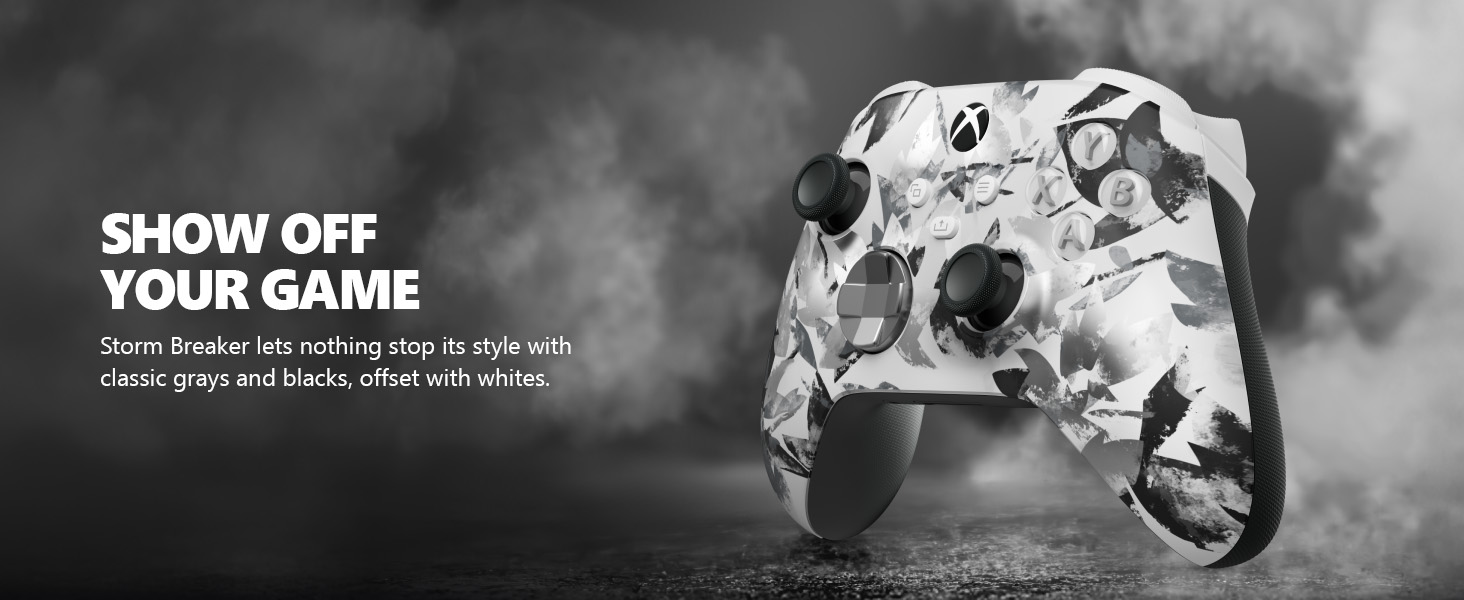
Image: The Xbox Wireless Controller Storm Breaker Special Edition showcasing its distinctive color scheme.
Sozlash; o'rnatish
1. Batareyani o'rnatish
The controller requires two AA batteries (included). To install:
- Batareya bo'linmasini kontrollerning orqa tomoniga joylashtiring.
- Press the small tab and lift the battery cover.
- To'g'ri kutupluluğa (+ va -) ishonch hosil qilib, ikkita AA batareyasini joylashtiring.
- Batareya qopqog'ini joyiga chertguncha joyiga qo'ying.
2. Qurilmalar bilan ulash
The controller supports both Xbox Wireless and Bluetooth for versatile connectivity.
- For Xbox Console:
- Turn on your Xbox console.
- Press the Xbox button on your controller to turn it on.
- Ulanish tugmasini bosing va ushlab turing (⏚) on the top of the controller until the Xbox button flashes rapidly.
- Press the Pair button on your Xbox console (usually near the USB port or on the front).
- The Xbox button on the controller will become solid when connected.
- For PC (Windows 10/11) via Bluetooth:
- Kompyuteringizda Bluetooth yoqilganligiga ishonch hosil qiling.
- Press the Xbox button on your controller to turn it on.
- Ulanish tugmasini bosing va ushlab turing (⏚) on the top of the controller until the Xbox button flashes rapidly.
- Shaxsiy kompyuteringizda Sozlamalar > Qurilmalar > Bluetooth va boshqa qurilmalarga o‘ting.
- Select "Add Bluetooth or other device" and then "Bluetooth".
- Choose "Xbox Wireless Controller" from the list and follow on-screen prompts.
- For Mobile Devices (Android/iOS):
- Mobil qurilmangizda Bluetooth-ni yoqing.
- Press the Xbox button on your controller to turn it on.
- Ulanish tugmasini bosing va ushlab turing (⏚) on the top of the controller until the Xbox button flashes rapidly.
- On your mobile device, search for Bluetooth devices and select "Xbox Wireless Controller" to pair.
Video: tugadiview of the Xbox Wireless Controller, demonstrating its physical features and ports, useful for understanding setup.
Tekshirish moslamasini ishlatish
1. Asosiy boshqaruv elementlari
- Bosh barmoqlar: Use for movement and camera control.
- D-Pad: Ideal for precise directional input in games and menu navigation.
- A, B, X, Y tugmalari: Primary action buttons for in-game commands.
- Triggers (LT/RT) & Bumpers (LB/RB): Used for various actions like shooting, accelerating, or menu selection.
2. Share Button
The dedicated Share button (⤓) allows you to quickly capture and share your gaming moments:
- Press once to take a screenshot.
- Press and hold to record the last 30 seconds of gameplay.
3. Eshitish vositasi uyasi
A 3.5mm audio jack is located at the bottom of the controller, allowing you to connect compatible headsets for in-game audio and chat.
4. Customization with Xbox Accessories App
Download the Xbox Accessories app on your Xbox console or Windows PC to customize button mapping and create personalized controller profiles.
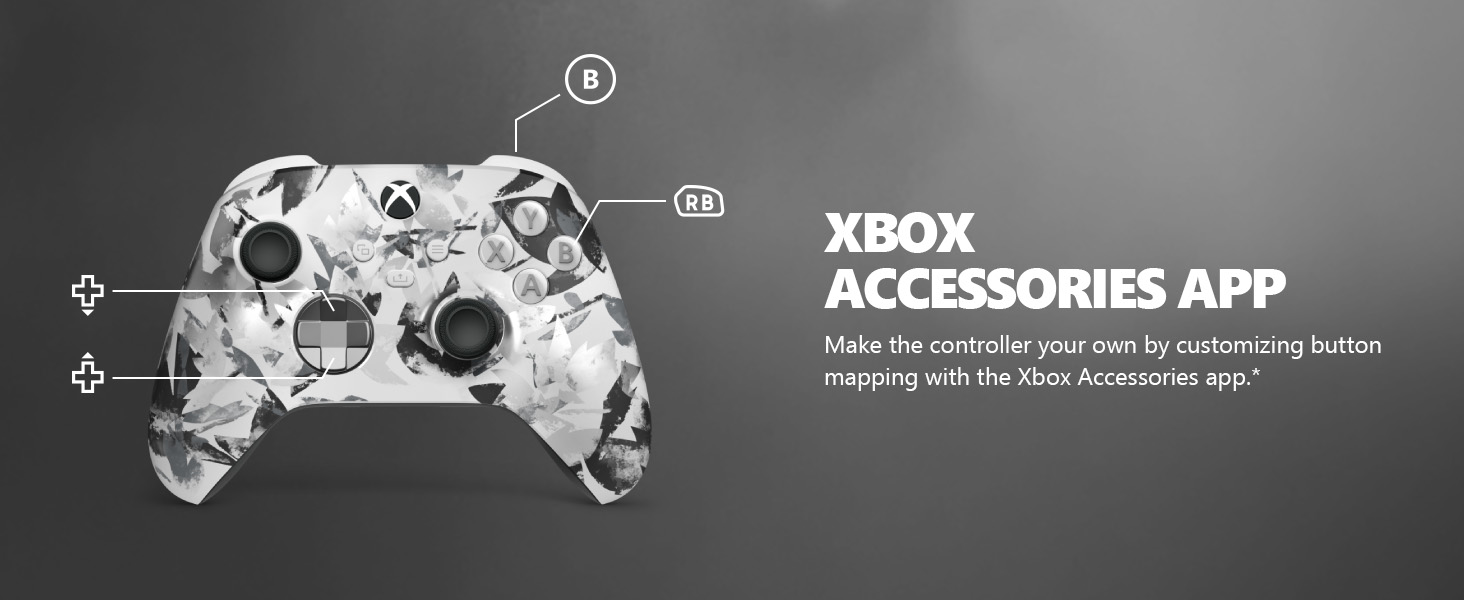
Image: The Share button and an illustration of button mapping customization via the Xbox Accessories app.
Xizmat
- Tozalash: Kontrollerni tozalash uchun yumshoq, quruq matodan foydalaning. Abraziv tozalagichlar yoki erituvchilardan saqlaning.
- Batareya parvarishi: Agar kontroller uzoq vaqt davomida ishlatilmasa, oqishning oldini olish uchun batareyalarni chiqarib oling.
- Saqlash: Tekshirgichni to'g'ridan-to'g'ri quyosh nuri va haddan tashqari haroratdan uzoqda, salqin va quruq joyda saqlang.
Muammolarni bartaraf qilish; nosozliklarni TUZATISH
- Kontroller ulanmayapti:
- Batareyalar to'g'ri o'rnatilgan va zaryadlanganligiga ishonch hosil qiling.
- O'rnatish bo'limida ta'riflanganidek, ulanish jarayonini qaytadan urinib ko'ring.
- Boshqa simsiz qurilmalardan har qanday shovqin mavjudligini tekshiring.
- Update controller firmware via the Xbox Accessories app.
- Tugmalar javob bermayapti:
- Har qanday qoldiqni olib tashlash uchun tugmalar atrofini tozalang.
- Test the controller with another device or game to isolate the issue.
- Qisqa batareya muddati:
- Yangi, yuqori sifatli AA batareyalaridan foydalaning.
- Consider using a rechargeable battery pack (sold separately) for extended play.
Texnik xususiyatlari
| Xususiyat | Tafsilot |
|---|---|
| Model raqami | EP2-29563 |
| Ulanish | Xbox Wireless, Bluetooth |
| Moslik | Xbox Series X|S, Xbox One, Windows 10/11, Android, iOS |
| Quvvat manbai | 2 ta AA batareyasi (shu jumladan) |
| Ovoz porti | 3.5 mm eshitish vositasi uyasi |
| O'lchamlari | 6.91 x 5.61 x 2.76 dyuym |
| Og'irligi | 14.1 untsiya |
| Ishlab chiqaruvchi | Microsoft |
Kafolat va qo'llab-quvvatlash
For warranty information and technical support, please refer to the documentation included with your product or visit the official Xbox support websayt. Kafolat da'volari uchun xaridingizni tasdiqlovchi hujjatingizni saqlang.
Onlayn qo'llab-quvvatlash: support.xbox.com
Ask a question about this manual
Ask about setup, troubleshooting, compatibility, parts, safety, or missing instructions. Manuals+ will review the question and use this page’s manual context to help answer it.