
Xavfsizlik bo'yicha muhim ma'lumotlar
O'rnatish va ishlatishdan oldin ushbu qo'llanmani diqqat bilan o'qib chiqing. Kelajakda foydalanish uchun ushbu qo'llanmani saqlang.
- Og'irlik hajmi: Maksimal 33 funt (15 kg) og'irlikdan oshmang. Ushbu chegaradan oshib ketish jiddiy jarohatlarga yoki mulkka zarar yetkazishi mumkin.
- Monitor hajmi: The monitor arm supports monitors up to 42 inches. The VESA extender supports monitors from 17 to 35 inches. Ensure your monitor's size and weight are within these limits.
- VESA mosligi: The arm supports VESA patterns 75x75mm and 100x100mm. The extender converts these to 200x100mm and 200x200mm. Verify your monitor's VESA pattern before installation.
- Stol qalinligi: C-clamp requires a desk thickness between 0.39 inches (10mm) and 2.76 inches (70mm). Ensure your desk can support the combined weight of the arm, monitor, and extender.
- Yig'ish: Assemble the product according to the instructions. Improper assembly may cause damage or serious personal injury.
- Harakatlanuvchi qismlar: This product contains moving parts. Exercise caution during adjustment to avoid pinching or crushing injuries.
- Xizmat: Periodically check all screws and connections to ensure they are secure. Retighten as necessary.
Paket tarkibi
Verify that all components are present and undamaged before proceeding with installation. If any parts are missing or damaged, please contact MOUNTUP customer support.
- Monitor qo'llarini yig'ish
- C-Clamp Baza
- VESA Extender Bracket (2 pieces)
- VESA Extender Plate
- Hardware Kit (screws, washers, spacers, Allen wrenches)

Rasm: tugadiview of the MOUNTUP Heavy Duty Single Monitor Arm, including the main arm, C-clamp, and the VESA extender components.
Texnik xususiyatlari
| Brend | O'RNATISH |
| Model | Heavy Duty Single Monitor Arm with VESA Extender |
| Monitor Arm Compatibility | Monitors up to 42 inches |
| VESA Extender Compatibility | Monitors 17-35 inches |
| Og'irlik sig'imi | 4.4 - 33 funt (2 - 15 kg) |
| VESA Patterns (Arm) | 75x75mm, 100x100mm |
| VESA Patterns (Extender) | Converts to 200x100mm, 200x200mm, 150x150mm, 100x200mm |
| Stol qalinligi (C-Cl)amp) | 0.39 - 2.76 dyuym (10 - 70 mm) |
| Balandlik oralig'i | 9.3 - 22.1 dyuym |
| Maksimal kengaytma | 23.8 dyuym |

Image: Illustration highlighting the monitor arm's robust load capacity of up to 33 lbs.

Image: Diagram showing the monitor arm's height adjustment range from 9.3 to 22.1 inches and a maximum extension of 23.8 inches.
O'rnatish va o'rnatish
Step 1: Install the C-Clamp Baza
- C-cl-ni joylashtiringamp base on the edge of your desk.
- Ensure the desk thickness is between 0.39 and 2.76 inches.
- C-cl ni tortingamp screw until the base is securely fastened to the desk. Do not overtighten.

Image: The monitor arm's C-clamp securely attached to a desk, demonstrating its stable mounting.
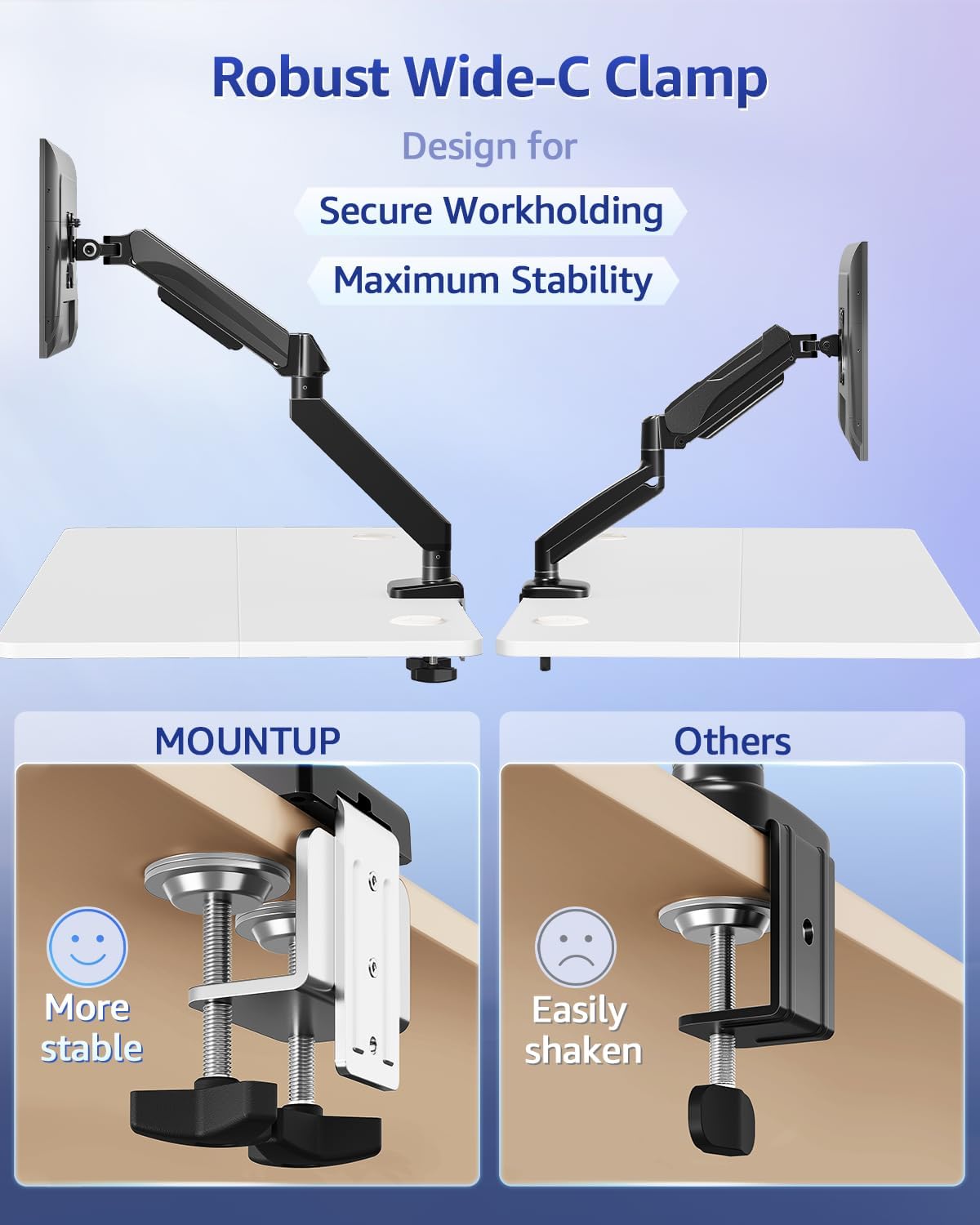
Image: A visual comparison highlighting the wider and more stable design of the MOUNTUP C-clamp compared to a standard clamp.
Step 2: Assemble the VESA Extender (if needed)
If your monitor has a VESA pattern larger than 100x100mm (e.g., 200x100mm or 200x200mm), use the VESA extender bracket.
- Attach the two extender brackets to the VESA extender plate using the provided screws. Ensure the ridge on the extender plate aligns with the brackets for a secure fit.
- Securely fasten the extender assembly to your monitor's VESA mounting holes using the appropriate screws from the hardware kit.

Image: Step-by-step visual guide for assembling the VESA extender brackets onto the main plate using screws.

Rasm: batafsil view of the VESA extender plate, showing its design for adapting to various VESA patterns.

Image: A diagram illustrating the various VESA patterns (200x100mm, 150x150mm, 200x200mm, 100x200mm) supported by the extender.

Image: A visual comparison showing a monitor that previously could not be mounted (before) and how the VESA extender enables mounting for larger VESA patterns (after).
Step 3: Attach Monitor to Arm
- Slide the monitor (with or without the VESA extender attached) onto the VESA head of the monitor arm.
- Secure the monitor to the VESA head using the provided screws. Ensure all screws are tightened to prevent the monitor from detaching.
Foydalanish bo'yicha ko'rsatmalar
Monitor holatini sozlash
The MOUNTUP monitor arm allows for flexible adjustment of your monitor's position to achieve optimal ergonomics.
- Balandlikni sozlash: Gently push or pull the monitor up or down to the desired height. The gas spring mechanism will hold it in place.
- Nishabni sozlash: Tilt the monitor screen up or down to reduce glare and find a comfortable viewkirish burchagi.
- Burilishni sozlash: Rotate the monitor horizontally (left or right) to share your screen or change viewyo'nalishi.
- Aylanishni sozlash: Rotate the monitor 360 degrees to switch between landscape and portrait orientation.
Taranglikni sozlash
If the monitor arm is too stiff or too loose, you may need to adjust the gas spring tension.
- Locate the tension adjustment screw on the arm (usually near the pivot points).
- Use the provided Allen wrench to turn the screw:
- Buriling clockwise (-) uchun kamaytirish tension (for lighter monitors or if the arm is too stiff).
- Buriling counter-clockwise (+) uchun kattalashtirish; ko'paytirish tension (for heavier monitors or if the arm sags).
- Adjust gradually and test the arm's movement after each adjustment until it holds your monitor securely at any position.
Xizmat
- Tozalash: Wipe the monitor arm and VESA extender with a soft, damp mato. Jihozni shikastlashi mumkin bo'lgan abraziv tozalash vositalaridan yoki erituvchilardan foydalanmang.
- Davriy tekshiruvlar: Regularly inspect all screws and connections (C-clamp, VESA plate, arm joints) to ensure they remain tight. Retighten any loose fasteners to maintain stability and safety.
- Moylash: Gaz kamon mexanizmi texnik xizmat ko'rsatmaydi va moylashni talab qilmaydi.
Muammolarni bartaraf qilish; nosozliklarni TUZATISH
Monitor egilib qoladi yoki pozitsiyani ushlab turmaydi
- Yechim: The gas spring tension is likely too low for your monitor's weight. Increase the tension by turning the adjustment screw counter-clockwise (+) with the provided Allen wrench until the arm can hold the monitor in place.
- Check Weight: Ensure your monitor's weight is within the 4.4 - 33 lbs capacity.
Arm is Too Stiff to Move
- Yechim: The gas spring tension is likely too high. Decrease the tension by turning the adjustment screw clockwise (-) with the provided Allen wrench.
Monitor Wobbles
- Yechim: Check if the C-clamp is securely tightened to the desk. Ensure all VESA mounting screws are tight. Verify that the monitor arm joints are properly secured.
- Desk Stability: Ensure your desk itself is stable and not prone to wobbling.
Kafolat va qo'llab-quvvatlash
MOUNTUP products are designed for durability and performance. For specific warranty information, please refer to the documentation included with your purchase or visit the official MOUNTUP websayt.
If you encounter any issues or have questions regarding the installation or operation of your MOUNTUP Heavy Duty Single Monitor Arm and VESA Extender, please contact MOUNTUP customer support for assistance.
Bog'lanish uchun ma'lumot: Please refer to your product packaging or the MOUNTUP official webeng dolzarb mijozlarni qo'llab-quvvatlash aloqa ma'lumotlari uchun sayt.