
Kirish
Thank you for choosing the TECKNET TK-HS049 Hybrid Active Noise Cancelling Headphones. These headphones are designed to provide a superior audio experience with advanced noise cancellation, long battery life, and versatile connectivity. This manual will guide you through the setup, operation, and maintenance of your new headphones.
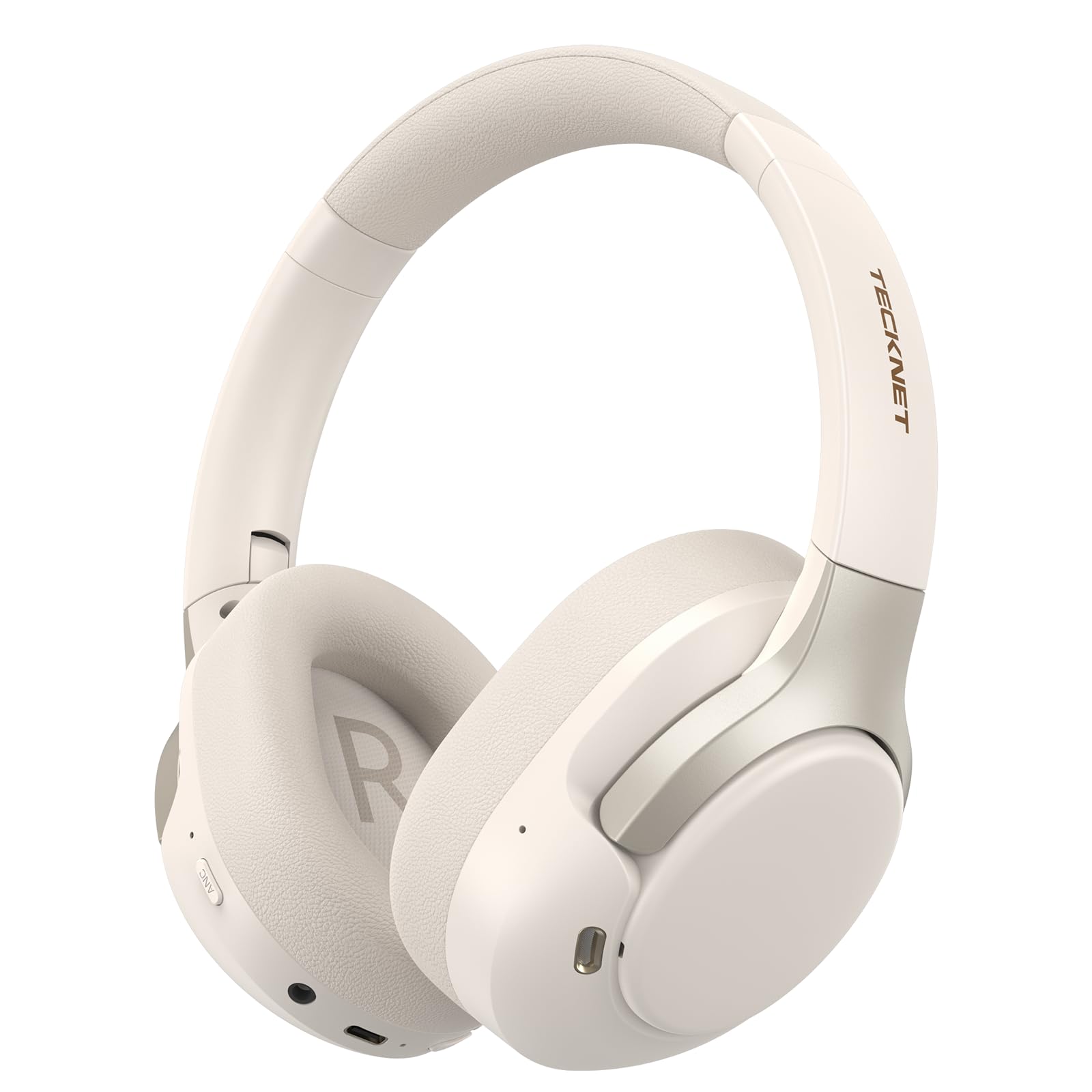
Image: TECKNET TK-HS049 Hybrid Active Noise Cancelling Headphones.
Qutida nima bor
- 1 x TECKNET TK-HS049 ANC Headphones
- 1 x 3.5 mm audio kabeli
- 1 x foydalanuvchi qo'llanmasi
- 1 x Type-C zaryadlovchi kabeli

Image: Contents of the product packaging.
Mahsulot tugadiview
Familiarize yourself with the various components and controls of your TECKNET TK-HS049 headphones.
Rasm: yon view of the headphones highlighting control buttons and ports.
Asosiy komponentlar:
- Quvvat tugmasi: Used to turn the headphones on/off and for Bluetooth pairing.
- Ovozni oshirish/Keyingi trek tugmasi: Ovoz balandligini oshiradi yoki keyingi trekka o'tkazadi.
- Ovozni pasaytirish/oldingi trek tugmasi: Ovoz balandligini pasaytiradi yoki oldingi trekka o'tadi.
- Ko'p funktsiyali tugma: Musiqani tinglash/to'xtatib turish, qo'ng'iroqlarga javob berish/tugatish.
- ANC tugmasi: Toggles Active Noise Cancellation modes.
- Type-C zaryadlash porti: Eshitish vositalarini zaryad qilish uchun.
- 3.5 mm audio uyasi: Simli audio ulanish uchun.
- Mikrofon: Qo'ng'iroqlar va ovozli buyruqlar uchun.
Sozlash; o'rnatish
1. Naushniklarni zaryadlash
Before first use, fully charge your headphones. Connect the supplied Type-C charging cable to the charging port on the headphones and the other end to a USB power source (e.g., wall adapter, computer USB port).
- LED indikatori zaryadlash holatini ko'rsatadi.
- To'liq zaryadlash odatda taxminan 2-3 soat davom etadi.
2. Quvvatni yoqish/o‘chirish
- Yoqilgan: LED indikatori ko'k rangda yonib-o'chguncha Quvvat tugmasini 3 soniya bosib turing.
- O'chirish: Press and hold the Power button for 3 seconds until the LED indicator flashes red and then turns off.
3. Bluetooth ulanishi
Eshitish vositalarini Bluetooth orqali qurilmaga ulash uchun:
- Eshitish vositalari o'chirilganligiga ishonch hosil qiling.
- LED indikatori navbatma-navbat qizil va ko'k rangda yonib-o'chib, juftlashtirish rejimini ko'rsatmaguncha Quvvat tugmasini 5 soniya bosib turing.
- Qurilmangizda (smartfon, planshet, noutbuk) Bluetooth-ni yoqing va mavjud qurilmalarni qidiring.
- Select "TECKNET TK-HS049" from the list of devices.
- Ulagandan so'ng, LED indikatori asta -sekin ko'k rangda yonadi.
4. Dual Device Connection
Eshitish vositasi ikkita Bluetooth qurilmasiga bir vaqtning o'zida ulanishni qo'llab-quvvatlaydi, bu ular o'rtasida uzluksiz almashinish imkonini beradi.
- Pair the headphones with the first device (e.g., smartphone) as described above.
- Birinchi qurilmada Bluetooth-ni o'chiring. Quloqchinlar qayta ulanish rejimiga o'tadi.
- Pair the headphones with the second device (e.g., laptop).
- Birinchi qurilmada Bluetooth-ni qayta yoqing. Quloqchinlar avtomatik ravishda ikkala qurilmaga ham ulanishi kerak.
- To switch audio, simply play media on the desired device.

Image: Dual device connection setup.
5. Simli ulanish
For devices without Bluetooth or when battery is low, use the included 3.5mm audio cable.
- 3.5 mm audio kabelning bir uchini minigarnituraning audio uyasiga ulang.
- Ikkinchi uchini qurilmangizning 3.5 mm audio chiqishiga ulang.
- Note: Some headphone functions (e.g., ANC, EQ modes) may be limited or unavailable in wired mode without power.

Image: Wired connection via 3.5mm audio jack.
Ishlayotgan
1. Faol shovqinni bekor qilish (ANC) rejimlari
Press the ANC button to cycle through the available noise cancellation modes:
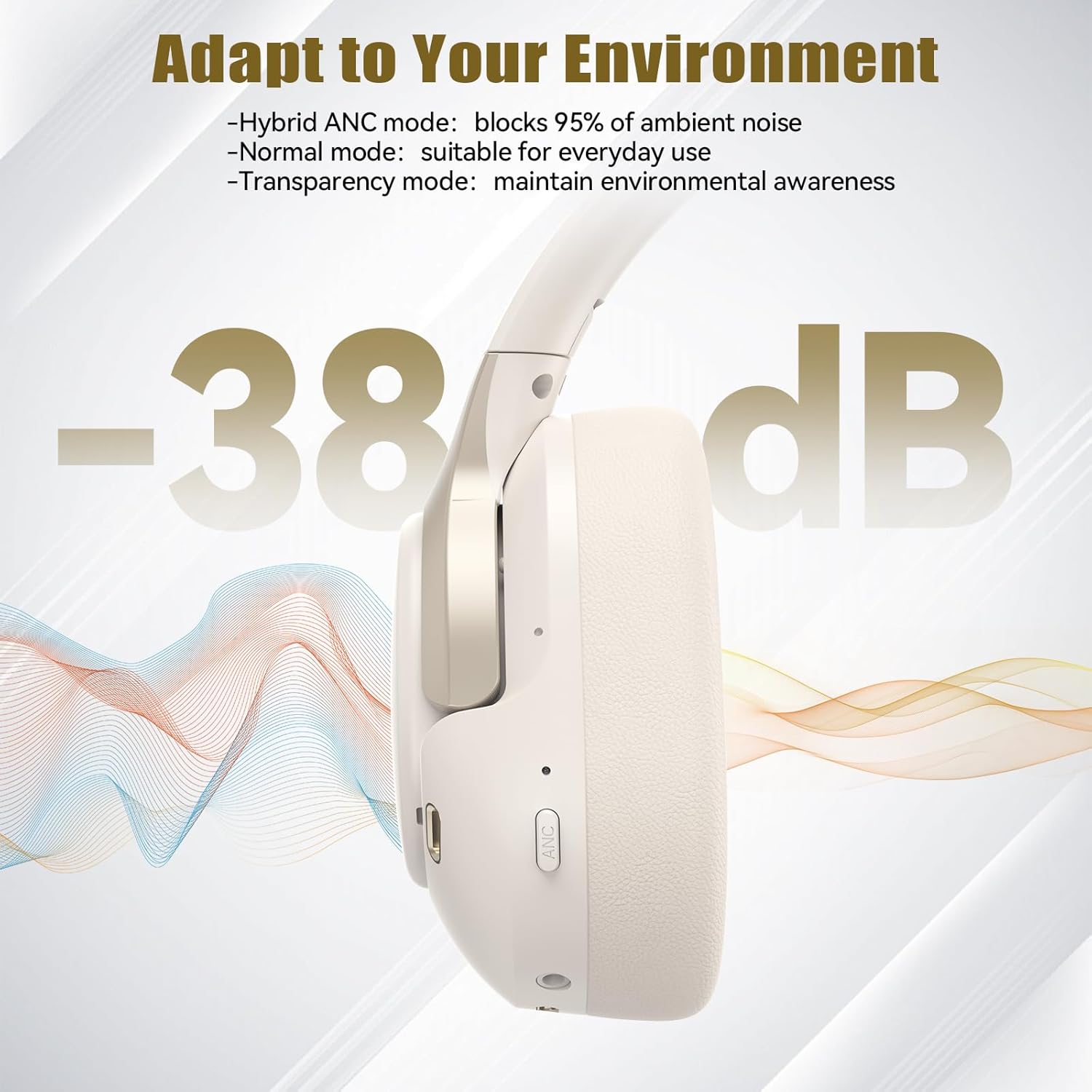
- Hybrid ANC Mode: Blocks up to 35dB-38dB of ambient noise, ideal for travel or noisy environments.
- Oddiy rejim: ANC is off, suitable for everyday use where some environmental awareness is desired.
- Shaffoflik rejimi: Allows ambient sounds to pass through, enhancing awareness of your surroundings.

Image: Hybrid Active Noise Cancellation in action.
2. Musiqani ijro etish
- Oʻynatish/toʻxtatib turish: Ko'p funktsiyali tugmani bir marta bosing.
- Keyingi trek: Ovozni oshirish tugmasini bosing va ushlab turing.
- Oldingi trek: Ovozni pasaytirish tugmasini bosing va ushlab turing.
- Ovoz balandligi: Ovozni ko'tarish tugmasini qisqa bosing.
- Ovozni kamaytirish: Ovozni pasaytirish tugmasini qisqa bosing.
3. Qo'ng'iroqlarni boshqarish
- Qo'ng'iroqqa javob berish/tugatish: Ko'p funktsiyali tugmani bir marta bosing.
- Qo'ng'iroqni rad etish: Ko'p funktsiyali tugmani 2 soniya bosib turing.
- Ovozli yordamchi: Qurilmangizning ovozli yordamchisini faollashtirish uchun Ko'p funksiyali tugmani ikki marta bosing.
4. EQ Music Modes
The headphones feature 6 EQ music modes to optimize your listening experience for different genres. Press the EQ button (if available, or refer to specific button on your model) to cycle through these modes:
- Raqs
- Rok
- Klassik
- Vokal
- Bass
- Yumshoq

Image: Cycling through 6 EQ music modes.
Xizmat
To ensure the longevity and optimal performance of your TECKNET TK-HS049 headphones, follow these maintenance guidelines:
- Tozalash: Use a soft, dry cloth to clean the earcups and headband. Do not use abrasive cleaners or solvents.
- Saqlash: When not in use, store the headphones in a cool, dry place, preferably in a protective case to prevent dust and damage.
- Namlikdan saqlaning: Although the headphones have a waterproof rating, avoid prolonged exposure to water or high humidity. Do not submerge them.
- Zaryadlash: Only use the provided Type-C cable for charging. Avoid overcharging the battery.
- Harorat: Eshitish vositalarini haddan tashqari haroratga (issiq yoki sovuq) qo'ymang.
Muammolarni bartaraf qilish; nosozliklarni TUZATISH
If you encounter any issues with your headphones, refer to the following common problems and solutions:
| Muammo | Yechim |
|---|---|
| Naushniklar yoqilmaydi. | Ensure the headphones are charged. Connect to a power source and try again after a few minutes. |
| Bluetooth orqali ulanib bo'lmadi. | Make sure the headphones are in pairing mode (LED flashing red/blue). Disable and re-enable Bluetooth on your device. Ensure no other devices are connected. |
| Ovoz yo'q yoki past ovoz. | Check volume levels on both headphones and your connected device. Ensure the headphones are properly paired. Try playing audio from a different source. |
| ANC samarali emas. | ANC rejimi yoqilganligiga ishonch hosil qiling. Naushniklar quloqlaringiz atrofida yaxshi muhr hosil qilganligini tekshiring. ANC past chastotali, doimiy shovqinga qarshi eng samarali hisoblanadi. |
| Mikrofon ishlamayapti. | Ensure the headphones are connected via Bluetooth. Check microphone settings on your device. |
Texnik xususiyatlari
Detailed technical specifications for the TECKNET TK-HS049 headphones:
| Xususiyat | Tafsilot |
|---|---|
| Model raqami | TK-HS049 |
| Ulanish texnologiyasi | Simsiz (Bluetooth), Simli (3.5 mm raz'em) |
| Bluetooth versiyasi | 6.0 |
| Shovqin nazorati | Hybrid Noise Cancellation (up to 38dB) |
| Haydovchi turi | 40 mm dinamik haydovchilar |
| Chastota diapazoni | 20Hz - 20,000Hz (supports up to 40kHz for high-resolution audio) |
| Batareya quvvati (ANC yoqilgan) | 40 soatgacha (60% hajmda) |
| Batareya quvvati (ANC o'chirilgan) | 70 soatgacha |
| Nazorat usuli | Jismoniy tugmalar |
| Quloqlarni joylashtirish | Quloq ustida |
| Material | Fabric, Silicone, Memory Foam (earcups) |
| Suvga chidamlilik darajasi | Suv o'tkazmaydigan; suvga chidamli |
| Mikrofon | 4 ENC Microphones |
| EQ usullari | 6 Presets (Dance, Rock, Classical, Vocal, Bass, Soft) |

Image: Battery life overview.

Image: 40mm dynamic drivers for premium audio.

Image: Comfort features including memory foam earcups and adjustable headband.
Kafolat va qo'llab-quvvatlash
TECKNET TK-HS049 headphones come with a 36 oylik kafolat. If you encounter any problems during product use, please contact our professional customer service team for assistance. You can typically find contact information on the TECKNET official websayt yoki xarid platformangiz orqali.