
1. Kirish
This manual provides essential information for the safe and efficient use of your IKON 65-inch 4K QLED Smart TV, Model IK-VWQ65. Please read these instructions thoroughly before operating the television and retain them for future reference.
The IKON 65-inch 4K QLED Smart TV delivers an immersive entertainment experience with its stunning 3840 x 2160 UHD resolution and vibrant QLED display technology. It features smart capabilities with Ethernet and Wi-Fi connectivity, allowing seamless access to popular streaming services. Enjoy enhanced audio with integrated Dolby sound support and connect multiple devices via its two HDMI ports and two USB ports. The slim design and included stand ensure stable placement, while the 60Hz refresh rate provides smooth motion for all your content.
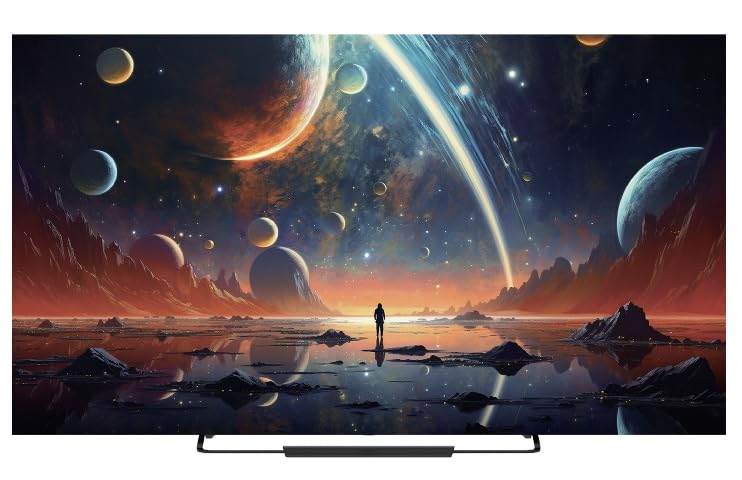
Old view of the IKON 65-inch 4K QLED Smart TV, Model IK-VWQ65, showcasing uning katta displey va zamonaviy dizayni.
2. Xavfsizlik ma'lumotlari
Elektr toki urishi, yong'in yoki televizorga zarar yetkazilishining oldini olish uchun har doim quyidagi xavfsizlik choralariga rioya qiling.
- Televizorni yomg'ir yoki namlik ta'sirida qoldirmang.
- Televizorni ochmang casing; barcha xizmatlarni malakali xodimlarga topshiring.
- Televizor atrofida to'g'ri shamollatilishini ta'minlang. Shamollatish teshiklarini to'sib qo'ymang.
- Faqat televizor bilan birga kelgan quvvat simidan foydalaning.
- Chaqmoqli bo'ron paytida yoki uzoq vaqt foydalanilmaganda televizorni elektr tarmog'idan uzing.
- Televizorni to'g'ridan-to'g'ri quyosh nuri, issiqlik manbalari va kuchli magnit maydonlardan uzoqroq tuting.
- Televizor yoki elektr simiga og'ir narsalarni qo'ymang.
- Parental control features are available (Pin-based Content Lock) to manage content access for children.
3. Nimalar kiradi
Paketda barcha komponentlar mavjudligiga ishonch hosil qiling:
- IKON 65-inch 4K QLED Smart TV (Model IK-VWQ65)
- Remote Control (requires AAA batteries)
- TV stendlari
- Quvvat kabeli
- Foydalanuvchi uchun qo'llanma (ushbu hujjat)
4. Sozlash
4.1 Paketni ochish
Carefully remove the TV and all accessories from the packaging. It is recommended to keep the original packaging for potential future transport or servicing.
4.2 Stendni biriktirish
Place the TV screen-down on a soft, flat surface. Align the included stand with the mounting holes on the bottom of the TV. Secure the stand using the provided screws. Ensure the stand is firmly attached before placing the TV upright.
4.3 Devorga o'rnatish
If you choose to wall mount your TV, ensure you use a VESA-compatible wall mount (400 x 400 mm). Follow the instructions provided with your wall mount kit. Professional installation is recommended for wall mounting.
4.4 Quvvatni ulash
Connect the power cord to the TV's power input, then plug the other end into a 220V AC power outlet. The TV consumes 150 Watts of power.
4.5 Tashqi qurilmalarni ulash
Televizoringiz turli xil ulanish imkoniyatlarini taklif etadi:
- HDMI portlari (x2): Connect Blu-ray players, game consoles, streaming boxes, or sound systems.
- USB portlari (x2): Connect USB drives for media playback. (Includes 2x USB 2.0 ports)
- Ethernet porti: Simli internetga ulanish uchun.
- Raqamli optik audio chiqishi: Tashqi audio tizimlariga ulanish uchun.
- Analog Audio Outputs (x2): Eski audio tizimlarga ulanish uchun.
5. Televizorni ishlatish
5.1 Quvvatni yoqish/o‘chirish
Televizorni yoqish yoki o'chirish uchun masofadan boshqarish pultidagi yoki televizorning o'zidagi quvvat tugmasini bosing.
5.2 masofadan boshqarish pulti
The TV comes with an infrared remote control that supports both button and voice control. Insert AAA batteries into the remote control before use.
5.3 Smart TV xususiyatlari
Running on the Android operating system with 8GB of memory storage, your TV provides access to a wide range of smart features and applications. Connect to the internet via Ethernet or Wi-Fi to enjoy services like Prime Video, Netflix, and YouTube.
5.4 Ekranni aks ettirish
The TV supports screen mirroring technologies such as Chromecast and Miracast, allowing you to cast content from your mobile device to the TV and vice-versa. Bluetooth 5.0 is also available for wireless connections.
5.5 Audio sozlamalari
The integrated Dolby audio system provides immersive sound. You can adjust audio settings through the TV's menu to optimize your listening experience. The TV features 20 Watts of stereo audio output.
6. Xizmat ko'rsatish
6.1 Ekranni tozalash
Ekranni yumshoq, tuklarsiz mato bilan sekin artib oling. O'jar belgilar uchun engil dampMatoni suv yoki maxsus ekran tozalagich bilan arting. Hech qachon suyuqlikni to'g'ridan-to'g'ri ekranga purkamang.
6.2 C ni tozalashasing
Televizorni artib olingasing yumshoq, quruq mato bilan. Abraziv tozalash vositalari yoki erituvchilardan foydalanishdan saqlaning.
6.3 Shamollatish
Ensure that the ventilation openings on the TV are not blocked to prevent overheating. Regularly dust the vents to maintain proper airflow.
7. Muammolarni bartaraf qilish; nosozliklarni TUZATISH
Televizoringiz bilan bog'liq muammolarga duch kelsangiz, quyidagi umumiy muammolar va echimlarga murojaat qiling:
| Muammo | Mumkin yechim |
|---|---|
| Quvvat yo'q | Elektr simining televizor va devordagi rozetkaga mahkam ulanganligini tekshiring. Rozetkaning ishlayotganligiga ishonch hosil qiling. |
| Rasm yo'q, lekin ovoz mavjud | Verify the correct input source is selected. Check external device connections (HDMI, etc.). |
| Ovoz yo'q, lekin rasm mavjud | Check the volume level and ensure the TV is not muted. Verify audio cable connections to external devices. |
| Masofadan boshqarish pulti ishlamayapti | Replace the AAA batteries. Ensure there are no obstructions between the remote and the TV's IR sensor. |
| Cannot Connect to Wi-Fi/Internet | Check your router and modem. Ensure the Wi-Fi password is correct. Try restarting the TV and your network equipment. |
8. Texnik shartlar
| Xususiyat | Tafsilot |
|---|---|
| Model raqami | IK-VWQ65 |
| Ishlab chiqarilgan yili | 2024 |
| Ekran o'lchami | 65 dyuym |
| Displey texnologiyasi | QLED |
| Rezolyutsiya | 4K Ultra HD (3840 x 2160) |
| Yangilanish tezligi | 60 Gts |
| Aspekt nisbati | 16:9 |
| Rasm kontrasti nisbati | 1,000,000:1 |
| Javob vaqti | 8 ms |
| HDR qo'llab-quvvatlash | HDR10, HLG |
| Operatsion tizim | Android |
| Xotirani saqlash hajmi | 8 GB |
| Ovoz chiqish quvvati | 20 Watts (Stereo) |
| Surround Sound Format | Dolby Digital |
| HDMI portlari | 2 |
| USB portlari | 2 (USB 2.0) |
| Ethernet porti | 1 |
| Simsiz ulanish | Wi-Fi, Bluetooth 5.0 |
| Ekranni aks ettirish | Chromecast, Miracast |
| O'rnatish turi | Devorga o'rnatish moslamasi (VESA 400 x 400 mm) |
| Quvvatlantirish manbai | 220V AC |
| Quvvat iste'moli | 150 vatt |
| Element og'irligi | 18.5 kg |
| Stend kengligi | 45 sm |
9. Kafolat haqida ma'lumot
This IKON TV comes with a limited manufacturer warranty. Please refer to the warranty card included in your product packaging for specific terms, conditions, and duration of coverage. Keep your purchase receipt as proof of purchase for warranty claims.
10. Mijozlarni qo'llab-quvvatlash
For technical assistance, troubleshooting beyond this manual, or warranty inquiries, please contact IKON customer support. Contact details can typically be found on the manufacturer's websayt yoki kafolat kartasida.
- Onlayn qo'llab-quvvatlash: Visit the official IKON webTez-tez so'raladigan savollar va qo'llab-quvvatlash manbalari uchun sayt.
- Elektron pochta orqali yordam: Refer to your warranty documentation for the support email address.
- Telefon qo'llab-quvvatlash: Refer to your warranty documentation for the customer service phone number.