
Mahsulot tugadiview
The DIERYA DK68 is a 60% compact mechanical keyboard designed for versatility and performance. It features triple-mode connectivity, allowing seamless switching between Bluetooth 5.0, 2.4GHz wireless, and USB-C wired connections. Equipped with clicky blue mechanical switches and vibrant RGB backlighting, it offers a responsive and customizable typing experience for both gaming and office use.

Figure 1: DIERYA DK68 Wireless Mechanical Keyboard showcasing uning ixcham dizayni va RGB yoritilishi.
Paket tarkibi
Paketda barcha narsalar mavjudligiga ishonch hosil qiling:
- DIERYA DK68 Wireless Mechanical Keyboard
- USB-C dan USB-A kabeliga
- Klaviatura qopqog'ini tortuvchi
- 2.4GHz USB Receiver (stored in the keyboard's back compartment)
- Foydalanuvchi uchun qo'llanma (ushbu hujjat)
O'rnatish va ulanish
The DK68 keyboard supports three connection modes: USB-C wired, 2.4GHz wireless, and Bluetooth 5.0. Choose the mode that best suits your needs.
1. USB-C Simli Rejim
- Berilgan USB-C kabelini klaviaturaning USB-C portiga ulang.
- Kabelning USB-A uchini kompyuteringizdagi mavjud USB portiga ulang.
- Klaviatura avtomatik ravishda tanib olinadi va foydalanishga tayyor bo'ladi.
2. 2.4GHz Wireless Mode
- Locate the 2.4GHz USB receiver in the compartment on the back of the keyboard.
- Remove the receiver and plug it into an available USB port on your computer.
- Turn on the keyboard using the switch located on the back.
- The keyboard should automatically connect to the receiver. If not, press Fn + G (labeled '2.4G' on the key) to activate 2.4GHz pairing mode.

Figure 2: Triple-mode connectivity options including 2.4GHz wireless.
3. Bluetooth 5.0 Mode
The keyboard can connect to up to three Bluetooth devices.
- Turn on the keyboard using the switch on the back.
- bosing va ushlab turing Fn+Z (labeled 'BT1'), Fn + X (labeled 'BT2'), or Fn + C (labeled 'BT3') for 3-5 seconds until the corresponding key's backlight flashes rapidly. This indicates pairing mode.
- On your device (PC, laptop, tablet, phone), enable Bluetooth and search for "DIERYA DK68".
- Select the keyboard to pair. The key's backlight will stop flashing once connected.
- Ulangan Bluetooth qurilmalari o'rtasida almashish uchun shunchaki bosing Fn + Z/X/C.

Figure 3: Bluetooth connectivity for multiple devices.
Foydalanish bo'yicha ko'rsatmalar
RGB orqa yoritishni boshqarish
The DK68 features 20 built-in RGB lighting effects and 16.8 million customizable colors. Use the following key combinations to control the lighting:
- Fn + Backspace: Turn backlighting On/Off.
- Fn+Shift: Switch light colors.
- Fn + Enter: Switch light modes (20 dynamic RGB modes).
- Fn + Yuqoriga strelka: Yorqinlikni oshiring.
- Fn + Pastga strelka: Decrease brightness.
- Fn + Chap strelka: Decrease light speed.
- Fn + o'ngga strelka: Increase light speed.

Figure 4: RGB lighting control key combinations for the DK68 keyboard.
Key Customization and Macros
The DIERYA DK68 supports full key anti-ghosting and N-Key Rollover (NKRO) for accurate input. For advanced customization, including key remapping, macro programming, and additional lighting effects, dedicated software is available. Please refer to the official DIERYA webdasturiy ta'minotni yuklab olish va ko'rsatmalar uchun sayt.

Figure 5: Full N-Key Rollover and software customization capabilities.
Mexanik ko'k kalitlar
The keyboard is equipped with clicky blue mechanical switches, providing a distinct tactile bump and an audible click with each keystroke. These switches are ideal for users who prefer clear feedback and a satisfying typing experience. They feature a medium 60gf actuation force (±15gf) and 2.3mm travel (±0.6mm), with a lifespan of 50 million clicks.

6-rasm: Batafsil view of mechanical blue switches and their specifications.
Xizmat
Batareya boshqaruvi
The keyboard is powered by a 3000mAh lithium battery. To charge, connect the keyboard via the USB-C cable to a power source. The keyboard can be used while charging.
- Usage Time (Backlighting On): 12 soatgacha.
- Usage Time (Backlighting Off): 333 soatgacha.
- Avtomatik Kutish rejimi: The keyboard enters auto-sleep mode after 3 minutes of inactivity to conserve power.
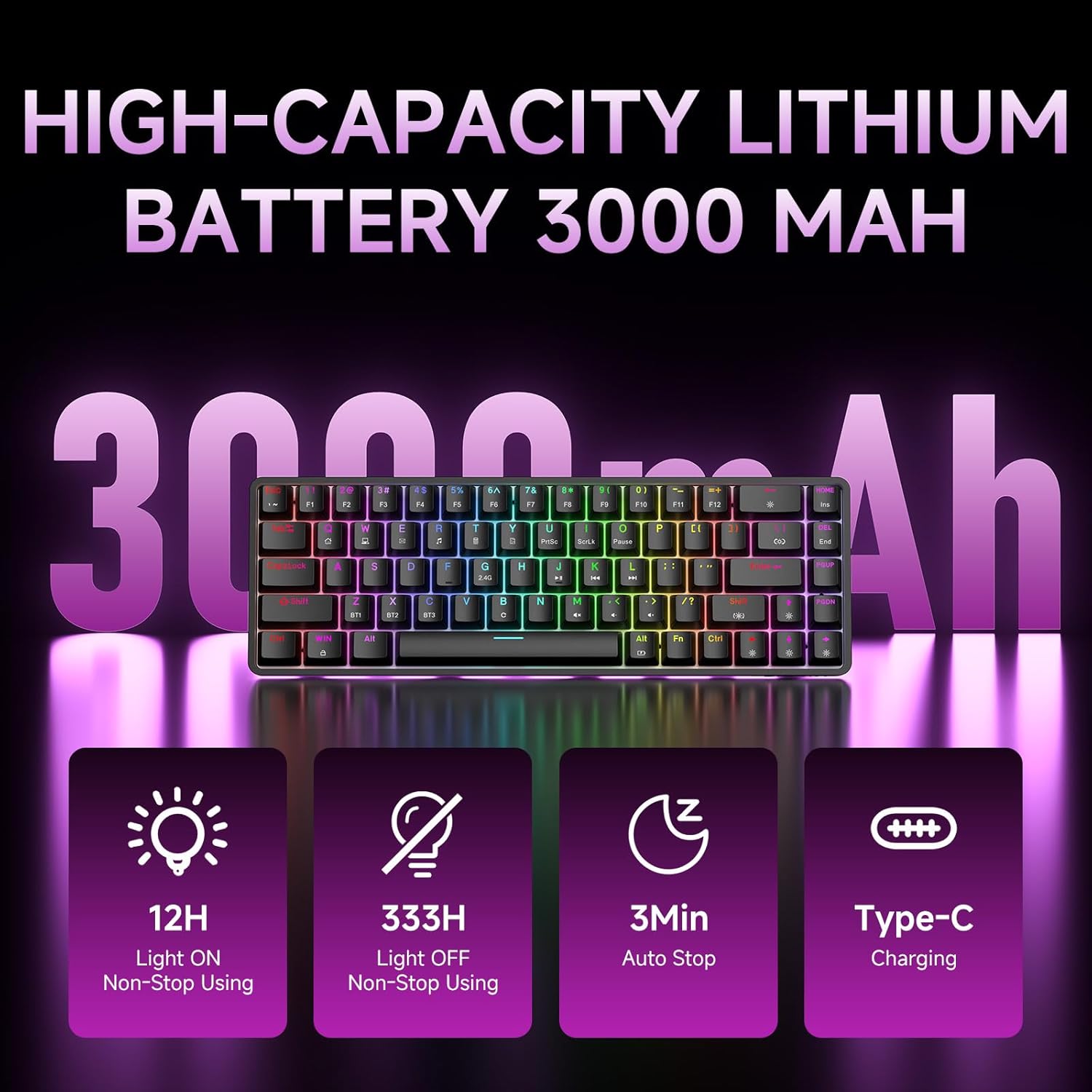
Figure 7: Battery capacity and power-saving features of the DK68.
Tozalash va parvarish qilish
- Use the provided keycap puller to carefully remove keycaps for cleaning.
- Clean the keyboard surface with a soft, damp mato. Haddan tashqari namlikdan saqlaning.
- Qattiq kimyoviy yoki abraziv tozalash vositalarini ishlatmang.
- Ensure the keyboard is powered off before cleaning.
Muammolarni bartaraf qilish; nosozliklarni TUZATISH
- Klaviatura javob bermayapti:
- Check the power switch on the back of the keyboard.
- Ensure the correct connection mode (wired, 2.4GHz, or Bluetooth) is selected.
- 2.4 gigagertsli chastotada USB qabul qilgich xavfsiz ulanganligiga ishonch hosil qiling.
- For Bluetooth, ensure the keyboard is paired and selected on your device. Try re-pairing if necessary.
- If using wired mode, try a different USB port or cable.
- Orqa yoritish ishlamayapti:
- bosing Fn + Backspace to toggle the backlighting.
- Batareya quvvatini tekshiring; batareya quvvati kam bo'lsa, orqa yorug'lik o'chib qolishi mumkin.
- Kalitlar ro'yxatdan o'tmaydi:
- Ensure the keyboard is properly connected and powered on.
- If specific keys are not working, try removing and re-seating their keycaps.
Texnik xususiyatlari
| Xususiyat | Tafsilot |
|---|---|
| Model raqami | DK68 |
| Ulanish texnologiyasi | 2.4GHz Wireless, Bluetooth 5.0, USB-C Wired |
| Kommutator turi | Clicky Blue Mechanical Switches |
| Kalit tartibi | 68 Keys (60% Layout) |
| Orqa yoritish | RGB (16.8 Million Colors, 20 Effects) |
| Batareya quvvati | 3000 mA / soat lityum polimer |
| Mos qurilmalar | Gaming Console, Laptop, PC, Tablet |
| Ghostingga qarshi | Full Key Anti-Ghosting & NKRO |
| Material | Plastik |
| Element og'irligi | 1.76 funt (taxminan 800 g) |
| Paket o'lchamlari | 14.33 x 4.37 x 1.73 dyuym |

Figure 8: Keyboard dimensions and compact 68-key layout.
Kafolat va qo'llab-quvvatlash
For warranty information and technical support, please refer to the documentation included with your product or visit the official DIERYA website. Amazon's return policy for this product is 30 days from the date of receipt.