
Kirish
The iLive Cinema Pop-up Movie Kit is a comprehensive portable entertainment solution designed to transform any space into a personal cinema. This kit includes a 720p projector, a 120-inch ultra-bright projector screen, an adjustable tripod, and a powerful Bluetooth 5.0 speaker system. Enjoy crisp images and rich audio for both indoor and outdoor movie nights.
Nimalar kiritilgan
- 720p proyektor
- 120-inch Anti-Wrinkle Polyester Projector Screen (16:9 aspect ratio, 1.3 gain)
- Professional-Grade Tripod with integrated bubble level (360-degree pan, ±180-degree tilt, 41.73-inch max height, 4 kg capacity)
- Bluetooth 5.0 Speaker System (dual 4-inch full-range speakers, 16W peak output, LED light effects, rechargeable battery)
- Masofadan boshqarish
- Quvvat kabeli
- HDMI kabeli
- 3.5 mm audio kabel
- USB kabeli
- Tashish sumkasi
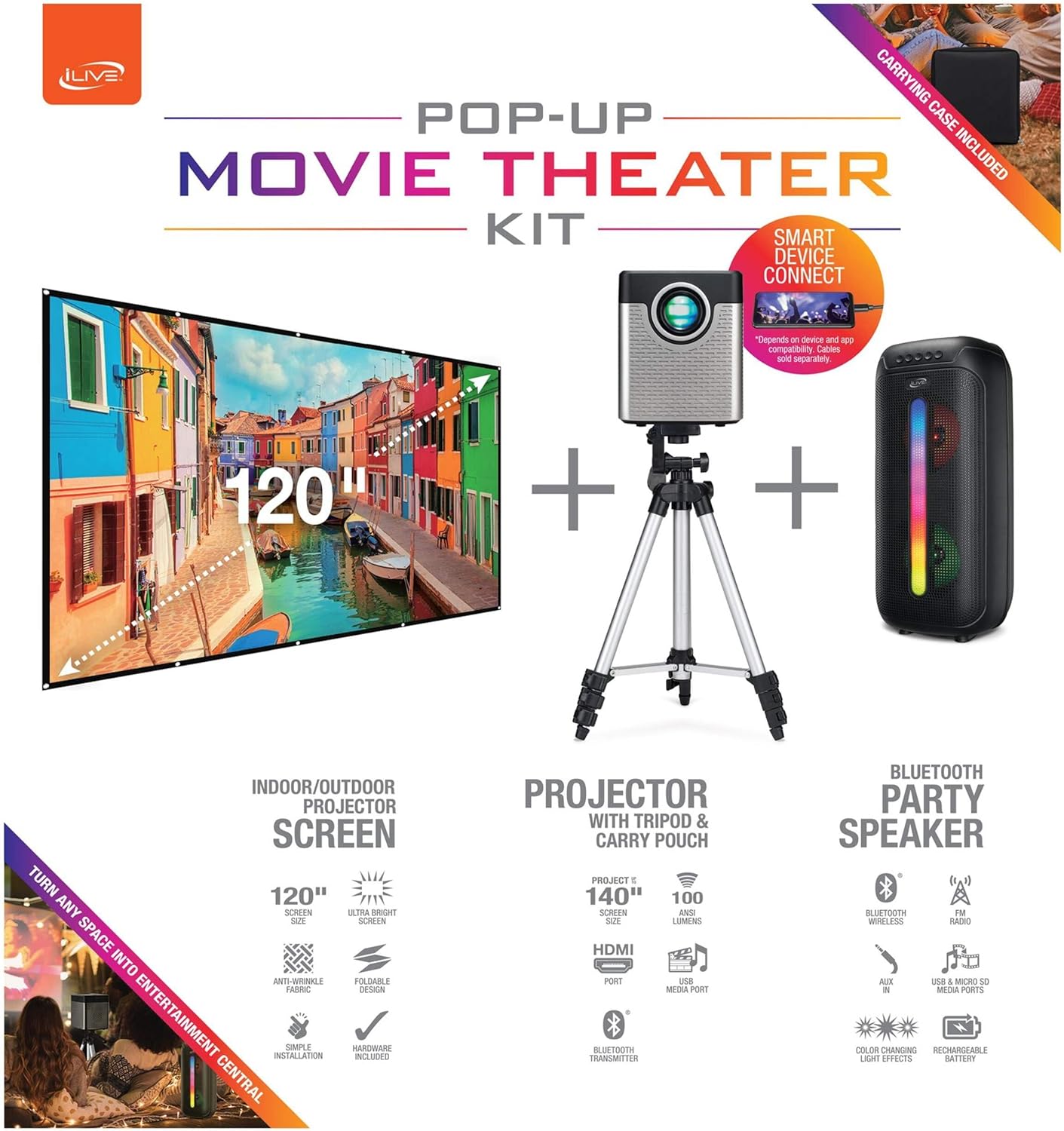
Figure 1: Diagram of the iLive Cinema Pop-up Movie Kit components.

Figure 2: The complete kit packed in its carrying case.
Sozlash; o'rnatish
- Komponentlarni o'rash: Carefully remove all items from the carrying case.
- Tripodni yig'ish: Extend the legs of the tripod and secure them. Adjust the height to your desired viewing level. The integrated bubble level assists in ensuring a stable and level base.
- Projektorni o'rnatish: Securely attach the projector to the tripod mount. Ensure it is stable and facing the desired projection area.
- Set Up Screen: Unfold the 120-inch anti-wrinkle screen. If using the tripod, attach the screen to the tripod frame using the provided fasteners. Ensure the screen is taut and wrinkle-free for optimal viewing. For alternative mounting, use the grommets along the screen's edges with appropriate wall hooks (not included).
- Position Speaker: Place the Bluetooth speaker in a location that provides optimal sound distribution for your viewing maydoni.
- Quvvatni ulash: Connect the power cable to the projector and a suitable power outlet.
- Qurilmalarni ulash (ixtiyoriy): Connect your media source (e.g., laptop, gaming console, Blu-ray player) to the projector using an HDMI or USB cable. For external audio, use the 3.5mm audio input or connect wirelessly via Bluetooth to the speaker.

Figure 3: Projector mounted on the tripod.

4-rasm: Masalanample outdoor setup with the projector and screen.
Foydalanish bo'yicha ko'rsatmalar
Proyektorning ishlashi
- Quvvatni yoqish/oʻchirish: Qurilmani yoqish yoki o'chirish uchun proyektor yoki masofadan boshqarish pultidagi quvvat tugmasini bosing.
- Kirish manbai: Use the remote control to select the desired input source (HDMI, USB, etc.).
- Fokusni sozlash: Adjust the focus ring on the projector lens until the image is clear.
- Asosiy toshni tuzatish: If the projected image appears trapezoidal, use the keystone correction feature (manual or automatic, if available) to adjust the image to a rectangular shape. The projector supports vertical keystone correction.
- Aspekt nisbati: Select between 16:9 and 4:3 aspect ratios based on your content and preference.
- Proyeksiya masofasi: The projector has a flexible projection range of 2.6 to 12.5 feet. Adjust the distance to achieve the desired screen size.
Bluetooth karnayning ishlashi
- Quvvatni yoqish/oʻchirish: Karnayni yoqish yoki o'chirish uchun uning quvvat tugmasini bosib ushlab turing.
- Bluetooth ulanishi: Qurilmangizda (masalan, smartfon, planshet) Bluetooth-ni yoqing. Ni qidirish the iLive speaker in the list of available devices and pair.
- Ovozni boshqarish: Karnay yoki ulangan qurilmangizdagi boshqaruv elementlari yordamida ovoz balandligini sozlang.
- LED yorug'lik effektlari: The speaker features LED light effects. Refer to the speaker's specific controls for adjusting or disabling these effects.
- Haqiqiy simsiz stereo (TWS): If you have two iLive Bluetooth speakers, you can pair them together for a True Wireless Stereo experience. Follow the instructions provided with the speaker for TWS pairing.
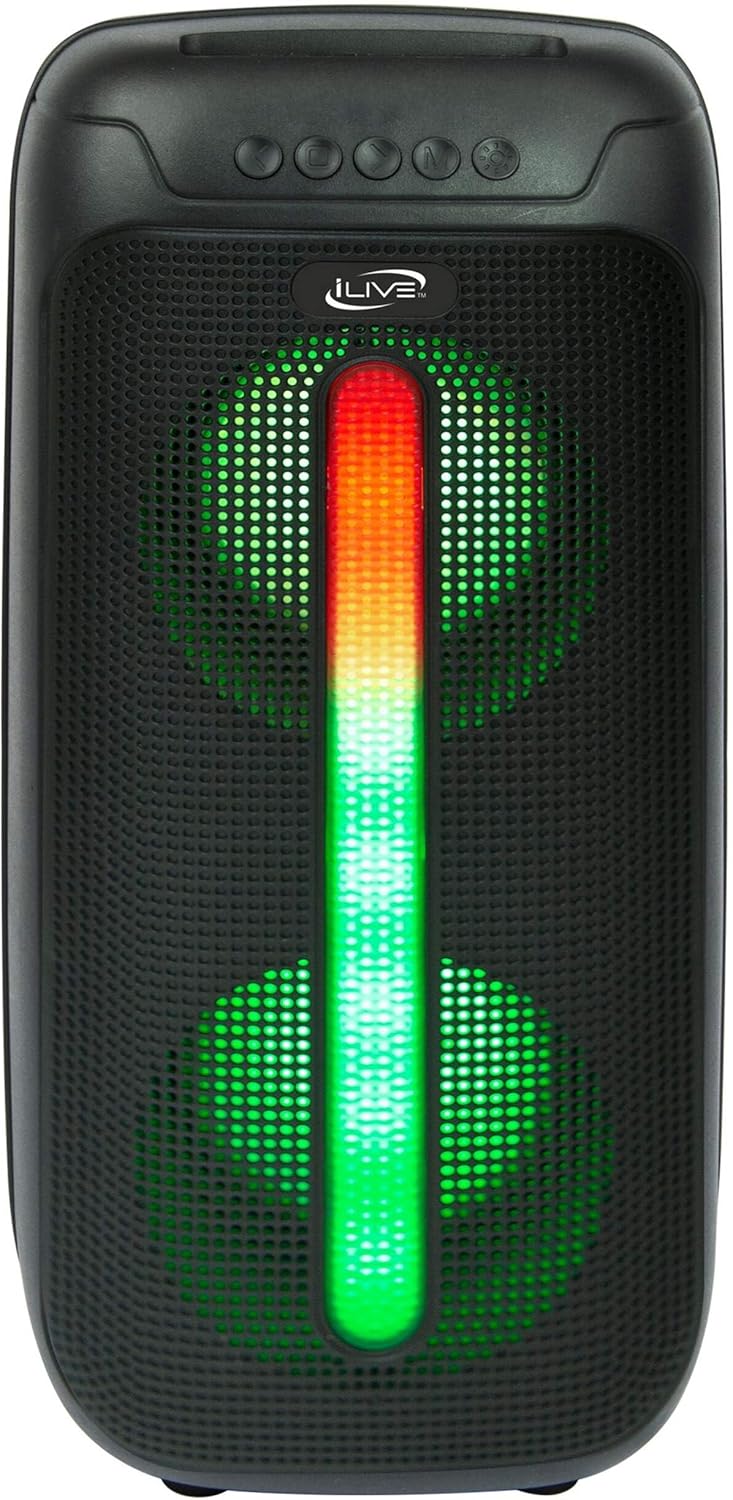
Figure 5: iLive Bluetooth 5.0 Speaker.
Xizmat
- Proyektor linzalari: Use a soft, lint-free cloth to gently clean the projector lens. Avoid abrasive materials or harsh chemicals.
- Projector Vents: Ensure the projector's ventilation openings are clear of dust and debris to prevent overheating.
- Ekranni tozalash: The anti-wrinkle polyester screen can be gently wiped with a damp cloth if necessary. Allow it to air dry completely before folding or storing.
- Karnay parvarishi: Keep the speaker dry and clean. Avoid exposing it to extreme temperatures or direct sunlight.
- Saqlash: When not in use, store all components in the provided carrying case in a cool, dry place to protect them from dust and damage.
Muammolarni bartaraf qilish; nosozliklarni TUZATISH
- Ekranda rasm yo'q:
- Ensure the projector is powered on and the lens cap is removed.
- Proyektorda to'g'ri kirish manbai tanlanganligini tekshiring.
- Check all cable connections (HDMI, USB) are secure.
- Xira tasvir:
- Proyektor linzalaridagi fokus halqasini sozlang.
- Ensure the projection distance is within the recommended range (2.6-12.5 ft).
- Distorted Image (Trapezoidal):
- Use the keystone correction feature to adjust the image geometry.
- Ensure the projector is placed on a level surface or the tripod is properly adjusted.
- No Sound from Speaker:
- Ensure the speaker is powered on and charged.
- Verify Bluetooth pairing or 3.5mm audio cable connection.
- Check volume levels on both the speaker and the connected device.
- Bluetooth bilan ulanish muammolari:
- Karnay ulanish rejimida ekanligiga ishonch hosil qiling.
- Karnayni qurilmangizga yaqinroq olib boring.
- Qurilmani ajratib oling va qayta ulang.
Texnik xususiyatlari
| Xususiyat | Spetsifikatsiya |
|---|---|
| Model raqami | THE2024BDL |
| Displey ravshanligi | 1280 x 720 (720p) |
| Displey turi | LED |
| Yorqinlik | 3000 lumen |
| Kontrast nisbati | 1000:1 |
| Aspekt nisbatlari | 16:9, 4:3 |
| Nur manbai hayot | 20,000 soat |
| Proyeksiya diapazoni | 2.6 - 12.5 Feet |
| Maksimal tasvir hajmi | 120 dyuym |
| Ulanish | HDMI, USB, 3.5mm Audio, Bluetooth 5.0 |
| Karnay chiqishi | 16W Peak (Dual 4-inch drivers) |
| Speaker Battery Life | 4 soatgacha (50% hajmda) |
| Tripod xususiyatlari | Integrated bubble level, 360-degree pan, ±180-degree tilt, 41.73-inch max height, 4 kg capacity |
| Video kodlashni qo'llab-quvvatlash | H.264, H.265 |
| Nazorat usuli | Masofadan boshqarish |
Rasmiy mahsulot videolari
Hozirda ushbu mahsulot uchun rasmiy sotuvchi videolari mavjud emas.
Kafolat va qo'llab-quvvatlash
For warranty information or technical support, please contact iLive customer service at 1-888-999-4215. Please have your model number (THE2024BDL) and proof of purchase ready when contacting support.