
1. Mahsulot tugadiview
This manual provides essential information for setting up, operating, and maintaining your CRUA 34-inch UWQHD 3440x1440P IPS Ultrawide Gaming Monitor. Please read it thoroughly before use.
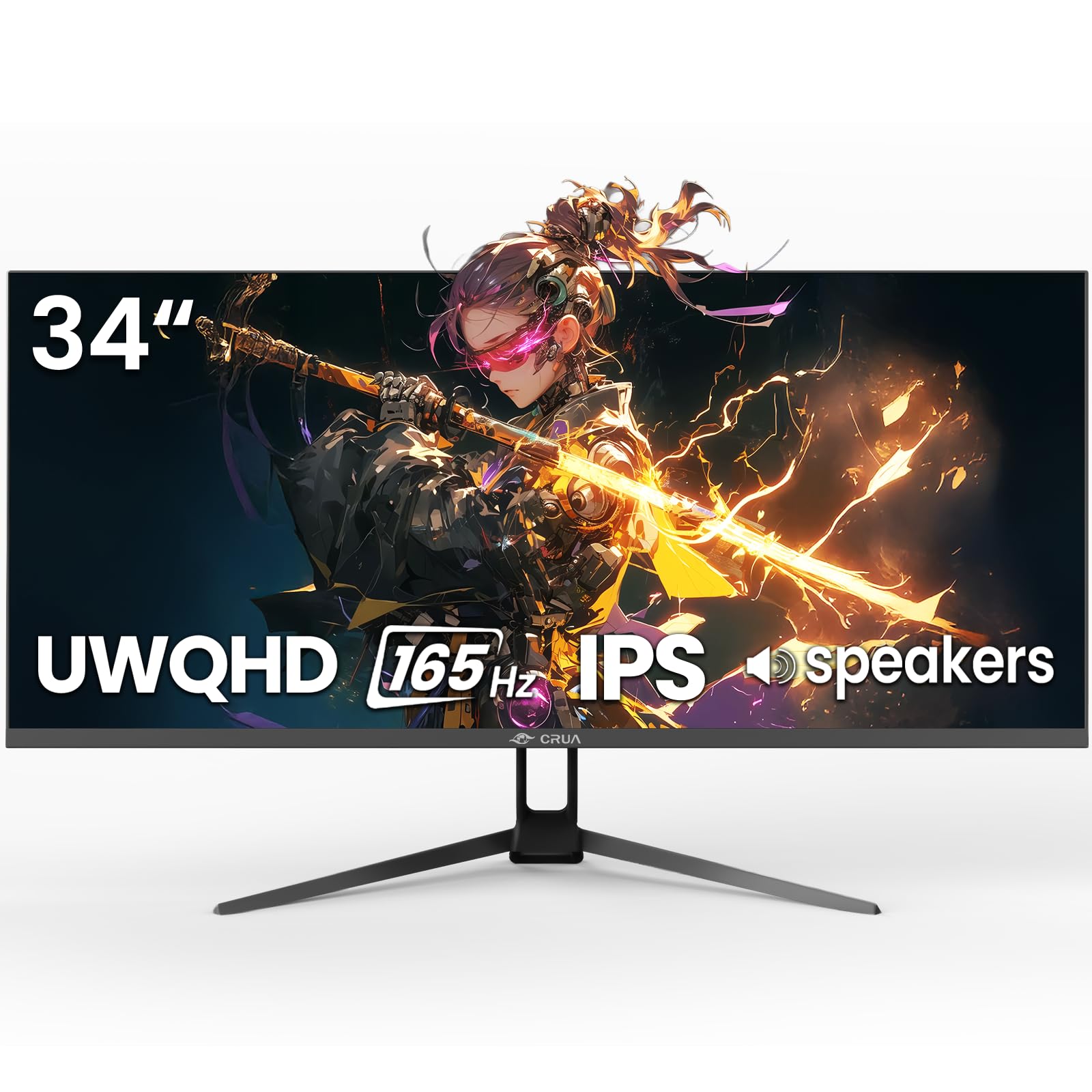
1-rasm: Old view of the CRUA 34-inch Ultrawide Gaming Monitor.
2. Paket tarkibi
Paketda barcha elementlar mavjudligiga ishonch hosil qiling:
- 34-inch Ultrawide Monitor
- Baza va stend
- Foydalanuvchi uchun qo'llanma
- DP Cable x1 (4.92 ft)
- Power Adapter x1 (4.92 ft)
3. O'rnatish bo'yicha ko'rsatmalar
3.1 Stendni yig'ish
- Monitorni ehtiyotkorlik bilan o'ramidan chiqarib oling, tirnalishlarning oldini olish uchun uni yumshoq, toza yuzaga yuzi pastga qaratib qo'ying.
- Berilgan vintlar yordamida taglik asosini taglik bo'yniga mahkamlang.
- Yig'ilgan stendni monitorning orqasidagi o'rnatish nuqtalari bilan tekislang va uni mahkam mahkamlang.
3.2 Devorga o'rnatish (ixtiyoriy)
The monitor supports VESA wall mounting (75x75mm). Use appropriate wall mount hardware (not included) and follow the wall mount manufacturer's instructions. Ensure the stand is removed before mounting.
3.3 Qurilmaga ulanish
Tegishli kabellar yordamida monitorni kompyuteringizga yoki boshqa qurilmalarga ulang.
- DisplayPort (DP 1.4): For optimal performance, including 165Hz refresh rate and FreeSync, use the supplied DP cable.
- HDMI (HDMI 2.0): Supports up to 100Hz refresh rate.
- Audio chiqishi (3.5 mm): Tashqi dinamiklar yoki minigarnituralarni ulang.

2-rasm: orqa view of the monitor displaying available ports and wall mount area.
3.4 Quvvatga ulanish
Connect the power adapter to the monitor's DC input port, then plug the power adapter into a power outlet.
4. Foydalanish bo'yicha ko'rsatmalar
4.1 Quvvatni yoqish/o‘chirish
Press the power button located on the monitor to turn it on or off. The monitor will typically detect an active input signal automatically.
4.2 Ekrandagi displey (OSD) menyusi
Use the control buttons (often a joystick or set of buttons) on the monitor to navigate the OSD menu. This menu allows you to adjust various display settings.
Asosiy sozlamalar:
- Yorqinlik/kontrast: Adjust image luminance and distinction.
- Rang sozlamalari: Fine-tune color temperature, gamma, and saturation. The monitor features 120% sRGB, 8-bit color depth, and 16.7 million colors for vivid visuals.
- Kirish manbai: Manually select between HDMI and DisplayPort inputs.
- Yangilanish tezligi: Ensure your device is configured to output at 165Hz (via DP) or 100Hz (via HDMI) for the smoothest experience.
- FreeSync: Enable AMD FreeSync for tear-free gaming. This feature synchronizes the monitor's refresh rate with your GPU's frame rate.

Figure 3: Visual representation of 165Hz refresh rate and FreeSync in action.
4.3 PIP/PBP Functions
The monitor supports Picture-in-Picture (PIP) and Picture-by-Picture (PBP) modes, allowing you to display content from multiple input sources simultaneously.
- PIP rejimi: Displays a smaller window from a second source over the main display.
- PBP rejimi: Divides the screen into multiple sections, each displaying a different input source side-by-side.

Figure 4: Illustration of PIP and PBP modes for multitasking.
4.4 O‘rnatilgan dinamiklar
The monitor includes built-in speakers for audio output. You can also connect external speakers or headphones via the 3.5mm audio port for enhanced sound.
5. Xizmat ko'rsatish
5.1 Monitorni tozalash
- Tozalashdan oldin har doim monitorni elektr tarmog'idan uzing.
- Yumshoq, tuklarsiz matodan engil foydalaning dampsuv yoki yumshoq, abraziv bo'lmagan ekran tozalagich bilan qoplangan.
- Tozalash vositasini to'g'ridan-to'g'ri ekranga sepmang.
- Spirtli ichimliklar, ammiak yoki abraziv tozalagichlardan foydalanishdan saqlaning, chunki ular ekran yuzasiga zarar etkazishi mumkin.
5.2 Umumiy parvarish
- Monitorni to'g'ridan-to'g'ri quyosh nuri, issiqlik manbalari va ortiqcha changdan uzoqroq tuting.
- Monitor atrofida yetarli shamollatishni ta'minlang.
- Monitor yoki uning kabellariga og'ir narsalarni qo'ymang.
6. Muammolarni bartaraf qilish; nosozliklarni TUZATISH
Agar siz monitor bilan bog'liq muammolarga duch kelsangiz, quyidagi umumiy echimlarga murojaat qiling:
- Quvvat yo'q: Ensure the power cable is securely connected to both the monitor and the power outlet. Verify the power adapter is functioning.
- Signal yo'q: Check that the video cable (DP or HDMI) is firmly connected to both the monitor and your computer. Select the correct input source in the OSD menu. If using HDMI, ensure your device's display settings are compatible with the monitor's capabilities (e.g., set to 60Hz if experiencing issues at higher refresh rates).
- Image Flickering/Distortion: Check cable connections. Ensure your graphics card drivers are up to date. Try a different video cable. If FreeSync is enabled, try disabling it to see if the issue persists.
- Tasvir sifati past: Adjust brightness, contrast, and color settings in the OSD menu. Ensure the display resolution is set to 3440x1440P on your connected device.
- Audio yo'q: Verify that the audio cable (if using external speakers) is connected correctly. Check the volume settings on both the monitor and your computer. Ensure the correct audio output device is selected in your computer's sound settings.
Agar ushbu amallarni bajarib bo'lgandan keyin ham muammo davom etsa, iltimos, mijozlarni qo'llab-quvvatlash xizmatiga murojaat qiling.
7. Texnik shartlar
| Xususiyat | Spetsifikatsiya |
|---|---|
| Brend | CRUA |
| Model raqami | CR340G |
| Ekran o'lchami | 34 dyuym |
| Rezolyutsiya | UWQHD 3440 x 1440 Pixels |
| Aspekt nisbati | 21:9 |
| Displey texnologiyasi | IPS |
| Yangilanish tezligi | 165 Gts |
| Javob vaqti | 1 Millisoniya |
| Yorqinlik | 380 cd/m² |
| Kontrast nisbati | 1000:1 |
| Ranglar gamuti | 120% sRGB |
| Viewburchak | 178 daraja |
| Ulanish | 2x HDMI 2.0, 1x DisplayPort 1.4, 1x 3.5mm Audio |
| Moslashuvchan sinxronlash | AMD FreeSync |
| Qo'shimcha xususiyatlar | Built-In Speakers, PIP & PBP function, Tilt Adjustment |
| O'rnatish turi | Desk Mount/Wall Mount (75x75mm VESA) |
| Buyum oʻlchamlari (D x G x Y) | 9"D x 32"W x 17"Y |
8. Kafolat va qo'llab-quvvatlash
8.1 Kafolat haqida ma'lumot
This CRUA monitor comes with a 1 yillik kafolat. Additionally, a 30-day free return and exchange policy is provided from the date of purchase. Please retain your proof of purchase for warranty claims.
8.2 Mijozlarni qo‘llab-quvvatlash
For technical assistance, warranty claims, or any questions regarding your CRUA monitor, please contact CRUA customer support through the retailer where the product was purchased or visit the official CRUA webaloqa ma'lumotlari uchun sayt.