
1. Mahsulot tugadiview
The HP Laptop 15-fd2353la is a versatile and efficient computing device designed for everyday tasks, entertainment, and productivity. It features an Intel Core Ultra 5 processor, a vibrant 15.6-inch Full HD display, ample memory, and fast solid-state storage. This manual will guide you through the setup, operation, and maintenance of your new laptop.

Old view of the HP Laptop 15-fd2353la, highlighting its Intel Core Ultra 5 processor, 24 GB RAM, 512 GB SSD, and 15.6-inch Full HD display.
2. Sozlash
2.1 Paketni ochish
Noutbukingizni va barcha aksessuarlarni ehtiyotkorlik bilan qadoqdan chiqarib oling. Quyidagi narsalarning mavjudligiga ishonch hosil qiling:
- HP Laptop 15-fd2353la
- Quvvat adapteri va kabel
- Hujjatlar (Tezkor ishga tushirish bo'yicha qo'llanma, Kafolat ma'lumotlari)
2.2 Quvvat adapterini ulash
Before first use, connect the power adapter to the laptop's power port and then plug it into a wall outlet. Allow the battery to charge for a few hours, or until fully charged, before initial use.
2.3 Dastlabki yoqish va Windows-ni sozlash
Press the power button located on the keyboard to turn on the laptop. Follow the on-screen instructions to complete the Windows 11 Home setup process. This includes selecting your language, connecting to a Wi-Fi network, and creating a user account.
3. Foydalanish bo'yicha ko'rsatmalar
3.1 Quvvatni yoqish/o'chirish va Kutish rejimi
- Yoqilgan: Quvvat tugmasini bosing.
- O'chirish; yopish: Boshlash tugmasini bosing, keyin Quvvat > O‘chirish-ni bosing.
- Kutish rejimi: Qopqoqni yoping yoki Boshlash tugmasini, keyin Quvvat > Kutish-ni bosing.
3.2 Klaviatura va sensorli paneldan foydalanish
The laptop features a full-size Spanish QWERTY keyboard and a precision touchpad. Use the touchpad for navigation, clicking, and multi-touch gestures. Refer to Windows settings for touchpad customization.
3.3 Wi-Fi tarmog'iga ulanish
Simsiz tarmoqqa ulanish uchun:
- Vazifalar panelidagi Wi-Fi belgisini bosing.
- Ro'yxatdan o'zingiz xohlagan tarmoqni tanlang.
- Enter the network password if prompted, then click Connect.
4. Asosiy xususiyatlar
The HP Laptop 15-fd2353la offers a range of features designed to enhance your computing experience:
- Protsessor: Intel Core Ultra 5 225U (up to 4.8 GHz with Intel Turbo Boost Technology, 12 MB L3 Cache, 12 cores, 14 threads) for efficient multitasking.
- Saqlash: 512 GB PCIe NVMe M.2 Solid State Drive for fast boot times and application loading.
- Xotira: 24 GB DDR5-5600 MT/s RAM for smooth performance across demanding applications.
- Displey: 15.6-inch Full HD (1920 x 1080) IPS anti-glare display with 250 nits brightness and 62.5% sRGB for clear visuals.
- Operatsion tizim: Windows 11 Home bilan oldindan o'rnatilgan.
- Batareya muddati: Up to 9 hours and 45 minutes of AI-optimized battery life, with HP Fast Charge capable of recharging 50% in approximately 30 minutes.
- Webkamera va audio: Integratsiyalashgan webcam with a privacy shutter and a clear microphone featuring external noise reduction for improved video calls.
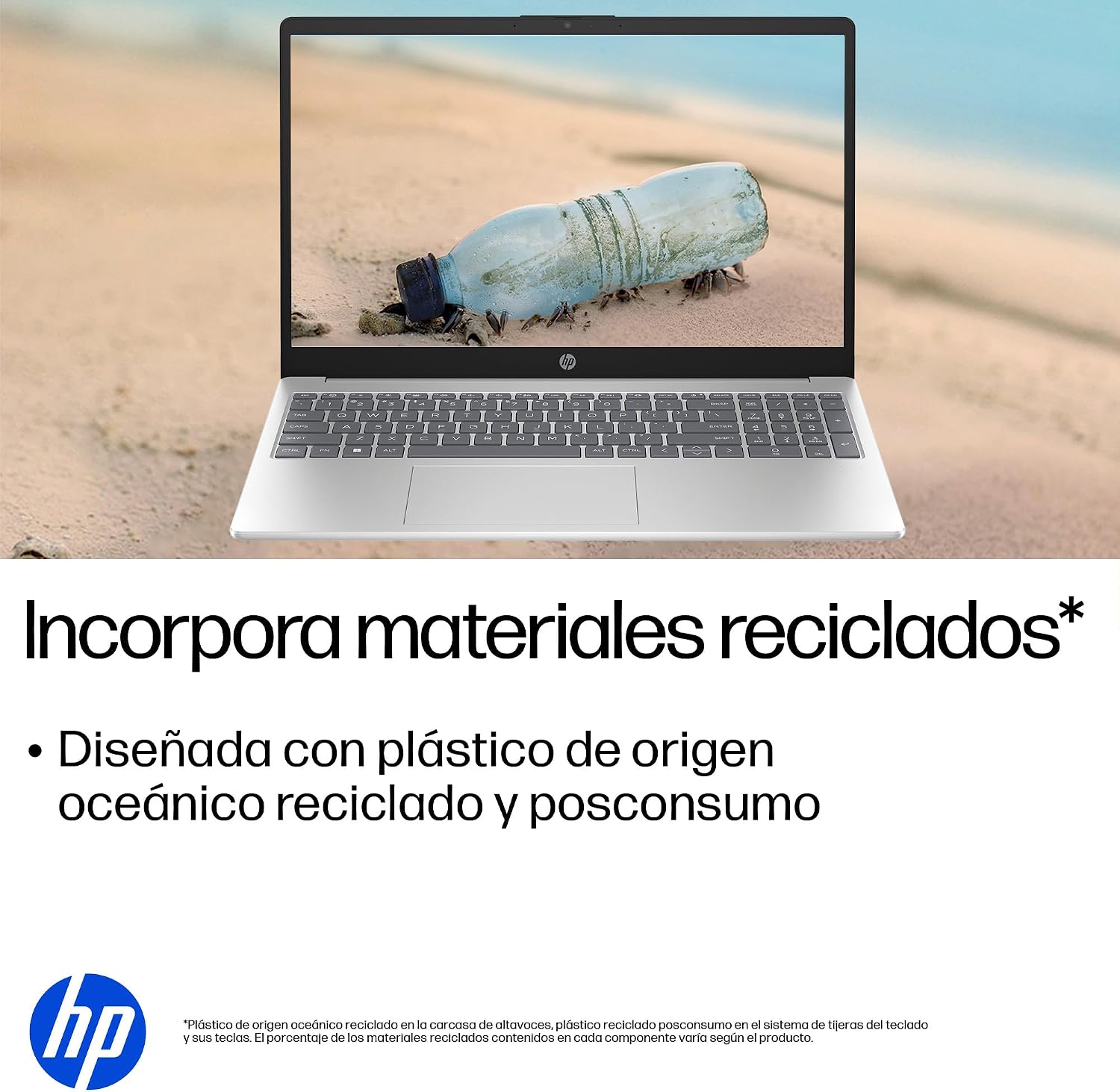
- Barqaror dizayn: Constructed with ocean-bound and post-consumer recycled plastics in various components.

The laptop features an integrated webcam shutter for privacy and a clear microphone with external noise reduction.

Experience an immersive visual display with an 85% screen-to-body ratio and an anti-glare Full HD screen.

Enjoy extended use with up to 9 hours and 45 minutes of AI-optimized battery life, and quickly recharge 50% in 30 minutes with HP Fast Charge.

This laptop incorporates recycled materials, including ocean-bound and post-consumer plastics, in its design.
5. Portlar va ulanish
Your HP Laptop 15-fd2353la is equipped with various ports for connecting peripherals and external devices:

Diagram illustrating the location and type of ports on the HP Laptop 15-fd2353la.
- Chap tomon:
- 1 x USB Type-A 5 Gbps signaling rate port
- 1 x HDMI porti
- 1 x USB Type-C 5 Gbps signaling rate port
- 1 x Headphone/Microphone combo jack
- O'ng tomoni:
- 1 x USB Type-A 5 Gbps signaling rate port
- 1 x quvvat ulagichi
6. Texnik shartlar
| Xususiyat | Spetsifikatsiya |
|---|---|
| Brend | HP |
| Model nomi | 15-fd2353la |
| Ekran o'lchami | 15.6 dyuym |
| Maksimal ekran o'lchamlari | 1920 x 1080 piksel (FHD) |
| Displey turi | IPS, Anti-glare LCD |
| Rang | Kumush |
| CPU modeli | Intel Core Ultra 5 225U |
| Protsessor tezligi | 4.8 gigagertsgacha |
| RAM hajmi | 24 GB |
| RAM texnologiyasi | DDR5-5600 MT/s |
| Qattiq disk hajmi | 512 GB SSD (PCIe NVMe M.2) |
| Operatsion tizim | Windows 11 Bosh sahifa |
| Grafik protsessor | Intel Integrated Graphics |
| USB portlari | 3 (2x USB Type-A, 1x USB Type-C) |
| HDMI portlari | 1 |
| Batareya turi | Lityum ion |
| Batareya quvvati tarkibi | 41 vatt-soat |
| Klaviatura tartibi | QWERTY (Spanish) |
| Og'irligi | 1.65 kilogramm |
| Olchamlari (U x G x Y) | 23.6 x 36 x 1.9 sm |
Visual representation of the laptop's dimensions and weight.
7. Xizmat ko'rsatish
7.1 Noutbukni tozalash
- Bir oz yumshoq, tuklarsiz matodan foydalaning dampdispleyni tozalash uchun suv yoki ekran tozalagich bilan ishlang.
- Klaviatura va shassi uchun yumshoq matodan foydalaning. Qattiq kimyoviy yoki abraziv materiallardan saqlaning.
- Klaviatura tugmalari va shamollatish teshiklaridan changni tozalash uchun siqilgan havodan foydalaning.
7.2 Batareyani parvarish qilish
- Haddan tashqari haroratdan saqlaning.
- Tez-tez batareyani to'liq zaryadsizlantirmang.
- Agar noutbukni uzoq vaqt saqlasangiz, batareyaning taxminan 50% zaryadlanganligiga ishonch hosil qiling.
7.3 Dasturiy ta'minotni yangilash
Regularly update your Windows operating system and drivers to ensure optimal performance and security. Windows Update can be accessed via Settings > Windows Update.
7.4 Saqlashni boshqarish
Vaqti-vaqti bilan qaytaview va keraksizlarni o'chirib tashlang files to maintain sufficient free space on your 512 GB SSD, which helps in sustaining system performance.
8. Muammolarni bartaraf qilish; nosozliklarni TUZATISH
8.1 Quvvat bilan bog'liq muammolar
- Noutbuk yoqilmaydi: Quvvat adapteri noutbukga ham, ishlaydigan rozetkaga ham mahkam ulanganligiga ishonch hosil qiling. Elektr rozetkasining ishlayotganini tekshiring.
- Batareya zaryadlanmayapti: Verify the power adapter is correctly connected. Try a different power outlet.
8.2 Displey muammolari
- Ekranda tasvir yo'q: Connect an external monitor to the HDMI port to check if the issue is with the laptop's display or the graphics card.
- Xira yoki miltillovchi ekran: Adjust screen brightness using the keyboard function keys. Update display drivers.
8.3 Ulanish muammolari
- Wi-Fi ulanmayapti: Ensure Wi-Fi is enabled. Restart your router and modem. Check network settings in Windows.
- USB qurilmalari aniqlanmadi: Try connecting the device to a different USB port. Ensure device drivers are installed.
8.4 Ishlash bilan bog'liq muammolar
- Sekin ishlash: Close unnecessary applications. Check for background processes consuming high resources (Task Manager). Ensure sufficient free storage space.
- Tizim muzlaydi: Restart the laptop. Check for recent software installations or updates that might be causing conflicts.
9. Kafolat va qo'llab-quvvatlash
9.1 Kafolat haqida ma'lumot
Your HP Laptop 15-fd2353la comes with a 1 yillik cheklangan kafolat. This warranty covers manufacturing defects and hardware failures under normal use conditions. Please refer to the warranty documentation included with your product for full terms and conditions.
9.2 Texnik yordam
For technical assistance, warranty claims, or service inquiries, please visit the official HP support website or contact HP customer service. Have your product model number (15-fd2353la) and serial number ready when contacting support.
You can find more information and support resources at the official HP websayt: www.hp.com/support