
Kirish
The Marshall Heston 60 Soundbar is designed to enhance your home audio experience with immersive cinematic sound. Featuring Dolby Atmos, it delivers three-dimensional audio for movies, music, and TV. Its design is inspired by classic Marshall amplifiers, offering both versatility and convenience for various setups.
Asosiy xususiyatlarga quyidagilar kiradi:
- Immersive Dolby Atmos Sound: Experience clear, detailed, three-dimensional audio.
- Multi-Wireless Connectivity: Connect via Bluetooth, Wi-Fi (AirPlay, Google Cast, Spotify Connect, TIDAL Connect).
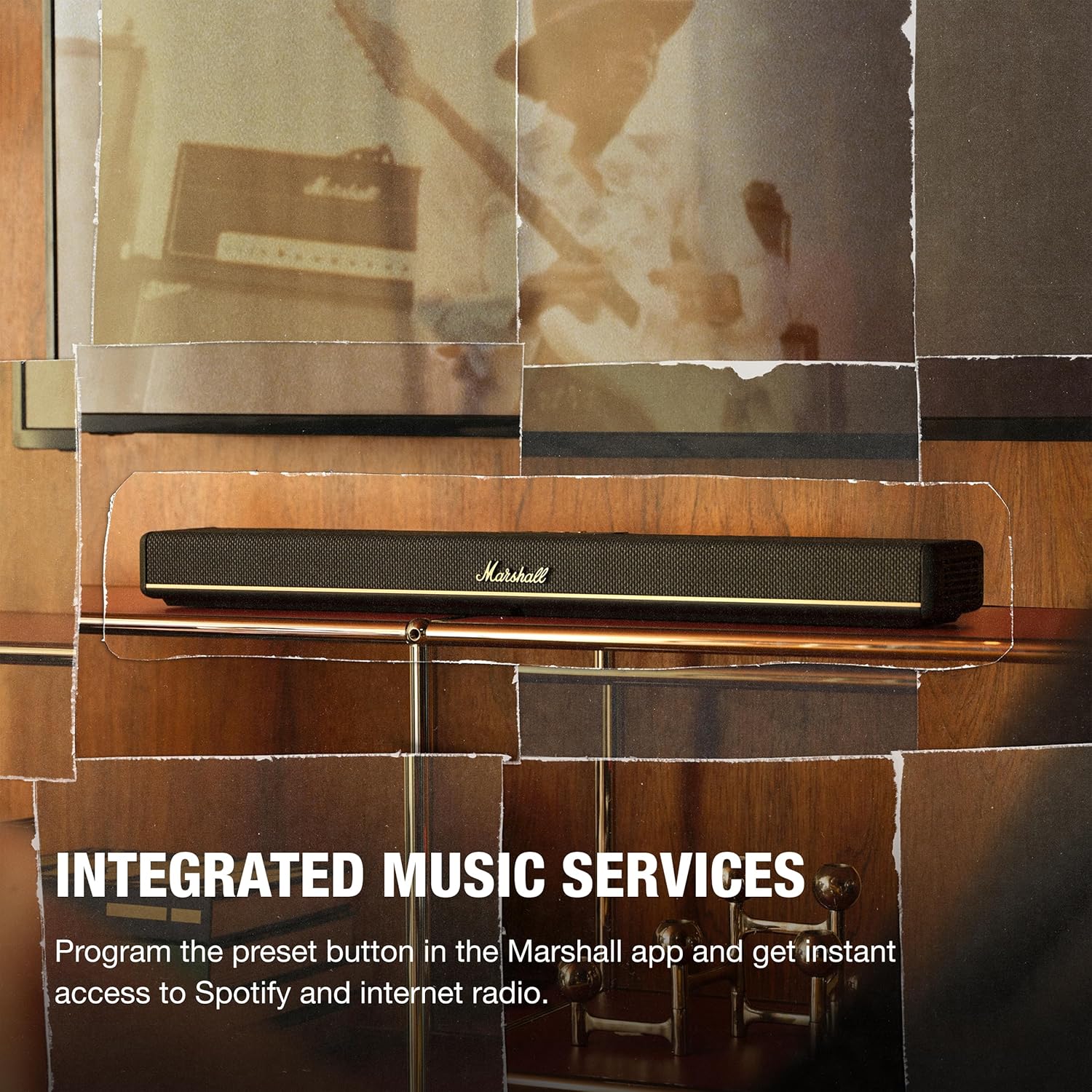
- Integratsiyalashgan musiqa xizmatlari: Program preset buttons in the Marshall app for instant access to Spotify or internet radio.
- Ko'p ovozli rejimlar: Choose from Movie, Voice, Music, or Night Mode to optimize your listening experience.
- Moslashuvchan joylashtirish: Designed for TV shelf placement or wall mounting, with a reversible control panel and removable magnetic logo for aesthetic alignment.
- Marshall App Control: Access advanced audio settings, customize presets, calibrate sound, and fine-tune EQ settings.
Qutida nima bor
Carefully unpack the following items:
- Heston 60 Soundbar
- Quvvat kabeli
- HDMI kabeli
- 2 Pcs Wall Mount Grommets
- Tez boshlash uchun qo'llanma

Sozlash; o'rnatish
- Joylashtirish: Place the Heston 60 Soundbar on a flat surface, centered under your TV, or mount it to the wall. Ensure at least 15 cm clearance above and on each side for optimal sound. If wall mounting, follow the included wall mount instructions.
- HDMI ulanishi: Connect one end of the HDMI cable to the HDMI 1 (TV) port on the Heston 60 and the other end to an HDMI port supporting eARC/ARC on your TV.
- Quvvat ulanishi: Connect the mains lead to the soundbar, then to the mains plug on the wall socket, and close the back panel hatch. Ensure the mains lead, plug, and soundbar are compatible with your mains supply and wall socket. Caution: Always unplug the mains lead from the wall socket before disconnecting it from the soundbar.
- Aesthetic Setup: Place the magnetic Marshall script logo on the front center of the Heston 60. Then, position the magnetic user panel with the text oriented correctly.
- App Download & Setup: Download the Marshall app to complete the setup. The app guides you through Wi-Fi setup, audio adjustments, customizing playlists, and selecting sound modes. The app also functions as a remote control for the Heston 60.


Foydalanish bo'yicha ko'rsatmalar
Tekshiruvlarview
The Heston 60 features intuitive controls located on the top panel for easy access to various functions.

- Manba selektori: Switch between input sources (HDMI, Aux, Bluetooth, Wi-Fi).
- Ovozni boshqarish: Adjust the overall sound level.
- Bass/Tez chastotalarni boshqarish elementlari: Fine-tune the bass and treble frequencies to your preference.
- Media nazorati: Play, pause, skip tracks when using connected music services.
- Ovoz rejimi tugmasi: Cycle through available sound modes (Music, Movie, Night, Voice).
- Dasturlashtiriladigan tugma: Customize this button via the Marshall app for quick access to favorite features or internet radio stations.

Ovoz rejimlari
The Heston 60 offers specialized sound modes to optimize audio for different content:
- Film rejimi: Enhances drama and intensifies effects for a cinematic experience.
- Musiqa rejimi: Delivers rich, balanced sound for your playlists.
- Ovoz rejimi: Keeps dialogue clear and prominent, ideal for news or podcasts.
- Tungi rejim: Reduces loud effects and maintains speech clarity for late-night listening without disturbing others.

Ulanish
Simli ulanishlar
The Heston 60 offers several wired input options:
- HDMI eARC/ARC: For high-quality audio connection to your TV.
- 3.5 mm Aux Input: Connect external audio devices using a standard auxiliary cable.
- Sub Out: Connect an external subwoofer for enhanced bass.
- USB-C Power Output: Provides 5V 1A power output for charging small devices.
Simsiz ulanish
Enjoy seamless audio streaming with multiple wireless options:
- Bluetooth: Pair your smartphone, tablet, or other Bluetooth-enabled devices.
- Wi-fi: Connect to your home network for streaming via AirPlay, Google Cast, Spotify Connect, or TIDAL Connect.

Devorga o'rnatish
The Heston 60 Soundbar is designed for flexible placement, including wall mounting. Use the provided wall mount grommets and follow the detailed instructions in the Quick Start Guide for secure installation. The reversible control panel and removable magnetic logo ensure optimal appearance regardless of mounting orientation.

Texnik xususiyatlari
| Xususiyat | Tafsilot |
|---|---|
| Brend | Marshall |
| Model nomi | Heston 60 |
| Model raqami | 1008949 |
| Karnay maksimal chiqish quvvati | 56 vatt |
| Chastotaga javob | 45 Gts |
| Ulanish texnologiyasi | Auxiliary, Bluetooth, HDMI, Wi-Fi |
| Audio chiqish rejimi | Stereo |
| O'rnatish turi | Devorga o'rnatish |
| Qo'shimcha xususiyatlar | Dolby Enabled, Hi Res Audio |
| Nazorat usuli | teging |
| Ovozli kanallar soni | 5.1 |
| Buyum oʻlchamlari (D x G x Y) | 4.88"D x 28.74"W x 2.68"Y |
| Element og'irligi | 6.1 funt |
| Quvvat manbai | Simli elektr |
Xizmat
To ensure the longevity and optimal performance of your Marshall Heston 60 Soundbar, follow these maintenance guidelines:
- Tozalash: Use a soft, dry cloth to clean the exterior surfaces. Avoid abrasive cleaners, solvents, or sprays that could damage the finish.
- Ventilyatsiya: Ensure the soundbar has adequate ventilation and that no vents are blocked.
- Saqlash: Soundbar uzoq vaqt saqlansa, uni quvvatdan uzing va salqin va quruq joyda saqlang.
- Namlikdan saqlaning: Keep the soundbar away from water, high humidity, and extreme temperatures.
Muammolarni bartaraf qilish; nosozliklarni TUZATISH
If you encounter issues with your Heston 60 Soundbar, refer to the following common troubleshooting steps:
- Quvvat yo'q: Check that the power cable is securely connected to both the soundbar and a working wall outlet.
- Ovoz yo'q: Verify the correct input source is selected on the soundbar and your TV. Ensure the volume is not muted or set too low on both devices. Check all cable connections (HDMI, Aux).
- Bluetooth bilan ulanish muammolari: Ensure the soundbar is in Bluetooth pairing mode. Disable and re-enable Bluetooth on your device, then try pairing again. Move your device closer to the soundbar.
- Buzilgan ovoz: Reduce the volume on both the soundbar and your connected device. Check for loose cable connections. Try a different audio source to isolate the problem.
- Wi-Fi ulanishi bilan bog'liq muammolar: Ensure your Wi-Fi network is active and the soundbar is within range. Restart your router and the soundbar. Use the Marshall app to reconfigure Wi-Fi settings.
For more detailed troubleshooting or persistent issues, consult the full user manual or contact Marshall customer support.
Kafolat va qo'llab-quvvatlash
The Marshall Heston 60 Soundbar comes with a 1 yillik ishlab chiqaruvchi kafolati. Ushbu kafolat odatdagi foydalanish sharoitida materiallar va mahoratdagi nuqsonlarni qoplaydi.
For warranty claims, technical support, or service inquiries, please refer to the contact information provided in your Quick Start Guide or visit the official Marshall websayt.