
1. Mahsulot tugadiview
The Philips 55MLED610/94 is a 55-inch 4K Ultra HD QLED Smart QD-Mini LED Google TV. It features advanced display technology, smart connectivity, and integrated audio solutions for an enhanced viewtajribasi.

Old view of the Philips 55MLED610/94 55-inch 4K QD-Mini LED Google TV.
Asosiy xususiyatlar:
- Displey: 4K QD-Mini LED Panel, Philips Halo Control Technology, Dolby Vision, Local Dimming, 120 Hz Motion Clarity HSR, HDR 10+, 178 Degree Wide Viewing Angle, MEMC, ALLM.
- Smart TV: Google TV operating system, 2GB RAM, 32GB ROM, Quad Core Processor, Dual band WIFI 5, Hands-Free Voice Control, Screen Mirroring, Google Assistant compatibility.
- Audio: 36 Watts Output, Dolby Atmos, Dolby Audio.
- Ulanish: 3 HDMI Ports (including HDMI 2.1), 2 USB Ports, 1 LAN Port, 1 Antenna Input, 1 Satellite Input, 1 Digital Audio Out (Optical), 1 AV-IN, 1 Earphone port.
2. O'rnatish va o'rnatish
2.1 Paketni ochish va tarkibi
Carefully unpack the television and ensure all components are present.
- 1N TV Unit
- 2N Stand Bases
- 1N Tez boshlash uchun qo'llanma
- 1N Kafolat kartasi
- 1N masofadan boshqarish pulti
- 2N AAA Batteries (for remote)
- 1N Power Cord
- 4N Screws (for stand/mount)
- 1N AV Converting Cable

Illustration showing the TV unit and its included accessories for setup.
2.2 Stendni o'rnatish yoki devorga o'rnatish
The television supports both table-top stand installation and wall mounting.
- Stol o'rnatish: Attach the provided stand bases to the bottom of the TV unit using the included screws. Ensure the stand is stable on a flat surface.
- Devorga o'rnatish: For wall mounting, use a compatible VESA wall mount (not included) and follow the instructions provided with the wall mount. Refer to the TV's back panel for mounting points.

Orqa view of the television, highlighting the mounting points and various input/output ports.
2.3 Periferik qurilmalarni ulash
Connect your external devices such as set-top boxes, gaming consoles, and audio systems to the TV using the appropriate ports.
- HDMI: Use HDMI ports for high-definition video and audio from devices like Blu-ray players or gaming consoles. HDMI 2.1 supports advanced features.
- USB: Media ijro etish yoki tashqi xotira uchun USB drayverlarni ulang.
- LAN: Barqaror simli internet ulanishi uchun.
- Antenna/Sun'iy yo'ldosh: Connect your antenna or satellite dish for broadcast TV.
- Raqamli audio chiqishi (optik): Tashqi ovoz tizimlariga ulanish uchun.
- AV-IN: Kompozit video va stereo audiodan foydalanadigan eski qurilmalar uchun.
- Eshitish vositasi: Shaxsiy tinglash uchun.

Batafsil view of the television's input and output ports, including HDMI, USB, LAN, and audio connections.
3. Foydalanish bo'yicha ko'rsatmalar
3.1 Dastlabki yoqish va Google TV sozlamalari
After connecting the power cord, press the power button on the remote control or TV. Follow the on-screen instructions to complete the initial setup, including language selection, network connection (Wi-Fi or LAN), and Google account sign-in.

The Google TV interface, showing various streaming applications and content recommendations.
3.2 Masofadan boshqarish funksiyalari
The provided remote control uses both IR and Bluetooth technology. Insert the two AAA batteries as indicated.

The remote control for the Philips 55MLED610/94 TV, featuring dedicated buttons for streaming services and Google Assistant.
- Quvvat tugmasi: Televizorni yoqadi yoki o'chiradi.
- Navigatsiya paneli: Menyuda navigatsiya va tanlash uchun.
- Google Assistant tugmasi: Buyruqlar va qidiruvlar uchun ovozli boshqaruvni faollashtiradi.
- Ovoz balandligi/kanal tugmalari: Ovoz balandligini sozlaydi va kanallarni o'zgartiradi.
- Ilova yorliqlari: Direct access to popular streaming services like Netflix and Prime Video.
3.3 Smart TV Features and Applications
The Google TV platform provides access to a wide range of applications and services.
- Oldindan o'rnatilgan ilovalar: Access popular streaming services such as Prime Video, Netflix, Hotstar, Zee5, YouTube, Eros Now, Hungama, JioCinema, and SonyLiv.
- Google Assistant: Kontentni qidirish, aqlli uy qurilmalarini boshqarish va ma'lumot olish uchun qo'llarni tekkizmasdan ovozli boshqaruvdan foydalaning.
- Ekranni aks ettirish (Miracast): Cast content from compatible mobile devices to the TV screen.
- Web Brauzer: Internetni to'g'ridan-to'g'ri televizoringizda ko'rib chiqing.
3.4 Displey va audio sozlamalari
Optimallashtirish uchun tasvir va ovoz sozlamalarini sozlang viewtinglash va tinglash tajribasi.
- Rasm rejimlari: Select from various picture modes (e.g., Standard, Vivid, Movie, Game) or customize settings like brightness, contrast, color, and sharpness.
- Dolby Vision va HDR10+: The TV automatically detects and optimizes content for Dolby Vision and HDR10+ for enhanced dynamic range and color.
- Ovoz rejimlari: Choose sound modes (e.g., Standard, Music, Movie) or adjust equalizer settings. Dolby Atmos provides immersive audio.
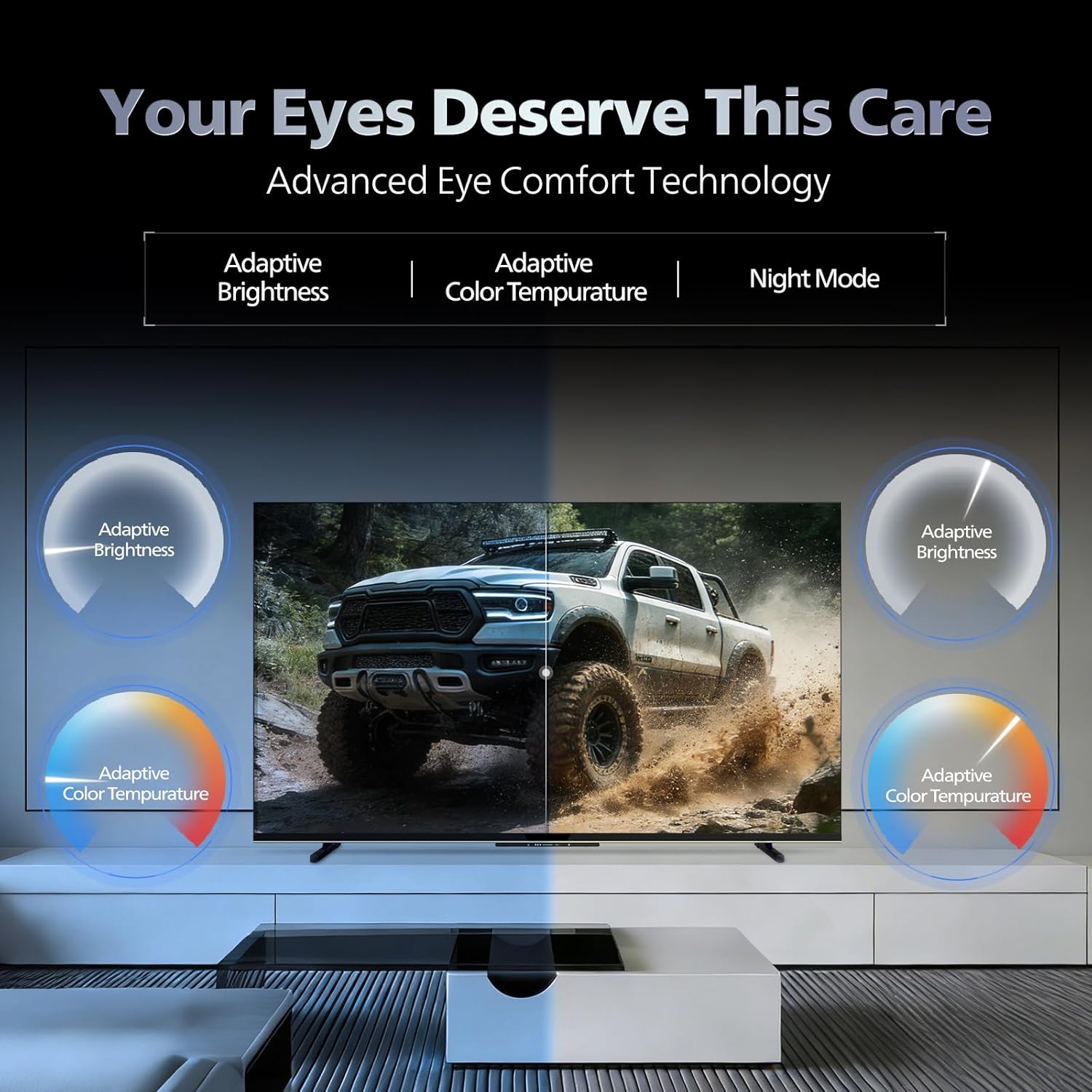
- Ko'z uchun qulaylik texnologiyasi: Features like Adaptive Brightness, Adaptive Color Temperature, and Night Mode are available to reduce eye strain.

Visual representation of the TV's advanced eye comfort technology, including adaptive brightness and color temperature.

A visual demonstrating the immersive multi-dimensional audio experience provided by Dolby Atmos on the television.
4. Xizmat ko'rsatish
4.1 Televizorni tozalash
To clean the screen and cabinet, first unplug the power cord. Use a soft, lint-free cloth. For stubborn marks, lightly dampmatoni suv yoki yumshoq, abraziv bo'lmagan ekran tozalagich bilan tozalang. Hech qachon tozalagichni to'g'ridan-to'g'ri ekranga sepmang.
Muhim: The television is suvga chidamli emas. Avoid exposing it to liquids.
4.2 Dasturiy ta'minotni yangilash
Ensure your TV's software is up to date for optimal performance and security. The TV will typically prompt you for available updates. You can also manually check for updates in the settings menu.
5. Muammolarni bartaraf qilish; nosozliklarni TUZATISH
If you encounter issues with your television, try the following basic troubleshooting steps before contacting support.
- Quvvat yo'q: Quvvat simining televizorga ham, ishlaydigan rozetkaga ham mahkam ulanganligiga ishonch hosil qiling. Boshqa rozetkani sinab ko'ring.
- Rasm/ovoz yo'q: Check all cable connections (HDMI, AV, Antenna). Ensure the correct input source is selected on the TV.
- Masofadan boshqarish pulti ishlamaydi: Masofadan boshqarish pultidagi batareyalarni almashtiring. Masofadan boshqarish pulti va televizorning IR sensori o'rtasida hech qanday to'siq yo'qligiga ishonch hosil qiling.
- Internetga ulanish bilan bog'liq muammolar: Restart your Wi-Fi router. Check the TV's network settings and ensure it's connected to the correct network. Try a wired LAN connection if possible.
- Rasm sifati bilan bog'liq muammolar: Tasvir sozlamalarini sozlang (yorqinlik, kontrast, aniqlik). Kontent manbasi yuqori sifatli ekanligiga ishonch hosil qiling.
The television displaying a fast-paced gaming scene, highlighting its 120Hz refresh rate and gaming optimization features.
6. Texnik shartlar
| Xususiyat | Tafsilot |
|---|---|
| Model raqami | 55MLED610/94 |
| Ekran o'lchami | 55 dyuym (138 sm) |
| Displey texnologiyasi | QD-Mini LED |
| Rezolyutsiya | 4K Ultra HD (3840 x 2160) |
| Yangilanish tezligi | 120 Hz HSR |
| HDR formati qo'llab-quvvatlanadi | HDR10+, Dolby Vision |
| Viewburchak | 178 daraja |
| Ovoz chiqishi | 36 vatt |
| Audio kodlash | Dolby Atmos, Dolby Audio |
| Operatsion tizim | Google TV |
| Ram | 2 GB |
| ROM | 32 GB |
| Ulanish | Wi-Fi (Dual band WIFI 5), Bluetooth 5.1, 3 HDMI (1x HDMI 2.1 eARC), 2 USB, 1 LAN, 1 Antenna, 1 Satellite, 1 Digital Audio Out (Optical), 1 AV-IN, 1 Earphone |
| Mahsulot o'lchamlari (D x G x Y) | 8D x 144.5W x 84H Santimetre |
| Item Weight Without Stand | 9.4 kilogramm |
| Quvvat iste'moli | 130 vatt |
| Energiya reytingi | 3 yulduz |
| Yillik energiya iste'moli | Yiliga 182 kVt |
| Kiritilgan komponentlar | TV Unit, Stand Bases, Quick Start Guide, Warranty Card, Remote, Batteries, Power cord, Screws, AV Converting Cable |

Dimensional drawing of the Philips 55MLED610/94 TV, showing height, width, and depth measurements.
7. Kafolat va qo'llab-quvvatlash
7.1 Kafolat haqida ma'lumot
A 1-year warranty is provided by the manufacturer from the date of purchase. Warranty claims can be processed using your Amazon e-invoice.
The warranty covers manufacturing defects but does not cover spares.
7.2 Mijozlarni qo‘llab-quvvatlash
For assistance, contact the brand's toll-free number: 18004256396. Please provide the product's model name (55MLED610/94) and seller's details from your invoice. The service center will schedule a convenient service slot.
Ishlab chiqaruvchi: Radiant Appliances And Electronics Private Limited
Survey No. 111, 112, S-2 A 1, Ecity, Fabcity, Maheshwaram Mandal Raviryala Village, Ranga Reddy, Telangana- 501141
Import qiluvchi: TPV Technology India Private Limited
Unit No. 307-308 3rd Floor, SEWA Corporate Park MG Road Gurugram Haryana 122002