
1. Kirish
Thank you for choosing the UXD A5 Android Tablet. This manual provides essential information for setting up, operating, and maintaining your new device. Please read it thoroughly to ensure optimal performance and longevity of your tablet.
The UXD A5 is a versatile 10-inch Android 15 tablet featuring an Octa-Core CPU, 12GB RAM, and 512GB internal storage, designed for productivity and entertainment. It supports WiFi 6 and 4G LTE connectivity.
2. Paket tarkibi
Iltimos, paketingizda barcha narsalar mavjudligini tekshiring:
- UXD A5 Android Tablet
- Stylus
- Olinadigan klaviatura
- Aniq sichqoncha
- Screen Protector (pre-applied or separate)
- OTG adapteri
- Buklanadigan korpus
- Zaryadlovchi
- USB kabeli
3. Mahsulot tugadiview
The UXD A5 tablet features a 10-inch HD IPS display. Key components include:
- Old kamera: Typically located at the top center when held vertically, used for video calls and selfies. (5MP)
- Orqa kamera: Located on the back of the tablet, used for high-resolution photography. (15MP)
- Quvvat tugmasi: Usually on the side, used to turn the tablet on/off or put it to sleep.
- Ovoz balandligi tugmalari: Adjacent to the power button, used to adjust audio levels.
- USB-C porti: Zaryadlash va ma'lumotlarni uzatish uchun.
- SIM/MicroSD karta uyasi: For inserting a 4G SIM card and expanding storage with a microSD card (up to 1TB).
- Spikerlar: Ovoz chiqishi uchun.
- Mikrofon: Ovozli kiritish uchun.
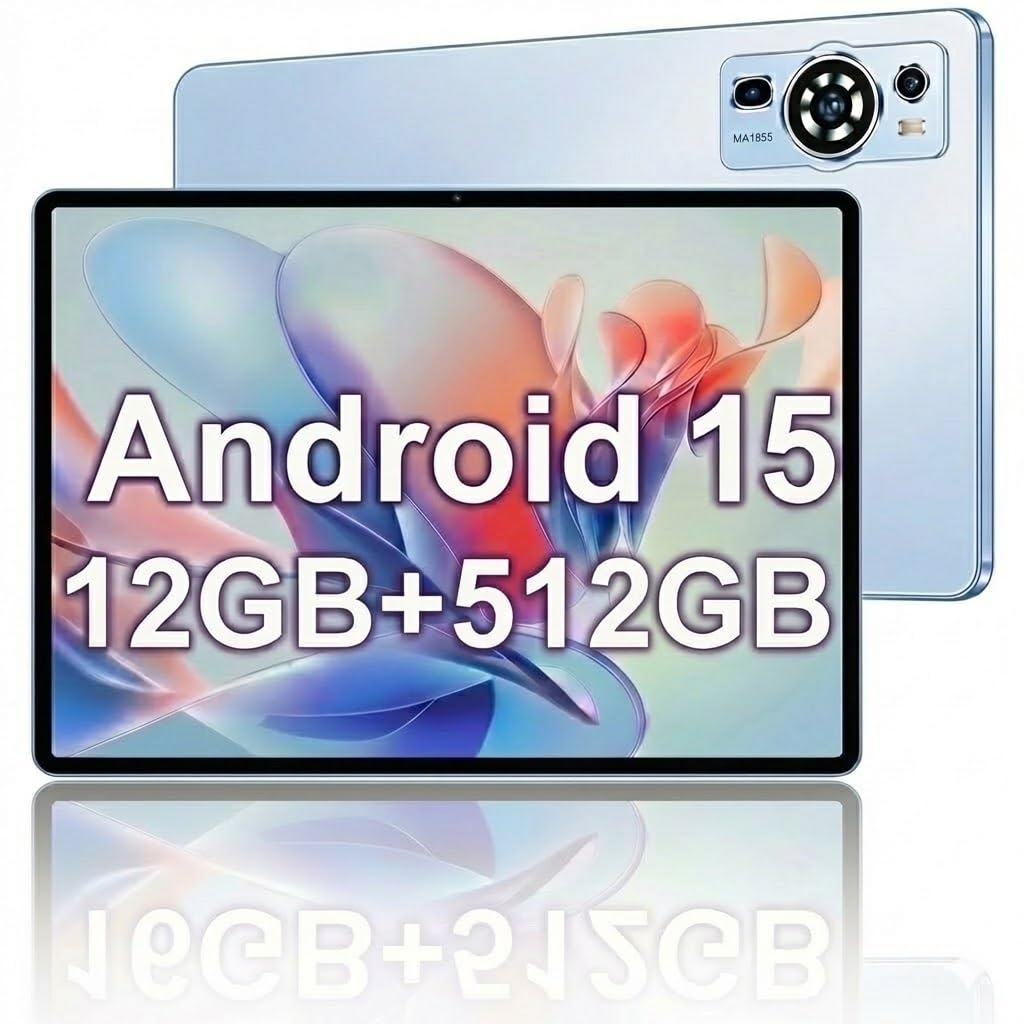
Image: The UXD A5 Android Tablet shown with its included accessories, such as the detachable keyboard, mouse, and stylus, highlighting its comprehensive package.
4. Sozlash
4.1 Dastlabki zaryadlash
Before first use, fully charge the tablet using the provided charger and USB cable. Connect the USB cable to the tablet's USB-C port and the charger to a power outlet. The battery indicator on the screen will show charging status.
4.2 Quvvatni yoqish/o‘chirish
- Yoqish uchun: Press and hold the Power button until the UXD logo appears.
- O'chirish uchun: Press and hold the Power button until the power options appear, then select 'Power off'.
- Uxlash/uyg'onish uchun: Quvvat tugmasini qisqa bosing.
4.3 Wi-Fi tarmog'iga ulanish
- ga boring Sozlamalar > Tarmoq va internet > Wi-fi.
- Wi-Fi-ni almashtirish On.
- Ro'yxatdan o'zingiz xohlagan Wi-Fi tarmog'ini tanlang.
- Agar so'ralsa, parolni kiriting, so'ngra ga teging Ulanish.
4.4 Inserting SIM Card (4G LTE)
If your model supports 4G LTE, locate the SIM card slot on the side of the tablet. Use the provided SIM ejector tool (if applicable) to open the tray. Insert a nano-SIM card into the designated slot with the gold contacts facing down, then reinsert the tray. Ensure the tablet is powered off before inserting or removing a SIM card.
4.5 Expanding Storage with MicroSD Card
The tablet supports microSD cards up to 1TB. Locate the SIM/MicroSD card slot. Insert the microSD card into the appropriate slot with the gold contacts facing down. The tablet will detect the card and prompt you for formatting options if necessary.
4.6 Aksessuarlarni ulash
- Klaviatura/sichqoncha: These typically connect via Bluetooth. Go to Sozlamalar > Ulangan qurilmalar > Bluetooth. Turn Bluetooth on, put the accessory in pairing mode, and select it from the list of available devices.
- Qalam: The stylus is generally passive or connects automatically via Bluetooth. Refer to the stylus's specific instructions for pairing if required.
- OTG Adapter: Connect the OTG adapter to the tablet's USB-C port to connect USB devices like flash drives.
5. Foydalanish bo'yicha ko'rsatmalar
5.1 Asosiy navigatsiya
The UXD A5 tablet uses a capacitive touchscreen. Use gestures such as tap, swipe, pinch-to-zoom, and long-press to navigate the interface, open apps, and interact with content.
5.2 Android 15 operatsion tizimi
Your tablet runs on Android 15, offering enhanced privacy features, improved notifications, and a refined user interface. Explore the Sozlamalar menu to customize your tablet's behavior, appearance, and security options.
5.3 Saqlashni boshqarish
The tablet comes with 512GB of internal storage. To manage your storage, go to Sozlamalar > Saqlash. Bu yerda mumkin view ishlatilgan joy, joyni bo'shatish va boshqarish files on your internal storage and microSD card.
5.4 Kameradan foydalanish
Open the Camera app to take photos and videos. The tablet features a 5MP front camera and a 15MP rear camera. Tap the screen to focus, and use the on-screen shutter button to capture images. Switch between front and rear cameras using the icon on the screen.
5.5 Batareyani optimallashtirish
6000 mA/soat sig'imli batareya uzoqroq foydalanish imkonini beradi. Batareya quvvatini maksimal darajada oshirish uchun:
- Ekran yorqinligini sozlash.
- Foydalanilmayotganda Wi-Fi, Bluetooth va GPSni o'chiring.
- Fonda ishlayotgan foydalanilmagan ilovalarni yoping.
- Batareyani tejash rejimini yoqish Sozlamalar > Batareya.
6. Xizmat ko'rsatish
6.1 Planshetni tozalash
Planshet ekrani va korpusini tozalash uchun yumshoq, tuklarsiz matodan foydalaning. O'jar dog'lar uchun, bir oz dampMatoni suv yoki ekran tozalovchi eritma bilan arting. Qattiq kimyoviy moddalar yoki abraziv materiallardan foydalanishdan saqlaning.
6.2 Dasturiy ta'minotni yangilash
Regularly check for software updates to ensure your tablet has the latest features and security patches. Go to Sozlamalar > Tizim > Tizim yangilanishi mavjud yangilanishlarni tekshirish va o'rnatish uchun.
6.3 Batareyani parvarish qilish
To prolong battery lifespan, avoid extreme temperatures and do not let the battery completely drain frequently. It is recommended to keep the battery charge between 20% and 80% for optimal long-term health.
7. Muammolarni bartaraf qilish; nosozliklarni TUZATISH
- Planshet yoqilmayapti: Ensure the tablet is charged. Connect the charger and wait a few minutes before attempting to power on again.
- Wi-Fi ulanishi bilan bog'liq muammolar: Restart your tablet and your Wi-Fi router. Ensure you are within range of the Wi-Fi signal and have entered the correct password.
- Sekin ishlash: Close unused apps, clear cache, or restart the tablet. Consider uninstalling rarely used applications to free up resources.
- Sensorli ekran javob bermayapti: Planshetni qayta ishga tushiring. Muammo davom etsa, ekran toza va axlatsiz ekanligiga ishonch hosil qiling.
- Aksessuarlar ulanmagan: Ensure Bluetooth is enabled on the tablet and the accessory is in pairing mode. Check the accessory's battery level.
8. Texnik shartlar
| Brend | UXD |
| Model nomi | A5 |
| Operatsion tizim | Android 15 |
| Ekran o'lchami | 10.1 dyuym |
| Displey ravshanligi | 1280x800 Pixels (HD IPS) |
| Protsessor | Sakkiz yadroli protsessor |
| RAM xotirasi | 12 GB |
| Ichki xotira | 512 GB |
| Kengaytiriladigan xotira | 1 TB gacha (MicroSD) |
| Simsiz texnologiya | Wi-Fi 6, Bluetooth 5.0 |
| Uyali aloqa texnologiyasi | 4G LTE |
| Old kamera | 5 MP |
| Orqa kamera | 15 MP |
| Batareya quvvati | 6000 mA / soat (litiy polimer) |
| Batareyaning o'rtacha ishlash muddati | Up to 72 Hours (standby) |
| Dimensions (L x W x Th) | 9.4"L x 6.3"W x 2.7"Th |
| Rang | Moviy |
9. Kafolat va qo'llab-quvvatlash
The UXD A5 Android Tablet comes with a 1-year limited warranty. For warranty claims or technical support, please refer to the contact information provided with your purchase or visit the official UXD support websayt.
Iltimos, kafolat uchun sotib olinganligingizni tasdiqlovchi hujjatni o'zingizda saqlang.