
1. Kirish
Thank you for choosing the THOMSON TDF-1001P Digital Photo Frame. This device allows you to display your favorite photos and videos, play music, and utilize features like a calendar, clock, and alarm. With Wi-Fi connectivity, you can easily share media and receive weather updates. Please read this manual thoroughly before operating the device to ensure proper use and maintenance.
2. Xavfsizlik ma'lumotlari
- Qurilmani namlik, yomg'ir yoki haddan tashqari harorat ta'siriga qo'ymang.
- Qurilmani issiqlik manbalari yaqiniga yoki to'g'ridan-to'g'ri quyosh nuriga qo'ymang.
- Faqat taqdim etilgan quvvat adapteridan foydalaning. Ruxsatsiz adapterlardan foydalanish qurilmaga zarar etkazishi va kafolatni bekor qilishi mumkin.
- Qurilmani o'zingiz qismlarga ajratish yoki ta'mirlashga urinmang. Barcha xizmatlarni malakali xodimlarga topshiring.
- Qurilmani kuchli magnit maydonlardan uzoqroq tuting.
- Clean the screen with a soft, dry cloth. Do not use liquid cleaners or sprays directly on the screen.
3. Paket tarkibi
Paketda quyidagi elementlar mavjudligini tekshiring:
- THOMSON TDF-1001P Digital Photo Frame
- Quvvat adapteri
- Foydalanuvchi uchun qo'llanma (ushbu hujjat)
- Stend (agar mavjud bo'lsa)
4. Mahsulot tugadiview
Familiarize yourself with the components of your digital photo frame.
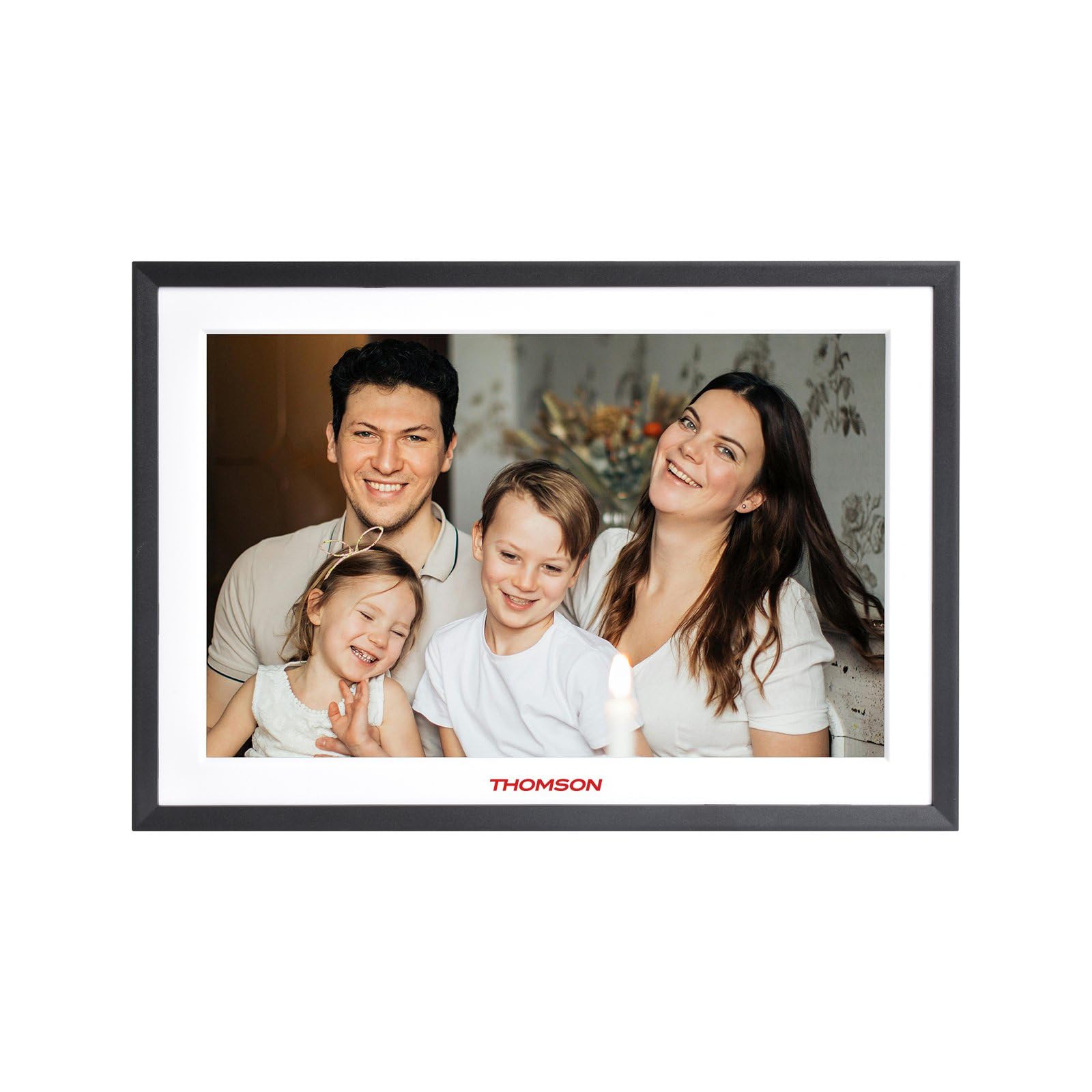
4.1-rasm: Old view of the THOMSON TDF-1001P Digital Photo Frame. This image shows the 10.1-inch IPS display with a black frame, designed for clear photo and video playback.
4.1. Old panel
- 10.1 dyuymli IPS sensorli ekran: The main display for viewing content and interacting with the device.
4.2. Orqa panel va portlar
The rear panel typically includes various ports for connectivity and power.
- Kirish quvvati: Taqdim etilgan quvvat adapteriga ulanadi.
- USB port: USB drayverlarni media uzatish uchun ulash uchun.
- SD karta uyasi: For inserting SD cards to expand storage or transfer media.
- Qayta tiklash tugmasi: A small pinhole button to reset the device if necessary.
5. Sozlash
5.1. Dastlabki yoqish
- Unpack the digital photo frame and its accessories.
- Attach the stand to the back of the frame, ensuring it is securely fastened.
- Connect the power adapter to the power input port on the frame.
- Quvvat adapterini elektr rozetkasiga ulang. Ramka avtomatik ravishda yoqiladi.
- Til va mintaqangizni tanlash uchun ekrandagi ko‘rsatmalarga amal qiling.
5.2. Wi-Fi ulanishi
Connecting to Wi-Fi enables online features like photo sharing and weather updates.
- Asosiy menyudan "Sozlamalar" ga teging.
- Select 'Wi-Fi' or 'Network Settings'.
- Toggle Wi-Fi to 'On'. The frame will scan for available networks.
- Ro'yxatdan o'zingiz xohlagan Wi-Fi tarmog'ini tanlang.
- Enter the Wi-Fi password using the on-screen keyboard and tap 'Connect'.
- Ulangandan so'ng, holat panelida Wi-Fi belgisi paydo bo'ladi.
5.3. App Setup for Sharing
To share photos and videos via Wi-Fi, you will need to install the dedicated app on your smartphone.
- Locate the app name or QR code in the frame's settings under 'Cloud Services' or 'App Connection'.
- Download and install the app on your smartphone from your device's app store.
- Ilovani oching va hisob yarating yoki tizimga kiring.
- Follow the app's instructions to pair your smartphone with the digital photo frame, typically by scanning a QR code displayed on the frame or entering a unique device ID.
- Once paired, you can send photos and videos directly from your smartphone to the frame.
6. Operating the Digital Photo Frame
6.1. Interfeysda navigatsiya
The frame features a touch screen for easy navigation. Tap icons to open applications and swipe to browse content or menus.
6.2. Photo and Video Playback
- From the main menu, tap the 'Photos' or 'Gallery' icon.
- Select the source of your media (Internal Storage, SD Card, USB Drive, or Cloud/App).
- Browse through your albums or individual files. Tap on a photo or video to view bu.
- During playback, you can typically swipe left/right to navigate between files, or tap the screen to reveal playback controls (play/pause, next, previous, rotate, delete).
6.3. Musiqani ijro etish
- Tap the 'Music' icon from the main menu.
- Select the source of your music files.
- Browse and tap on a song to begin playback.
- Use the on-screen controls for play/pause, skip, volume adjustment, and repeat modes.
6.4. Calendar, Clock, and Alarm
- Taqvim: Tap the 'Calendar' icon to view the current date and month. Some models may allow adding events.
- Soat: The current time is usually displayed on the home screen. Time settings can be adjusted in the 'Settings' menu.
- Signal: Access the 'Alarm' function via the main menu or 'Settings'. You can set multiple alarms with custom times and sounds.
6.5. Weather Updates
If connected to Wi-Fi, the frame can display local weather information.
- Ensure the frame is connected to Wi-Fi.
- Go to 'Settings' and find 'Weather' or 'Location Services'.
- Enable weather updates and set your location (either automatically or manually).
- The weather forecast will then be displayed on the home screen or a dedicated weather widget.
7. Xizmat ko'rsatish
7.1. Qurilmani tozalash
- Tozalashdan oldin har doim qurilmani o'chiring va elektrdan uzing.
- Ekran va ramkani ohista artib olish uchun yumshoq, tuklarsiz matodan foydalaning.
- For stubborn smudges on the screen, lightly dampen the cloth with water or a screen-safe cleaning solution, then wipe gently. Do not spray liquids directly onto the screen.
- Abraziv tozalash vositalaridan yoki erituvchilardan saqlaning.
7.2. Saqlash
When not in use for extended periods, store the digital photo frame in a cool, dry place, away from direct sunlight and extreme temperatures. It is recommended to keep the original packaging for storage.
8. Muammolarni bartaraf qilish; nosozliklarni TUZATISH
Ushbu bo'lim siz duch kelishi mumkin bo'lgan umumiy muammolarni ko'rib chiqadi.
| Muammo | Mumkin sabab | Yechim |
|---|---|---|
| Ramka yoqilmaydi. | Quvvat adapteri ulanmagan yoki noto'g'ri. | Ensure the power adapter is securely connected to the frame and a working power outlet. Try a different outlet. |
| Wi-Fi tarmog‘iga ulanib bo‘lmadi. | Noto'g'ri parol, diapazondan tashqarida yoki router bilan bog'liq muammo. | Verify the Wi-Fi password. Move the frame closer to the router. Restart your Wi-Fi router. |
| Photos/videos not displaying. | Qo‘llab-quvvatlanmaydi file format, corrupted files, or incorrect source selected. | Ta'minlash files are in supported formats (e.g., JPEG for photos, MP4 for videos). Check if the files are corrupted. Select the correct storage source (SD card, USB, internal). |
| Sensorli ekran javob bermayapti. | Vaqtinchalik dasturiy ta'minot xatosi. | Restart the frame by unplugging and replugging the power adapter. If the issue persists, use a pin to press the reset button on the back. |
9. Texnik shartlar
| Xususiyat | Spetsifikatsiya |
|---|---|
| Model | TDF-1001P |
| Displey hajmi | 10.1 dyuym |
| Rezolyutsiya | 800*1280 IPS |
| Aspekt nisbati | 16:10 |
| Internal Flash Storage | 32 GB |
| Sensorli ekran | G+P Type |
| Ulanish | Wi-fi |
| Funksiyalar | Photo, Music, Video, Calendar, Clock, Alarm, Weather, Wi-Fi Sharing |
| Material | Plastic black frame and white middle frame |
| Buyum oʻlchamlari (L x W) | 7.25 "L x 10.44" Vt |
| Quvvat manbai | Simli elektr |
10. Kafolat haqida ma'lumot
The THOMSON TDF-1001P Digital Photo Frame comes with a 1 yillik cheklangan kafolat from the date of purchase. This warranty covers manufacturing defects in materials and workmanship under normal use. It does not cover damage caused by misuse, accidents, unauthorized modifications, or external causes such as power surges.
Please retain your proof of purchase for warranty claims. For detailed warranty terms and conditions, refer to the warranty card included in your package or contact customer support.
11. Mijozlarni qo'llab-quvvatlash
If you have any questions, require technical assistance, or need to make a warranty claim, please contact THOMSON customer support. Refer to the contact information provided on the product packaging or the official THOMSON websayt.
When contacting support, please have your product model number (TDF-1001P) and proof of purchase readily available.