Kirish
The Plugable USB 2.0 2-Port Hub (Model: USB2-2PORT) is designed to expand a single USB port into two, providing seamless connectivity and reliable performance for your devices. Its clean, compact, and ultra-portable design makes it ideal for various environments, including desktop setups, industrial applications where space is limited, and travel.
This bus-powered hub is compatible with a wide range of operating systems, including Windows, Linux, macOS, and Chrome OS, offering plug-and-play functionality without the need for additional drivers.
Xususiyatlari
- Ikkita USB 2.0 portlari: Instantly expands one USB port into two, allowing connection of multiple peripherals.
- High-Quality Chipset: Utilizes a high-quality NEC chipset for stable and reliable performance.
- Ultra-Compact and Portable: Designed for easy transport, fitting conveniently into bags for on-the-go use.
- O'rnatilgan kabel: Features a built-in 12-inch (approx. 30 cm) USB cable for convenient connection.
- Keng muvofiqlik: Fully plug-and-play with Windows, Linux, macOS, and Chrome OS. Supports USB 3.0, USB 2.0, and USB 1.1 devices at USB 2.0 speeds.
- Avtobus quvvati: Draws power directly from the USB port, eliminating the need for an external power adapter.
- Issiq almashtirishni qo'llab-quvvatlash: Allows devices to be connected and disconnected without restarting the system.
Qutida nima bor
- Plugable USB 2.0 2-Port Hub (Model: USB2-2PORT)
- Birlashtirilgan USB kabeli
O'rnatish bo'yicha ko'rsatmalar
Hubni ulang: Insert the USB-A connector of the Plugable USB 2.0 2-Port Hub into an available USB port on your computer (laptop or desktop).
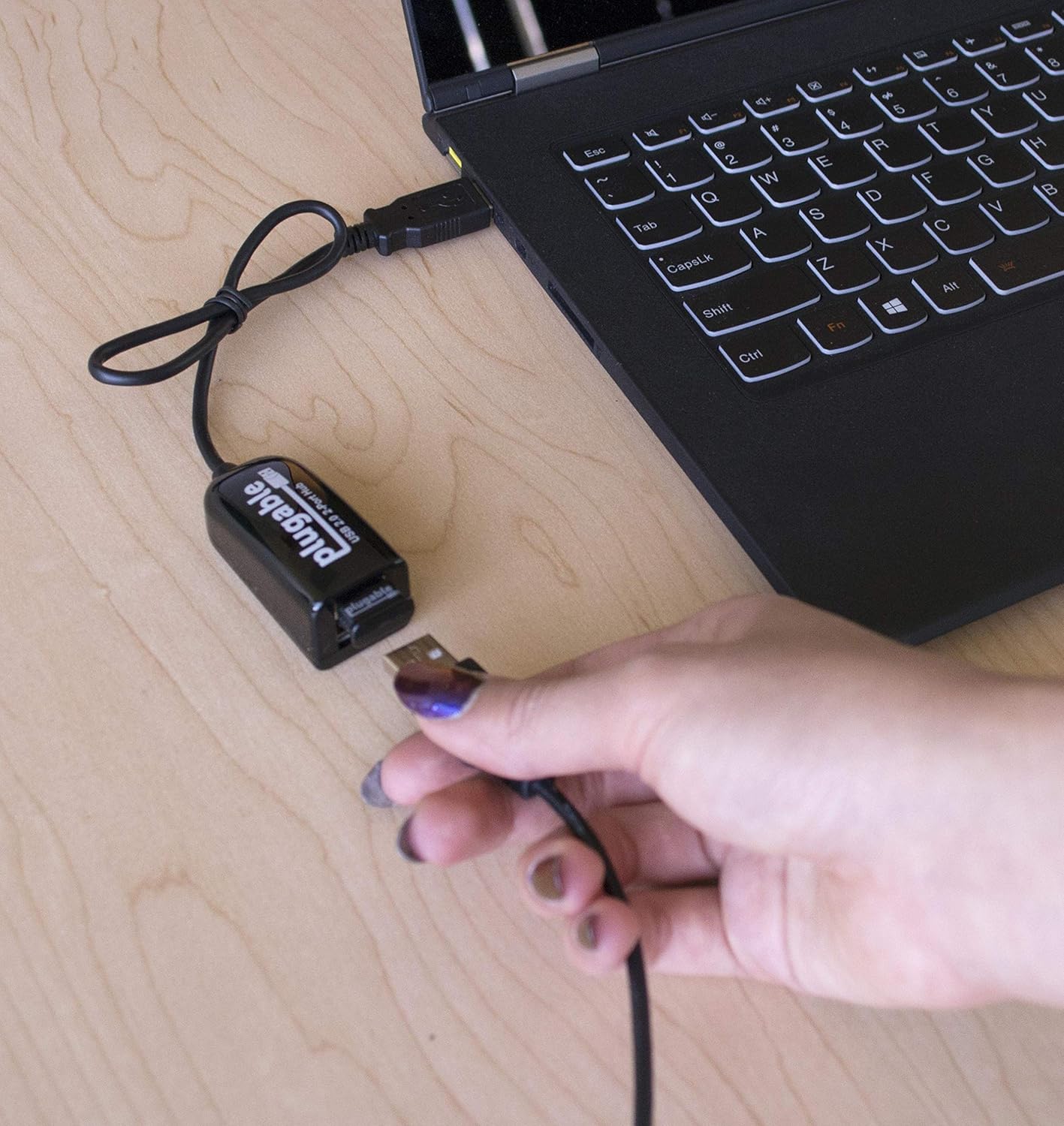
Image: Connecting the Plugable USB 2.0 2-Port Hub to a laptop.
Avtomatik drayverni o'rnatish: Your operating system (Windows, Linux, macOS, Chrome OS) will automatically detect the hub and install the necessary drivers. No manual driver installation is required.
Qurilmalaringizni ulang: Once the hub is recognized, you can connect your USB 2.0 or USB 1.1 compatible devices (such as keyboards, mice, USB flash drives, or self-powered printers) into the two available USB ports on the hub.

Image: Keyboard and mouse connected to a laptop using the USB hub.
Foydalanish bo'yicha ko'rsatmalar
The Plugable USB 2.0 2-Port Hub operates on a plug-and-play basis. Simply connect your desired low-powered USB devices to the hub's available ports. The hub is bus-powered, meaning it draws its power directly from the host USB port. Therefore, it is best suited for low-power devices like keyboards, mice, and USB flash drives. For devices requiring more power, such as external hard drives, ensure they are self-powered or have their own external power supply.
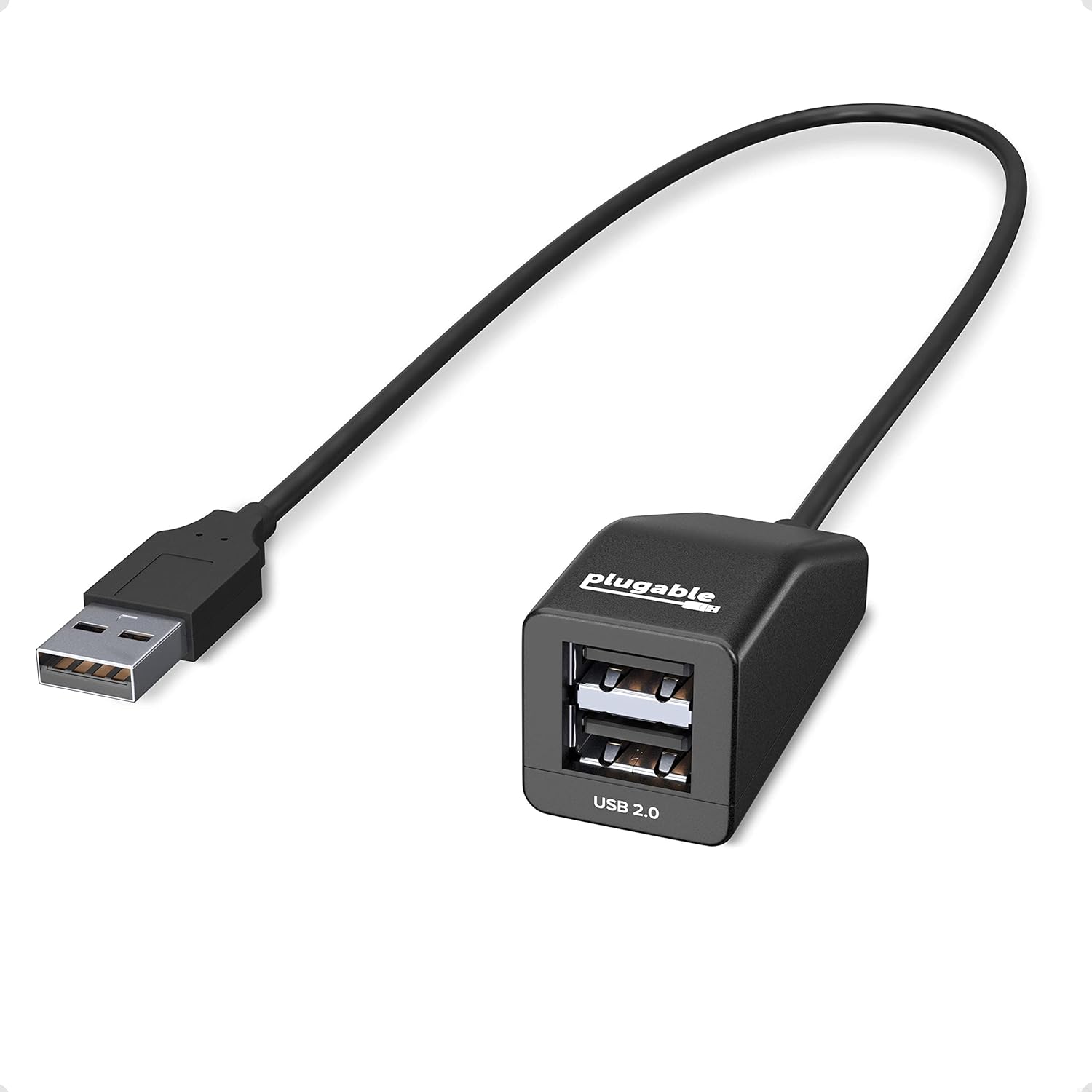
Image: The Plugable USB 2.0 2-Port Hub.
Moslik
This USB hub is designed for wide compatibility across various operating systems and USB standards:
- Operatsion tizimlar: Windows, Linux, macOS, Chrome OS.
- USB standartlari: Works with USB 3.0, USB 2.0, and USB 1.1 devices. It supports full data rates of 1.5/12/480 Mbps (USB 2.0 speeds).
- Qurilma turlari: Ideal for low-powered devices such as keyboards, mice, USB flash drives, and self-powered peripherals.
Muhim eslatma: This hub is not compatible with built-in car stereo systems or aftermarket systems like Android Auto and Apple CarPlay, as these systems typically do not support USB hubs due to power limitations or specific protocol requirements.
Xizmat
The Plugable USB 2.0 2-Port Hub requires minimal maintenance. Keep the device clean and free from dust. Use a soft, dry cloth for cleaning. Avoid exposing the hub to extreme temperatures or moisture. Do not attempt to disassemble the unit, as this will void the warranty.
Muammolarni bartaraf qilish; nosozliklarni TUZATISH
- Qurilma tan olinmagan:
- Ensure the hub is securely plugged into a working USB port on your computer.
- Try connecting the device directly to your computer's USB port to confirm it functions independently.
- Kompyuteringizni qayta ishga tushiring.
- Quvvat yetarli emas:
- This hub is bus-powered and shares 500mA from the upstream port. If a connected device is not functioning, it may require more power than the hub can provide.
- Connect only low-powered devices (e.g., keyboard, mouse, USB flash drive) to the hub.
- For high-powered devices (e.g., external hard drives), ensure they have their own external power supply.
- Vaqti-vaqti bilan ulanish:
- Barcha ulanishlarning mustahkamligiga ishonch hosil qiling.
- Avoid using the hub with devices that draw significant power simultaneously.
- Hubni kompyuterning boshqa USB portiga ulashga harakat qilib ko'ring.
Texnik xususiyatlari
| Atribut | Tafsilot |
|---|---|
| Model raqami | USB2-2PORT |
| USB 2.0 portlari soni | 2 |
| Uskuna interfeysi | USB 2.0 |
| Mos keladigan operatsion tizimlar | Windows, Linux, macOS, Chrome OS |
| Olchamlari (UxKxY) | 6.2 x 4.2 x 1.5 dyuym (15.75 x 10.67 x 3.81 sm) |
| Element og'irligi | 0.32 untsiya (9.07 gramm) |
| Rang | Qora |
| Quvvat manbai | Bus-powered (no external AC adapter required) |
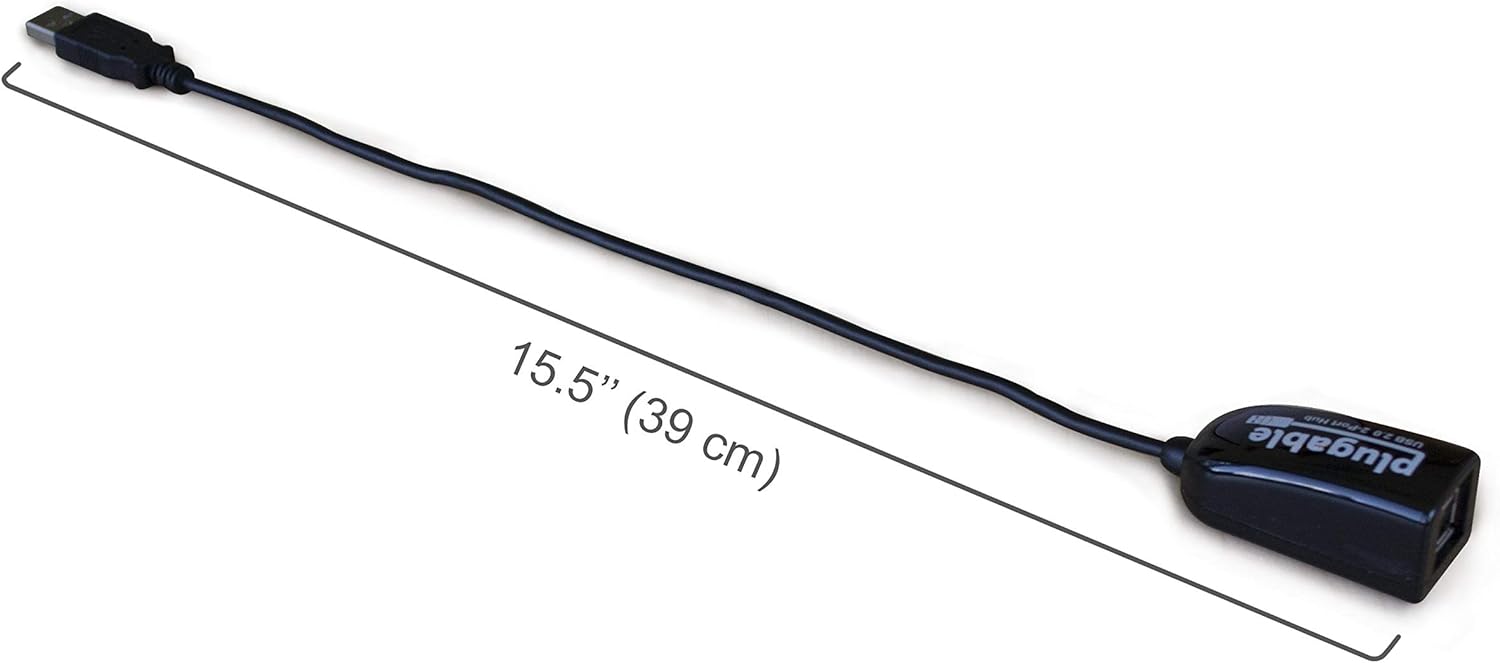
Image: Dimensions of the Plugable USB 2.0 2-Port Hub, showing the 15.5-inch cable length.
Kafolat va qo'llab-quvvatlash
Plugable stands behind its products with a commitment to quality and customer satisfaction. This USB hub includes lifetime support from our North American team of connectivity experts.
For questions or technical assistance, please visit: plugable.com/products/usb2-2port yoki qo'llab-quvvatlash manziliga murojaat qiling support@plugable.com.


