1. Mahsulot tugadiview
The Mitel MiVoice 5304 IP Phone is a compact and cost-effective entry-level display phone designed for various environments such as hotel rooms, university dorms, classrooms, and retail spaces. It provides essential communication features and integrates seamlessly with Mitel IP-based communication platforms.
This phone supports both MiNet and SIP protocols, offering flexibility in deployment. It features a backlit display, two lines with LED indication, and programmable keys for enhanced functionality.
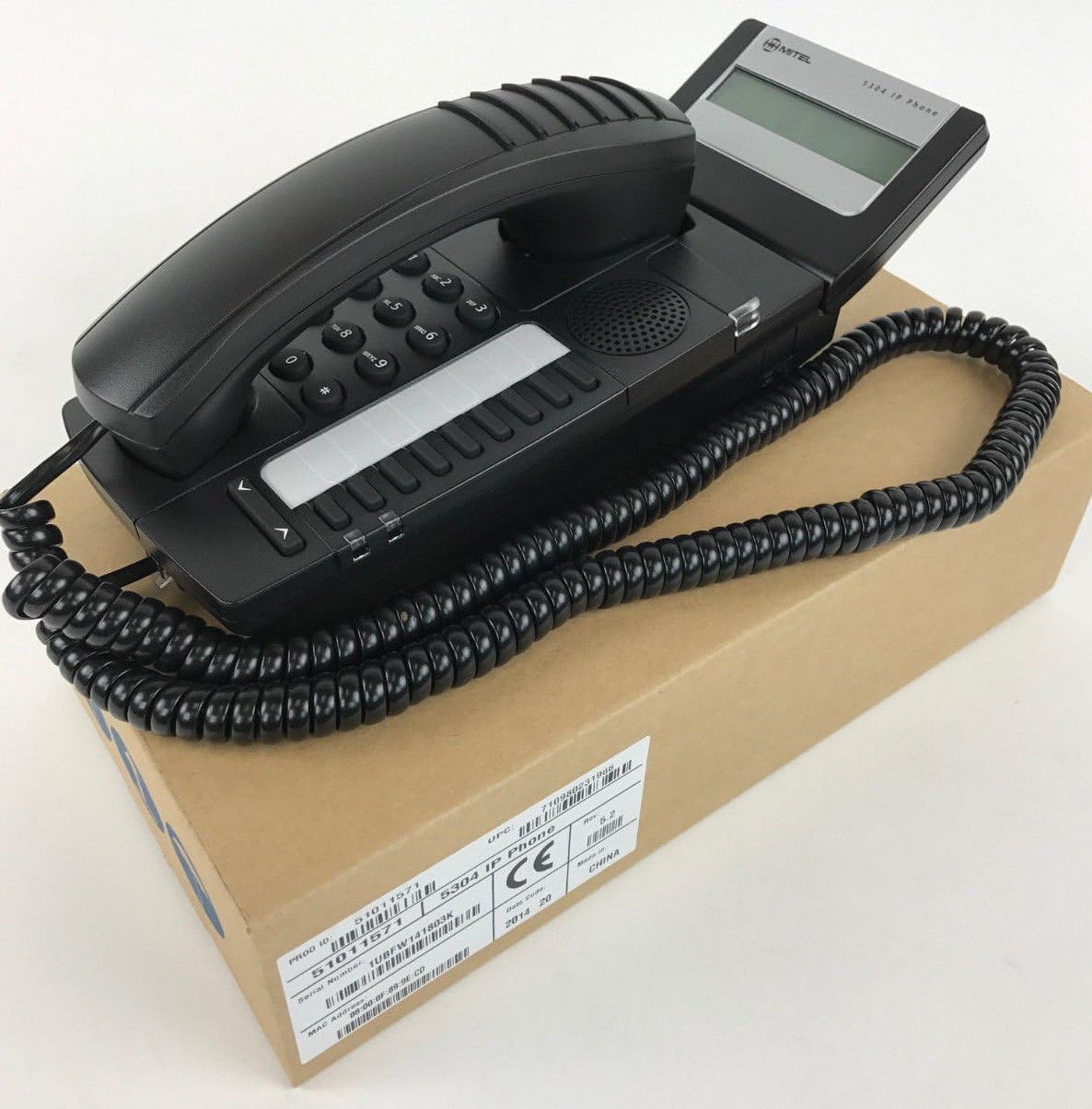
Figure 1: Mitel MiVoice 5304 IP Phone. This image shows the black IP phone with its coiled handset cord, resting on a brown cardboard box. The phone features a numeric keypad, several function buttons, and a small display screen.
2. Asosiy xususiyatlar
- Displey: Two x 20 character backlit display with auto-dimming.
- Chiziqlar: Two lines with LED indication (one prime line, one programmable key).
- Dasturlashtiriladigan kalitlar: Eight programmable keys for speed dials, feature access codes, paging, conferencing, voicemail access, etc.
- Peyjing: Paging and page receive capability, including direct page and group page support.
- Ikki rejimli qo'llab-quvvatlash: Compatible with both MiNet and SIP protocols.
- Vizual ko'rsatkichlar: Incoming call visual indication and message waiting indication.
- Audio boshqaruvlari: Adjustable volume and ringing controls.
- O'rnatish: Wall-mountable (optional accessory may be required).
- Quvvat: Multiple powering options, including 802.3af compliant Power over Ethernet (PoE).
- Foydalanish imkoniyati: ADA-compliant (HAC handset).
- Yilni dizayn: Small footprint (approximately 26.5 cm x 10 cm or 10.5 x 4 inches).
- Energiya tejamkorligi: Designed for power conservation to reduce overall energy consumption.
3. O'rnatish va o'rnatish
3.1 Paket tarkibi
Boshlashdan oldin barcha komponentlar mavjudligiga ishonch hosil qiling:
- Mitel MiVoice 5304 IP Phone unit
- Telefon
- Telefonning o'ralgan simi
- Ethernet kabeli
- (Optional) Power adapter if PoE is not used
3.2 Telefonni ulash
- Telefonni ulang: Plug one end of the coiled handset cord into the handset and the other end into the handset port on the phone base.
- Tarmoqqa ulanish: Connect one end of the Ethernet cable to the LAN port on the back of the phone and the other end to an active network port (e.g., a wall jack or network switch). If using Power over Ethernet (PoE), the phone will power on automatically.
- Quvvatni ulang (agar PoE dan foydalanmasangiz): If your network does not provide PoE, connect an optional Mitel-approved power adapter to the power port on the phone and then to a standard electrical outlet.
- Dastlabki yuklash: The phone will power on and begin its boot-up sequence. This may take a few moments as it obtains an IP address and registers with your communication system.
3.3 Devorga o'rnatish (ixtiyoriy)
The Mitel 5304 IP Phone can be wall-mounted. An optional wall-mount kit (sold separately) may be required. Follow the instructions provided with the wall-mount kit for proper installation.
4. Foydalanish bo'yicha ko'rsatmalar
4.1 Qo'ng'iroqlarni amalga oshirish va ularga javob berish
- Qo'ng'iroq qilish uchun:
- Telefonni ko'taring yoki tugmasini bosing Spiker tugmasi.
- Klaviatura yordamida kerakli raqamni tering.
- ni bosing Tering or Yuborish button (if available) or wait for the call to connect automatically.
- Qo'ng'iroqqa javob berish uchun:
- Lift the handset or press the flashing line button or the Spiker tugmasi.
- Qo'ng'iroqni tugatish uchun:
- Go'shakni qayta joyiga qo'ying yoki tugmasini bosing Qo‘ng‘iroqni tugatish or Spiker tugmasi.
4.2 Using Programmable Keys
The Mitel 5304 features eight programmable keys. Their functions are typically configured by your system administrator and can include:
- Speed Dial numbers
- Access to specific features (e.g., Call Forward, Do Not Disturb)
- Paging functions
- Voicemail access
- Konferensiya
To use a programmable key, simply press the button corresponding to the desired function.
4.3 Ovoz balandligini sozlash
Use the volume control buttons (usually located below the keypad or on the side of the phone) to adjust the handset, speakerphone, or ringer volume. Press the + button to increase volume and the - ovoz balandligini pasaytirish tugmasi.
4.4 Message Waiting Indication
A flashing LED indicator on the phone signifies that you have new voicemail messages. To retrieve messages, press the dedicated Xabar button (if configured) or dial your voicemail access code.
5. Xizmat va parvarish
- Tozalash: Yumshoq, bir oz d foydalaningamp cloth to clean the phone's surface. Do not use abrasive cleaners, solvents, or strong chemicals, as these can damage the finish.
- Chang: Regularly dust the phone, especially around the keypad and display, to prevent accumulation that could affect performance.
- Atrof-muhit: Keep the phone away from excessive heat, direct sunlight, and moisture. Ensure proper ventilation if placed in an enclosed space.
- Kabellar: Ensure all cables are securely connected and not pinched or damaged.
6. Muammolarni bartaraf qilish; nosozliklarni TUZATISH
| Muammo | Mumkin sabab | Yechim |
|---|---|---|
| Telefon yoqilmaydi. | No power from Ethernet (PoE) or power adapter not connected/faulty. |
|
| Raqam terish signali yo'q yoki qo'ng'iroqlarni amalga oshirib bo'lmaydi. | Network connectivity issue, phone not registered, or system configuration problem. |
|
| Displey bo'sh yoki o'qib bo'lmaydi. | Power issue or display fault. |
|
| Qo'ng'iroq qiluvchini eshitmayapman yoki qo'ng'iroq qiluvchi meni eshitmayapti. | Volume settings, handset/speaker issue, or network audio problem. |
|
7. Texnik shartlar
| Atribut | Tafsilot |
|---|---|
| Model raqami | 51011571 |
| Mahsulot o'lchamlari (U x G x Y) | 10 x 10 x 6 dyuym (25.4 x 25.4 x 15.24 sm) |
| Element og'irligi | 1.9 funt (0.86 kg) |
| Rang | Qora |
| Telefon turi | Simli IP-telefon |
| Quvvat manbai | Corded Electric (PoE 802.3af compliant or optional power adapter) |
| Teruvchi turi | Yagona klaviatura |
| Displey | Two x 20 character backlit display |
| Yo'nalishni qo'llab-quvvatlash | 2 Lines with LED indication |
| Qo'llab-quvvatlanadigan protokollar | MiNet, SIP |
| Mos qurilmalar | VoIP services, IP-based communication systems, Mitel 3300, Mitel SX-200 IP Communications Platforms |
| Konferens-aloqa imkoniyati | 2 tomonlama |
8. Kafolat va qo'llab-quvvatlash
For information regarding product warranty, please refer to the warranty card included with your purchase or visit the official Mitel website. For technical support, service, or further inquiries, please contact your Mitel authorized dealer or system administrator.
You can also find additional resources and contact information on the official Mitel websayt: www.mitel.com


