1. Kirish
Thank you for choosing the Solis Fan-Tastic 750 Pedestal Fan. This powerful and quiet fan is designed to provide effective and comfortable cooling, featuring an active anion generator for improved air quality. This manual provides detailed instructions for safe operation, assembly, maintenance, and troubleshooting to ensure optimal performance and longevity of your appliance.

Image 1.1: The Solis Fan-Tastic 750 Pedestal Fan, showcasing uning zamonaviy dizayni va mustahkam poydevori.
2. Xavfsizlik bo'yicha muhim ko'rsatmalar
Iltimos, jihozni ishlatishdan oldin barcha ko'rsatmalarni diqqat bilan o'qib chiqing va ularni kelajakda foydalanish uchun saqlab qo'ying. Ushbu ko'rsatmalarga rioya qilmaslik elektr toki urishi, yong'in yoki jiddiy shikastlanishga olib kelishi mumkin.
- Elektr ta'minoti voltage qurilmadagi reyting yorlig'iga mos keladi.
- Do not operate the fan with a damaged cord or plug. If damaged, contact authorized service personnel.
- Keep fingers, hair, and loose clothing away from the rotating blades.
- Do not insert any objects into the fan grille.
- Tozalash yoki texnik xizmat ko'rsatishdan oldin har doim fanni elektr tarmog'idan uzing.
- Fanni nam yoki d holda ishlatmangamp joylar, masalan, hammom.
- Ventilyator ag'darilib ketmasligi uchun uni barqaror, tekis yuzaga qo'ying.
- Bu qurilma faqat maishiy foydalanish uchun mo'ljallangan. Ochiq havoda yoki tijorat maqsadlarida foydalanmang.
- The fan features a safety shut-off function: the fan will automatically stop if contact is made with the protective grille.
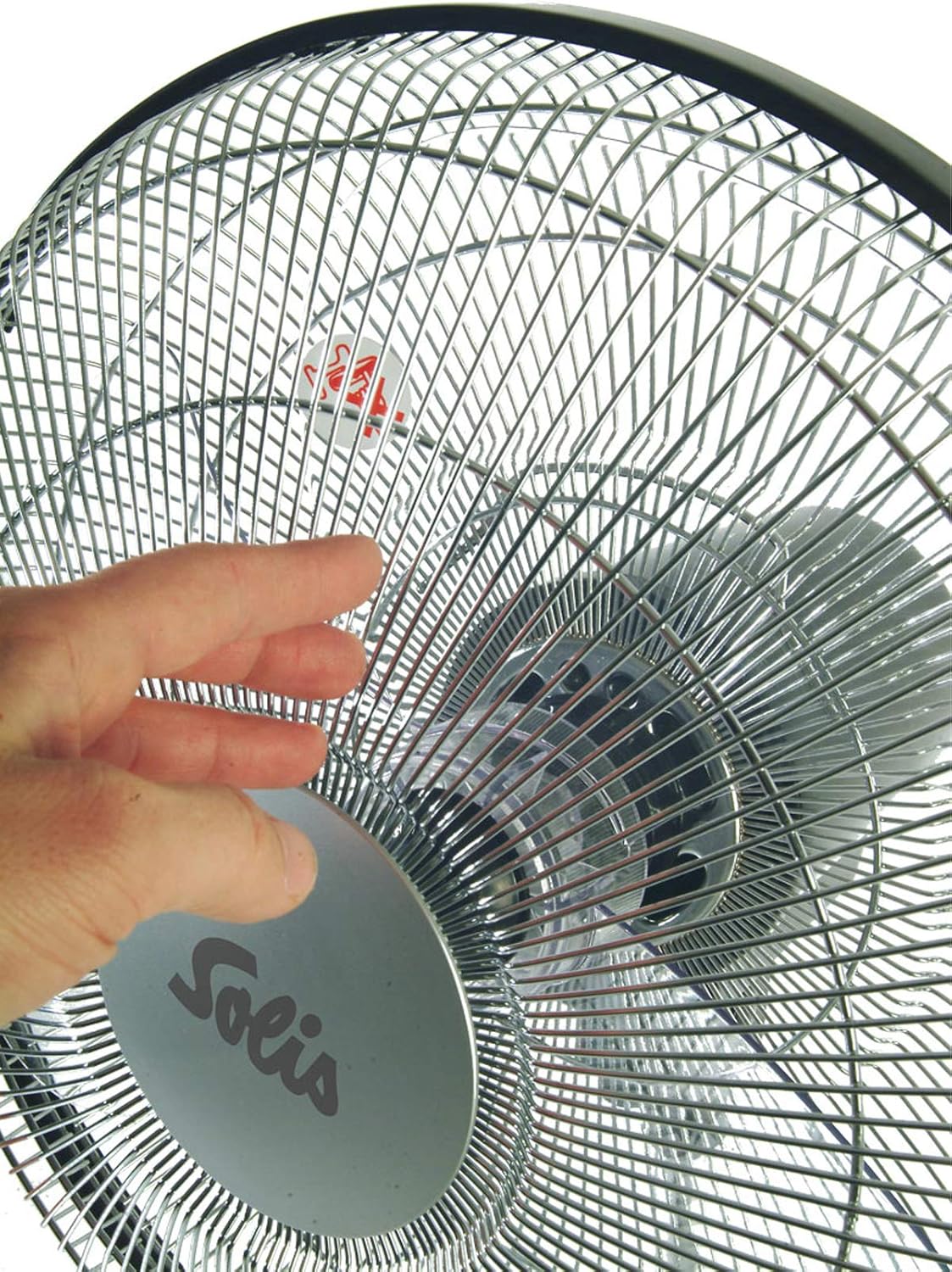
Image 2.1: Illustrates the safety shut-off feature, where the fan automatically stops if the grille is touched.
3. Paket tarkibi
Qutini ehtiyotkorlik bilan oching va barcha narsalar mavjud va yaxshi holatda ekanligiga ishonch hosil qiling. Agar biron bir narsa etishmayotgan yoki shikastlangan bo'lsa, darhol sotuvchiga murojaat qiling.
- Solis Fan-Tastic 750 Pedestal Fan Unit (main body, fan head, base)
- Masofadan boshqarish pulti (2 ta AAA batareya talab qilinadi, qo'shilmagan)
- Foydalanuvchi uchun qo'llanma (ushbu hujjat)

Image 3.1: The Solis Fan-Tastic 750, highlighting its 5-year guarantee.
4. O'rnatish va yig'ish
Follow these steps to assemble your Solis Fan-Tastic 750 fan.
- Asosiy yig'ish: Ventilyator asosini tekis, barqaror yuzaga qo'ying.
- Attach Pedestal: Insert the main pedestal pole into the base, ensuring it clicks securely into place.
- Connect Fan Head: Carefully attach the fan head unit to the top of the pedestal pole. Ensure all connections are firm.
- Quvvat ulanishi: Elektr simini mos keladigan elektr rozetkaga ulang.
- Masofadan boshqarish pulti batareyalari: Open the battery compartment on the remote control and insert 2 AAA batteries, observing polarity (+/-).

Rasm 4.1: Yon view of the fan, illustrating the connection points for assembly.
5. Foydalanish bo'yicha ko'rsatmalar
Your Solis Fan-Tastic 750 can be operated using the control panel on the unit or the included remote control.
5.1. Boshqaruv paneli va displey
The fan features an LCD display and control buttons on the main unit for easy access to all functions.

Rasm 5.1: Batafsil view of the fan's control panel and LCD display.
5.2. Power On/Off and Speed Adjustment
- Quvvat: ni bosing Quvvat Ventilyatorni yoqish yoki o'chirish uchun boshqaruv panelidagi yoki masofadan boshqarish pultidagi tugmani bosing.
- Tezlik: The fan offers 3 adjustable speed settings. Press the Tezlik button repeatedly to cycle through low, medium, and high speeds. The current speed will be indicated on the LCD display.
- Oyoq kaliti: For added convenience, a foot switch is located on the base of the fan. This allows you to activate/deactivate the fan and adjust the speed without bending down.
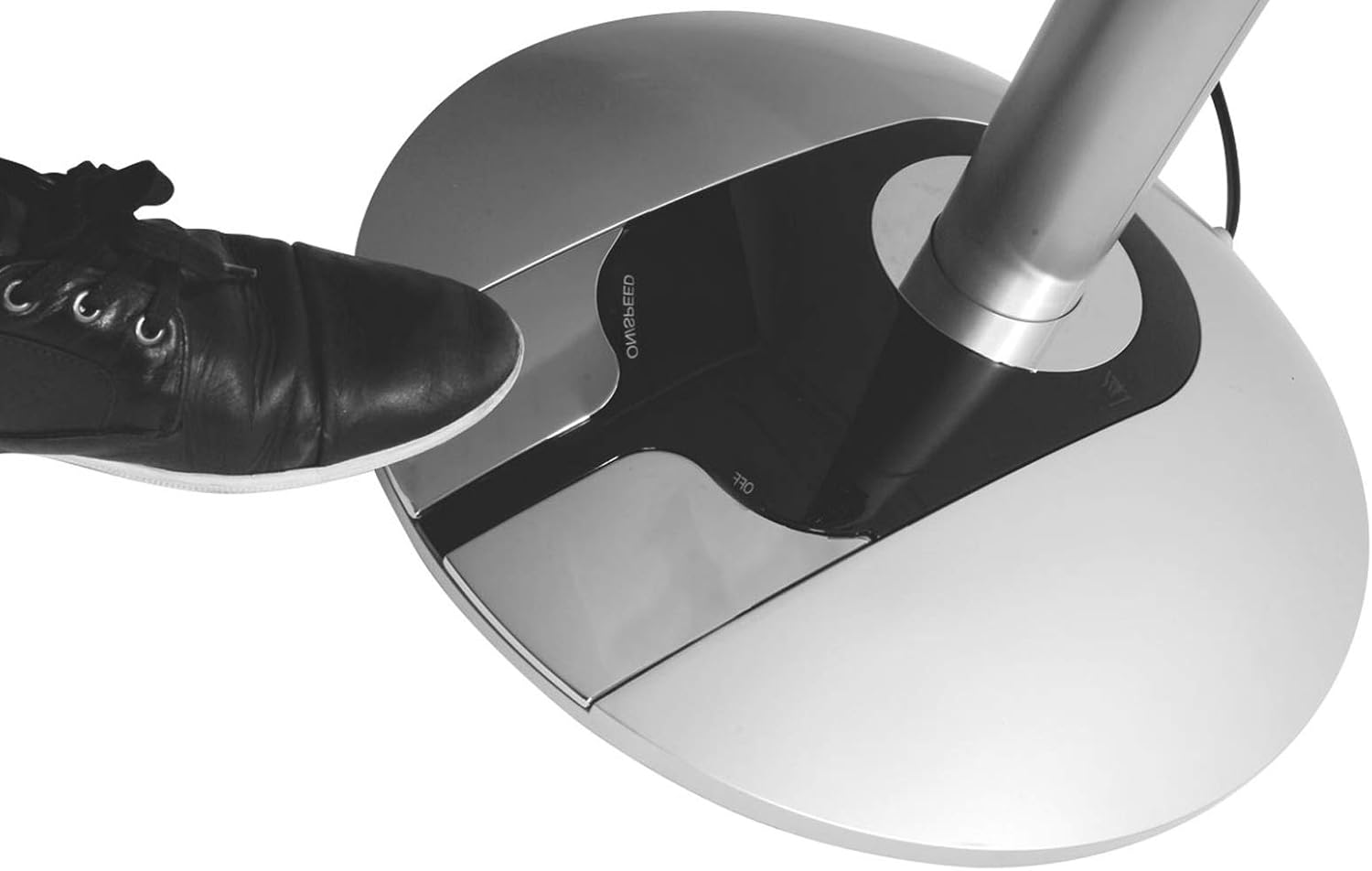
Image 5.2: Demonstrates the convenient foot switch located on the fan's base.
5.3. Ishlash rejimlari
ni bosing REJIM Mavjud ish rejimlari orasida aylanish uchun tugmani bosing:
- Oddiy rejim: Provides a continuous airflow at the selected speed.
- Tabiiy rejim: Fan tezligini o'zgartirish orqali tabiiy shabadani taqlid qiladi.
- Kutish rejimi: Gradually reduces fan speed over time for quiet operation during sleep.
5.4. Tebranish
The fan offers both horizontal and vertical oscillation to distribute air more widely.
- ni bosing SWING button to activate or deactivate horizontal oscillation.
- The fan also supports vertical oscillation for comprehensive air circulation.
5.5. Anion Generator
The built-in anion generator helps improve air quality and promote well-being.
- ni bosing ANION button to turn the anion generator on or off.
5.6. Taymer funksiyasi
The timer function allows you to program the fan to automatically shut off after a set period.
- ni bosing TAYMIR button repeatedly to set the desired shut-off time, from 0.5 to 7 hours, in 0.5-hour increments.
- The set time will be displayed on the LCD screen.
6. Xizmat va tozalash
Regular cleaning will help maintain the performance and appearance of your fan.
- Tozalashdan oldin har doim fanni elektr rozetkasidan uzing.
- Tashqi tozalash: Fanning tashqi yuzalarini yumshoq, damp mato. Abraziv tozalash vositalarini yoki erituvchilarni ishlatmang.
- Panjara tozalash: Use a vacuum cleaner with a brush attachment to remove dust from the fan grille. For deeper cleaning, the front grille can be carefully removed (refer to assembly instructions in reverse) to access the blades. Ensure the fan is completely unplugged before attempting this.
- Saqlash: Uzoq vaqt davomida foydalanilmaganda, fanni salqin va quruq joyda saqlang, yaxshisi asl o'ramida.
7. Muammolarni bartaraf qilish; nosozliklarni TUZATISH
If you experience issues with your Solis Fan-Tastic 750, please consult the table below before contacting customer support.
| Muammo | Mumkin sabab | Yechim |
|---|---|---|
| Fan yoqilmaydi. | Not plugged in; power outlet faulty; safety shut-off activated. | Ensure power cord is securely plugged in. Test outlet with another device. Check if anything is obstructing the grille. |
| Zaif havo oqimi. | Fan speed too low; grille or blades are dusty. | Increase fan speed. Clean the fan grille and blades as per maintenance instructions. |
| Fan shovqinli. | Fan not on a stable surface; loose parts; dust accumulation. | Place fan on a flat, stable surface. Check for any loose components. Clean the fan thoroughly. |
| Masofadan boshqarish pulti ishlamayapti. | Batteries are dead or incorrectly inserted; remote not aimed at sensor. | Replace batteries (2 AAA). Ensure correct polarity. Aim remote directly at the fan's control panel sensor. |
8. Texnik spetsifikatsiyalar
| Brend: | Solis |
| Model raqami: | 750 |
| Rang: | Kumush/qora |
| Diametri: | 40 sm |
| Quvvat: | 60 vatt |
| jildtage: | 230V AC |
| Material: | Plastik |
| Tezlik soni: | 3 |
| Havo oqimi (maksimal): | 67 m³/min |
| Shovqin darajasi (maksimal): | 63 dB(A) (at step 3) |
| Og'irligi: | 8.7 kg |
| Olchamlari (H x Ø): | 125 x 40 sm |
| Masofadan boshqarish pulti batareyalari: | 2 x AAA (shu jumladan emas) |

Image 8.1: Visual representation of the fan's dimensions.
9. Kafolat va qo'llab-quvvatlash
Solis products are manufactured with high-quality standards and come with a manufacturer's warranty. The Solis Fan-Tastic 750 includes a 5-year guarantee, subject to registration.
- Kafolatni ro'yxatdan o'tkazish: To activate your 5-year guarantee, please register your product at www.solis.com/registration.
- Mijozlarni qo‘llab-quvvatlash: For technical assistance, spare parts, or warranty claims, please contact Solis customer service or your local retailer. Refer to the Solis webmintaqangizdagi aloqa ma'lumotlari uchun sayt.