1. Kirish
This manual provides essential instructions for the installation, operation, maintenance, and troubleshooting of your Antec TruePower Classic TP-750C 750W 80 PLUS GOLD Certified Power Supply. Please read this manual thoroughly before installation and retain it for future reference. This power supply is designed to provide stable and efficient power to your personal computer system.
2. Xavfsizlik ma'lumotlari
- O'rnatish yoki ishlatishdan oldin elektr ta'minoti AC rozetkasidan uzilganligiga ishonch hosil qiling.
- Elektr ta'minotini ochmang casing. Yuqori volttagichidagi komponentlar elektr toki urishi xavfini tug'diradi.
- Haddan tashqari qizib ketishining oldini olish uchun elektr ta'minotini yaxshi shamollatiladigan joyga o'rnating.
- Faqat quvvat manbai bilan birga kelgan kabellardan foydalaning.
- Elektr ta'minotini namlik yoki haddan tashqari harorat ta'siriga qo'ymang.
- This product is intended for use in personal computer systems only.
3. Paket tarkibi
O'rnatishni davom ettirishdan oldin, paketda barcha elementlar mavjudligiga ishonch hosil qiling.
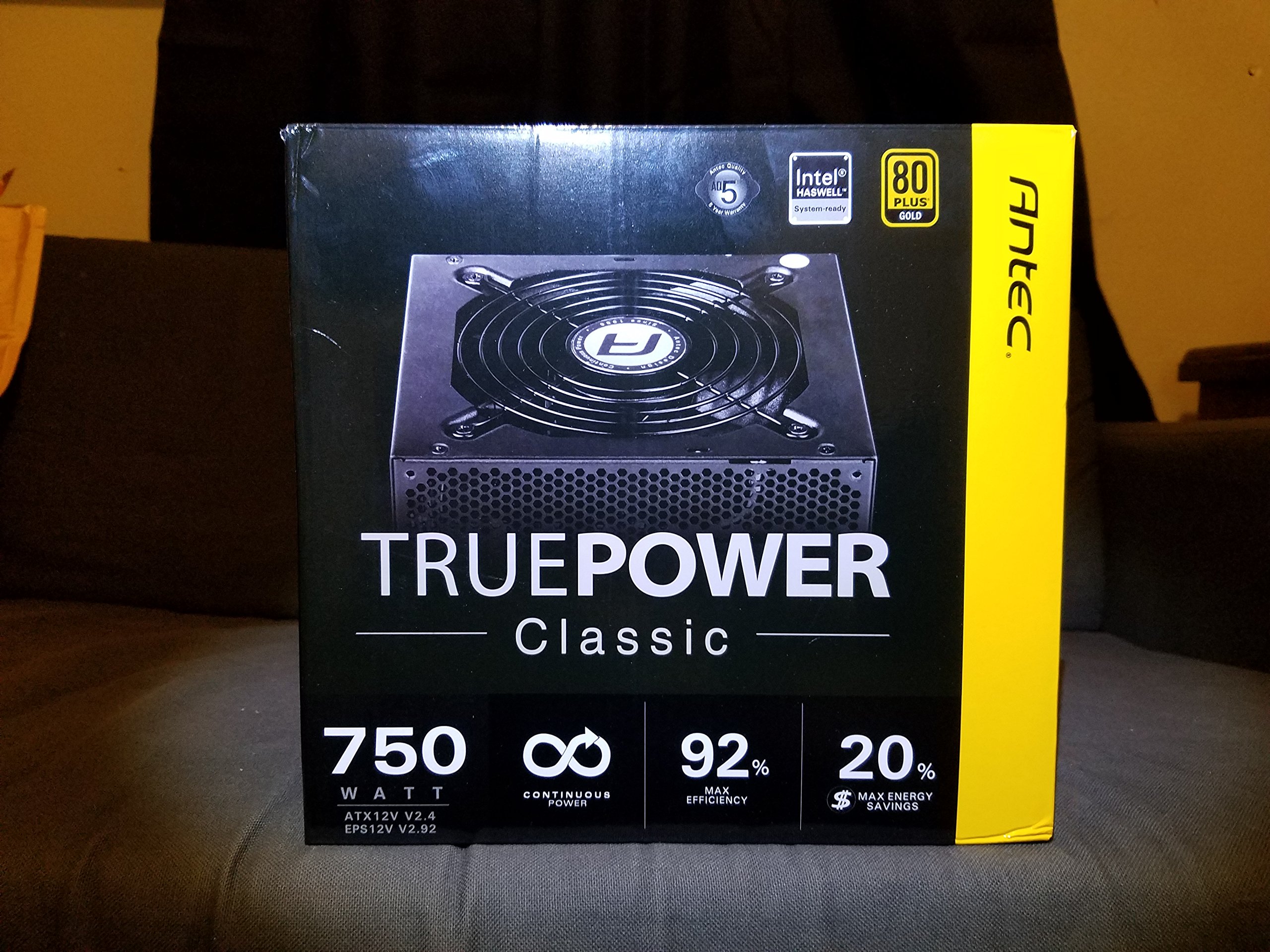
Image 1: Contents of the Antec TruePower Classic TP-750C package. The image displays the power supply unit, various power cables (including a main AC power cable), and user documentation neatly packed within a cardboard box.
- Antec TruePower Classic TP-750C Power Supply Unit
- Modular Cable Set (PCI-E, SATA, Molex, etc.)
- AC quvvat simi
- O'rnatish vintlari
- Foydalanuvchi qo'llanmasi / Hujjatlar
4. O'rnatish va o'rnatish
Follow these steps to properly install your power supply into your computer chassis.
- Shassini tayyorlang: Ensure your computer chassis is powered off and disconnected from all power sources. Open the side panel of your computer case.
- Quvvat manbaini o'rnatish: Carefully slide the Antec TP-750C power supply into the designated power supply bay in your chassis. Align the screw holes on the power supply with those on the chassis. Secure the power supply using the provided mounting screws.
- Anakart quvvatini ulang: Connect the 24-pin ATX main power connector from the power supply to the corresponding port on your motherboard. Ensure it clicks into place.
- CPU quvvatini ulang: Connect the 4+4-pin (or 8-pin) EPS12V CPU power connector to the CPU power socket on your motherboard.
- Connect Graphics Card Power (PCI-E): If your graphics card requires external power, connect the appropriate 6+2-pin PCI-E power cables from the power supply to your graphics card.
- Connect Peripheral Power (SATA/Molex): Connect SATA power cables to your storage drives (SSDs, HDDs) and optical drives. Use Molex connectors for other peripherals as needed.
- Kabelni boshqarish: Route cables neatly to improve airflow and aesthetics within your chassis.
- Yakuniy tekshiruvlar: Double-check all connections to ensure they are secure. Close the chassis side panel.
- AC quvvatini ulang: AC quvvat simini quvvat manbaiga, keyin esa devordagi rozetkaga yoki kuchlanishdan himoya qiluvchiga ulang.
5. Foydalanish bo'yicha ko'rsatmalar
The Antec TP-750C power supply operates automatically once correctly installed and connected to an AC power source. It provides stable DC power to all connected components.
- Yoqilgan: After connecting the AC power cord, flip the power switch on the back of the power supply to the "ON" (I) position.
- Tizimni yuklash: Press the power button on your computer chassis to start your system.
- O'chirish: Shut down your computer through the operating system. For complete power disconnection, flip the power switch on the power supply to the "OFF" (O) position and unplug the AC power cord.
6. Xizmat ko'rsatish
To'g'ri parvarishlash elektr ta'minotining uzoq umr va optimal ishlashini ta'minlaydi.
- Changni tozalash: Periodically clean dust from the power supply's fan and ventilation grilles using compressed air. Ensure the power supply is disconnected from AC power before cleaning.
- Ventilyatsiya: Ensure adequate airflow around the power supply. Do not block the intake or exhaust vents.
- Kabelning yaxlitligi: Regularly check power cables for any signs of damage or fraying. Replace damaged cables immediately.
- Ishlash muhiti: Operate the power supply within recommended temperature and humidity ranges.
7. Muammolarni bartaraf qilish; nosozliklarni TUZATISH
If you encounter issues with your power supply, refer to the following common problems and solutions.
| Muammo | Mumkin sabab | Yechim |
|---|---|---|
| Tizim yoqilmaydi. | AC power cord not connected, power switch off, loose internal connections, faulty components. |
|
| Tizim yoqiladi, lekin darhol o'chadi. | Haddan tashqari yuklanish, qizib ketish, qisqa tutashuv, nosoz komponent. |
|
| Unusual noise from the power supply. | Fan obstruction, faulty fan bearing, coil whine. |
|
If troubleshooting steps do not resolve the issue, contact Antec customer support for further assistance.
8. Texnik shartlar
| Model nomi | TruePower Classic TP-750C |
| Brend | Antec |
| Wattage | 750 vatt |
| 80 PLUS sertifikati | Oltin |
| Form faktor | ATX |
| Ulagich turi | ATX |
| Minimal kirish hajmitage | 100 volt |
| Mos qurilmalar | Shaxsiy kompyuter |
| Element og'irligi | 6.24 funt (2.83 kg) |
| Paket o'lchamlari | 9.7 x 9 x 5.5 dyuym (24.6 x 22.9 x 14 sm) |
| ASIN | B00JOFALL0 |
| UPC | 132018316306 |
9. Kafolat va qo'llab-quvvatlash
The Antec TruePower Classic TP-750C Power Supply comes with a 3 yillik ishlab chiqaruvchi kafolati. Ushbu kafolat odatdagi foydalanish sharoitida materiallar va mahoratdagi nuqsonlarni qoplaydi.
For technical support, warranty claims, or further inquiries, please visit the official Antec websaytga yoki mijozlarga xizmat ko'rsatish bo'limiga murojaat qiling. Kafolatni tekshirish uchun xaridni tasdiqlovchi hujjatni saqlang.
Please note: Opening the power supply casing kafolatni bekor qiladi.


