Kirish
This user manual provides essential information for setting up, operating, maintaining, and troubleshooting your Vibox Standard 3XL Gaming PC. Please read this manual thoroughly before using your computer to ensure proper function and longevity of the product. Keep this manual for future reference.
Xavfsizlik ma'lumotlari
- Kompyuterning yetarli shamollatiladigan barqaror, tekis yuzaga qo'yilganligiga ishonch hosil qiling.
- Do not block ventilation openings. Overheating can damage components.
- Kompyuterni to'g'ridan-to'g'ri quyosh nuri, issiqlik manbalari va suyuqliklardan uzoqroq tuting.
- Use only the power supply unit provided with the PC.
- Tozalash yoki texnik xizmat ko'rsatishdan oldin elektr kabelini ajratib oling.
- Do not open the PC casing unless instructed by a qualified technician.
- Avoid placing heavy objects on the PC or its cables.
Paket tarkibi
Paketingizda quyida sanab o'tilgan barcha narsalar mavjudligiga ishonch hosil qiling:
- Vibox Standard 3XL Gaming PC Tower
- 21.5-inch LED HD Monitor
- UK QWERTY Gamer Keyboard
- Geymer sichqonchasi
- Quvvat kabel(lar)i
- HDMI kabeli
- Windows 10 Operating System Disk/License Key
- Foydalanuvchi uchun qo'llanma (ushbu hujjat)
O'rnatish uchun qo'llanma
1. Paketni ochish va joylashtirish
Carefully remove all components from their packaging. Place the PC tower on a flat, stable surface, ensuring sufficient space around it for airflow. Avoid placing it in enclosed cabinets.

1-rasm: Old view of the Vibox Standard 3XL Gaming PC tower, showcasing its design and blue LED accents.
2. Periferik qurilmalarni ulash
- Monitor: Connect the HDMI cable from your monitor to the HDMI port on the back of the PC.
- Klaviatura va sichqoncha: Connect the USB cables from your keyboard and mouse to any available USB ports on the back or front of the PC.
- Quvvat: Connect the power cable to the power supply unit on the back of the PC, then plug the other end into a wall outlet. Connect the monitor's power cable to an outlet as well.
- Tarmoq (ixtiyoriy): For a wired internet connection, connect an Ethernet cable from your router to the Ethernet port on the back of the PC. For Wi-Fi, ensure the Wi-Fi antenna (if provided) is connected.

2-rasm: Yuqoridan pastga view of the PC, illustrating the location of top-mounted USB ports and ventilation.
3. Dastlabki yoqish va Windows sozlamalari
- Press the power button on the front of the PC tower.
- Monitoringizni yoqing.
- Follow the on-screen instructions to complete the Windows 10 setup process. This typically involves selecting your region, language, creating a user account, and accepting terms.
- Once Windows 10 is set up, you may need to install drivers for any additional peripherals or update existing drivers.
Foydalanish bo'yicha ko'rsatmalar
Yoqish/o'chirish
- Yoqish uchun: Kompyuterning old qismidagi quvvat tugmasini bosing.
- O'chirish uchun: Click the Start button in Windows 10, then select Power > Shut down. Do not force shut down by holding the power button unless absolutely necessary to prevent data loss.
- Qayta boshlash uchun: Boshlash tugmasini bosing, so'ngra Quvvat > Qayta ishga tushirish-ni tanlang.
USB qurilmalarini ulash
Your PC is equipped with multiple USB 2.0 and USB 3.0 ports. USB 3.0 ports are typically blue and offer faster data transfer speeds. Simply plug your USB device into an available port.
Karta o'quvchidan foydalanish
The integrated card reader supports various memory card formats. Insert your memory card into the appropriate slot on the PC. The card will appear as a removable drive in 'This PC' (or 'My Computer').
Xizmat
Tozalash
- Tashqi: Yumshoqdan foydalaning, damp cloth to wipe the exterior of the PC. Avoid abrasive cleaners or solvents.
- Ventilyatsiya: Periodically use compressed air to clear dust from the ventilation grilles to ensure optimal airflow and prevent overheating. Ensure the PC is powered off and unplugged before doing so.
- Monitor: Use a specialized screen cleaner and a microfiber cloth for the monitor display.
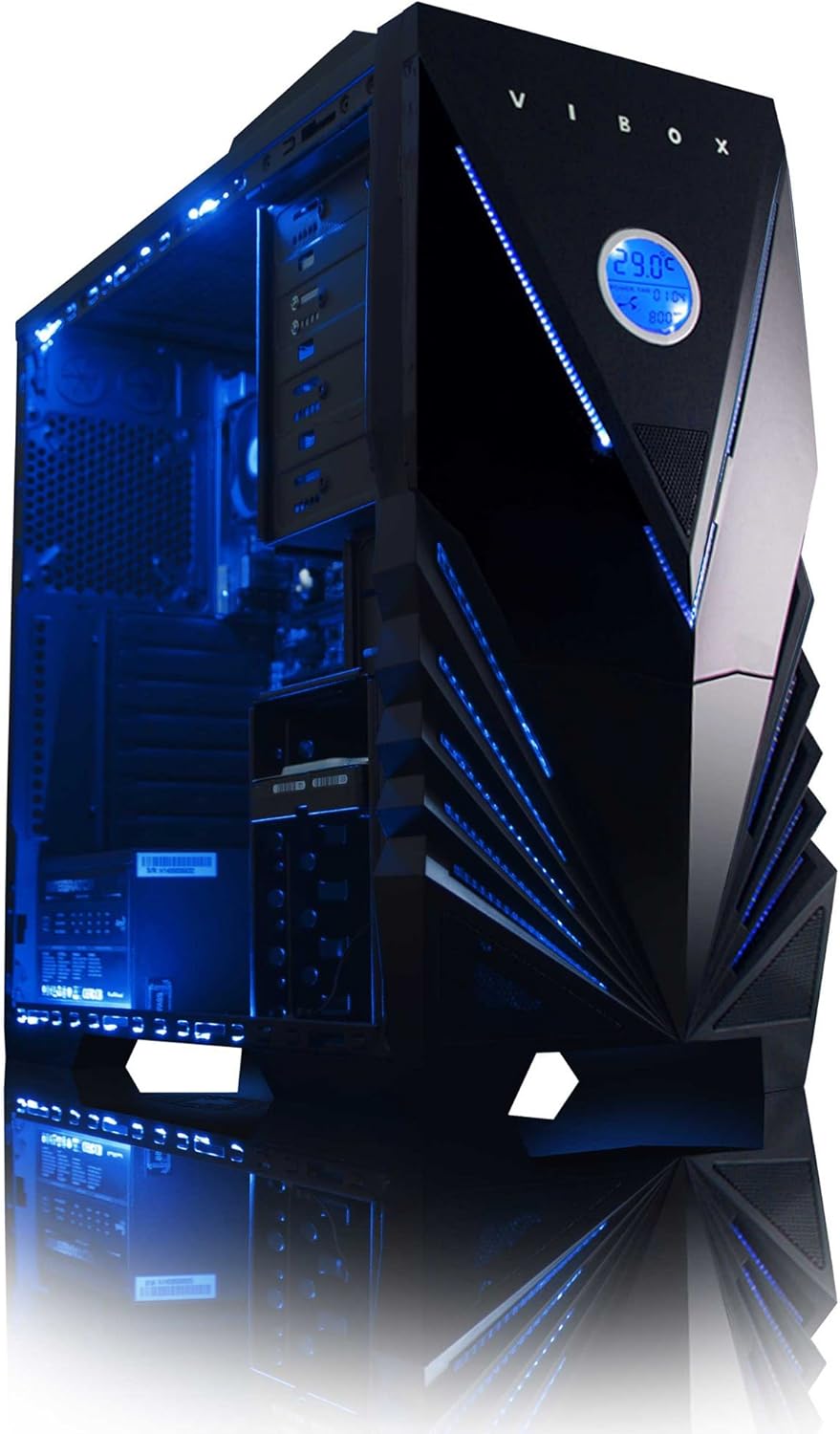
3-rasm: Ichki view of the Vibox Standard 3XL Gaming PC, highlighting the arrangement of components and cooling system.
Dasturiy ta'minot yangilanishlari
Regularly update your Windows operating system, drivers, and antivirus software to ensure system stability, security, and optimal performance.
Ma'lumotlarni zaxiralash
Tizim ishlamay qolganda ma'lumotlar yo'qolishining oldini olish uchun muhim ma'lumotlarni tashqi disk yoki bulutli xotiraga muntazam ravishda zaxiralash tavsiya etiladi.
Muammolarni bartaraf qilish; nosozliklarni TUZATISH
| Muammo | Mumkin sabab | Yechim |
|---|---|---|
| Kompyuter yoqilmaydi. | Power cable loose, power supply issue, power button malfunction. | Check all power connections. Ensure the wall outlet is functional. Try a different power cable if available. |
| Monitorda displey yo'q. | Monitor not powered, video cable loose, incorrect input selected on monitor. | Ensure monitor is powered on and connected. Check video cable connections. Select correct input source on monitor (e.g., HDMI). |
| PC is running slow. | Too many programs running, insufficient RAM, hard drive full, malware. | Close unnecessary applications. Check disk space. Run antivirus scans. Consider upgrading RAM if consistently slow. |
| Peripherals (keyboard/mouse) not responding. | Loose USB connection, driver issue. | Reconnect the peripheral to a different USB port. Restart the PC. Check device manager for driver issues. |
If you encounter issues not covered here or require further assistance, please refer to the Support section.
Texnik xususiyatlari
| Xususiyat | Tafsilot |
|---|---|
| Brend | Vibox |
| Model raqami | VBX-PC-6450 |
| Seriya | VIBOX Standard |
| Operatsion tizim | Windows 10 |
| Protsessor brendi | AMD |
| Protsessor turi | Athlon 64 FX (AMD A8 Quad-Core) |
| Protsessor tezligi | 3.1 gigagertsli (3.8 gigagertsli turbo) |
| Yadrolar soni | 4 |
| Ram | 32 GB DDR3 1600 MGts |
| Qo'llab-quvvatlanadigan maksimal xotira | 32 GB |
| Qattiq disk hajmi | 2000 GB (2 TB) |
| Qattiq disk texnologiyasi | HDD (7200 RPM, Serial ATA 600) |
| Grafik chipset brendi | Radeon |
| Grafik karta tavsifi | AMD Radeon R7 (Integratsiyalashgan) |
| Displey texnologiyasi | Tegmaslik |
| Screen Size (Included Monitor) | 21.5 dyuym |
| Screen Resolution (Included Monitor) | 1920 x 1080 (1080p Full HD) |
| Aspekt nisbati | 16:9 |
| Ulanish turi | Wi-Fi (802.11bgn) |
| Bluetooth mos | Yo'q |
| HDMI portlari | 1 |
| USB 2.0 portlari | 6 |
| USB 3.0 portlari | 3 |
| Ethernet portlari | 1 |
| Maxsus xususiyatlar | Karta o'quvchi |
| Olchamlari (U x G x Y) | 51.5 x 19 x 44 sm |
| Mahsulot og'irligi | 16 Grams (PC Tower only) |
Kafolat haqida ma'lumot
Your Vibox Standard 3XL Gaming PC comes with a Umr bo'yi kafolat. This warranty covers manufacturing defects and hardware failures under normal use conditions. For specific terms and conditions, please refer to the warranty documentation included with your purchase or contact Vibox customer support.
To claim warranty service, you will typically need your proof of purchase and the product's serial number. Do not attempt to repair the product yourself, as this may void your warranty.
Mijozlarni qo‘llab-quvvatlash
For technical assistance, troubleshooting beyond this manual, or warranty inquiries, please contact Vibox customer support. You can usually find contact information (phone number, email, or support website) on the manufacturer's official websaytida yoki qadoqlash materiallarida.
When contacting support, please have your product model number (VBX-PC-6450) and serial number ready to expedite the service process.


