KEYSIGHT U1242C Portativ raqamli multimetr foydalanuvchi qo'llanmasi
Model: U1242C
1. Kirish
The KEYSIGHT U1242C is a robust and reliable handheld digital multimeter (DMM) designed for professional and industrial use. It offers high accuracy, durability, and advanced features for various electrical measurements. This manual provides essential information for the safe and efficient operation, maintenance, and troubleshooting of your U1242C DMM.
Asosiy xususiyatlarga quyidagilar kiradi:
- 50,000 counts resolution on dual display
- 0.03% basic DC voltage aniqlik
- True RMS AC measurement
- Data logging to DMM (max. 200 points) & PC with software bundle
- IP 67 certified for dust and water resistance
- Withstands up to 3-meter (10 feet) drop
- O'rnatilgan LED chiroq
2. Xavfsizlik ma'lumotlari
WARNING: Read and understand all safety instructions before operating this device. Failure to follow these instructions may result in injury or damage to the meter.
- Ushbu mahsulot faqat professional foydalanish uchun mo'ljallangan.
- Har doim mahalliy va milliy xavfsizlik qoidalariga rioya qiling.
- Do not use the meter if it appears damaged or if the insulation is compromised.
- O'lchovlarni amalga oshirishdan oldin sinov simlari yaxshi holatda va to'g'ri ulanganligiga ishonch hosil qiling.
- Hech qanday funksiya uchun maksimal kirish chegaralaridan oshib ketmang.
- Vol. bilan ishlashda ehtiyot bo'lingtag30V AC RMS, 42V tepalik yoki 60V DC dan yuqori. Bu jildtagzarba xavfini keltirib chiqaradi.
- Always turn off the circuit power and discharge all high-voltage capacitors before performing resistance, continuity, or diode tests.
- Replace the battery and fuses only with the specified type and rating.
3. Mahsulot tugadiview
3.1 Old qismi View

This image displays the front of the KEYSIGHT U1242C Digital Multimeter, showing its large orange casing, the dual display screen, the rotary dial for function selection, and the input jacks for test leads. Various buttons for functions like Max/Min, Hz, Log, Hold, and Range are visible around the display.
3.2 Yon View
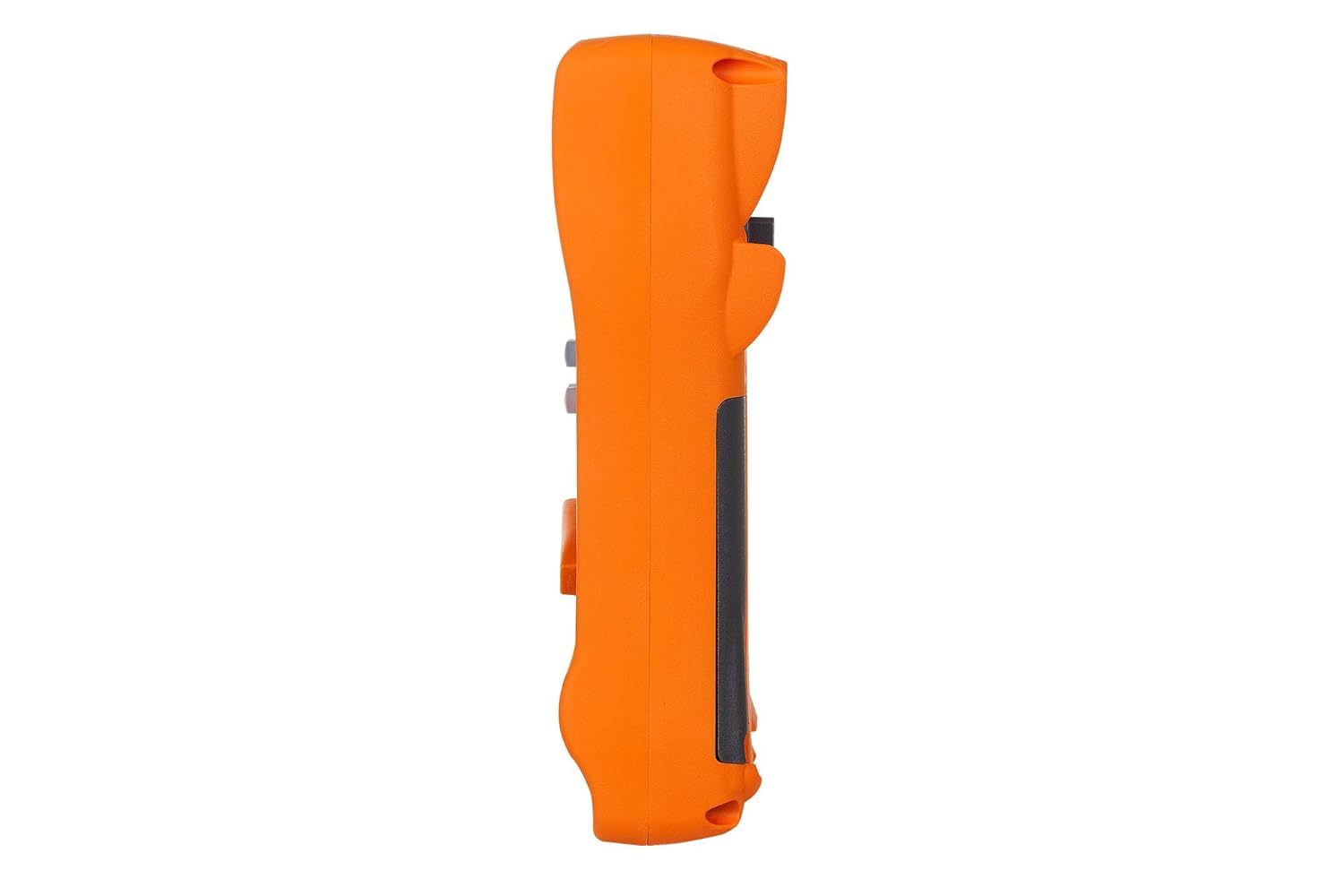
Ushbu rasmda yon prof ko'rsatilganfile of the KEYSIGHT U1242C Digital Multimeter, highlighting its ergonomic design and the textured grip on the orange casing. The side view emphasizes the compact and robust build of the device.
3.3 Orqaga View

This image presents the back of the KEYSIGHT U1242C Digital Multimeter, revealing the battery compartment cover, the kickstand for hands-free operation, and the product label with model and serial number information. The robust construction of the casing is also evident.
3.4 Boshqaruv va ulagichlar
- Displey: Large dual display for primary and secondary readings.
- Aylanadigan kalit: Selects measurement functions (Voltage, Oqim, Qarshilik va boshqalar).
- Funktsiya tugmalari: Max/Min, Hz, Log, Hold, Range, View, Shift.
- Kirish ulagichlari:
- VHz: Jildi uchun kiritishtage, qarshilik, chastota, sig'im va diod sinovlari.
- COM: Common input for all measurements.
- mAµA: Milliy uchun kirishampere va mikroamphozirgi o'lchovlar.
- 10A MAX FUSED: Input for high current measurements (up to 10A).
4. Sozlash
4.1 Batareyani o'rnatish
- Multimetr o'chirilganligiga ishonch hosil qiling.
- Hisoblagichning orqa tomonidagi batareya bo'linmasini toping.
- Batareya qopqog'ini mahkamlaydigan vintni bo'shatish uchun tornavida foydalaning.
- Batareya qopqog'ini echib oling.
- Insert the specified batteries (e.g., 4 x AAA batteries) observing the correct polarity (+/-).
- Batareya qopqog'ini joyiga qo'ying va vintni mahkam torting.
4.2 Sinov kabelining ulanishi
Always connect the test leads to the appropriate input jacks for the measurement you intend to perform. Incorrect connection can lead to damage to the meter or personal injury.
- Ko'pgina o'lchovlar uchun (jildtage, Resistance, Continuity, Diode, Capacitance, Frequency), connect the black test lead to the COM jack and the red test lead to the VHz jek.
- For current measurements (mA/µA), connect the black test lead to the COM jack and the red test lead to the mAµA jek.
- For high current measurements (up to 10A), connect the black test lead to the COM jack and the red test lead to the 10A MAX FUSED jek.
5. Foydalanish bo'yicha ko'rsatmalar
This section outlines the basic steps for performing common measurements with your U1242C DMM.
5.1 AC/DC ni o'lchash Voltage
- Aylanadigan kalitni kerakli hajmga aylantiringtage range (V~ for AC, V- for DC). The meter may have an auto-ranging feature.
- Qora sinov simini ulang COM jack and the red test lead to the VHz jek.
- Connect the test probes in parallel across the circuit or component to be measured.
- jildini o'qingtagdispleyda e qiymati.
5.2 Measuring AC/DC Current
CAUTION: Never connect the meter in parallel with a voltage source when measuring current. This can blow the fuse or damage the meter.
- Turn the rotary switch to the desired current range (A~ for AC, A- for DC, or mA/µA ranges).
- Qora sinov simini ulang COM jek.
- For mA/µA measurements, connect the red test lead to the mAµA jack. For 10A measurements, connect the red test lead to the 10A MAX FUSED jek.
- Open the circuit where current is to be measured and connect the meter in series with the circuit.
- Displeydagi joriy qiymatni o'qing.
5.3 Qarshilikni o'lchash
- Turn the rotary switch to the Ω (Ohms) range.
- Qora sinov simini ulang COM jack and the red test lead to the VHz jek.
- Qarshilikni o'lchashdan oldin kontaktlarning zanglashiga olib yoki komponentning quvvatsizlanganligiga ishonch hosil qiling.
- Sinov problarini o'lchanadigan komponent bo'ylab ulang.
- Ekrandagi qarshilik qiymatini o'qing.
5.4 Uzluksizlik testi
- Aylanadigan kalitni uzluksizlik belgisiga (karnay belgisi) aylantiring.
- Qora sinov simini ulang COM jack and the red test lead to the VHz jek.
- Zanjirning quvvatsizlanganligiga ishonch hosil qiling.
- Sinov problarini sxema yoki komponent bo'ylab ulang.
- The meter will beep if continuity is detected (resistance below a certain threshold).
5.5 Ma'lumotlarni ro'yxatga olish
The U1242C supports data logging. Refer to the detailed user manual for specific instructions on activating and managing data logging functions, including connecting to a PC with the software bundle for extended logging capabilities.
6. Xizmat ko'rsatish
6.1 Tozalash
Meterning c ni artib olingasing reklama bilanamp mato va yumshoq yuvish vositasidan foydalaning. Abraziv yoki erituvchilardan foydalanmang. Ishlatishdan oldin o'lchagich to'liq quruqligiga ishonch hosil qiling.
6.2 Batareyani almashtirish
When the battery indicator appears on the display, replace the batteries as described in Section 4.1. Prompt battery replacement ensures accurate readings and proper operation.
6.3 Sigortani almashtirish
WARNING: Always replace blown fuses with fuses of the exact same type and rating to maintain safety and performance.
- Multimetr o'chirilganligiga va barcha sinov simlari uzilganligiga ishonch hosil qiling.
- Batareya bo'linmasini 4.1-bo'limda tasvirlanganidek oching.
- Locate the fuse(s) inside the compartment.
- Gently remove the blown fuse.
- Insert a new fuse of the correct rating (e.g., 10A/1000V for the 10A input).
- Batareya qopqog'ini joyiga qo'ying va vintni mahkam torting.
6.4 Kalibrlash
The U1242C is factory calibrated. For continued accuracy, periodic calibration by a qualified service center is recommended. Refer to KEYSIGHT's official support channels for calibration services.
7. Muammolarni bartaraf qilish; nosozliklarni TUZATISH
| Muammo | Mumkin sabab | Yechim |
|---|---|---|
| Meter does not turn on | O'lik yoki noto'g'ri o'rnatilgan batareyalar | Batareyalarni almashtiring, polaritni tekshiring |
| O'qish yoki "OL" (ortiqcha yuklanish) ko'rsatilmaydi | Incorrect function selected; Open circuit; Input exceeds range | Select correct function; Check circuit continuity; Select higher range or auto-range |
| Noto'g'ri o'qishlar | Low battery; Dirty test leads; Environmental interference; Needs calibration | Replace battery; Clean leads; Move away from interference; Consider calibration |
| Joriy o'lchov ishlamayapti | Blown fuse; Incorrect lead connection; Meter not in series | Check/replace fuse; Verify lead connection; Ensure meter is in series with circuit |
8. Texnik shartlar
| Xususiyat | Spetsifikatsiya |
|---|---|
| Model raqami | U1242C |
| Hisoblarni ko'rsatish | 50,000 |
| Asosiy DC Voltage Aniqlik | 0.03% |
| AC o'lchovi | Haqiqiy RMS |
| Kirish himoyasi (IP) reytingi | IP 67 |
| Tushishdan himoya qilish | 3 metrgacha (10 fut) |
| Quvvat manbai | Batareyadan quvvatlanadi |
| Element og'irligi | 1 Pound (16 ounces) |
| Ishlab chiqaruvchi | KEYSIGHT |
| Birinchi mavjud sana | 22 yil 2018 may |
9. Kafolat va qo'llab-quvvatlash
9.1 Huquqiy rad etish
Keysight Technologies products are classified as industrial monitoring and control equipment designed exclusively for professional or industrial use and related training programs. Keysight products are designed and certified to meet national industrial safety standards (such as Electrical Equipment for Measurement, Control and Laboratory Use) where products are sold solely for use by trained professionals. Keysight products are not intended for consumer use in a residential setting and may not meet consumer level standards for EMC and other regulated radiated emissions. Keysight products are intended for use in the country where the product was originally sold.
9.2 Texnik yordam
For technical assistance, service, or warranty claims, please contact KEYSIGHT customer support through their official website or authorized service centers. Provide your product model number (U1242C) and serial number when seeking support.


