Kirish
Thank you for choosing the EXTEL DiBi More Universal Wireless Doorbell Extension. This device is designed to enhance your home's accessibility by extending the reach of your existing doorbell or intercom system. With its wireless capabilities and long range, you can ensure you are always aware of visitors, no matter where you are in your home or garden.
This manual provides detailed instructions for setting up, operating, and maintaining your EXTEL DiBi More system. Please read it carefully before use to ensure proper functionality and to maximize the lifespan of your product.
Mahsulot tugadiview

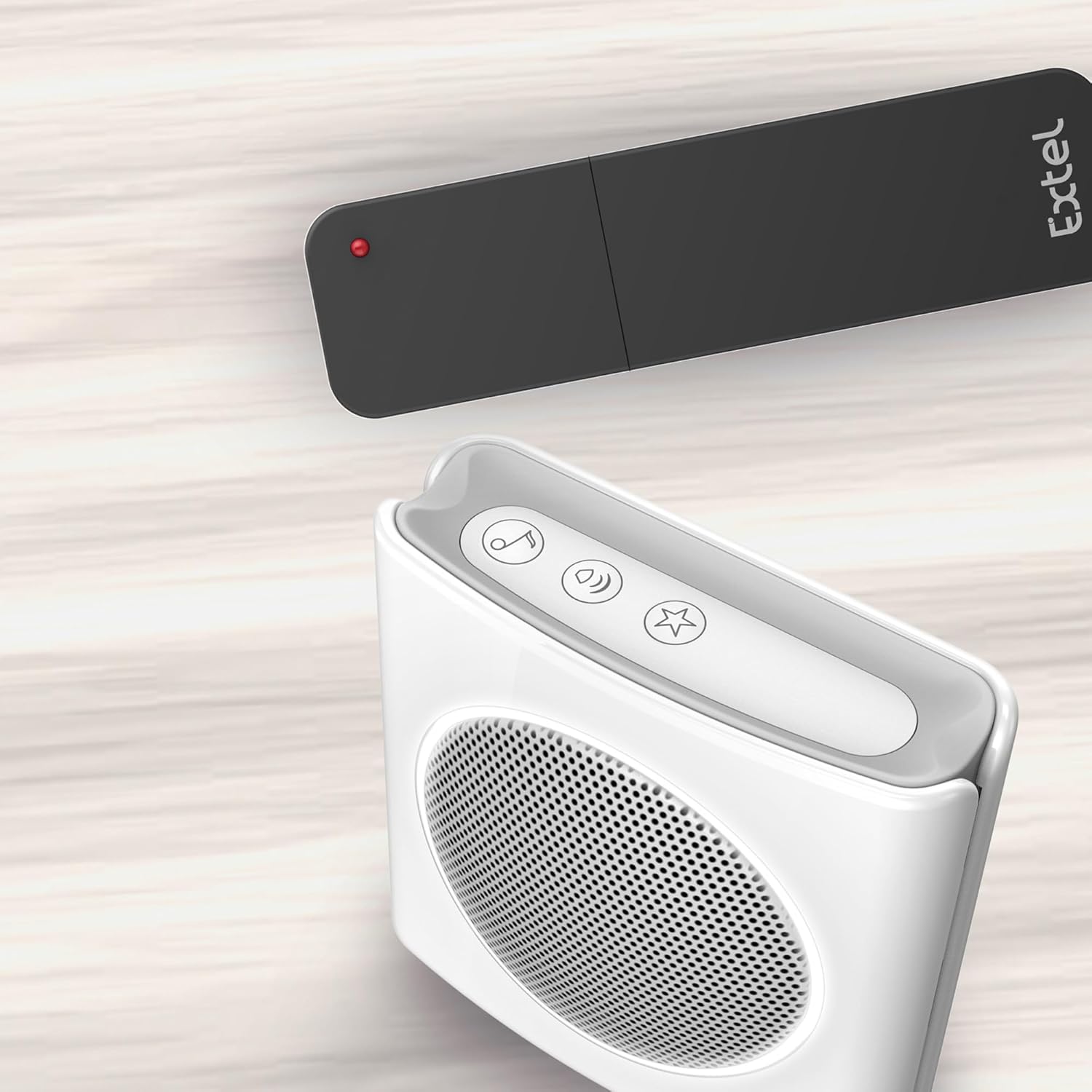
Figure 1: The EXTEL DiBi More system, showing the white chime unit and the black universal transmitter.
The EXTEL DiBi More system consists of two main components:
- Chime Unit (Receiver): This is the white unit that produces the sound and flash alerts. It can be wall-mounted or placed on a table.
- Universal Transmitter (Sensor): This is the black unit that detects the sound of your existing doorbell or intercom and sends a signal to the chime unit. It is designed for wall mounting.
Asosiy xususiyatlar
- Universal doorbell extension with a range of up to 200 meters in open field.
- Compatible with various intercom and doorbell systems.
- Low battery alert function for both chime and transmitter.
- Silent mode with visual flash notification.
- Adjustable volume and choice of 6 ringtones.
- Customizable ringtones for different stations to differentiate entry points.
- Expandable platform supporting up to 4 chimes and 4 transmitters.
Paket tarkibi
Iltimos, paketda barcha narsalar mavjudligiga ishonch hosil qiling:
- 1 x Flash Chime Unit (Receiver)
- 1 x Universal Extension Transmitter (Sensor)
- Foydalanuvchi uchun qo'llanma (ushbu hujjat)
Eslatma: Batareyalar kiritilmagan va ularni alohida sotib olish kerak.
Sozlash; o'rnatish
1. Batareyani o'rnatish
For the Chime Unit:
- Qo'ng'iroq qurilmasining orqa tomonidagi batareya bo'linmasini toping.
- Bo'lim qopqog'ini oching.
- Kiritish 3 x AA (LR06) batareyalar, ensuring correct polarity (+/-).
- Batareya bo'limi qopqog'ini mahkam yoping.
For the Universal Transmitter:
- Transmitterning orqa tomonidagi batareya bo'linmasini toping.
- Bo'lim qopqog'ini oching.
- Kiritish 2 x AA (LR06) batareyalar, ensuring correct polarity (+/-).
- Batareya bo'limi qopqog'ini mahkam yoping.
2. Joylashtirish

2-rasm: Masalanample placement of the chime unit in a living area.
Jiringlash birligi:
- The chime unit is designed for faqat bino ichida foydalanish.
- It can be placed on a flat surface (e.g., table, shelf) or wall-mounted using appropriate screws (not supplied).
- Choose a central location within your home where the chime can be easily heard and seen.
Universal Transmitter:
- The transmitter is designed for outdoor use (IP44 rated) and should be wall-mounted.
- Mount the transmitter near your existing doorbell or intercom speaker. Ensure it is close enough to reliably detect the sound of your original doorbell.
- Optimal placement is typically within 10-30 cm of the sound source.
3. Pairing / Association
The chime and transmitter are usually pre-paired from the factory. If they do not communicate, or if you are adding additional units, follow these steps:
- On the chime unit, press and hold the Music Note button (ringtone selection) for approximately 3 seconds until the chime emits a short beep and its LED indicator starts flashing, indicating it is in pairing mode.
- Within 10 seconds, activate your existing doorbell or intercom system. The transmitter will detect the sound and send a signal.
- The chime unit will ring once to confirm successful pairing. The LED indicator will stop flashing.
- You can associate up to 4 transmitters with one chime, and up to 4 chimes with one transmitter. Repeat the process for each additional unit.
Operatsiya
3-rasm: Yuqori view of the chime unit, showing the control buttons.
1. Ovoz balandligini sozlash
- ni bosing Karnay tugmasi (volume control) on the chime unit repeatedly to cycle through the available volume levels. There are multiple levels, including a silent mode.
2. Changing Ringtone
- ni bosing Music Note button (ringtone selection) on the chime unit repeatedly to cycle through the 6 available ringtones. The chime will play a preview of each ringtone.
3. Chime Modes (Ring / Flash / Silent)
- The chime unit offers three modes: Ring (sound only), Flash (silent with visual flash), and Ring + Flash (sound and visual flash).
- To change the mode, press the Yulduzcha tugmasi (mode selection) on the chime unit repeatedly until you reach your desired mode.
4. Batareya quvvati kamligi haqida ogohlantirish
- The system features a low battery alert. When the batteries in either the chime or the transmitter are low, the chime unit will emit a flash and a beep to notify you. Replace the batteries promptly to ensure continuous operation.
5. Detection Sensitivity (Transmitter)
The transmitter has an adjustable detection sensitivity. This can help prevent false alarms from ambient noise while ensuring it picks up your doorbell's sound.
- To adjust sensitivity, open the transmitter's battery compartment.
- Locate the small potentiometer (a screw-like dial) inside the compartment.
- Use a small screwdriver to turn the potentiometer. Turning it counter-clockwise typically decreases sensitivity, while turning it clockwise increases it.
- Test the sensitivity after each adjustment by activating your main doorbell.
Xizmat
Batareyani almashtirish
When the low battery alert activates, replace the batteries in the respective unit (chime or transmitter) as soon as possible. Refer to the 'Battery Installation' section for instructions on opening the compartments and inserting new batteries.
Tozalash
Clean the units with a soft, dry cloth. Do not use abrasive cleaners, solvents, or harsh chemicals, as these can damage the plastic surfaces. Ensure no liquid enters the units, especially the chime unit which is for indoor use only.
Suvga chidamlilik
The universal transmitter is rated IP44, meaning it is protected against solid objects larger than 1mm and against splashing water from any direction. While suitable for outdoor use, avoid submerging it in water or exposing it to direct, heavy rainfall for extended periods.
Muammolarni bartaraf qilish; nosozliklarni TUZATISH
| Muammo | Mumkin sabab | Yechim |
|---|---|---|
| Chime does not ring when doorbell is activated. |
|
|
| Chime rings or flashes without doorbell activation (false alarms). |
|
|
| Qisqa batareya muddati. |
|
|
| Cheklangan diapazon. |
|
|
Texnik xususiyatlari
| Brend | EXTEL |
| Model raqami | 081748 |
| Ulanish | Simsiz |
| Max Range (Open Field) | 200 metr |
| Chastotasi | 433 MGts |
| Ringtonlar | 6 Extel ringtones |
| Ovoz darajasi | 85dB |
| Chime Modes | Ring / Flash (silent) / Ring + Flash |
| Maksimal transmitterlar | 4 |
| Maksimal qabul qiluvchilar | 4 |
| Batareya kamligi haqida ogohlantirish | Yes (flash + beep) |
| Chime Power Supply | 3 x AA (LR06) batteries (not supplied) |
| Transmitter quvvat manbai | 2 x AA (LR06) batteries (not supplied) |
| Chime Use Environment | Ichki |
| Transmitter Use Environment | Tashqi makon (IP44) |
| Chime Dimensions (H x W x D) | 90 x 90 x 35 mm |
| Transmitter Dimensions (H x W x D) | 130 x 35 x 20 mm |
| Sertifikatlar | Idoralar, RoHS, REACH |
Kafolat va qo'llab-quvvatlash
Specific warranty information for the EXTEL DiBi More is not provided in this manual. For details regarding warranty coverage, duration, and claims, please refer to the documentation included with your purchase or contact EXTEL customer support directly.
For technical assistance, troubleshooting beyond this manual, or spare parts inquiries, please visit the official EXTEL websaytga yoki mijozlarga xizmat ko'rsatish bo'limiga murojaat qiling. Aloqa ma'lumotlarini odatda mahsulot qadoqlarida yoki ishlab chiqaruvchidan topish mumkin websayt.


