1. Kirish
This manual provides essential information for the safe and efficient operation of your InFocus IN112XV Presentation Projector. The IN112XV is designed for business presentations and educational use, offering a long lamp life, high brightness, and clear image quality.
- Kengaytirilgan Lamp Hayot: Enjoy over 15,000 hours of viewing.
- Yuqori yorqinlik: 3800 lumens for clear images in various lighting conditions.
- Kontrast nisbati: 26000:1 for distinct whites and blacks.
- Moslashuvchan Viewing: Projects images from 28 inches to 300 inches diagonally.
- Ulanish: Features HDMI input and SVGA (800 x 600) resolution.
2. Paket tarkibi
Quyida sanab o'tilgan barcha narsalar paketingizga kiritilganligini tekshiring:
- InFocus IN112XV Projector
- Quvvat kabeli
- Masofadan boshqarish
- VGA kabeli
- Hujjatlar (ushbu qo'llanma va boshqa qo'llanmalar)
3. Mahsulot tugadiview
Familiarize yourself with the components and controls of your InFocus IN112XV projector.
3.1 Old qismi View
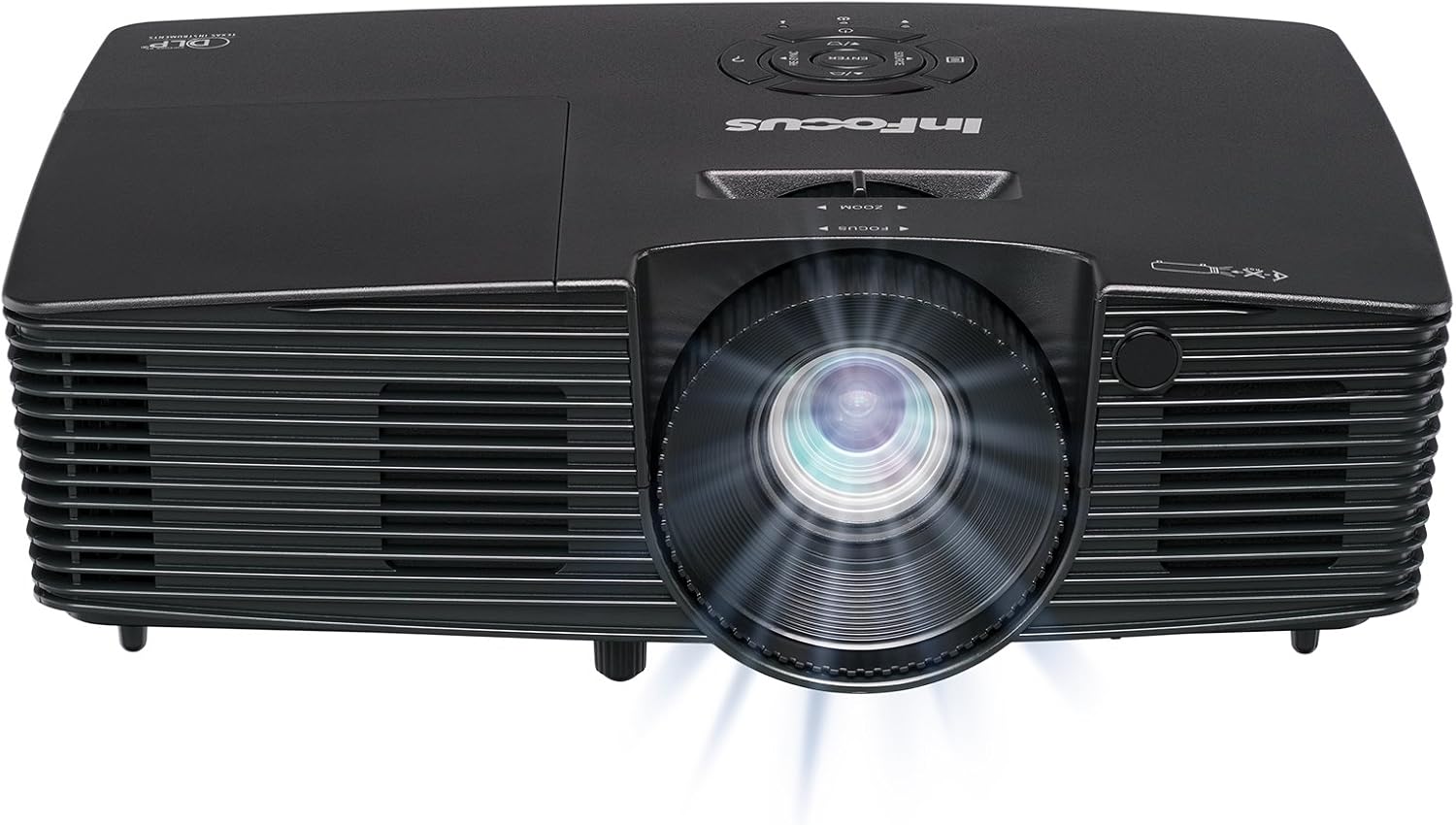
3.1-rasm: Old view of the InFocus IN112XV projector. This image highlights the main projection lens and the front ventilation grilles.
3.2 Yuqori View va Boshqaruv paneli

3.2-rasm: Yuqori view of the InFocus IN112XV projector. The control panel is visible on the right, featuring buttons for power, source selection, menu navigation, keystone adjustment, and volume. The focus and zoom adjustment rings are located around the lens.
The control panel on the top of the projector allows for basic operation without the remote. Key buttons include:
- Quvvat: Projektorni yoqadi yoki o'chiradi.
- Manba: Mavjud kirish manbalari bo'ylab aylanish.
- Menyu: Ekrandagi displey (OSD) menyusiga kiradi.
- Kiriting: OSD menyusidagi tanlovlarni tasdiqlaydi.
- O'q tugmalari: Navigate menu options and adjust settings.
- Re-Sync: Synchronizes the image.
3.3 Orqa View and Connection Ports

3.3-rasm: Orqa view of the InFocus IN112XV projector. This image displays the available connection ports, including Video In, S-Video In, Computer In (VGA), HDMI, and the power input.
The rear panel provides various ports for connecting external devices:
- Videoda: For composite video sources.
- S-Video In: For S-Video sources.
- Computer In (VGA): For connecting to computers via VGA cable.
- HDMI: For digital video and audio sources.
- Xizmat: Xizmat va texnik xizmat ko'rsatish uchun.
- Kirish quvvati: Connects the power cord to an electrical outlet.
3.4 masofadan boshqarish pulti

3.4-rasm: Remote control for the InFocus IN112XV projector. The remote provides full control over the projector's functions, including power, source selection, menu navigation, keystone correction, and volume.
The remote control offers convenient access to all projector functions. Ensure batteries are correctly installed.
4. Sozlash
4.1 Joylashtirish
Position the projector on a stable, flat surface or mount it securely. Ensure there is adequate space around the projector for ventilation.
4.2 Quvvatga ulanish
- Quvvat simini proyektorning quvvat kirish portiga ulang.
- Elektr shnurining ikkinchi uchini yerga ulangan elektr rozetkaga ulang.
4.3 Kirish manbalarini ulash
The projector supports various input sources. Choose the appropriate cable for your device:
- HDMI: Connect an HDMI cable from your source device (e.g., laptop, media player) to the projector's HDMI port.
- VGA (Kompyuterga kirish): Connect a VGA cable from your computer to the projector's Computer In port. This is a plug-and-play connection.
- Video In / S-Video In: Use composite video or S-Video cables for older video sources.
- Mobil qurilmalar: To connect an iPad or smartphone, a LightCast Key (sold separately) is required.
5. Foydalanish bo'yicha ko'rsatmalar
5.1 Quvvatni yoqish/o‘chirish
- Yoqish uchun: ni bosing Quvvat button on the projector's control panel or the remote control. The power indicator light will change.
- O'chirish uchun: ni bosing Quvvat button again. A confirmation message may appear. Press again to confirm shutdown. Allow the projector to cool down before unplugging.
5.2 Kirish manbasini tanlash
After connecting your source device, select the correct input:
- ni bosing Manba button on the projector's control panel or the remote control to cycle through available inputs (HDMI, VGA, Video, S-Video).
- Alternatively, use the dedicated input buttons (HDMI, VGA, Video) on the remote control.
5.3 Fokus va masshtabni sozlash
For a clear and appropriately sized image, adjust the lens rings:

5.1-rasm: Manual Focus Adjustment. This image illustrates the effect of adjusting the focus ring, transforming a blurry projection into a clear and sharp image.
- Fokus: ni aylantiring Diqqat ring on the projector lens until the image appears sharp and clear.
- Kattalashtirish: ni aylantiring Kattalashtirish ring on the projector lens to adjust the size of the projected image.
5.4 Asosiy toshni tuzatish
If the projected image appears trapezoidal (wider at the top or bottom), use keystone correction to square it:
- ni bosing Keystone+ or Keystone- buttons on the remote control to adjust the image geometry.
5.5 Menyu navigatsiyasi
Access the On-Screen Display (OSD) menu for advanced settings:
- ni bosing Menyu button on the remote or control panel.
- Use the arrow keys to navigate through menu options.
- bosing Kirish variantni tanlash yoki sozlamani tasdiqlash uchun bosing.
- bosing Menyu OSD dan chiqish uchun yana bosing.
6. Xizmat ko'rsatish
6.1 lamp Hayot
Proektor lamp has an estimated life of over 15,000 hours. When the lamp reaches the end of its life, the projector may display a warning message or the image brightness may significantly decrease. Refer to the full service manual for lamp replacement procedures if necessary.
6.2 Tozalash
- Proyektor Casing: Proyektorning tashqi qismini artish uchun yumshoq, quruq matodan foydalaning. Abraziv tozalagichlar yoki erituvchilardan foydalanmang.
- Ob'ektiv: Gently clean the lens with a lens cleaning cloth and specialized lens cleaning solution. Avoid touching the lens surface with your fingers.
- Ventilyatsiya teshiklari: Periodically check and clean the ventilation openings to ensure proper airflow and prevent overheating. Use a soft brush or compressed air to remove dust.
7. Muammolarni bartaraf qilish; nosozliklarni TUZATISH
Ushbu bo'lim proyektoringiz bilan duch kelishi mumkin bo'lgan umumiy muammolarni ko'rib chiqadi.
| Muammo | Mumkin sabab | Yechim |
|---|---|---|
| Hech qanday rasm ko'rsatilmagan |
|
|
| Tasvir loyqa |
|
|
| Rasm trapezoidaldir |
|
|
| Projector runs hot or smells of burning plastic |
|
|
| Audio yo'q |
|
|
Muhim eslatma: This projector is not recommended for high-definition movie viewing. While it can accept a 1080p input signal, it projects at its native SVGA (800 x 600) resolution.
8. Texnik shartlar
| Xususiyat | Tafsilot |
|---|---|
| Model raqami | IN112XV |
| Displey texnologiyasi | DLP |
| Mahalliy rezolyutsiya | SVGA (800 x 600) |
| Yorqinlik | 3800 lumen |
| Kontrast nisbati | 26000:1 |
| Lamp Hayot | 15,000 soatgacha |
| Ulanish | HDMI, VGA (Computer In), Video In, S-Video In |
| Maxsus xususiyat | 3D-tayyor |
| Tavsiya etilgan foydalanish | Business, Education |
| Mahsulot o'lchamlari | 8.8 x 12.4 x 4 dyuym |
| Element og'irligi | 5.5 funt |
9. Kafolat va qo'llab-quvvatlash
9.1 Kafolat haqida ma'lumot
The InFocus IN112XV projector is backed by a 2 yillik kafolat. Ushbu kafolat odatdagi foydalanish sharoitida materiallar va mahoratdagi nuqsonlarni qoplaydi. Iltimos, kafolat da'volari uchun sotib olinganligingizni tasdiqlovchi hujjatingizni saqlab qo'ying.
9.2 Mijozlarni qo‘llab-quvvatlash
For technical assistance, troubleshooting beyond this manual, or warranty service, please contact InFocus customer support. Contact information can typically be found on the official InFocus websaytida yoki mahsulotingizga kiritilgan hujjatlarda.


