1. Kirish
This manual provides detailed instructions for the Aluratek AUMC0302F USB Type-C Hub. This versatile 4-in-1 multiport adapter is designed to expand the connectivity of your USB-C enabled devices, offering a comprehensive solution for data transfer, video output, and peripheral connections. Please read this manual thoroughly before using the product to ensure proper operation and to maximize its capabilities.
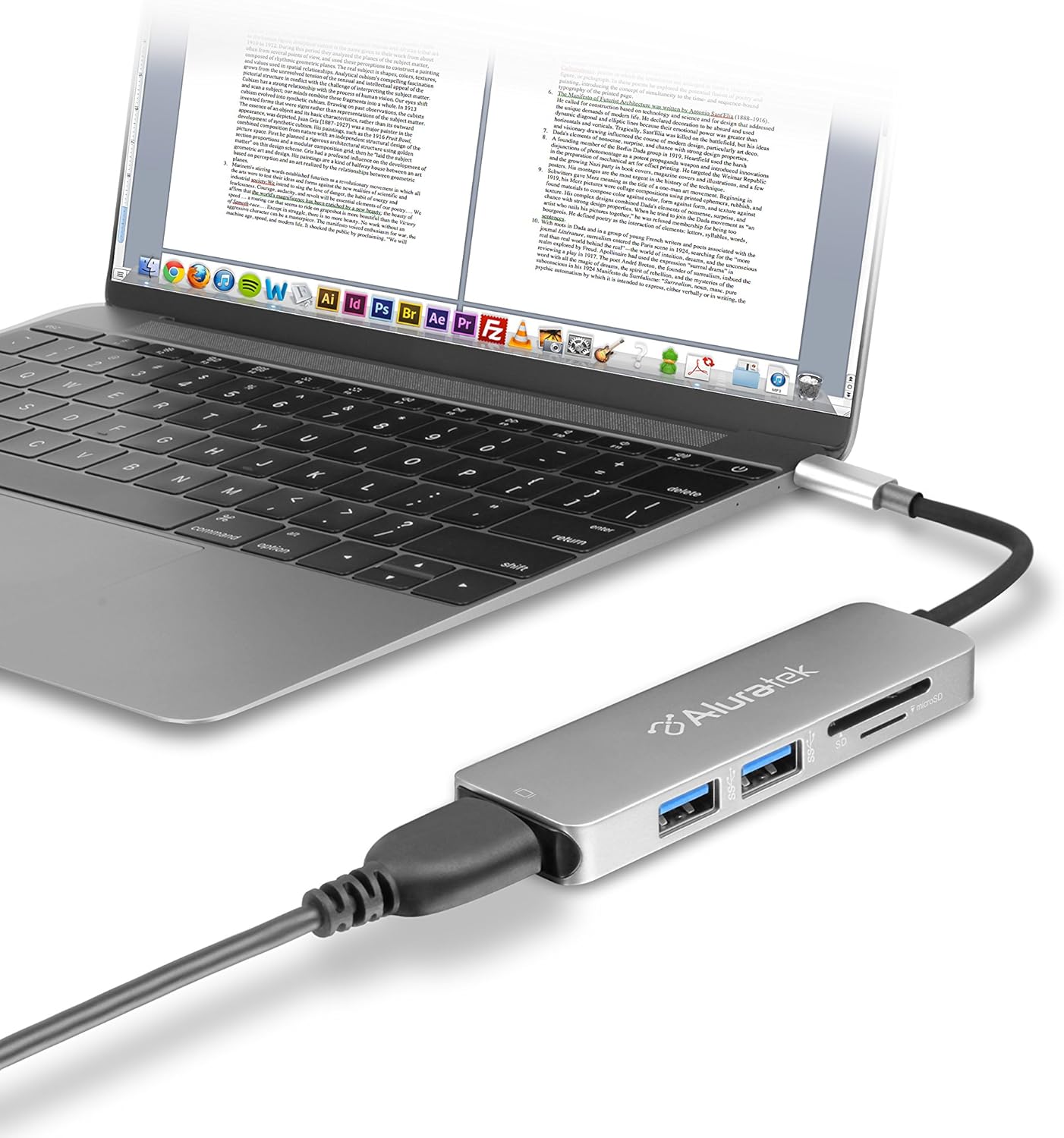
Image 1.1: The Aluratek AUMC0302F USB Type-C Hub connected to a laptop, demonstrating its use with various peripherals.
2. Xususiyatlari
- Kengaytirilgan ulanish: Expands a single USB-C port to include 4K HDMI, three USB 3.0 ports, and a Micro/SD card reader.
- Crystal-Clear HDMI Output: Supports 4K HDMI video output, allowing connection to external displays or monitors for high-definition visuals.
- Tez ma'lumotlarni uzatish: Three USB 3.0 ports provide data transfer speeds up to 5Gbps, suitable for connecting peripherals and external storage devices.
- Seamless Card Reader: Integrated SD and MicroSD card reader for quick access and transfer of files xotira kartalaridan.
- Keng qurilma mosligi: Compatible with various USB-C enabled laptops, including MacBook, Dell, HP, and Surface models.

Rasm 2.1: Batafsil view of the Aluratek AUMC0302F hub, showcasing its USB 3.0, SD, and MicroSD ports.
3. Paket tarkibi
Paketingizda barcha narsalar mavjudligiga ishonch hosil qiling:
- Aluratek USB Type-C Hub (AUMC0302F)
- Tez boshlash uchun qo'llanma
4. O'rnatish bo'yicha ko'rsatmalar
The Aluratek AUMC0302F hub is designed for plug-and-play functionality, requiring no additional drivers for most operating systems.
- Hubni ulang: Plug the USB Type-C connector of the Aluratek hub into an available USB Type-C port on your laptop or compatible device.
- Tizimni aniqlash: Your operating system should automatically detect and configure the hub. This process may take a few moments.
- Foydalanishga tayyor: Once recognized, the hub's ports are ready for connecting your peripherals and memory cards.
5. Foydalanish bo'yicha ko'rsatmalar
Utilize the various ports on your Aluratek AUMC0302F hub as follows:
5.1. Using USB 3.0 Ports
- Connect USB devices such as external hard drives, flash drives, keyboards, mice, or other USB peripherals to the three available USB 3.0 ports.
- Ushbu portlar 5 Gbit/s gacha ma'lumotlarni uzatish tezligini qo'llab-quvvatlaydi.
5.2. Using the HDMI Port
- Connect an HDMI cable from the hub's HDMI port to an external monitor, TV, or projector.
- The hub supports resolutions up to 4K (3840 x 2160) at 30Hz, providing a clear and vibrant display.
- Configure your display settings (e.g., duplicate, extend) through your computer's operating system.

Image 5.1: The Aluratek AUMC0302F hub facilitating video output from a laptop to an external display.
5.3. Using the SD and MicroSD Card Reader
- Insert your SD or MicroSD card into the corresponding slot on the hub. Ensure the card is inserted correctly with the contacts facing down.
- Your computer will recognize the card as a removable drive, allowing you to access and transfer files.
- Do not insert both an SD and a MicroSD card simultaneously if the hub only supports one at a time (check product specifications if unsure). This model supports both.
6. Muammolarni bartaraf qilish; nosozliklarni TUZATISH
If you encounter issues with your Aluratek AUMC0302F hub, please refer to the following common solutions:
- Qurilma tan olinmagan:
- Ensure the USB Type-C connector is fully inserted into your computer's port.
- Try connecting the hub to a different USB Type-C port on your computer.
- Kompyuteringizni qayta ishga tushiring.
- HDMI Display Issues:
- Verify that the HDMI cable is securely connected to both the hub and the external display.
- Check the input source on your external display to ensure it's set to the correct HDMI input.
- Kompyuteringizning grafik drayverlarini yangilang.
- Iloji bo'lsa, boshqa HDMI kabeli yoki displey bilan sinab ko'ring.
- USB qurilmalari ishlamayapti:
- Ensure the USB device is properly connected to the hub.
- Try connecting the USB device to a different port on the hub.
- If it's a high-power device, ensure your laptop's USB-C port can provide sufficient power. Some devices may require direct connection or an externally powered hub.
- SD/MicroSD Card Not Detected:
- Kartaning uyaga to'liq va to'g'ri kiritilganligiga ishonch hosil qiling.
- Test the card in another device to confirm it is functional.
- Check your computer's Disk Management (Windows) or Disk Utility (macOS) to see if the card is recognized but not assigned a drive letter.
7. Texnik shartlar
| Brend | Aluratek |
| Model raqami | AUMC0302F |
| Uskuna platformasi | Noutbuk, kompyuter |
| Operatsion tizimning muvofiqligi | Chrome OS, Windows 10, Windows 7 |
| Element og'irligi | 1 untsiya |
| Mahsulot o'lchamlari (LxWxH) | 4.5 x 1 x 0.45 dyuym |
| Rang | Kumush |
| Uskuna interfeysi | USB Type-C, HDMI, USB 3.0, SD, MicroSD |
| Maxsus xususiyat | Powered (via USB-C host connection) |
| Mos qurilmalar | Laptops with USB Type-C ports |
8. Xavfsizlik ma'lumotlari
Qurilmangizning xavfsiz ishlashini ta'minlash va uning ishlash muddatini uzaytirish uchun quyidagilarga amal qiling:
- Qurilmani suv, namlik va haddan tashqari haroratdan uzoqroq tuting.
- Qurilmani o'zingiz qismlarga ajratish yoki ta'mirlashga urinmang. Barcha xizmatlarni malakali xodimlarga topshiring.
- Qurilmani yiqilib tushmaslik yoki kuchli zarbalarga duchor qilishdan saqlaning.
- Use only with compatible USB Type-C devices.
- Disconnect the hub when not in use for extended periods.
9. Kafolat va qo'llab-quvvatlash
Aluratek products are backed by a manufacturer's warranty. For specific warranty details, please refer to the warranty card included with your product or visit the official Aluratek website. If you require technical support or have questions about your Aluratek AUMC0302F hub, please contact Aluratek customer service through their official websayt yoki mahsulot o'ramida ko'rsatilgan aloqa ma'lumotlari.
For the latest drivers, FAQs, and product registration, please visit: www.aluratek.com


