1. Kirish
This manual provides essential information for the safe and efficient operation of your SKYWORTH G2A Series 50-inch 4K UHD Smart Android TV. Please read this manual thoroughly before using the television and retain it for future reference.
2. Xavfsizlik ma'lumotlari
Elektr toki urishi, yong'in yoki shikastlanishning oldini olish uchun har doim quyidagi xavfsizlik choralariga rioya qiling:
- Televizorni yomg'ir yoki namlik ta'sirida qoldirmang.
- Televizorni ochmang casing; barcha xizmatlarni malakali xodimlarga topshiring.
- Televizor atrofida to'g'ri shamollatilishini ta'minlang.
- Keep the TV away from direct sunlight, heat sources, and open flames.
- Faqat televizor bilan birga kelgan quvvat simidan foydalaning.
- Chaqmoqli bo'ron paytida yoki uzoq vaqt foydalanilmaganda televizorni elektr tarmog'idan uzing.
3. Qutida nima bor
Barcha komponentlar mavjudligini tekshiring:
- SKYWORTH G2A Series 50-inch 4K UHD Smart Android TV
- Masofadan boshqarish
- Televizor stend (2 dona)
- Stendni biriktirish uchun vintlardek
- Quvvat kabeli
- Foydalanuvchi uchun qo'llanma (ushbu hujjat)
- 2 ta AAA batareya (masofadan boshqarish uchun)
4. Sozlash
4.1 Stendni biriktirish
- Ekran shikastlanishining oldini olish uchun televizorni ehtiyotkorlik bilan yuzini pastga qaratib yumshoq, tekis yuzaga qo'ying.
- Har bir stend qismini televizorning pastki qismidagi mos keladigan uyalar bilan tekislang.
- Taqdim etilgan vintlar yordamida stendlarni mahkamlang. Ularning qattiq mahkamlanganligiga ishonch hosil qiling.
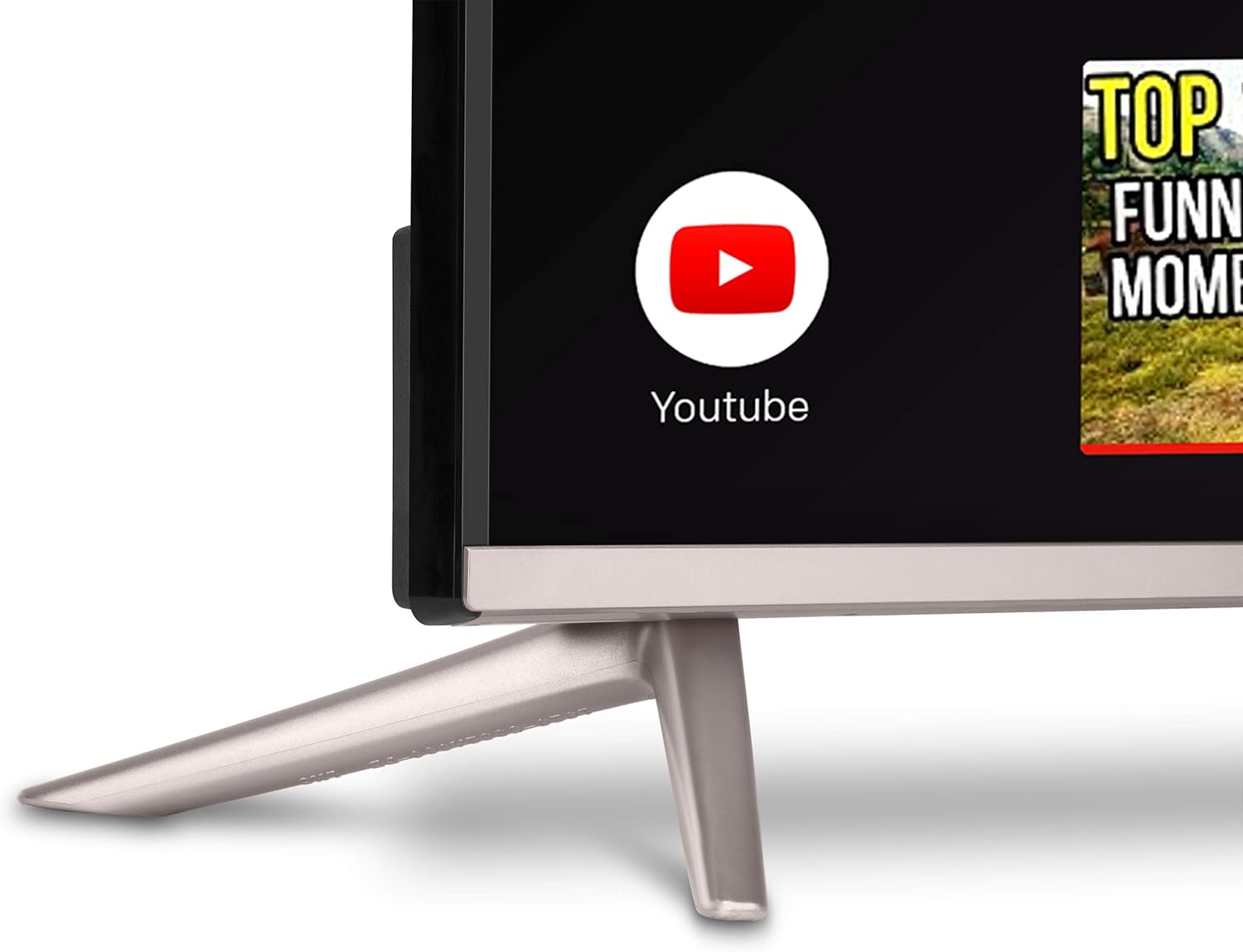
Rasm: yaqindan view of the TV stand, showing how it connects to the television unit. The stand provides stable support for the TV on a flat surface.
4.2 Devorga o'rnatish (ixtiyoriy)
If you choose to wall mount your TV, ensure you use a VESA-compatible wall mount kit (not included) that supports the TV's weight and dimensions. Follow the wall mount manufacturer's instructions carefully. Remove the TV stand before wall mounting.
4.3 Periferik qurilmalarni ulash
Televizoringiz tashqi qurilmalarni ulash uchun turli xil portlarga ega:
- HDMI portlari: Blu-ray pleyerlarini, o'yin pristavkalarini, kabel/sun'iy yo'ldosh qutilarini ulang.
- USB portlari: Media ijro etish uchun USB drayverlarni ulang.
- Ethernet porti: Simli internetga ulanish uchun.
- Antenna/Kabel kiritish: Antenna yoki kabel televideniesini ulash uchun.
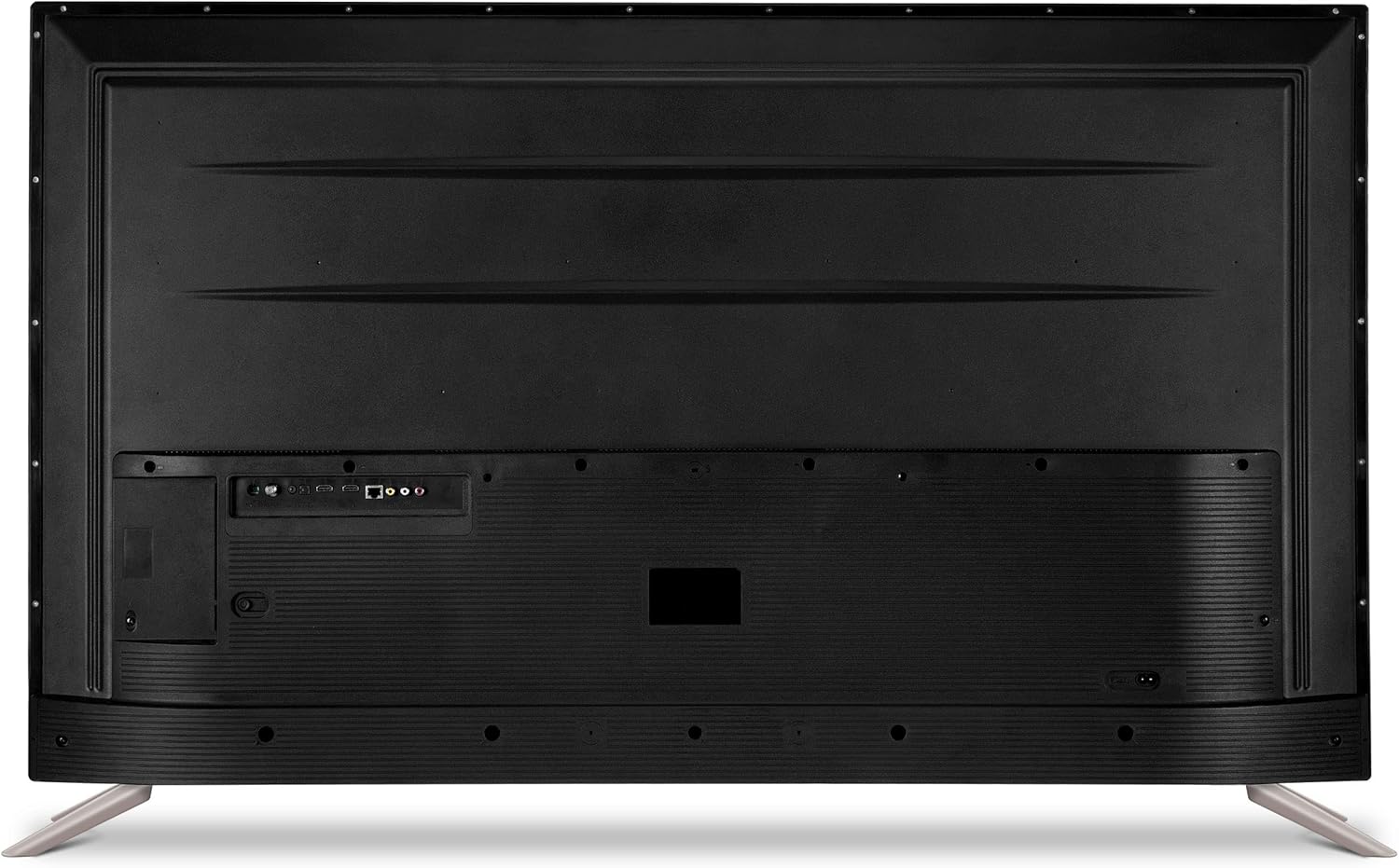
Image: The back panel of the SKYWORTH TV, displaying multiple input and output ports including HDMI, USB, and Ethernet for connecting external devices.

Rasm: Yon mutaxassisfile of the SKYWORTH TV, highlighting easily accessible ports on the side for convenient connection of devices like USB drives or additional HDMI cables.
4.4 Quvvatga ulanish
After connecting all desired peripherals, plug the power cord into the TV's power input and then into a wall outlet.
4.5 Dastlabki sozlash ustasi
Birinchi marta yoqilgandan so'ng, televizor sizni dastlabki sozlash jarayoniga yo'naltiradi. Bunga quyidagilar kiradi:
- Til tanlash.
- Tarmoqqa ulanish (Wi-Fi yoki Ethernet).
- Google Account sign-in (required for Android TV features).
- Channel scanning (for antenna/cable).
5. Televizorni ishlatish
5.1 Masofadan boshqarish pultiview
The remote control allows you to navigate the TV's features. Insert the two AAA batteries into the remote, ensuring correct polarity.

Rasm: batafsil view of the SKYWORTH TV remote control, showcasing its array of buttons for power, navigation, volume, channel selection, and dedicated app access.
5.2 Asosiy funksiyalar
- Quvvat: Televizorni yoqish yoki o'chirish uchun quvvat tugmasini bosing.
- Hajmi: Use the Volume Up/Down buttons to adjust audio levels.
- Kanallar: Use the Channel Up/Down buttons to change channels (for antenna/cable input).
- Manba: Press the Source button to select input sources (HDMI 1, HDMI 2, TV, etc.).
5.3 Android TV interfeysi
Your SKYWORTH TV runs on the Android TV operating system, providing access to a wide range of apps and services. The home screen displays recommended content, installed apps, and settings.

Image: The SKYWORTH TV screen showing the Android TV interface, featuring rows of applications like YouTube and Netflix, and content suggestions, with a search bar at the top.
5.4 Using Chromecast Built-in
The TV features Chromecast built-in, allowing you to cast content from compatible apps on your smartphone, tablet, or computer directly to the TV screen. Look for the Cast icon ▶ within apps like YouTube, Netflix, or Google Photos.
5.5 Google Assistant yordamida ovozli boshqaruv
Your remote control includes a microphone button for Google Assistant. Press the microphone button and speak your commands to search for content, control smart home devices, get answers, and more.

Image: A close-up of the SKYWORTH TV remote control, highlighting the microphone button used to activate Google Assistant for voice commands and searches.
5.6 Ilovalarga kirish
From the Android TV home screen, navigate to the 'Apps' section to view all installed applications. You can download new apps from the Google Play Store.
6. Xizmat ko'rsatish
6.1 Ekranni tozalash
Ekranni yumshoq, quruq, tuklarsiz mato bilan muloyimlik bilan artib oling. O'jar belgilar uchun engil dampMatoni suv yoki maxsus ekran tozalagich bilan arting. Hech qachon suyuqlikni to'g'ridan-to'g'ri ekranga purkamang.
6.2 Umumiy parvarish
- Keep the TV in a well-ventilated area.
- Televizor ustiga og'ir narsalarni qo'ymang.
- Shamollatish teshiklarini to'smang.
7. Muammolarni bartaraf qilish; nosozliklarni TUZATISH
Umumiy muammolar va ularning yechimlari uchun quyidagi jadvalga qarang:
| Muammo | Mumkin sabab | Yechim |
|---|---|---|
| Quvvat yo'q | Power cord disconnected; outlet issue | Ensure power cord is securely plugged in; test outlet with another device. |
| Rasm yo'q, lekin ovoz mavjud | Incorrect input source selected; external device issue | Press the Source button on the remote to select the correct input; check external device connections. |
| Ovoz yo'q, lekin rasm mavjud | Volume muted or too low; external audio system issue | Unmute volume or increase level; check connections to external audio devices. |
| Masofadan boshqarish pulti ishlamayapti | Batteries depleted or incorrectly inserted; obstruction | Replace batteries; ensure correct polarity; remove any obstructions between remote and TV. |
| Wi-Fi ulanishi bilan bog'liq muammolar | Incorrect password; router issue; signal interference | Re-enter Wi-Fi password; restart router; move TV closer to router or use wired connection. |
8. Texnik shartlar
| Xususiyat | Tafsilot |
|---|---|
| Model raqami | 50G2A |
| Ekran o'lchami | 50 dyuym |
| Displey texnologiyasi | LED |
| Rezolyutsiya | 4K (2160p) |
| Yangilanish tezligi | 60 Gts |
| Operatsion tizim | Android TV |
| Protsessor | A53 to'rt yadroli |
| Maxsus xususiyatlar | HDR, Chromecast Built-in, Google Assistant Voice Control |
| Ulanish | HDMI, USB, Wi-Fi, Ethernet |
| Element og'irligi | 32.6 funt |
| Mahsulot o'lchamlari | 50 x 6 x 31 dyuym |
9. Kafolat va qo'llab-quvvatlash
For warranty information and technical support, please refer to the warranty card included with your product or visit the official Skyworth websayt. Kafolat da'volari uchun xarid kvitansiyasini xaridni tasdiqlovchi hujjat sifatida saqlang.


