Kirish
This manual provides comprehensive instructions for the Amazon Fire 7 Tablet (2019 Release). It covers device setup, operational procedures, maintenance guidelines, troubleshooting tips, and detailed product specifications. Please read this manual thoroughly to ensure proper use and care of your device.
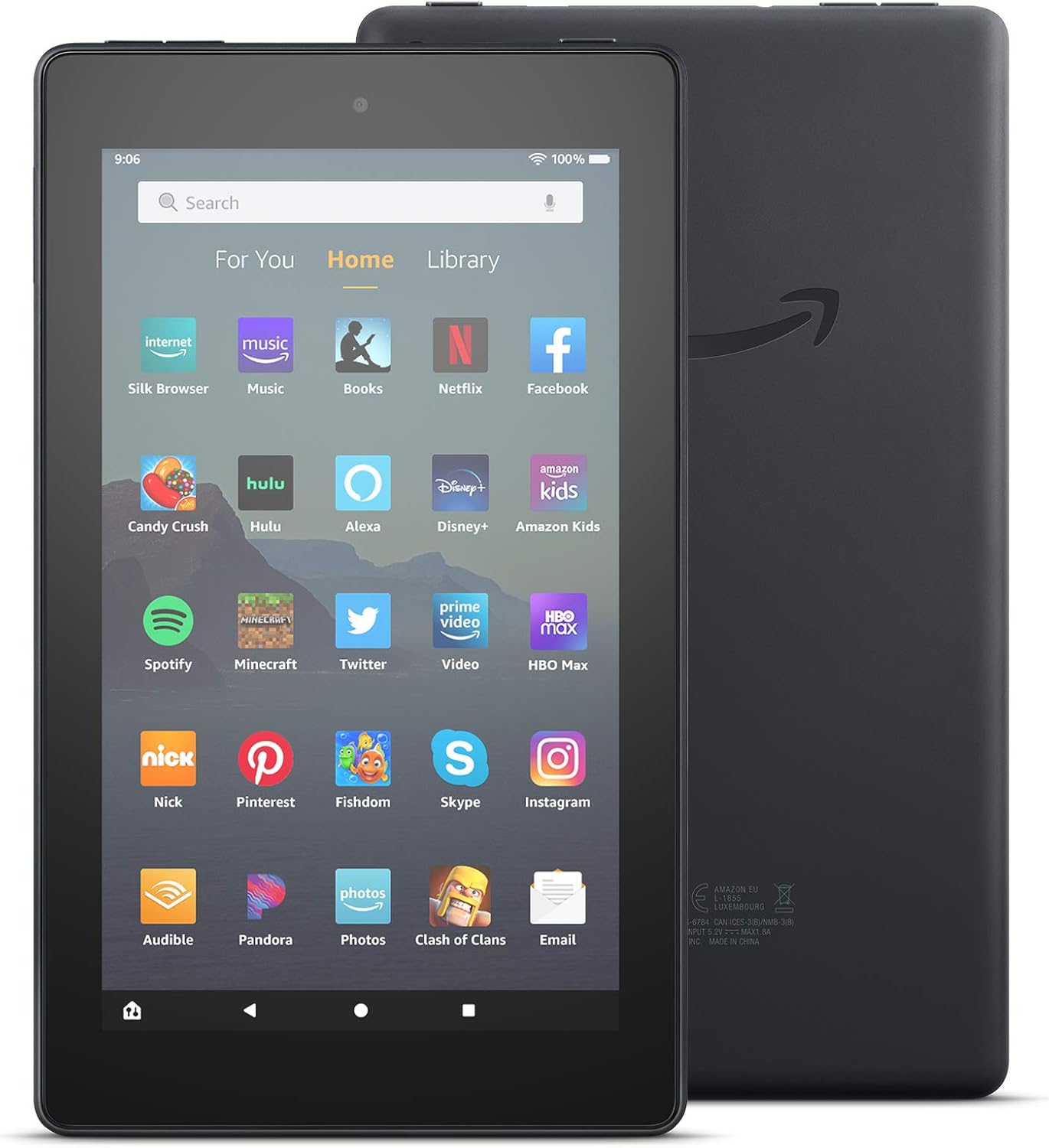
Rasm: old va orqa view of the Amazon Fire 7 Tablet (2019 Release), showcasing its design and the Amazon logo on the rear.
Qutida nima bor
Upon unboxing your Amazon Fire 7 Tablet, verify that the following items are included:
- Fire 7 tablet
- USB 2.0 cable (micro-B connector)
- 5 Vt quvvat adapteri
- Tez boshlash uchun qo'llanma
Sozlash; o'rnatish
1. Charging Your Tablet
Before initial use, fully charge your Fire 7 tablet. Connect the included USB 2.0 cable to the tablet's micro-B port and the 5W power adapter. Plug the adapter into a wall outlet. A full charge typically takes approximately 4 hours.
2. Quvvatni yoqish/o'chirish
- Yoqish uchun: Press and hold the power button located on the side of the tablet until the Amazon logo appears.
- O'chirish uchun: Press and hold the power button, then select "Power Off" from the on-screen options.
3. Initial Setup and Wi-Fi Connection
Follow the on-screen prompts to complete the initial setup. This includes selecting your language, connecting to a Wi-Fi network, and registering your device with an Amazon account. The tablet supports dual-band 802.11a/b/g/n Wi-Fi networks.
4. microSD kartani o'rnatish
To expand storage, insert a microSD card into the designated slot. The Fire 7 tablet supports up to 512 GB of additional storage. Some applications may require installation on internal storage.
Operating Your Fire 7 Tablet
Asosiy navigatsiya
The Fire 7 tablet features a 7-inch IPS touchscreen display. Navigate by tapping, swiping, and pinching gestures. The home screen provides access to your apps, content, and settings.

Image: Several Amazon Fire 7 Tablets in different colors, showcasing their home screens filled with various application icons like Netflix, Spotify, and Zoom.
Alexa-dan foydalanish
Your Fire 7 tablet includes hands-free Alexa. To activate, simply say "Alexa" followed by your command. You can also toggle Alexa on or off in the device settings.

Image: An Amazon Fire 7 Tablet playing music, with a speech bubble at the bottom indicating an Alexa voice command: "Alexa, play Shawn Mendes."
Applications and Content
Access and download applications from the Amazon Appstore. The tablet supports popular apps for streaming, social media, and productivity. Note that Google Play is not supported.
- Email and Productivity: Check email, make video calls, update shopping lists, and set reminders. Use apps like Zoom, Outlook, and OneNote.
- O'yin-kulgi: Enjoy apps like Netflix, Facebook, Hulu, Instagram, TikTok, and more.
- O'qish: Utilize the tablet for reading e-books.

Image: An Amazon Fire 7 Tablet displaying an email inbox, showing several unread messages.

Image: A person holding an Amazon Fire 7 Tablet, reading an e-book titled "Where the Crawdads Sing."
Kamera funksionalligi
The Fire 7 tablet is equipped with 2 MP front and rear-facing cameras, capable of 720p HD video recording.
Audio
The device includes an integrated speaker and a 3.5 mm stereo jack for headphones. Bluetooth is built-in, supporting A2DP compatible stereo headphones, speakers, microphones, and LE accessories.
Foydalanish imkoniyatlari
The Fire 7 tablet offers various accessibility options:
- OvozView screen reader: Provides text-to-speech or refreshable braille display access for visually impaired users.
- Screen magnifier: Allows zooming in and out, and panning around the screen.
- Sozlamalar: Includes options for Closed Captioning, Font Size, High Contrast Text, Color Inversion, Color Correction, and Convert Stereo to Mono audio.
Xizmat
Batareya quvvatini optimallashtirish
The tablet offers up to 7 hours of use for reading, web browsing, video watching, and music listening. Battery life varies based on device settings, usage patterns, and other factors. To optimize battery performance:
- Ekran yorqinligini sozlash.
- Ishlatilmagan ilovalarni yoping.
- Ishlatilmayotganda Wi-Fi yoki Bluetooth-ni o'chirib qo'ying.
Saqlash boshqaruvi
The tablet comes with 16 GB (9.4 GB available to user) or 32 GB (23.6 GB available to user) of internal storage. Utilize a microSD card for additional storage. Regularly review va keraksizlarni o'chirib tashlang files or applications to free up space.
Dasturiy ta'minot yangilanishlari
Ensure your tablet's software is up to date to benefit from the latest features and security enhancements. Updates are typically downloaded automatically when connected to Wi-Fi. You can check for updates manually in the device settings.
Muammolarni bartaraf qilish; nosozliklarni TUZATISH
If you encounter issues with your Fire 7 tablet, consider the following common solutions:
- Qurilma javob bermayapti: Qayta ishga tushirishni majburlash uchun quvvat tugmasini 20-30 soniya bosib turing.
- Wi-Fi ulanishi bilan bog'liq muammolar:
- Ensure Wi-Fi is enabled in settings.
- Wi-Fi routeringizni qayta ishga tushiring.
- Tarmoqni unuting va qayta ulaning.
- Batareyaning tezda tugashi: Refer to the "Battery Life Optimization" section. Reduce screen brightness and close background apps.
- Sekin ishlash: Clear app caches, uninstall unused apps, or restart the device.
- Apps Not Downloading/Installing: Check available storage. Ensure a stable Wi-Fi connection.
For further assistance, visit the official Amazon support website or consult the Quick Start Guide included with your device.
Texnik xususiyatlari
| Displey | 7” touchscreen, 1024 x 600 resolution at 171 ppi, SD video playback, with IPS (in-plane switching) technology and advanced polarizing filter |
| Hajmi | 7.6” x 4.5” x 0.4” (192 x 115 x 9.6 mm) |
| Og'irligi | 10.1 untsiya (286 gramm) |
| CPU va RAM | To'rt yadroli 1.3 gigagertsli, 1 GB operativ xotira |
| Saqlash | 16 GB (9.4 GB available) or 32 GB (23.6 GB available) internal storage. Expandable up to 512 GB with microSD card. |
| Batareya muddati | Up to 7 hours of reading, web browsing, video, and music playback. |
| Zaryadlash vaqti | Approximately 4 hours with included 5W power adapter. |
| Protsessor | MediaTek 8163 |
| Wi-Fi ulanishi | Single-antenna dual-band Wi-Fi (802.11a/b/g/n). Supports WEP, WPA, WPA2. Does not support ad-hoc networks or Wi-Fi 6. |
| Portlar | USB 2.0 (micro-B connector), microSD slot. |
| Audio | 3.5 mm stereo jack, integrated speaker. |
| Sensorlar | Accelerometer. |
| Kamera xususiyatlari | 2 MP front and rear-facing cameras with 720p HD video recording. |
| Joylashuv xizmatlari | Location-based services via Wi-Fi. |
| Qo'shimcha xususiyatlar | External volume controls, built-in Bluetooth (A2DP, LE support). |
| Avlod | 9th generation - 2019 release. |
Kafolat va qo'llab-quvvatlash
The Amazon Fire 7 Tablet (2019 Release) includes a 90-day Limited Warranty and service. Optional 1-Year, 2-Year, and 3-Year Extended Warranties are available for U.S. customers and are sold separately. Use of the Fire 7 tablet is subject to Amazon's Conditions of Use and associated terms.
For detailed warranty information and customer support, please refer to the official Amazon support resources.


