Kirish
The JLab Flex Sport Wireless Headphones are designed for active lifestyles, offering a secure fit, long battery life, and customizable sound. This manual provides detailed instructions for optimal use and maintenance of your headphones.

Image: JLab Flex Sport Wireless Headphones, black, shown from a three-quarter angle.
Asosiy xususiyatlar
- 20 soatlik Bluetooth ijro vaqti: Uzoq muddatli foydalanish uchun batareyaning ishlash muddati uzaytirildi.
- Qulay moslik: Moisture-wicking ear pads and adjustable tension headbands for a secure fit during workouts.
- Premium ovoz sifati: High-quality sound drivers deliver full-range audio with deep bass.
- Universal boshqaruv: Integrated microphone and controls for volume, track skipping, and call management.
- Sweat-Proof Design: Built to withstand intense workouts.
Sozlash; o'rnatish
1. Naushniklarni zaryadlash
Before first use, fully charge your JLab Flex Sport headphones. Connect the provided USB Type-C cable to the charging port on the headphones and to a USB power source.
- Charging Time: Approximately 300 hours (as per product data)
- Battery Life: Up to 20 hours of Bluetooth playtime.

Image: The JLab Flex Sport headphones highlighting their 20+ hour playtime capability.
2. Moslikni sozlash
The JLab Flex Sport headphones come with adjustable tension headbands to ensure a custom and secure fit. You can choose between a looser fit without a tension band, a normal fit, or a tight fit for rigorous activities.

Image: The JLab Flex Sport headphones disassembled to show the adjustable tension headbands and headband pad.
3. Bluetooth ulanishi
- Quloqchinlaringiz zaryadlanganligiga ishonch hosil qiling.
- Power on the headphones. They should automatically enter pairing mode (indicated by a flashing LED light, typically blue).
- Qurilmangizda (smartfon, planshet, kompyuter) Bluetooth sozlamalariga o'ting va Bluetooth-ni yoqing.
- Select "JLab Flex Sport" from the list of available devices.
- Once connected, the LED indicator on the headphones will typically turn solid blue or off, depending on the model.
For optimal sound quality, some users recommend a "burn-in" period. Connect the headphones to a PC/laptop via Bluetooth, set the volume to low to medium, and let them play for 30 minutes to 1 hour without wearing them. A total of 30-40 hours of break-in time is suggested for best results.
Foydalanish bo'yicha ko'rsatmalar
Boshqaruv
The JLab Flex Sport headphones feature universal mic and music controls, allowing you to manage audio and calls directly from the headphones.
- Oʻynatish/toʻxtatib turish: Ko'p funktsiyali tugmani bir marta bosing.
- Ovozni oshirish/pasaytirish: Maxsus ovoz balandligi tugmalaridan foydalaning.
- Keyingi trek: Ovoz balandligi tugmasini bosing va ushlab turing.
- Oldingi trek: Ovozni pasaytirish tugmasini bosing va ushlab turing.
- Qo'ng'iroqqa javob berish/tugatish: Ko'p funktsiyali tugmani bir marta bosing.
- Qo'ng'iroqni rad etish: Ko'p funksiyali tugmani bosing va ushlab turing.
- Ovozli yordamchini faollashtirish: Ko'p funktsiyali tugmani ikki marta bosing.
Custom EQ3 Sound
The headphones feature Custom EQ3 Sound settings, allowing you to adjust the audio profile to your preference. These settings are typically cycled by pressing a specific button (often the JLab logo button on the right earcup, as indicated in user reviews).
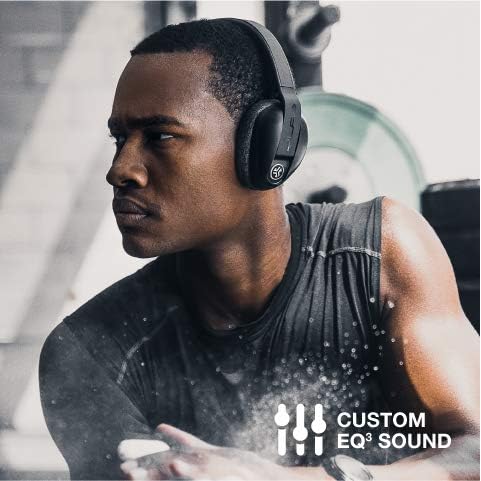
Image: A man wearing the JLab Flex Sport headphones, illustrating the Custom EQ3 Sound feature.
Be Aware Audio
The "Be Aware Audio" feature allows you to hear your surroundings while listening to music, enhancing safety during outdoor activities or when interacting with others. This feature can typically be toggled on or off via a button on the headphones (e.g., the JLab logo button).

Image: A woman stretching while wearing the JLab Flex Sport headphones, demonstrating the "Be Aware Audio" feature.
Video: tugadiview of the JLab Flex Sport Wireless Headphones, showcasing their features and use during workouts. This video highlights the adjustable fit, sound quality, and sweat-proof design.
Xizmat
Cleaning Ear Pads
The JLab Flex Sport headphones are designed with removable earcups for easy cleaning. This helps maintain hygiene and comfort, especially after intense workouts.
- Gently remove the ear pads from the headphone cups.
- Hand wash the ear pads with mild soap and water, or machine wash on a light cycle.
- Allow the ear pads to air dry completely before reattaching them to the headphones.

Image: A man working out, emphasizing the sweat-proof design of the JLab Flex Sport headphones.

Image: The JLab Flex Sport headphones highlighting their moisture-wicking properties.
Muammolarni bartaraf qilish; nosozliklarni TUZATISH
- Ovoz yo'q yoki yomon ovoz sifati:
- Ensure headphones are charged and properly paired.
- Naushniklar va ulangan qurilmangizdagi ovoz balandligini tekshiring.
- Verify that the "Be Aware Audio" feature is not inadvertently activated, as it can sometimes affect perceived sound quality.
- Consider performing the recommended "burn-in" process for optimal audio performance.
- Headphones Not Pairing:
- Qurilmangizda Bluetooth yoqilganligiga va minigarnituralar ulanish rejimida ekanligiga ishonch hosil qiling.
- Turn off and on both the headphones and your device.
- Clear previous Bluetooth connections on your device and attempt to pair again.
- Boshqaruv javob bermaydi:
- Ensure the headphones are powered on and connected to your device.
- Reboot the headphones and your connected device.
Texnik xususiyatlari
| Xususiyat | Tafsilot |
|---|---|
| Model nomi | Flex Sport |
| Model raqami | HBFLEXSPORTRBLK4 |
| Ulanish texnologiyasi | Simsiz (Bluetooth) |
| Bluetooth versiyasi | 5.0 |
| Batareya muddati | 20 soat |
| Zaryadlash vaqti | 300 Hours (as per product data) |
| Eshitish vositasi shakli | Quloq ustida |
| Suvga chidamlilik darajasi | Suvga chidamli |
| Element og'irligi | 191 gramm (6.7 untsiya) |
| Mahsulot o'lchamlari | 7.5 x 5.38 x 3.63 dyuym |
| UPC | 812887018029 |
Kafolat va qo'llab-quvvatlash
JLab offers a Ikki yillik Cheklangan Kafolat on the Flex Sport Wireless Headphones, covering manufacturing defects from the date of purchase. Additionally, a 30 kunlik pulni qaytarish kafolati is provided to ensure customer satisfaction.
For support, warranty claims, or further assistance, please visit the official JLab websayt yoki mijozlarga xizmat ko'rsatish bilan bog'laning.
Note: Warranty terms and conditions may apply. Please refer to the official JLab documentation for complete details.


