Kirish
This manual provides essential information for the installation, operation, and maintenance of your ZOTAC Gaming GeForce RTX 2080 Ti Blower graphics card. Please read this guide thoroughly before proceeding with installation to ensure proper setup and optimal performance.
Mahsulot tugadiview
The ZOTAC Gaming GeForce RTX 2080 Ti Blower is a high-performance graphics card designed for demanding gaming and professional applications. It features NVIDIA's Turing architecture, 11GB of GDDR6 memory, and a blower-style cooling solution.
- New Turing architecture for advanced graphics processing.
- 11GB 352-bit GDDR6 memory for high-bandwidth performance.
- Virtual Reality Ready for immersive experiences.
- 4K ready for ultra-high-definition gaming.
- Boost Clock 1545 MHz for enhanced speed.

Rasm: old view of the ZOTAC Gaming GeForce RTX 2080 Ti Blower graphics card, showcasing its black shroud and single blower fan.

Image: Backplate view of the ZOTAC Gaming GeForce RTX 2080 Ti Blower graphics card, featuring a metal backplate for structural rigidity and heat dissipation.
Qutida nima bor
Paketda barcha komponentlar mavjudligiga ishonch hosil qiling:
- ZOTAC GAMING GeForce RTX 2080 Ti Blower Graphics Card
- 2 x Dual 6-pin to 8-pin power cables
- User Manual (Quick Installation Guide)
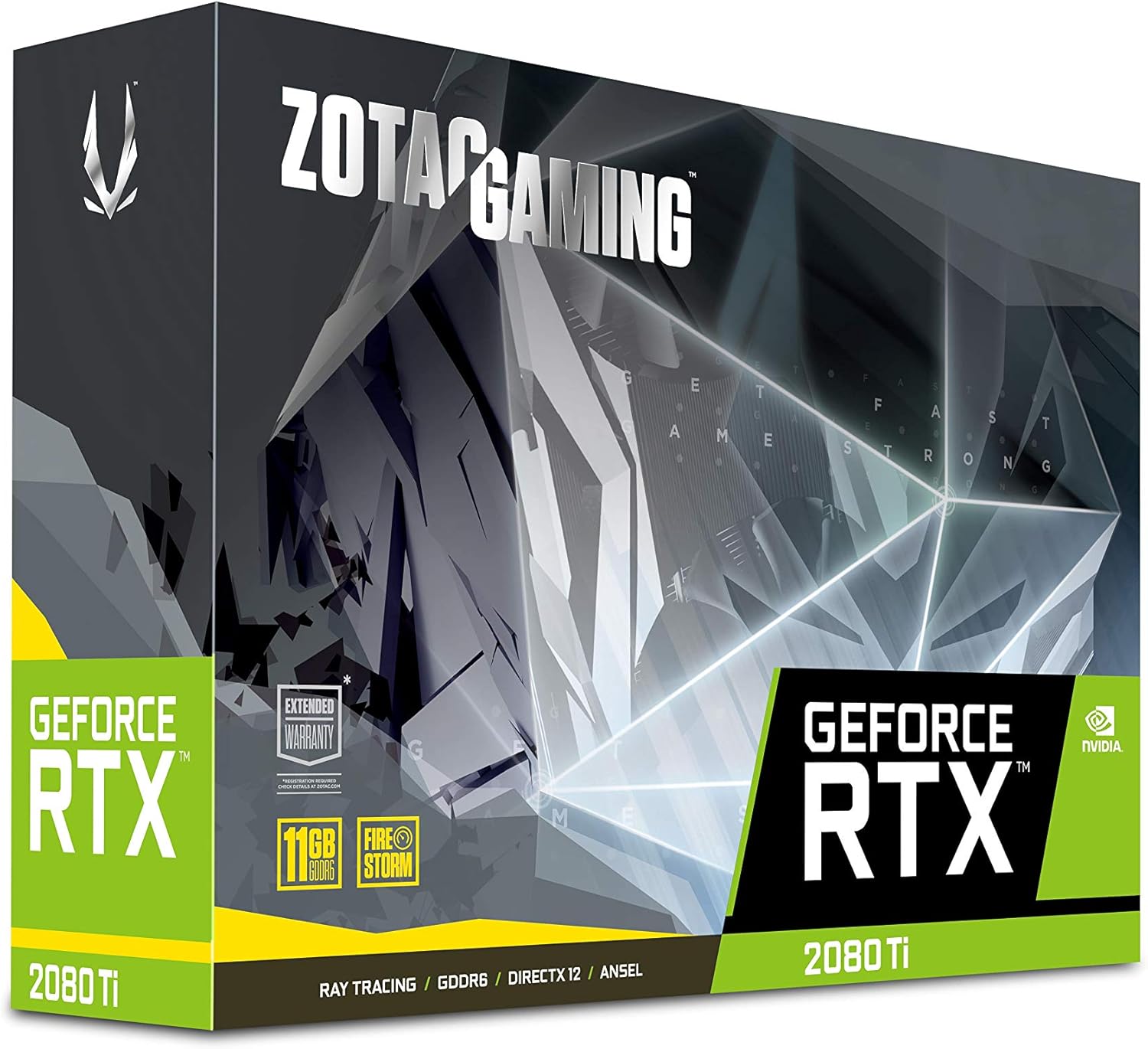
Image: The retail packaging for the ZOTAC Gaming GeForce RTX 2080 Ti Blower graphics card.

Image: The ZOTAC Quick Installation Guide, providing initial setup instructions.
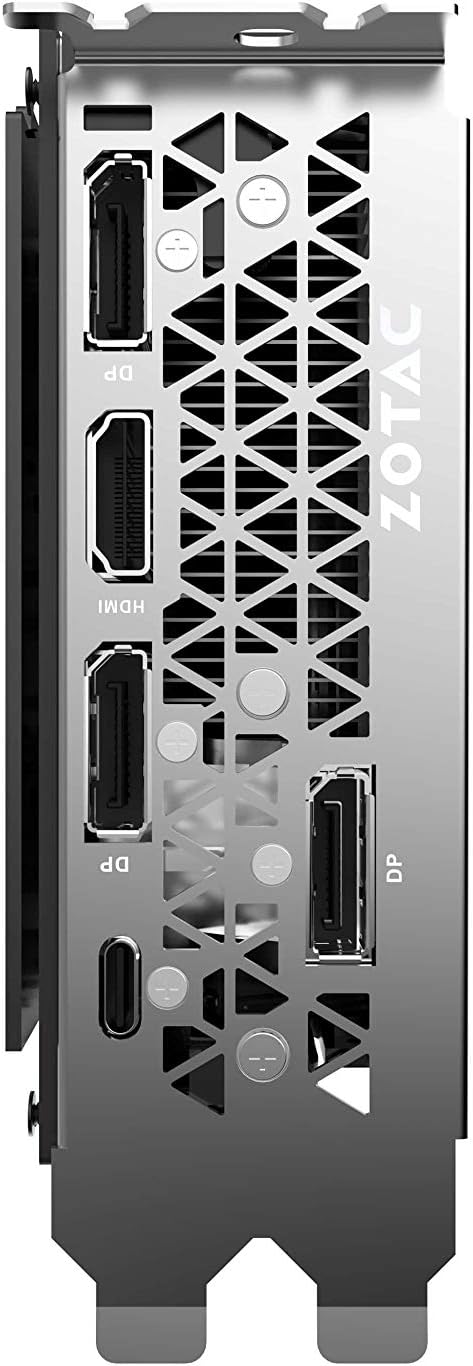
Image: The included 2 x Dual 6-pin to 8-pin power cables for connecting the graphics card to the power supply.
Oʻrnatish va oʻrnatish
Follow these steps to install your graphics card:
- Tizimingizni tayyorlang: Turn off your computer and disconnect the power cable. Open your computer case.
- PCIe slotini toping: Anakartingizda mavjud bo'lgan PCI Express 3.0 x16 uyasini aniqlang.
- Kartani o'rnating: Carefully align the graphics card with the PCIe slot and press down firmly until it is securely seated. Secure the card with the case's retention mechanism or screws.
- Quvvatni ulash: Connect the required 8-pin power connectors from your power supply to the graphics card. Use the provided 6-pin to 8-pin adapters if necessary.
- Close Case & Connect Display: Kompyuteringiz korpusini yoping, quvvat simini qayta ulang va displey simlarini grafik kartaning chiqish portlariga ulang.
- Drayvlarni o'rnatish: Power on your computer. Once the operating system loads, install the latest NVIDIA drivers from the official NVIDIA websayt.

Rasm: burchakli view of the graphics card, illustrating its form factor for installation into a PCIe slot.
Quvvat talablari
To ensure stable operation, your system must meet the following power specifications:
- Tavsiya etilgan quvvat manbai: 650-watt power supply or greater.
- Maksimal quvvat sarfi: 250 vatt.
Note: Insufficient power supply can lead to system instability or damage.
Ulanishlar
The graphics card provides multiple display output options:
- 3 x DisplayPort 1.4
- 1 x HDMI 2.0B
- 1 x USB Type-C
The card is capable of supporting quad simultaneous displays.
Image: The rear I/O panel of the graphics card, showing the DisplayPort, HDMI, and USB Type-C outputs.
Dasturiy ta'minotning muvofiqligi
Ensure your system meets the following software requirements for optimal performance:
- Operatsion tizim: Microsoft Windows 10/7 x64
- Haydovchilar: Game Ready Drivers (available from NVIDIA's official websayt)
- API'lar: Microsoft DirectX 12 API, Vulkan API, OpenGL 4.5
Foydalanish bo'yicha ko'rsatmalar
After successful installation and driver setup, your ZOTAC Gaming GeForce RTX 2080 Ti Blower graphics card will automatically enhance your system's graphical capabilities. For best performance, ensure your drivers are always up-to-date. You can monitor card performance and temperatures using ZOTAC's FireStorm utility or other compatible third-party software.
Xizmat
Regular maintenance helps prolong the lifespan and performance of your graphics card:
- Changni tozalash: Periodically clean dust from the fan and heatsink using compressed air. Ensure the system is powered off and unplugged before cleaning.
- Havo oqimi: Maintain good airflow within your PC case to prevent overheating. Ensure no cables or other components obstruct the graphics card's fan.
- Haydovchi yangilanishlari: Ishlash yaxshilanishi va xatolarni tuzatishdan foyda olish uchun grafik drayverlaringizni yangilab turing.
Muammolarni bartaraf qilish; nosozliklarni TUZATISH
If you encounter issues, consider the following common solutions:
- Displey yo'q: Ensure the display cable is securely connected to the graphics card and the monitor. Verify the monitor is set to the correct input.
- Tizimning beqarorligi/halokatlar: Check power connections to the graphics card. Ensure your power supply meets the recommended wattage. Update or reinstall graphics drivers.
- Haddan tashqari qizib ketish: Verify that the graphics card fan is spinning. Clean any dust buildup from the heatsink and fan. Ensure adequate case airflow.
- Haydovchi muammolari: Perform a clean installation of the latest graphics drivers from NVIDIA's websayt.
If problems persist, consult the ZOTAC support websayt yoki mijozlarga xizmat ko'rsatish bilan bog'laning.
Texnik xususiyatlari
| Xususiyat | Spetsifikatsiya |
|---|---|
| GPU | NVIDIA GeForce RTX 2080 Ti |
| CUDA yadrolari | 4352 |
| Video xotira | 11 GB GDDR6 |
| Xotira avtobusi | 352-bit |
| Engine Boost Clock | 1545 MGts |
| Xotira soati | 14.0 Gbit/s |
| PCI Express | 3.0 |
| Displey chiqishlari | 3 x DisplayPort 1.4, 1 x HDMI 2.0B, 1 x USB Type-C |
| Ko'p displeyni qo'llab-quvvatlash | Quad Simultaneous Display Capable |
| Tavsiya etilgan quvvat manbai | 650 Vt |
| Quvvat iste'moli | 250 Vt |
| Olchamlari (UxKxY) | 10.55 x 4.45 x 1.5 dyuym |
| Operatsion tizimni qo'llab-quvvatlash | Windows 10/7 x64 |
Kafolat va qo'llab-quvvatlash
Your ZOTAC Gaming GeForce RTX 2080 Ti Blower graphics card may be eligible for an extended warranty. Registration is typically required to activate the full warranty period. Please refer to the official ZOTAC website for detailed warranty terms and conditions, and for information on how to register your product.
For technical support, driver downloads, and further assistance, visit the official ZOTAC support page:

Image: Information regarding ZOTAC's 5-year warranty, which typically requires product registration.


