1. Kirish
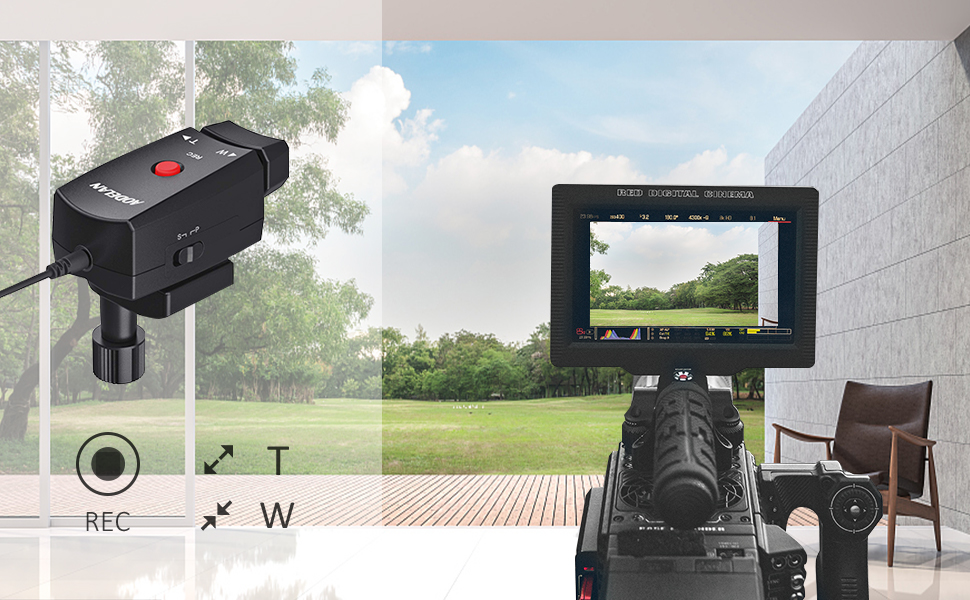
The AODELAN ZC-1 Camcorder Zoom Controller provides remote record and zoom control for compatible Sony, Canon, and Panasonic camcorders equipped with a LANC terminal or 2.5mm jack. This device enhances filming flexibility by allowing precise control over zoom and recording functions from a tripod handle, reducing camera shake and improving operational convenience.
2. Paket tarkibi
Quyida sanab o'tilgan barcha narsalar paketingizga kiritilganligini tekshiring:
- AODELAN ZC-1 Camcorder Zoom Controller
- Remote Cord (2.5mm-2.5mm)
- Adapter Cable (2.5mm Female-Sony AVR)
- Foydalanuvchi uchun qo'llanma

3. O'rnatish
Follow these steps to install the AODELAN ZC-1 Camcorder Zoom Controller:
- Attach to Tripod Handle: Secure the zoom controller to the pan handle of your tripod using the integrated mounting clamp. Clamp is designed to fit handles with a diameter between 10mm and 30mm. Tighten the twist knob until the controller is firmly in place.
- Connect to Camcorder: Identify the remote control port on your camcorder. This is typically a 2.5mm jack or a LANC terminal.
- Select Appropriate Cable:
- For most compatible camcorders (Sony, Canon, Panasonic with 2.5mm jack), use the provided 2.5mm-2.5mm Remote Cord.
- For Sony camcorders requiring an AVR connection, use the 2.5mm Female-Sony AVR Adapter Cable in conjunction with the Remote Cord.
- Ulanish: Connect one end of the selected cable to the 2.5mm jack on the AODELAN ZC-1 controller and the other end to the remote control port on your camcorder.

3.1-video: This video demonstrates the unboxing and installation process of the AODELAN ZC-1 Camcorder Zoom Controller onto a camcorder and tripod handle, including connecting the remote cord.
4. Operatsiya
The AODELAN ZC-1 offers intuitive control over your camcorder's zoom and recording functions:
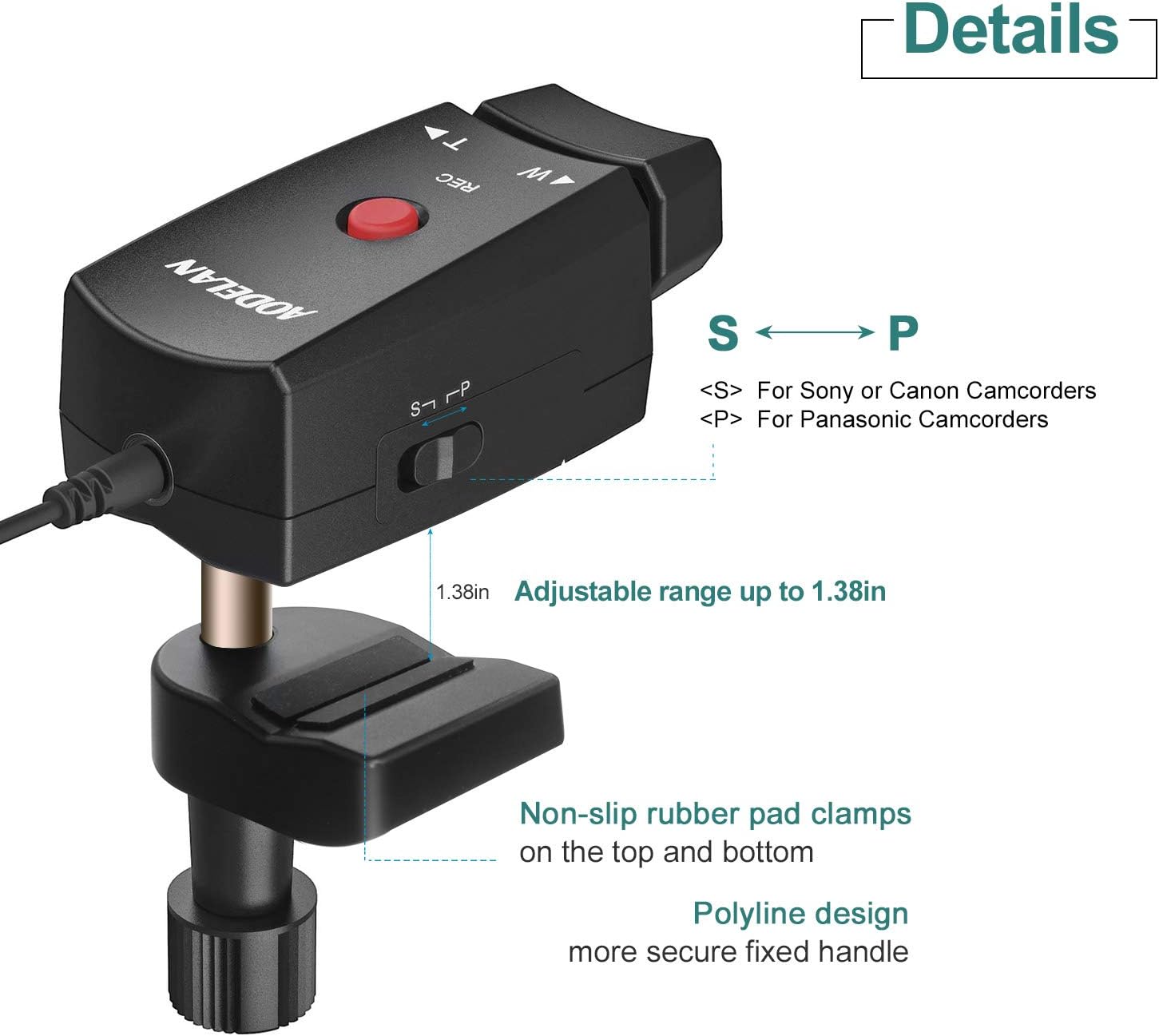
- REC tugmasi: The prominent red button labeled 'REC' initiates and stops video recording. Press once to start recording, press again to stop.
- Zoom Rocker (W/T): The pressure-sensitive rocker switch controls the optical zoom.
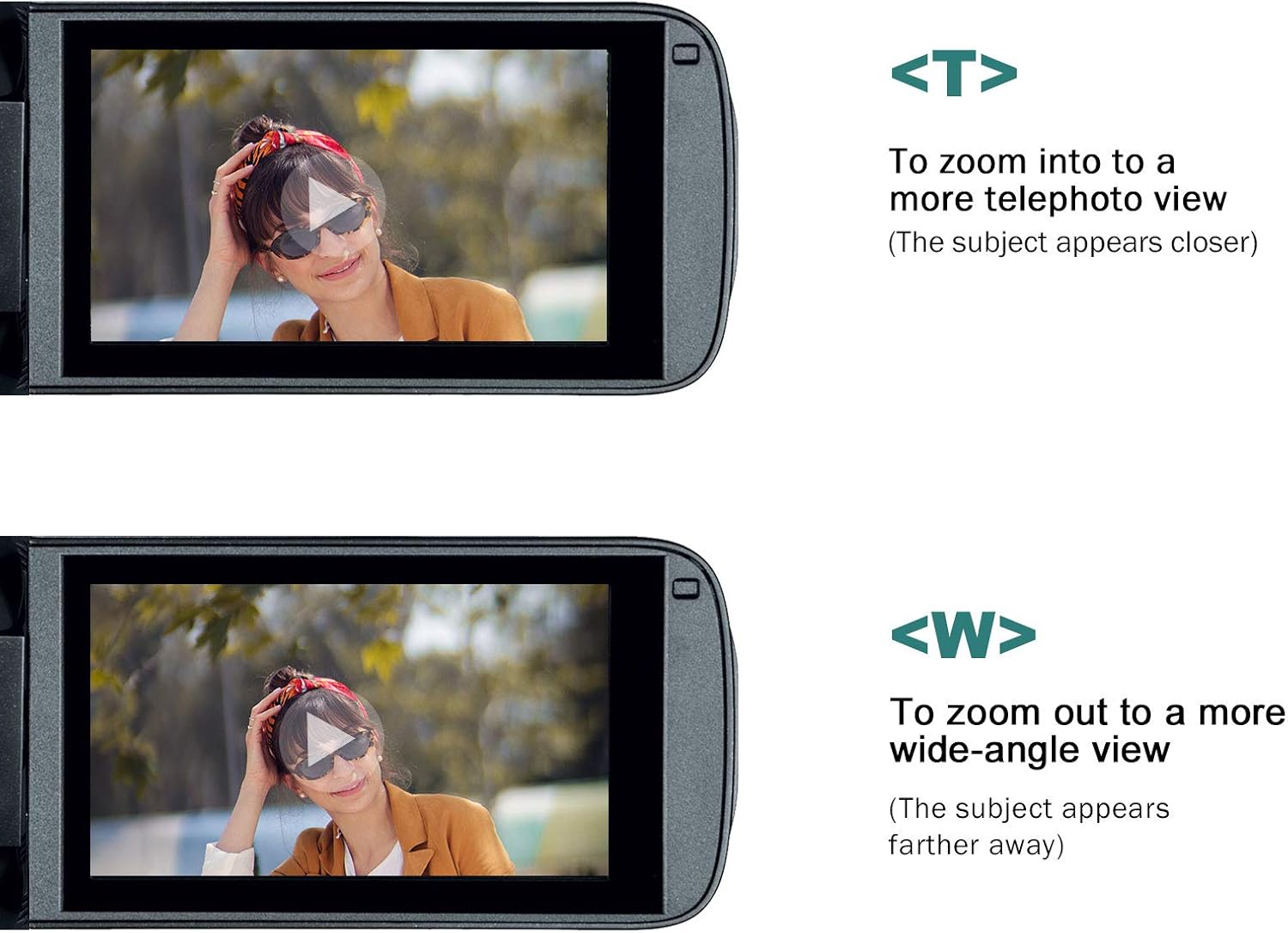
- Press the 'W' side to zoom out (wide-angle view), making the subject appear farther away.
- Press the 'T' side to zoom in (telephoto view), making the subject appear closer.
- The speed of the zoom is proportional to the pressure applied to the rocker. A gentle press results in a slow, smooth zoom, while a harder press provides a faster zoom.
- S/P Switch: Located on the side of the controller, this switch selects the compatibility mode for your camcorder.
- Set to 'S' for Sony and Canon camcorders.
- Set to 'P' for Panasonic camcorders.
4.1-video: This video demonstrates the operation of the AODELAN ZC-1 Camcorder Zoom Controller, showing how to use the record button and the pressure-sensitive zoom rocker to control a camcorder.
5. Moslik
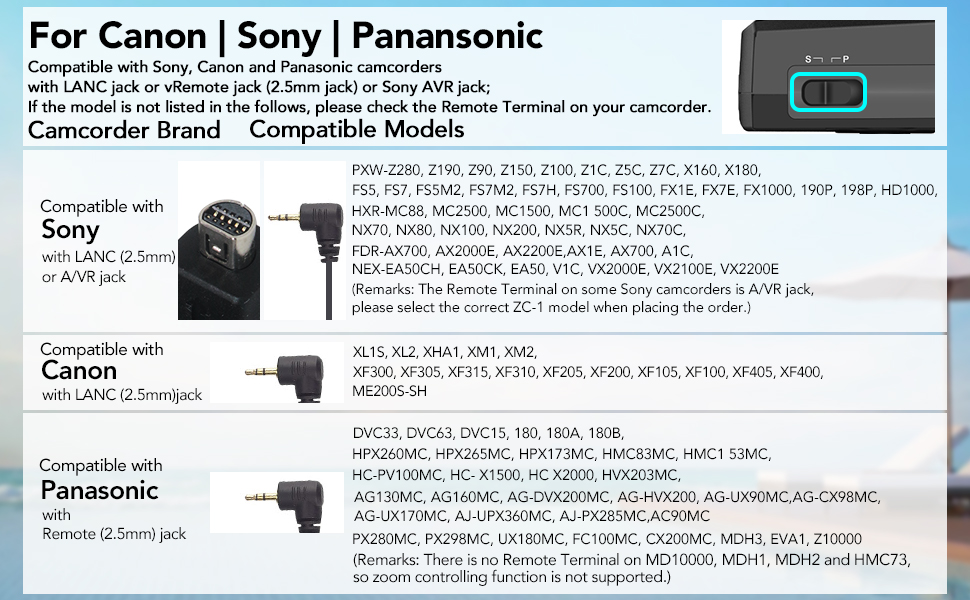
The AODELAN ZC-1 is compatible with various camcorder models from Sony, Canon, and Panasonic that feature a LANC terminal or 2.5mm remote jack. Ensure your camcorder model is listed below or consult your camcorder's manual for remote control compatibility.
Mos modellar:
- Sony: 190P, 150P, 198P, VX2000E, 2100E, 2200E, FX1000E, FX1E, FX7E, Z1C, Z5C, AX2000E, NX5C, V1C, A1C, HD1000C, 1500C, 250P, PD100AP, PDX10P, 900E, PXW-Z90, Z190, Z150, Z100, Z1C, Z5C, Z7C, X160, X180, FS5, FS7, FS5M2, FS7M2, FS7H, FS700, FS100, FX1E, FX7E, FX1000, 190P, 198P, HD1000, HXR-MC88, MC2500, MC1500, MC1 500C, MC2500C, NX70, NX80, NX100, NX200, NX5R, NX5C, NX70C, FDR-AX700, AX2000E, AX2200E, AX1E, AX700, A1C, NEX-EA50CH, EA50CK, EA50, V1C, VX2000E, VX2100E, VX2200E.
- Canon: XL1S, XL2, XHA1, XM1, XM2, XF300, XF305, XF315, XF310, XF205, XF200, XF105, XF100, XF405, XF400, ME200S-SH.
- panasonic: DVC33, DVC63, DVC15, 180, 180A, 180B, HVX200, HVX203, HMC153, HMC173, AG130, AG160, HMC43, HPX260MC, HPX265MC, HPX173MC, HMC83MC, HMC1 53MC, HC-PV100MC, HC- X1500, HC X2000, HVX203MC, AG130MC, AG160MC, AG-DVX200MC, AG-HVX200, AG-UX90MC, AG-CX98MC, AG-UX170MC, AJ-UPX360MC, AJ-PX285MC, AC90MC, PX280MC, PX298MC, UX180MC, FC100MC, CX200MC, MDH3, EVA1, Z10000.
Note: Some Panasonic models (e.g., MD10000, MDH1, MDH2, HMC73) may not support zoom control via the remote terminal.
6. Texnik shartlar
| Model raqami | ZC-1 |
| Mahsulot o'lchamlari | 3.54 x 1.97 x 3.54 dyuym (8.99 x 5.00 x 8.99 sm) |
| Element og'irligi | 5.6 untsiya (158.76 gramm) |
| Rang | Qora |
| Maxsus xususiyat | Lightweight, Pressure-sensitive zoom rocker |
| Qo'llab-quvvatlanadigan qurilmalarning maksimal soni | 1 |
| Mos qurilmalar | Camcorders with LANC terminal or 2.5mm remote jack (Sony, Canon, Panasonic) |
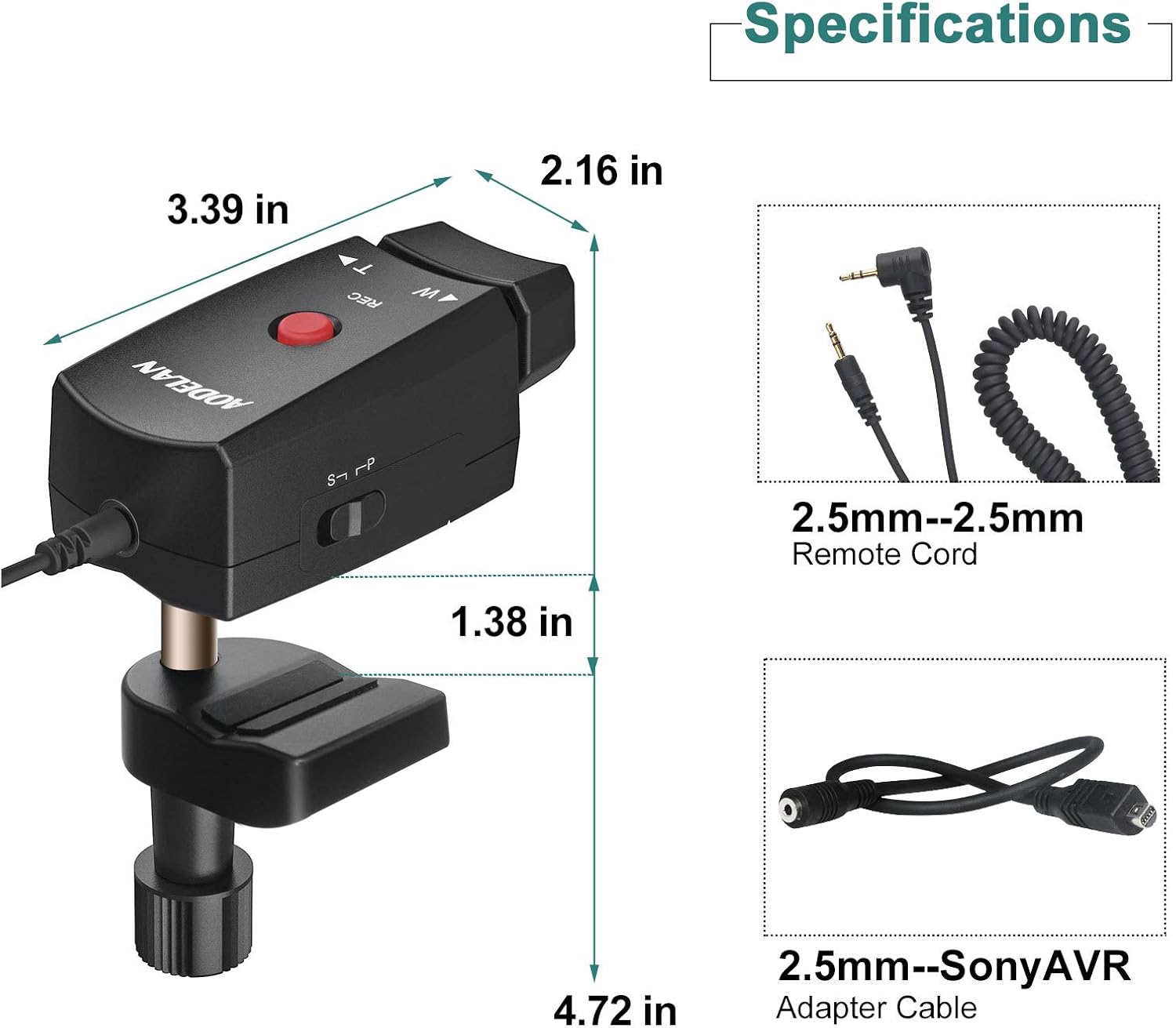
7. Xizmat ko'rsatish
To ensure the longevity and optimal performance of your AODELAN ZC-1 Zoom Controller:
- Yumshoq, quruq mato bilan artib, kontrollerni toza tuting. Qattiq kimyoviy moddalar yoki abraziv materiallardan foydalanishdan saqlaning.
- Store the controller in a dry, cool place away from direct sunlight and extreme temperatures.
- Avoid exposing the controller to moisture or liquids.
- Handle the cables with care to prevent kinks or damage to the connectors.
8. Muammolarni bartaraf qilish; nosozliklarni TUZATISH
If you encounter issues with your AODELAN ZC-1 Zoom Controller, refer to the following common solutions:
- Nazoratchi javob bermayapti:
- Ensure the cable is securely connected to both the controller and the camcorder.
- Verify that the S/P switch on the controller is set to the correct position for your camcorder brand (S for Sony/Canon, P for Panasonic).
- Check your camcorder's settings to ensure external remote control is enabled, if applicable.
- Test with a different compatible camcorder or cable if possible, to isolate the issue.
- Zoom Function Not Working:
- Confirm the S/P switch setting is correct.
- Some older Panasonic models may not support zoom control via the remote terminal. Refer to your camcorder's manual for specific capabilities.
- Ensure the zoom rocker is being pressed firmly enough to register input, but not excessively.
- Recording Not Starting/Stopping:
- Check cable connections and S/P switch setting.
- Ensure your camcorder is in video recording mode and not in a photo or playback mode.
9. Kafolat va qo'llab-quvvatlash
AODELAN products are designed for reliability and performance. For any questions, technical assistance, or warranty inquiries regarding your ZC-1 Camcorder Zoom Controller, please contact AODELAN customer support through the retailer where the product was purchased or visit the official AODELAN webaloqa ma'lumotlari uchun sayt.
Iltimos, kafolat xizmati uchun sotib olinganligingizni tasdiqlovchi hujjatingizni saqlab qo'ying.


