Kirish
This manual provides essential instructions for setting up, operating, maintaining, and troubleshooting your Microsoft Surface Pro 2017. The Surface Pro 2017 is a versatile 2-in-1 device designed to function as both a powerful laptop and a portable tablet, offering a seamless computing experience.
Please read this manual thoroughly to ensure proper use and to maximize the lifespan of your device. Keep this manual for future reference.
Qutida nima bor
Upon unboxing your Microsoft Surface Pro 2017, verify that all components are present:
- Microsoft Surface Pro 2017 device
- AC quvvat adapteri
Note: Additional accessories such as the Surface Pen, Type Cover, or Surface Dial are sold separately and may not be included with your device.
Sozlash; o'rnatish
1. Dastlabki yoqish va zaryadlash
- Quvvat adapterini ulang: Plug the AC power adapter into a wall outlet and then connect the magnetic charging connector to the charging port on your Surface Pro. The LED indicator on the connector will illuminate when charging.
- Yoqilgan: Press and hold the power button located on the top edge of the device for a few seconds until the Microsoft logo appears on the screen.
2. Windows Setup
Follow the on-screen prompts to complete the initial Windows setup. This process typically includes:
- Mintaqangizni va tilingizni tanlash.
- Wi-Fi tarmog'iga ulanish.
- Litsenziya shartnomasini qabul qilish.
- Creating or signing in with a Microsoft account.
- Setting up security features like Windows Hello (facial recognition) or a PIN.
3. Wi-Fi tarmog'iga ulanish
- During Windows setup, you will be prompted to connect to a network. Select your desired Wi-Fi network from the list and enter the password if required.
- If you need to connect later, go to Boshlash > Sozlamalar > Tarmoq va Internet > Wi-fi. Turn Wi-Fi on, select your network, and click Ulanish.
Foydalanish bo'yicha ko'rsatmalar
Basic Device Orientation and Controls
The Surface Pro 2017 features a 12.3-inch PixelSense display with multi-touch support. Key physical controls include:
- Quvvat tugmasi: Located on the top edge, used to turn the device on/off, sleep, or wake.
- Ovoz balandligi tugmalari: Yon tomonda joylashgan bo'lib, ovoz balandligini sozlash uchun ishlatiladi.
- Stend: Integrated on the back, allows for multiple viewburchaklar.
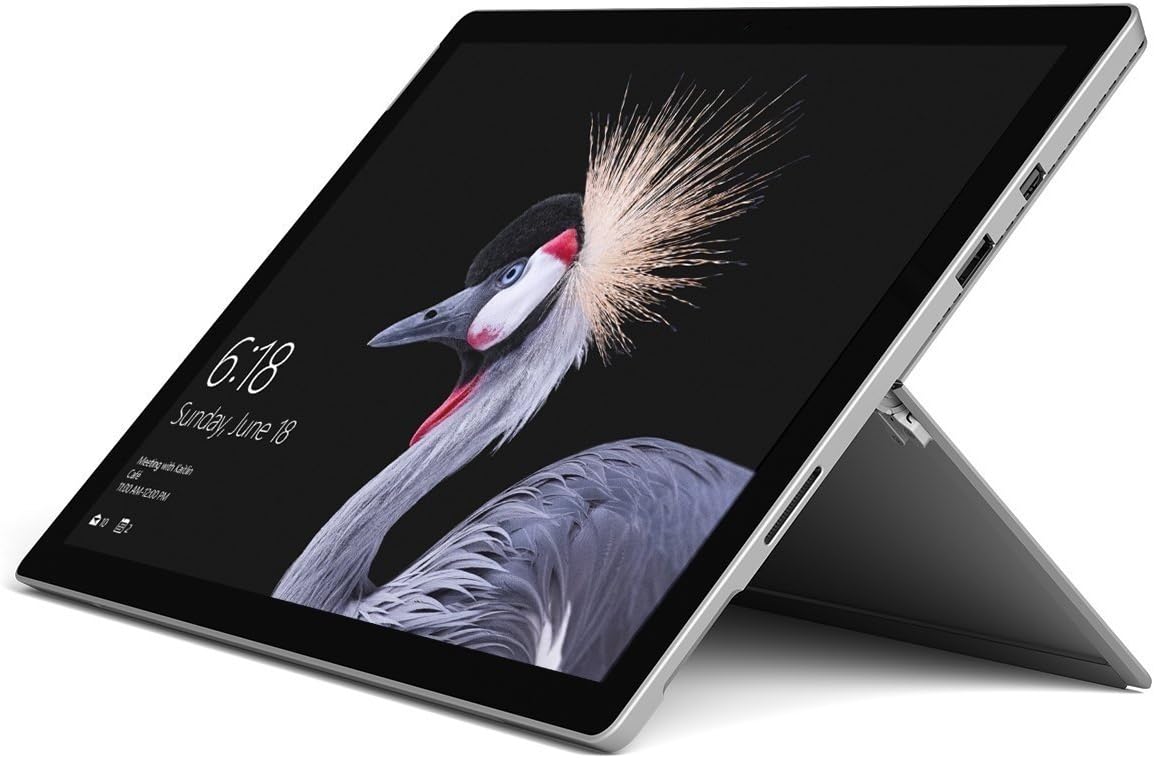
Image: Microsoft Surface Pro 2017 in laptop mode with its kickstand extended, showcasing the device's display.
Kickstanddan foydalanish
The integrated kickstand allows you to position your Surface Pro at various angles for comfortable viewing, typing, or drawing. Gently pull the kickstand out from the back of the device until it reaches your desired angle.
Quvvatni boshqarish
- Kutish rejimi: Briefly press the power button to put the Surface Pro into sleep mode. Press it again to wake the device.
- O'chirish; yopish: ga boring Boshlash > Quvvat > O'chirish; yopish.
- Qayta ishga tushirish: ga boring Boshlash > Quvvat > Qayta ishga tushirish.
Periferik qurilmalarni ulash
The Surface Pro 2017 includes various ports for connecting external devices:
- USB 3.0 porti: For connecting USB drives, keyboards, mice, and other compatible accessories.
- Mini DisplayPort: Tashqi monitorlar yoki proyektorlarga ulanish uchun.
- microSD kartani o'quvchi: Saqlash yoki uzatishni kengaytirish uchun files xotira kartalaridan.
- Yuzaki ulanish porti: For power and connecting to Surface Dock accessories.
- 3.5 mm eshitish vositasi uyasi: Ovoz chiqishi uchun.
Bluetooth: To connect Bluetooth devices (e.g., headphones, mice), go to Boshlash > Sozlamalar > Qurilmalar > Bluetooth va boshqa qurilmalar. Ensure Bluetooth is turned on, then select "Add Bluetooth or other device" and follow the pairing instructions.

Rasm: Side profile of the Microsoft Surface Pro 2017, highlighting the various ports available for connectivity.
Xizmat
Cleaning Your Surface Pro
- Ekran: Bir oz yumshoq, tuklarsiz matodan foydalaning dampened with water or an approved screen cleaner. Avoid harsh chemicals or abrasive materials.
- Tana: Wipe the exterior with a soft, dry cloth. Do not allow liquids to enter openings.
- Portlar: Keep ports free of dust and debris. Use compressed air carefully if needed, holding the can upright.
Batareya parvarishi
- Haddan tashqari haroratlardan saqlaning, chunki ular batareyaning ishlash muddatini pasaytirishi mumkin.
- Batareyaning eng yaxshi sog'lig'i uchun batareyani doimiy ravishda to'liq zaryadsizlantirish yoki uni uzoq vaqt davomida 100% zaryadlashdan saqlaning.
- Use only the official Microsoft AC power adapter or a compatible charger.
Dasturiy ta'minot yangilanishlari
Regularly update your Windows operating system and device drivers to ensure optimal performance, security, and compatibility. Go to Boshlash > Sozlamalar > Yangilash va xavfsizlik > Windows yangilash yangilanishlarni tekshirish va o'rnatish uchun.
Muammolarni bartaraf qilish; nosozliklarni TUZATISH
Ushbu bo'limda Surface Pro 2017 bilan duch kelishingiz mumkin bo'lgan keng tarqalgan muammolar ko'rib chiqiladi.
Device Will Not Turn On
- Ensure the device is charged. Connect the power adapter and wait a few minutes before attempting to power on.
- Perform a two-button shutdown: Press and hold the volume-up button and the power button simultaneously for at least 15 seconds, then release both. Wait 10 seconds, then press the power button again to turn on the Surface.
Screen Not Responding to Touch
- Qurilmani qayta ishga tushiring.
- Ekran toza va axlatdan xoli ekanligiga ishonch hosil qiling.
- Check for available Windows updates, as driver updates can resolve touch issues.
Wi-Fi ulanish muammolari
- Ensure Wi-Fi is enabled in Sozlamalar > Tarmoq va Internet > Wi-fi.
- Restart your Surface Pro and your Wi-Fi router.
- Tarmoqni unuting va qayta ulang: O'ting Sozlamalar > Tarmoq va Internet > Wi-fi, click on your network, then Unut. Reconnect and enter the password.
Texnik xususiyatlari
| Xususiyat | Spetsifikatsiya |
|---|---|
| Model nomi | Surface Pro 2017 |
| Model raqami | 7Y30 |
| Ekran o'lchami | 12.3 dyuym |
| Ekran ravshanligi | 2736 x 1824 piksel |
| Protsessor | Intel Core m3-7Y30 (1 GHz Intel_Mobile_CPU) |
| Ram | 4 GB DDR4 SDRAM |
| Saqlash | 128 GB SSD |
| Grafik karta | Integrated (Intel) |
| Operatsion tizim | Windows |
| Simsiz turi | 802.11abg |
| Element og'irligi | 1.89 funt |
| Mahsulot o'lchamlari | 11.5 x 7.9 x 0.3 dyuym |
| Rang | Kumush |
Kafolat va qo'llab-quvvatlash
For detailed warranty information, please refer to the warranty card included with your purchase or visit the official Microsoft support websayt. Kafolat shartlari va qoidalari mintaqa va sotuvchiga qarab farq qilishi mumkin.
For technical support, driver downloads, and additional resources, please visit the official Microsoft Support websayt: support.microsoft.com/surface


