1. Kirish
This manual provides detailed instructions for the installation, operation, and maintenance of your FoMaKo NDI PTZ Camera KN20A Pro. This camera features AI auto-tracking, 20x optical zoom, and multiple output interfaces including HDMI, 3G-SDI, IP, NDI, and USB3.0. It is designed for professional video production and live streaming in various environments such as churches, educational institutions, and event venues.
2. Qutida nima bor
Paketda barcha elementlar mavjudligiga ishonch hosil qiling:
- FoMaKo AI Tracking NDI PTZ Camera (20x optical zoom)
- IR masofadan boshqarish pulti
- Devorga o'rnatish uchun qavs
- Shift qavs
- USB kabeli
- Quvvat adapteri (12V 2A)
- Foydalanuvchi uchun qo'llanma (ushbu hujjat)

Image 2.1: FoMaKo NDI PTZ Camera KN20A Pro and its standard accessories.
3. Product Features Overview
- Official NDI 6 & NDI HX3 Certification: Ensures stable and high-quality video transmission, even with limited bandwidth.
- 20x optik kattalashtirish: Provides clear, detailed images from a distance.
- Advanced AI Auto-Tracking (Gen 3): Offers customizable tracking modes, sensitivity, and target switching.
- Bir nechta video chiqish interfeyslari: Simultaneous 3G-SDI, HDMI, LAN/Ethernet, and USB3.0 for versatile connectivity.
- Ethernet orqali quvvat (PoE) qo'llab-quvvatlash: Bitta Ethernet kabeli orqali quvvat va ma'lumotlarni taqdim etish orqali o'rnatishni soddalashtiradi.
- Efficient Video Encoding: Supports H.264/H.265 for fluent motion video under various bandwidth conditions.
- Kam yorug'lik samaradorligi: High SNR CMOS combined with 2D & 3D noise reduction for clear images in challenging lighting.
- Precise Gear Transmission Structure: Ensures accurate preset positioning and enhanced durability compared to belt-driven systems.
- Ko'p nazorat qilish usullari: Includes IR remote, dedicated PTZ controller, web interface, OBS/vMix PTZ plugins, and StreamDeck compatibility.

Image 3.1: Visual representation of the camera's core features.
4. Sozlash
4.1 Jismoniy o'rnatish
The FoMaKo NDI PTZ Camera supports three primary installation methods:
- Devorga o'rnatish: Securely attach the camera to a vertical surface using the provided wall mount bracket.
- Tripod o'rnatish moslamasi: Mount the camera on a standard tripod for portable or temporary setups.
- Shiftga o'rnatish: Install the camera inverted on a ceiling using the provided ceiling bracket. The camera automatically adjusts its image and control orientation when mounted upside down.

Rasm 4.1: Masalanamples of camera installation methods.
4.2 Ulanishlar
Connect the camera to your system using the appropriate ports on the rear panel:
- 3G-SDI chiqishi: For professional video transmission over coaxial cable.
- HDMI chiqishi: For direct connection to displays or video switchers.
- USB3.0 chiqishi: For direct connection to a computer for live streaming or recording.
- LAN/Ethernet porti: For IP streaming (NDI, RTSP, RTMP, SRT), control (VISCA over IP), and PoE power.
- RS232/RS485: For serial control using a PTZ controller.
- Qator: 3.5 mm audio kirish.
- DC12V: Power input if not using PoE.
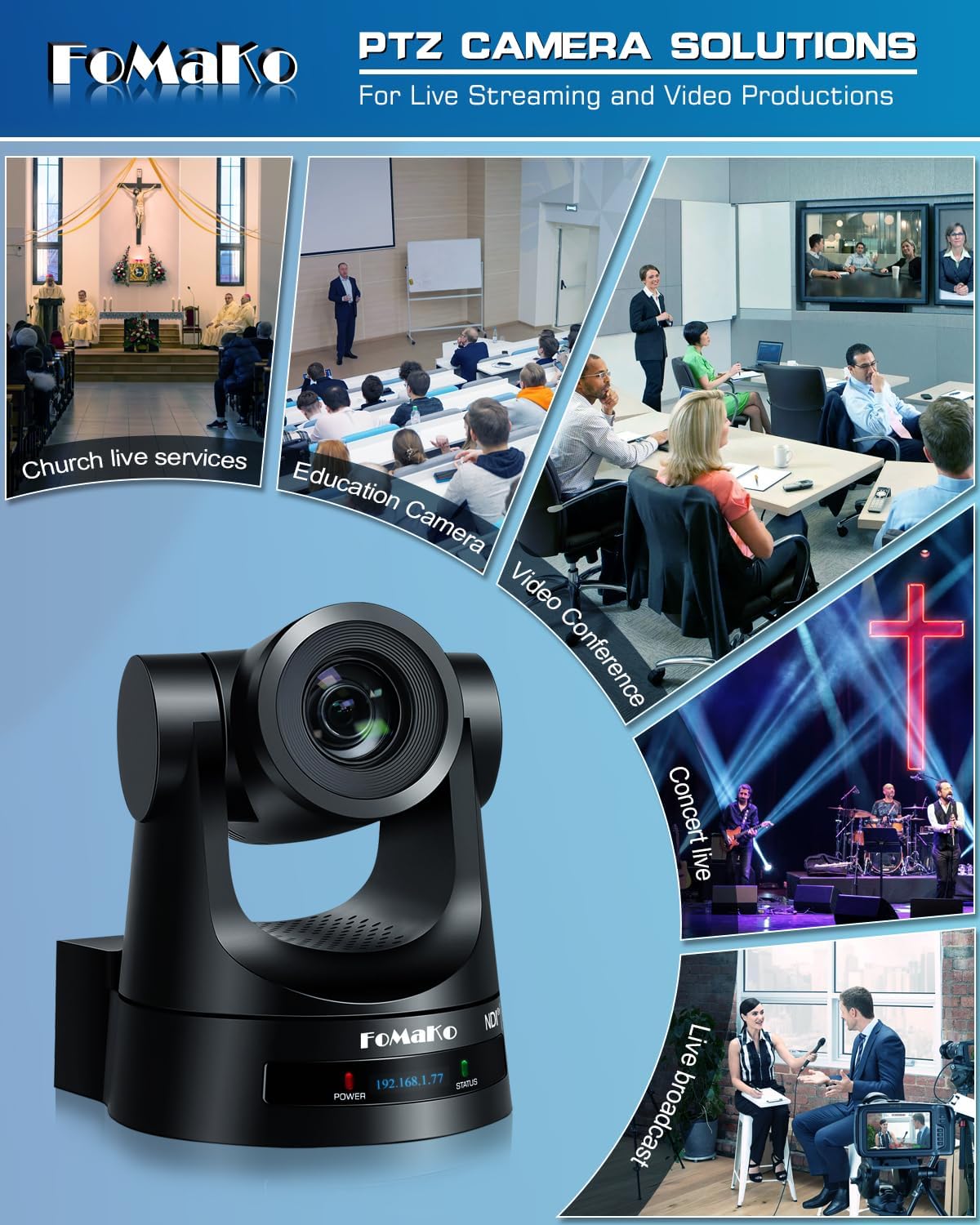
Image 4.2: Rear panel connections.
4.3 Tarmoq konfiguratsiyasi
For IP-based control and streaming, configure the camera's network settings. This can typically be done via the camera's web interface or on-screen display (OSD) menu.
- DHCP: Enable DHCP for automatic IP address assignment or disable it to set a static IP.
- IP Address, Subnet Mask, Gateway: Manually configure these settings if DHCP is disabled.
Kameralarga kirish web a ga IP manzilini kiritish orqali interfeys web browser. The default IP address is often printed on the camera or can be found using an NDI discovery tool.

Image 4.3: Network settings interface.
5. Foydalanish bo'yicha ko'rsatmalar
5.1 Asosiy boshqaruv elementlari
The camera can be controlled using the IR remote, a dedicated PTZ controller, or the web interfeys.
- Panorama/Tilt/Mashtab: Use the joystick on a PTZ controller or directional buttons on the IR remote/web kamerani sozlash uchun interfeys view.
- Tezlikni sozlash: Pan, tilt, and zoom speeds can be adjusted to achieve smooth camera movements. Preset speed is also adjustable.
- Fokus: The camera features fast auto-focus. Manual focus adjustment is also available.
5.2 Sun'iy intellekt avtomatik kuzatuvi
The third-generation AI auto-tracking system allows the camera to automatically follow a designated subject.
- Faollashtirish: Press the F2 button on the IR remote control to activate automatic tracking.
- Target Switching: Press the F4 button on the IR remote to switch between detected tracking targets.
- Moslashtirish: Adjust tracking modes, sensitivity, figure size, AI-track speed, horizontal tracking only, character position, and lost target action via the camera's settings menu or web interfeys.

Image 5.1: AI Tracking Gen 3 settings and capabilities.
5.3 oldindan sozlangan
The camera supports up to 255 preset positions, allowing quick recall of specific camera angles and zoom levels. Ten presets can be accessed directly via the IR remote control.
- Oldindan sozlash: Position the camera to the desired view, then use the remote or controller to save the preset. Refer to the detailed manual for specific steps.
- Oldindan sozlashni eslash: Use the preset buttons on the remote or controller to move the camera to a saved position.
6. Xizmat ko'rsatish
To ensure optimal performance and longevity of your FoMaKo NDI PTZ Camera, follow these maintenance guidelines:
- Tozalash: Kamera korpusini tozalash uchun yumshoq, quruq matodan foydalaning. Ob'ektiv uchun maxsus linzalarni tozalash matosi va eritmasidan foydalaning. Abraziv materiallar yoki qattiq kimyoviy moddalardan saqlaning.
- Atrof-muhit: Kamerani toza, quruq muhitda, haddan tashqari harorat, namlik va to'g'ridan-to'g'ri quyosh nurlaridan uzoqroq joyda ishlating va saqlang.
- Dasturiy ta'minotni yangilash: Periodically check the FoMaKo webKamerangiz eng so'nggi funksiyalar va ishlash yaxshilanishlariga ega ekanligiga ishonch hosil qilish uchun dasturiy ta'minot yangilanishlari uchun sayt.
- Kabelni boshqarish: Portlar yoki kabellarga zarar yetkazmaslik uchun barcha kabellar xavfsiz ulanganligiga va zo'riqish ostida emasligiga ishonch hosil qiling.
7. Muammolarni bartaraf qilish; nosozliklarni TUZATISH
Agar kamerangiz bilan bog'liq muammolarga duch kelsangiz, quyidagi keng tarqalgan muammolarni bartaraf etish bosqichlariga qarang:
- Quvvat yo'q: Ensure the power adapter is correctly connected or that your PoE switch is providing power if using PoE. Check power indicators on the camera.
- Video chiqishi yo'q: Verify all video cables (HDMI, SDI, USB, Ethernet) are securely connected. Check input selections on your display or switcher. Ensure the camera is powered on.
- Tarmoqqa ulanish yo'q: Confirm Ethernet cable connection. Check network settings (IP address, subnet mask, gateway) in the camera's web interface. Ensure the camera and controlling device are on the same network segment.
- PTZ boshqaruvi javob bermayapti: Check remote control batteries. Ensure the camera is receiving IR signals or that the network/serial control connection is active. Verify the correct camera ID is selected on the controller.
- Auto-Tracking Issues: Ensure AI auto-tracking is enabled (F2 on remote). Check tracking sensitivity and other settings in the menu. Ensure the subject is clearly visible and within the camera's tracking range.
- Tasvir sifati bilan bog'liq muammolar: Check lighting conditions. Ensure lens is clean. Adjust exposure and white balance settings if necessary.
For more detailed troubleshooting or issues not covered here, please refer to the full user manual PDF available online or contact FoMaKo customer support.
8. Texnik shartlar
| Xususiyat | Spetsifikatsiya |
|---|---|
| Brend nomi | FoMaKo |
| Model raqami | KN20A |
| Element og'irligi | 2.64 funt |
| Mahsulot o'lchamlari | 5.63 x 6.93 x 6.65 dyuym |
| Rang | Qora |
| Maxsus xususiyatlar | AI tracking NDI PTZ Camera |
| Optik kattalashtirish | 20x |
| Video suratga olish ruxsati | 1080p |
| Rasmga tushirish rejimlari | Avtomatik |
| EHM nazorati turi | Avtomatik |
| Ulanish | 3G-SDI, HDMI, IP (NDI 6 & NDI HX3), USB3.0, RS232, RS485, PoE |
9. Kafolat va qo'llab-quvvatlash
FoMaKo is committed to providing excellent customer service and product reliability.
- Kafolat: The product includes a 3-Year Limited Warranty.
- Pulni qaytarish kafolati: A 30-Day No-Questions-Asked Money-Back Guarantee is provided for risk-free purchase.
- Onlayn trening: Free online training is available to help users get started easily.
- Ekspert yordami: 24/7 expert assistance is available, with responses typically within 24 hours. Please include your Order ID when contacting support.
- Masofaviy yordam: Remote assistance for setup can be provided if necessary.
- umr bo'yi texnik yordam: Enjoy lifetime customer technical support for your product.

Image 9.1: FoMaKo customer support and warranty information.


