1. Kirish
Thank you for choosing the MAXXMEE Cordless Screwdriver Model 2112. This manual provides essential information for the safe and efficient operation, maintenance, and troubleshooting of your new tool. Please read these instructions carefully before first use and keep them for future reference.
2. Xavfsizlik bo'yicha ko'rsatmalar
Yong'in, elektr toki urishi va shaxsiy jarohatlar xavfini kamaytirish uchun elektr asboblardan foydalanganda doimo asosiy xavfsizlik choralariga rioya qiling.
- Ish maydoni xavfsizligi: Ish joyingizni toza va yaxshi yoritilgan holda saqlang. Tartibsiz yoki qorong'i joylar baxtsiz hodisalarni chaqiradi. Elektr asboblarini portlovchi muhitda, masalan, yonuvchan suyuqliklar, gazlar yoki changlar mavjud bo'lganda ishlatmang.
- Elektr xavfsizligi: Quvurlar, radiatorlar, poligonlar va muzlatgichlar kabi tuproqli yoki tuproqli yuzalar bilan tanaga tegmang. Elektr asboblarini yomg'ir yoki nam sharoitda qoldirmang.
- Shaxsiy xavfsizlik: Har doim ko'zoynak taqing. Zarur bo'lganda chang niqoblari, sirpanmaydigan xavfsizlik poyabzallari, qattiq shlyapalar yoki eshitish vositalarini himoya qilish kabi tegishli xavfsizlik vositalaridan foydalaning. To'g'ri kiying; keng kiyimlar yoki zargarlik buyumlaridan saqlaning.
- Asbobdan foydalanish va parvarish qilish: Elektr asbobini majburlamang. Ilovangiz uchun to'g'ri elektr asbobidan foydalaning. Har qanday sozlash, aksessuarlarni almashtirish yoki elektr asboblarni saqlashdan oldin elektr vilkasini quvvat manbaidan va/yoki batareya paketini elektr asbobdan uzing.
- Batareya xavfsizligi: This tool contains an integrated rechargeable battery. Do not incinerate the battery even if it is severely damaged or completely worn out. Batteries can explode in a fire. Do not short-circuit the battery.
3. Paket tarkibi
Iltimos, barcha narsalar mavjudligini va yaxshi holatda ekanligini tekshiring:
- 1 x MAXXMEE Cordless Screwdriver Model 2112
- 1 x 30-piece Bit Set (various screwdriver bits and drill bits)
- 1 x Zaryadlash kabeli (USB)
- 1 x foydalanuvchi qo'llanmasi

3.1-rasm: The included 30-piece bit set, featuring various screwdriver and drill bits for diverse applications.
4. Mahsulot tugadiview
Familiarize yourself with the components of your MAXXMEE Cordless Screwdriver.
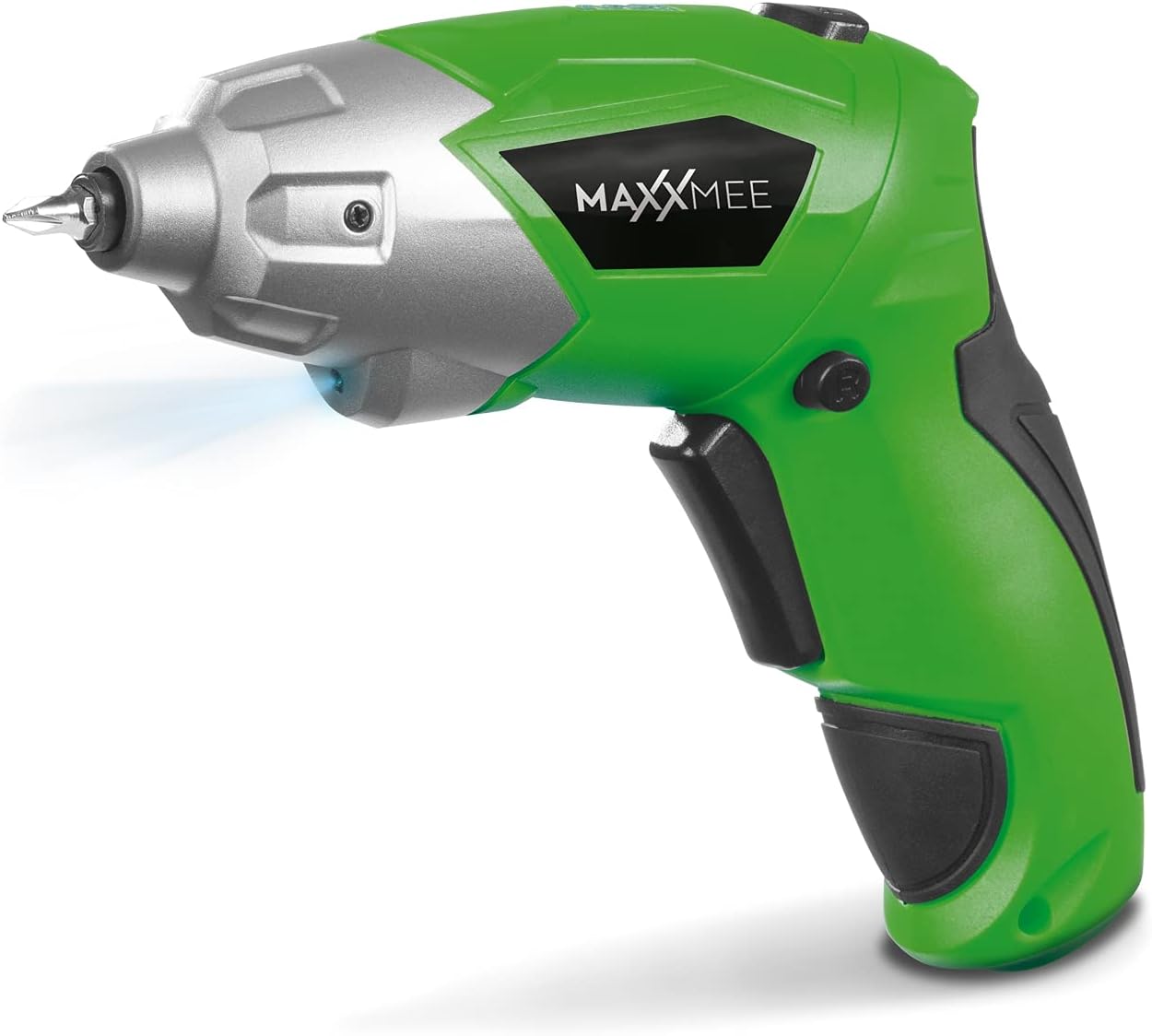
4.1-rasm: Old view of the MAXXMEE Cordless Screwdriver, highlighting its compact design.

4.2-rasm: The cordless screwdriver demonstrating its flexible handle position, integrated LED light, and forward/reverse rotation switch.
- Bit Holder (Magnetic)
- LED ish chirog'i
- Oldinga/teskari aylanish tugmasi
- Flexible Handle Release Button
- Triggerni almashtirish
- Zaryadlash porti
- Batareya darajasi ko'rsatkichi
5. Sozlash
5.1. Charging the Screwdriver
Before first use, fully charge the screwdriver's integrated battery. The battery is not fully charged at the time of purchase.
- Connect the provided charging cable to the charging port on the screwdriver.
- Connect the other end of the USB charging cable to a suitable USB power adapter (not included) or a powered USB port.
- The battery indicator lights will show the charging status. Allow several hours for a full charge.
- To'liq zaryadlangandan so'ng, zaryadlovchi simini ajratib oling.
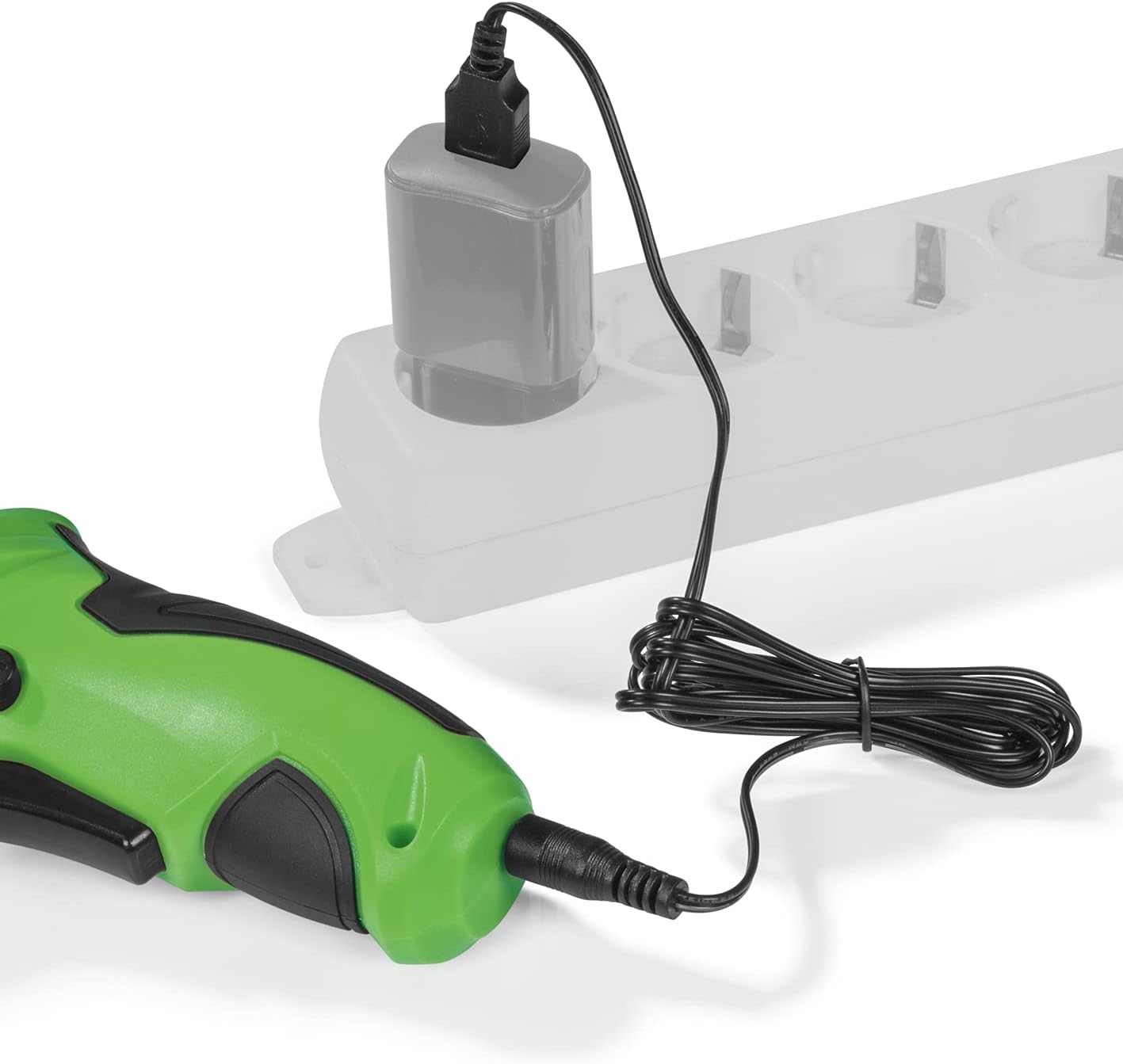
5.1-rasm: Connecting the charging cable to the screwdriver and a power source.
5.2. Inserting Screwdriver Bits
The screwdriver features a magnetic bit holder for quick and easy bit changes.
- Ensure the screwdriver is turned off and the forward/reverse switch is in the neutral (locked) position.
- Select the appropriate bit from the 30-piece set.
- Insert the bit firmly into the magnetic bit holder until it is securely seated.
- Olib tashlash uchun shunchaki bitni tortib oling.
6. Foydalanish bo'yicha ko'rsatmalar
6.1. Powering On/Off and Rotation Direction
The trigger switch activates the screwdriver, and the forward/reverse switch controls the rotation direction.
- To drive screws (forward rotation), push the forward/reverse switch to the left.
- To remove screws (reverse rotation), push the forward/reverse switch to the right.
- To lock the trigger and prevent accidental activation, place the switch in the center position.
- Press the trigger switch to operate the screwdriver. Release to stop.
6.2. Adjusting the Flexible Handle
The screwdriver features a variable curved handle for optimal comfort and access in different working conditions.
- Ensure the screwdriver is off.
- Press the flexible handle release button (refer to Figure 4.2 for location).
- Adjust the handle to the desired position (straight or pistol grip).
- Release the button to lock the handle in place. Ensure it is securely locked before use.
6.3. LED ish chirog'idan foydalanish
The integrated LED work light illuminates the work area for improved visibility, especially in dark or confined spaces.
- The LED light automatically activates when the trigger switch is pressed.
- It turns off when the trigger is released.
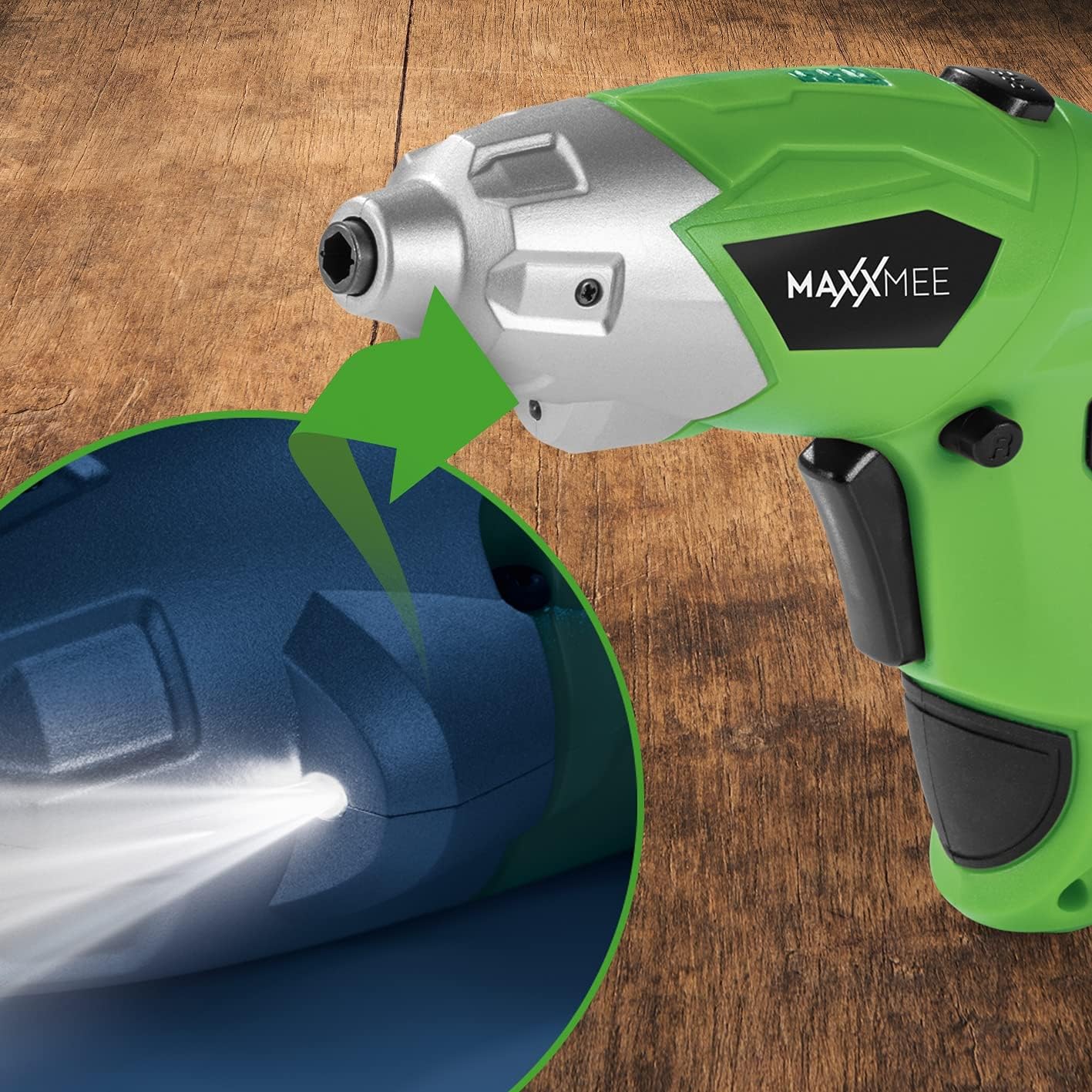
6.1-rasm: Rasmni yaqinlashtirib olish view of the LED work light illuminating the work surface.
6.4. Batareya darajasi ko'rsatkichi
The battery level indicator provides a visual representation of the remaining battery charge.
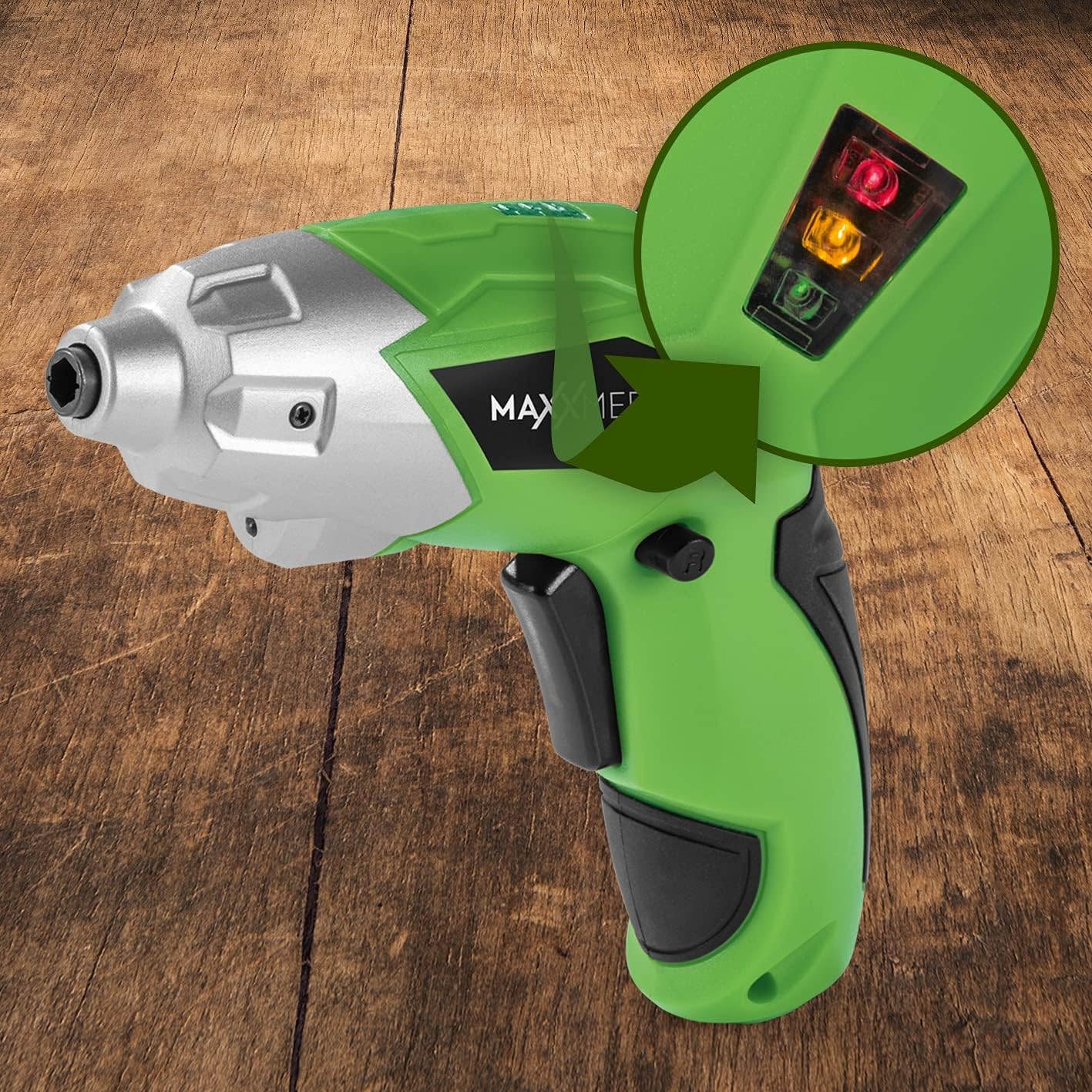
6.2-rasm: The battery level indicator showing the charge status with colored lights.
- Green light: High charge.
- Yellow light: Medium charge.
- Red light: Low charge, recharge soon.
For optimal performance, recharge the screwdriver when the indicator shows a low charge.
7. Xizmat ko'rsatish
Proper maintenance ensures the longevity and optimal performance of your screwdriver.
- Tozalash: Always disconnect the screwdriver from any power source before cleaning. Use a soft, damp cloth to wipe down the exterior. Do not use harsh chemicals or abrasive cleaners. Keep ventilation openings free from dust and debris.
- Saqlash: Store the screwdriver and its accessories in a dry, cool place, away from direct sunlight and moisture. Keep it out of reach of children.
- Batareya parvarishi: For long-term storage, it is recommended to charge the battery to approximately 50% every few months to maintain battery health.
8. Muammolarni bartaraf qilish; nosozliklarni TUZATISH
Agar tornavida bilan bog'liq muammolarga duch kelsangiz, quyidagi keng tarqalgan muammolar va yechimlarga murojaat qiling:
| Muammo | Mumkin sabab | Yechim |
|---|---|---|
| Tornavida yoqilmaydi. | Batareya zaryadsizlangan. | Batareyani to'liq zaryadlang. |
| Tornavida quvvat yetishmayapti. | Kam batareya zaryadi. | Batareyani qayta zaryadlang. |
| Bit bo'shashgan yoki tushib ketgan. | Bit not fully inserted or incorrect bit size. | Ensure the bit is fully inserted into the magnetic holder. Use appropriate bit size. |
| Handle does not lock in place. | Release button not fully engaged or debris preventing lock. | Ensure the release button is fully pressed and released. Check for obstructions. |
Agar ushbu echimlarni sinab ko'rganingizdan keyin muammo davom etsa, iltimos, mijozlarni qo'llab-quvvatlash xizmatiga murojaat qiling.
9. Texnik shartlar
| Xususiyat | Spetsifikatsiya |
|---|---|
| Model raqami | 2112 |
| Brend | MAXXMEE |
| jildtage | 3.6 volt |
| Maks. Turk | 4 Nm |
| Quvvat manbai | Battery-powered (Rechargeable) |
| Material | Metall |
| Maxsus xususiyatlar | Cordless, Flexible Handle, LED Work Light |
| Kiritilgan komponentlar | 1 Cordless Screwdriver, 30-piece Bit Set, Charging Cable |
| Paket o'lchamlari | 15 x 15 x 7.2 sm |
| Og'irligi | 800 gramm |
10. Kafolat va qo'llab-quvvatlash
MAXXMEE products are manufactured to high-quality standards. In the unlikely event of a defect or malfunction, please refer to your purchase documentation for warranty details. For technical support, spare parts, or service inquiries, please contact your retailer or the MAXXMEE customer service department. Please have your model number (2112) and purchase date available when contacting support.


