User Manual: ANBERNIC RG351M Retro Game Handheld Console
Model: RG351M
Kirish
The ANBERNIC RG351M is a portable retro game handheld console designed for an immersive gaming experience. Featuring a 3.5-inch IPS screen and powered by an RK3326 quad-core processor, it supports a wide range of classic game formats. This manual provides essential information for setting up, operating, maintaining, and troubleshooting your device.
Xavfsizlik ma'lumotlari
- Qurilmani haddan tashqari harorat, to'g'ridan-to'g'ri quyosh nuri yoki yuqori namlik ta'sirida qoldirmang.
- Qurilmani yiqilib tushmaslik yoki kuchli zarbalarga duchor qilishdan saqlaning.
- Use only the provided USB charging cable and a compatible power adapter (maximum load 2A) for charging.
- Qurilmani o'zingiz qismlarga ajratish yoki ta'mirlashga urinmang. Malakali xizmat ko'rsatish xodimlariga murojaat qiling.
- Qurilmani suv va boshqa suyuqliklardan uzoqroq tuting.
- Foydalanish va zaryadlash vaqtida to'g'ri shamollatishni ta'minlang.
Paket tarkibi

Image: The ANBERNIC RG351M console, its retail packaging, and the included USB charging cable.
Iltimos, barcha narsalar mavjudligiga ishonch hosil qilish uchun qutidan ochilganda paket tarkibini tekshiring:
- 1 x RG351M Game Console
- 1 x USB kabeli
- 1 x foydalanuvchi qo'llanmasi (ushbu hujjat)
- 1 x 64GB TF Card (pre-installed with games)
Mahsulot tugadiview
Old View

Rasm: old view of the RG351M console, highlighting the 3.5-inch IPS screen, D-pad, dual analog joysticks, and action buttons (A, B, X, Y), along with SELECT and START buttons.
- 3.5 dyuymli IPS ekrani: Aniq tasvirlar uchun yuqori aniqlikdagi displey.
- D-Pad: Directional pad for navigation and game control.
- Analog joystiklar: Dual 3D rocker sticks for precise movement.
- Harakat tugmalari (A, B, X, Y): Standart o'yin kiritish tugmalari.
- SELECT tugmasi: Used for various in-game functions and menu navigation.
- START tugmasi: Used for pausing games, confirming selections, and menu navigation.
Yuqori va pastki Views (Ports and Controls)

Image: Top edge of the console, displaying the L1, L2, R1, R2 shoulder buttons, a Type-C OTG port, a 3.5mm earphone jack, and another Type-C port labeled OTG/DC for data transfer and charging.

Image: Bottom edge of the console, showing the TF card slot for expandable storage and the recessed Reset button.
- L1/L2/R1/R2 tugmalari: Shoulder buttons for additional in-game controls.
- OTG 1 (Type-C): USB Type-C port for data transfer.
- 3.5 mm eshitish vositasi uyasi: Eshitish vositalarini ulash uchun.
- OTG 2 (Type-C / Charging Port): USB Type-C port for data transfer and charging.
- TF karta uyasi: For inserting the game TF card (supports up to 256GB).
- Qayta tiklash tugmasi: A small, recessed button to restart the device if it becomes unresponsive.
- Spikerlar: High-quality double horn stereo speakers.
Orqaga View

Rasm: orqaga view of the RG351M console, displaying the ANBERNIC logo, model number (RG351M), and battery specifications (Li-Po 3500mAh).
Sozlash; o'rnatish
1. Dastlabki zaryadlash
Before first use, fully charge the console. Connect the provided USB Type-C cable to the OTG 2 (charging) port on the top of the device and the other end to a compatible USB power adapter (not included, recommended 5V/1.3A to 2A). The charging indicator light will illuminate. A full charge typically takes about 4 hours.
2. TF kartasini joylashtirish
The console comes with a 64GB TF card pre-installed with games. If you need to remove or insert the TF card, gently push it into the TF card slot on the bottom of the device until it clicks into place. To remove, push it again until it springs out.
Foydalanish bo'yicha ko'rsatmalar
Quvvatni yoqish/o‘chirish
- Yoqish uchun: Press and hold the Power button (located on the left side) for a few seconds until the screen illuminates.
- O'chirish uchun: Press and hold the Power button until a power-off menu appears on the screen. Select "Power Off" or "Shutdown". Alternatively, a quick press of the power button will put the device into sleep mode.
Tizimda navigatsiya
The RG351M runs on an open-source Linux system. Use the D-pad or analog joysticks to navigate through menus and game lists. The 'A' button typically confirms selections, and the 'B' button typically goes back.
O'yin o'ynash
Select a game from the main menu. The console supports various game formats including PSP, N64, NDS, PS1, CPS1, CPS2, FBA, NEOGEO, GBA, GBC, GB, SFC, FC, MD, SMS, GG, MSX, PCE, WSC, and transplant games. Refer to specific emulator controls within the system for optimal gameplay.
Wi-Fi ulanishi

Image: The RG351M console showing a game in progress, with an overlay graphic indicating fast Wi-Fi connectivity (2.4GHz 802.11b/g/n).
The RG351M supports 2.4GHz Wi-Fi (802.11b/g/n) for online features, such as game updates or online multiplayer (where supported by the game/emulator).
- Navigate to the system settings menu.
- Select "Network" or "Wi-Fi settings".
- Enable Wi-Fi and select your desired network from the list.
- Agar so'ralsa, parolni kiriting.
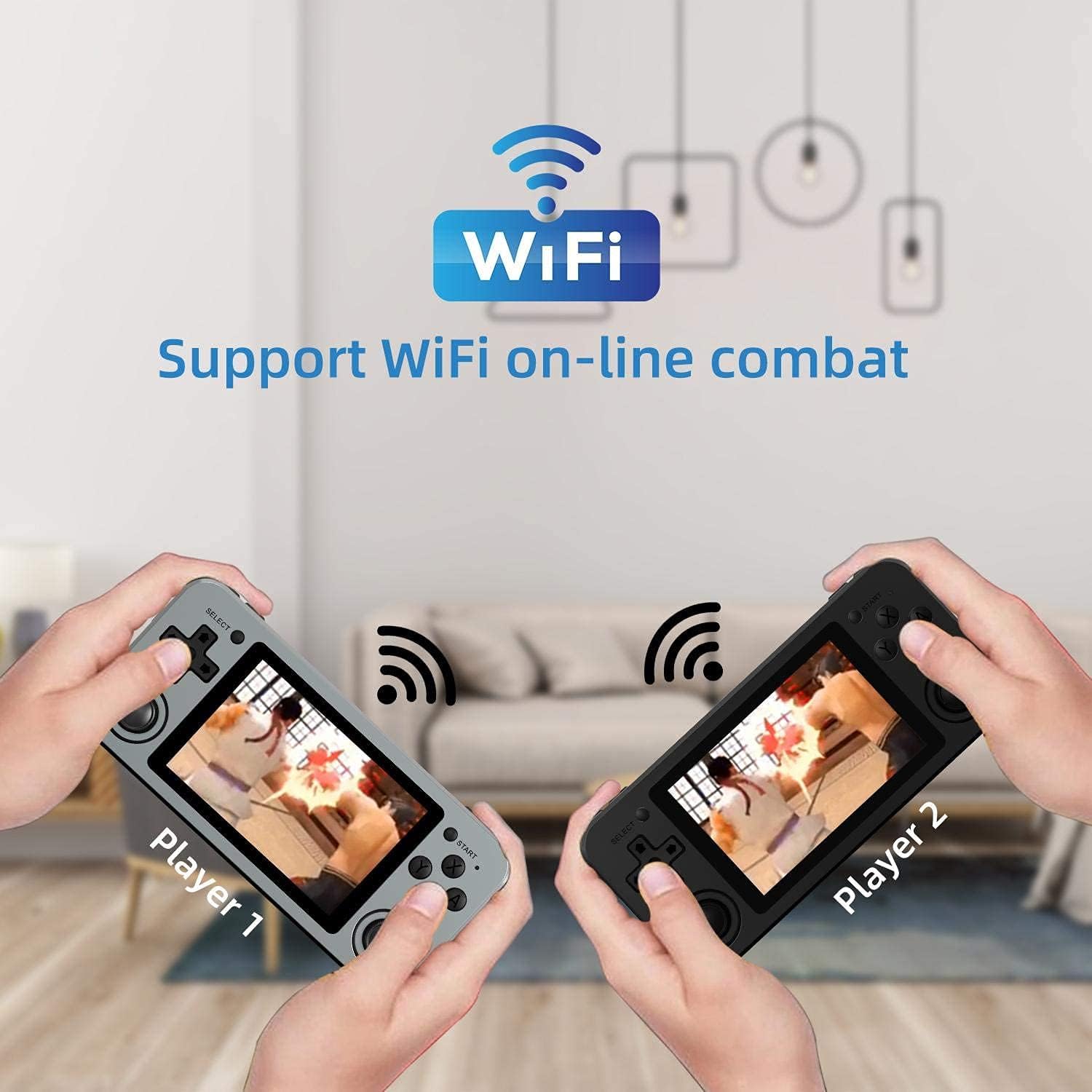
Image: Two RG351M consoles held by hands, illustrating the capability for Wi-Fi online combat between players.
Xizmat
- Tozalash: Use a soft, dry cloth to clean the console's exterior. For the screen, use a microfiber cloth specifically designed for electronics. Do not use liquid cleaners directly on the screen.
- Saqlash: When not in use for extended periods, store the console in a cool, dry place, away from direct sunlight.
- Batareya parvarishi: Batareya quvvatini uzaytirish uchun batareyani tez-tez to'liq zaryadsizlantirishdan saqlaning. Batareya quvvatini saqlab qolish uchun, hatto ishlatilmayotgan bo'lsa ham, qurilmani muntazam ravishda zaryadlang.
- Dasturiy ta'minot yangilanishlari: Periodically check for system updates (if available through the open-source community) to ensure optimal performance and compatibility.
Muammolarni bartaraf qilish; nosozliklarni TUZATISH
| Muammo | Mumkin yechim |
|---|---|
| Qurilma yoqilmaydi. | Batareyaning zaryadlanganligiga ishonch hosil qiling. Zaryadlovchini ulang va qayta yoqishdan oldin bir necha daqiqa kuting. |
| Ekran qotib qolgan yoki javob bermayapti. | Locate the recessed Reset button on the bottom of the device and press it gently with a thin, non-metallic object (e.g., a paperclip) to restart the console. |
| Games are not loading or running slowly. | Ensure the TF card is properly inserted. Some games may require specific emulator settings or may be too demanding for the hardware. Check online communities for compatibility lists or optimization tips. |
| Karnay yoki minigarnituradan ovoz yo'q. | Check the volume level using the volume buttons on the right side of the console. Ensure headphones are fully plugged in. Restart the device. |
| Wi-Fi ulanishi bilan bog'liq muammolar. | Ensure you are within range of a 2.4GHz Wi-Fi network. Double-check the Wi-Fi password. Restart the console and your Wi-Fi router. |
Texnik xususiyatlari
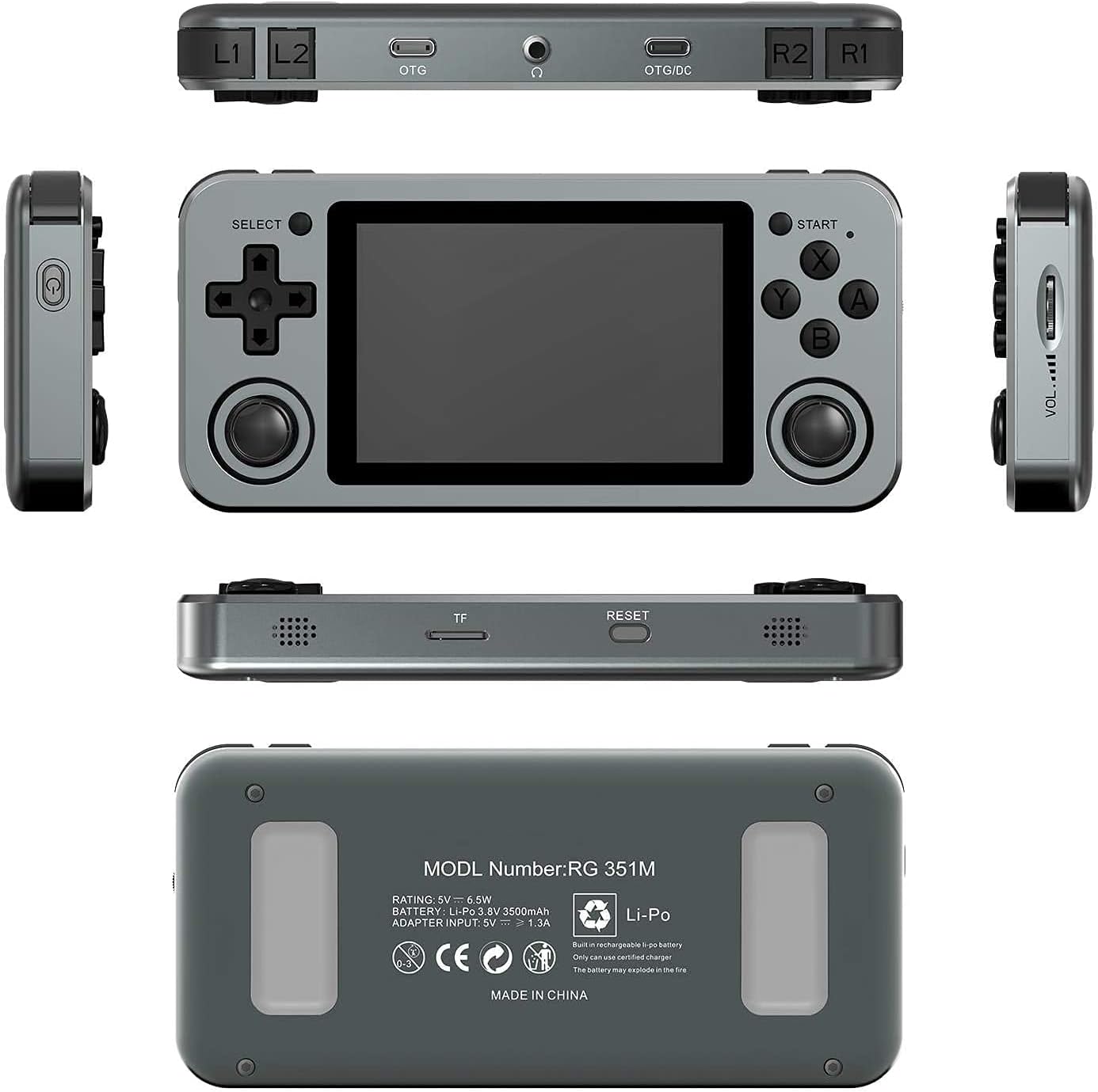
Image: A composite image showing the ANBERNIC RG351M from various angles, including front, top, bottom, sides, and back, providing a comprehensive view of its design and ports.
| Xususiyat | Tafsilot |
|---|---|
| Model | RG351M |
| Markaziy protsessor | RK3326 quad core 1.5 GHz |
| GPU | Mali-G31 MP2 |
| Ram | DDR3L 1GB |
| Xotira | 64GB (TF karta) |
| Ekran | 3.5 inch IPS, OCA full lamination, 320*480 resolution |
| Tizim | Open source Linux system |
| Batareya | Li-polymer 3500 mAh, up to 8 hours battery life |
| Zaryadlanmoqda | 1.3A charging, max 2A, USB Type-C, 4 hours full charge |
| TF kartasini qo'llab-quvvatlash | Maksimal 256 GB |
| Interfeys | TF Card Slot, 3.5mm Earphone, OTG 1 (Type-C), OTG 2 (Type-C Data/Charging) |
| O'lchamlari (konsol) | 15.2 sm (L) x 7.1 sm (W) x 1.8 sm (Y) |
| Og'irligi (konsol) | 0.19kg (approx. 6.7 oz) |
Kafolat va qo'llab-quvvatlash
For warranty information and technical support, please refer to the retailer or the official ANBERNIC website. Keep your proof of purchase for warranty claims. This manual provides general guidance; specific software-related issues may require consulting community forums or official support channels.


