1. Kirish
The Hama MW-650 is a versatile 6-button optical wireless mouse designed for multi-device use. It offers flexible connectivity options via a 2.4 GHz USB-A receiver and Bluetooth, allowing seamless switching between up to three devices. The optical sensor provides precise cursor control, and adjustable DPI settings cater to various user preferences. This manual provides detailed instructions for setup, operation, maintenance, and troubleshooting to ensure optimal performance of your device.
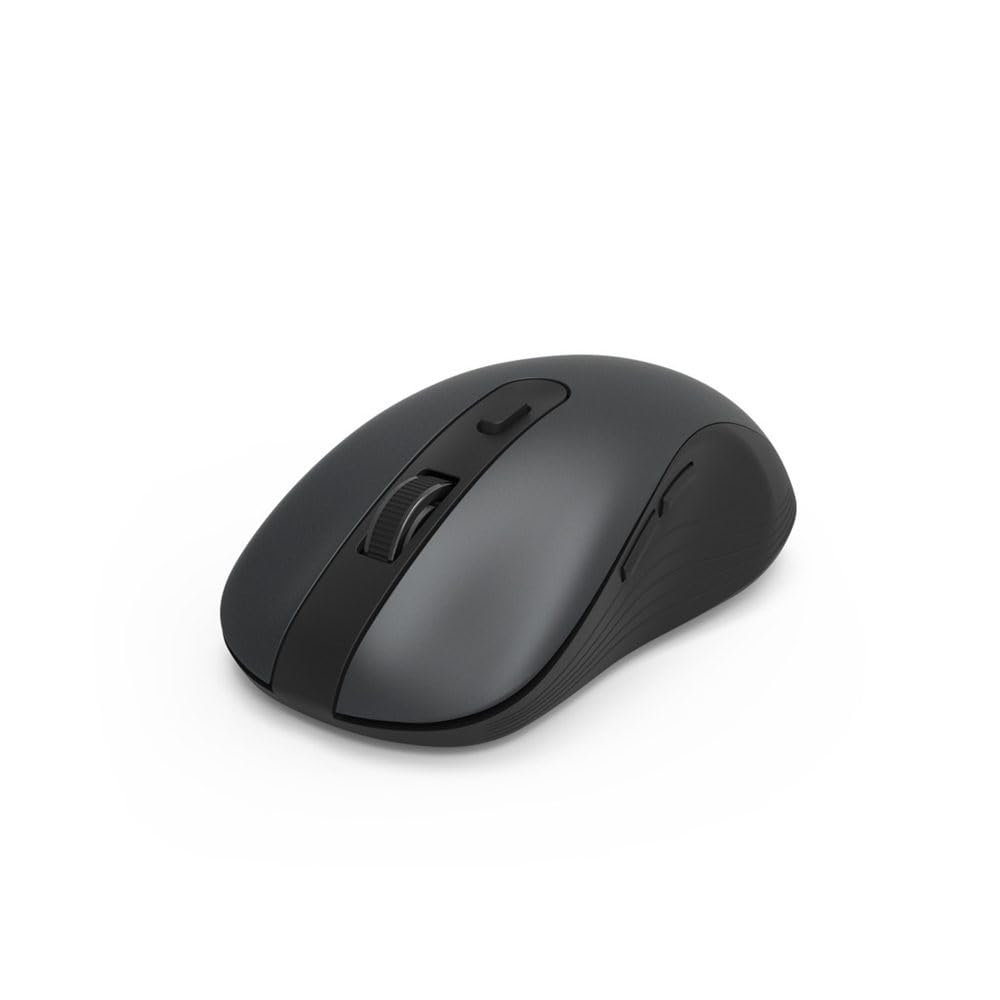
Image 1.1: Hama MW-650 Wireless Mouse (Top View)
2. Paket tarkibi
Paketda quyidagi elementlar mavjudligini tekshiring:
- 1 x Hama MW-650 6-Button Optical Wireless Mouse
- 1 x USB-A qabul qiluvchisi
- 2 x AA Mignon Batteries
- 1 x Foydalanish bo'yicha qo'llanma (ushbu hujjat)

Image 2.1: Hama MW-650 Product Packaging
3. Sozlash
3.1. Batareyani o'rnatish
- Sichqonchaning pastki qismidagi batareya bo'linmasini toping.
- Batareya bo'limi qopqog'ini oching.
- Insert the two AA Mignon batteries, ensuring correct polarity (+/-).
- Batareya bo'limi qopqog'ini mahkam yoping.
3.2. Quvvatni yoqish/o‘chirish
On the underside of the mouse, slide the ON/OFF switch to the 'ON' position to power on the mouse. Slide it to 'OFF' when not in use to conserve battery life.

Image 3.1: Underside of Hama MW-650 Mouse with ON/OFF Switch and Receiver
3.3. Ulanish imkoniyatlari
The Hama MW-650 mouse supports two wireless connection methods: 2.4 GHz via USB-A receiver and Bluetooth.
3.3.1. 2.4 GHz USB-A Receiver Connection
- Remove the USB-A receiver from its storage slot on the underside of the mouse.
- Plug the USB-A receiver into an available USB-A port on your computer or laptop.
- Operatsion tizim kerakli drayverlarni avtomatik ravishda aniqlab, o'rnatishi kerak.
- The mouse will connect automatically. The LED indicator for BT1/BT2 will not be lit when using the USB receiver.
3.3.2. Bluetooth ulanishi
The mouse can connect to two separate Bluetooth devices (BT1 and BT2).
- Sichqoncha yoqilganligiga ishonch hosil qiling.
- Press the 'BT1' or 'BT2' button on the underside of the mouse to select the desired Bluetooth channel. The corresponding LED will flash slowly.
- To enter pairing mode, press and hold the selected 'BT1' or 'BT2' button for approximately 3 seconds until the LED flashes rapidly.
- On your device (PC, laptop, tablet, smartphone), enable Bluetooth and search for new devices.
- Select "Hama MW-650" from the list of available devices to pair.
- Once successfully paired, the LED will stop flashing and remain steadily lit for a few seconds before turning off.
4. Foydalanish bo'yicha ko'rsatmalar
4.1. Sichqonchaning asosiy funktsiyalari
The Hama MW-650 features 6 buttons and a scroll wheel:
- Chap tugmasini bosish tugmasi: Primary function, typically for selecting items or opening links.
- O'ng tugmasini bosing: Secondary function, typically for context menus.
- O'tkazish g'ildiragi: For scrolling up and down documents or web pages. Can also be pressed for a middle-click function.
- DPI tugmasi: Located behind the scroll wheel, used to adjust cursor sensitivity.
- Oldinga/Orqaga tugmalari: Located on the side of the mouse, typically used for navigating web sahifalar yoki papkalar.
4.2. Qurilmalar o'rtasida almashish
The MW-650 mouse allows you to switch between three connected devices (one via USB receiver, two via Bluetooth).
- To switch to a Bluetooth-connected device, press the 'BT1' or 'BT2' button on the underside of the mouse. The corresponding LED will light up briefly.
- To switch to the device connected via the USB receiver, press the 'USB' button (or the button without a BT label) on the underside of the mouse.

Image 4.1: Multi-Device Connectivity Example

Image 4.2: Multi-Device Setup with Monitor
4.3. DPI Sensitivity Adjustment
The mouse offers adjustable DPI (Dots Per Inch) settings to control cursor speed and sensitivity. Press the DPI button located behind the scroll wheel to cycle through the available sensitivities:
- 800 dpi
- 1200 dpi (standart)
- 1600 dpi
- 2000 dpi
- 2400 dpi
Each press of the DPI button will change the sensitivity, allowing you to find the setting that best suits your task or preference.
5. Quvvatni boshqarish
The Hama MW-650 mouse is designed with intelligent power management features to conserve battery life:
- Avtomatik kutish rejimi: The mouse will automatically enter a standby mode after a period of inactivity. To wake it up, simply move the mouse or click any button.
- Yoqish/o'chirish tugmasi: For extended periods of non-use, slide the ON/OFF switch on the underside of the mouse to the 'OFF' position to completely power down the device and maximize battery life.
6. Xizmat va texnik xizmat ko'rsatish
6.1. Tozalash
Sichqonchangizning ishlashi va ko'rinishini saqlab qolish uchun:
- Ensure the mouse is powered off before cleaning.
- Sichqoncha yuzasini artish uchun yumshoq, quruq, tuksiz matodan foydalaning.
- O'jar axloqsizlik uchun, bir oz dampmatoga suv yoki yumshoq tozalash eritmasi soling. Qattiq kimyoviy yoki abraziv materiallardan saqlaning.
- Clean the optical sensor area on the underside of the mouse periodically with a cotton swab to ensure accurate tracking.
6.2. Batareyani almashtirish
When the mouse's performance degrades or it stops responding, it may be time to replace the batteries.
- Power off the mouse using the ON/OFF switch.
- Batareya bo'linmasini pastki qismida oching.
- Remove the old AA batteries and dispose of them according to local regulations.
- Insert new AA Mignon batteries, observing correct polarity.
- Batareya bo'linmasini yoping.
7. Muammolarni bartaraf qilish; nosozliklarni TUZATISH
If you encounter issues with your Hama MW-650 mouse, please refer to the following common solutions:
| Muammo | Mumkin yechim |
|---|---|
| Mouse does not respond. |
|
| Kursor harakati tartibsiz yoki sekin. |
|
| Qurilmalar oʻrtasida almashinib boʻlmadi. |
|
| Bluetooth ulanishi amalga oshmadi. |
|
8. Texnik spetsifikatsiyalar
| Model raqami | 00182617 (MW-650) |
| Ulanish texnologiyasi | 2.4GHz RF (USB-A Receiver), Bluetooth 5.0 |
| Harakatni aniqlash texnologiyasi | Optik |
| DPI sezgirligi | 800 / 1200 / 1600 / 2000 / 2400 DPI (adjustable) |
| Tugmalar soni | 6 (including scroll wheel) |
| Form faktor | O'ng qo'l |
| Quvvat manbai | 2 x AA Mignon Batteries (included) |
| Batareya muddati | 288 kungacha (foydalanishga qarab) |
| Mos keladigan operatsion tizimlar | Windows 11/10/8/7, Android 4.3 or higher, macOS 10.10 or higher, iOS 13 or higher |
| Mahsulot o'lchamlari (U x G x Y) | 11.3 x 6.3 x 4 sm (4.41 x 2.48 x 1.57 dyuym) |
| Element og'irligi | 3.62 untsiya |
| Rang | Qora |
9. Kafolat va qo'llab-quvvatlash
Kafolat haqida ma'lumot va texnik yordam uchun rasmiy Hama-ga murojaat qiling websayti yoki bevosita mijozlarga xizmat ko'rsatish bilan bog'laning. Har qanday kafolat da'volari uchun xaridingizni tasdiqlovchi hujjatni saqlang.
- Ishlab chiqaruvchi: Hama GmbH & Co KG
- Websayt: www.hama.com


