1. Mahsulot tugadiview
The AWOW AiBook 10 is a versatile 10.1-inch 2-in-1 device designed to function as both a tablet and a laptop. It features a detachable keyboard, a responsive touchscreen, and an integrated kickstand for multiple viewing modes. Powered by an Intel Celeron N4120 processor, it includes 8GB RAM and 128GB SSD storage, making it suitable for everyday computing tasks, web browsing, and media consumption.

Image: The AWOW AiBook 10 tablet shown with its detachable keyboard, illustrating its 2-in-1 functionality.
Asosiy xususiyatlar:
- Displey: 10.1-inch IPS HD (1280x800) Touchscreen
- Protsessor: Intel Celeron N4120 (up to 2.6GHz)
- Xotira: 8GB LPDDR4 RAM
- Saqlash: 128GB eMMC SSD, expandable via TF card slot (up to 512GB)
- Operatsion tizim: Windows 10 Bosh sahifa
- Ulanish: 2.4G+5G WiFi, Bluetooth 4.2
- Portlar: USB 3.0, Micro HDMI, DC-in, 3.5mm Earphone Jack, TF Card Slot
- Kameralar: Oldinda 2 MP, orqada 5 MP
- Batareya: 6500mAh
2. Komponentlar va portlar
Familiarize yourself with the physical components and available ports on your AWOW AiBook 10 tablet.
Paket tarkibi:
- AWOW AiBook 10 Tablet
- Olinadigan klaviatura
- Quvvat adapteri
- Foydalanuvchi uchun qo'llanma
- Stylus Pen (may be included with some models)
Device Layout and Ports:

Image: A detailed diagram highlighting the various ports and features of the AWOW AiBook 10, including the kickstand and removable keyboard.
- 3.5 mm eshitish vositasi uyasi: Eshitish vositalarini yoki tashqi dinamiklarni ulash uchun.
- TF karta uyasi: Insert a microSD card for expanded storage (up to 512GB).
- Old kamera (2.0MP): Located above the screen for video calls and selfies.
- Orqa kamera (5.0MP): Located on the back of the tablet for taking photos and videos.
- DC-in (12V/3A): Power input port for charging the device.
- Mikro HDMI: Connect to an external display or TV.
- USB 3.0: Connect USB devices such as flash drives, mice, or external hard drives.
- Removable Keyboard Connector: Magnetic connector for attaching the keyboard.
- 150° Kickstand: Integrated stand for adjustable viewburchaklar.
3. Sozlash
3.1 Dastlabki zaryadlash
Before first use, fully charge your AWOW AiBook 10. Connect the provided power adapter to the DC-in port on the tablet and plug it into a power outlet. The charging indicator light will illuminate. Allow several hours for a full charge.
3.2 Quvvatni yoqish/o‘chirish
- Yoqish uchun: Planshetning yon tomonida joylashgan quvvat tugmasini ekran yonib ketguncha bosib turing.
- O'chirish uchun: Press the Power button briefly to put the device to sleep. To fully shut down, navigate to the Start Menu in Windows, select the Power icon, and choose 'Shut down'.
3.3 Attaching and Detaching the Keyboard
The keyboard connects magnetically to the bottom edge of the tablet. Align the magnetic connector on the keyboard with the corresponding port on the tablet until it snaps into place. To detach, gently pull the tablet away from the keyboard.
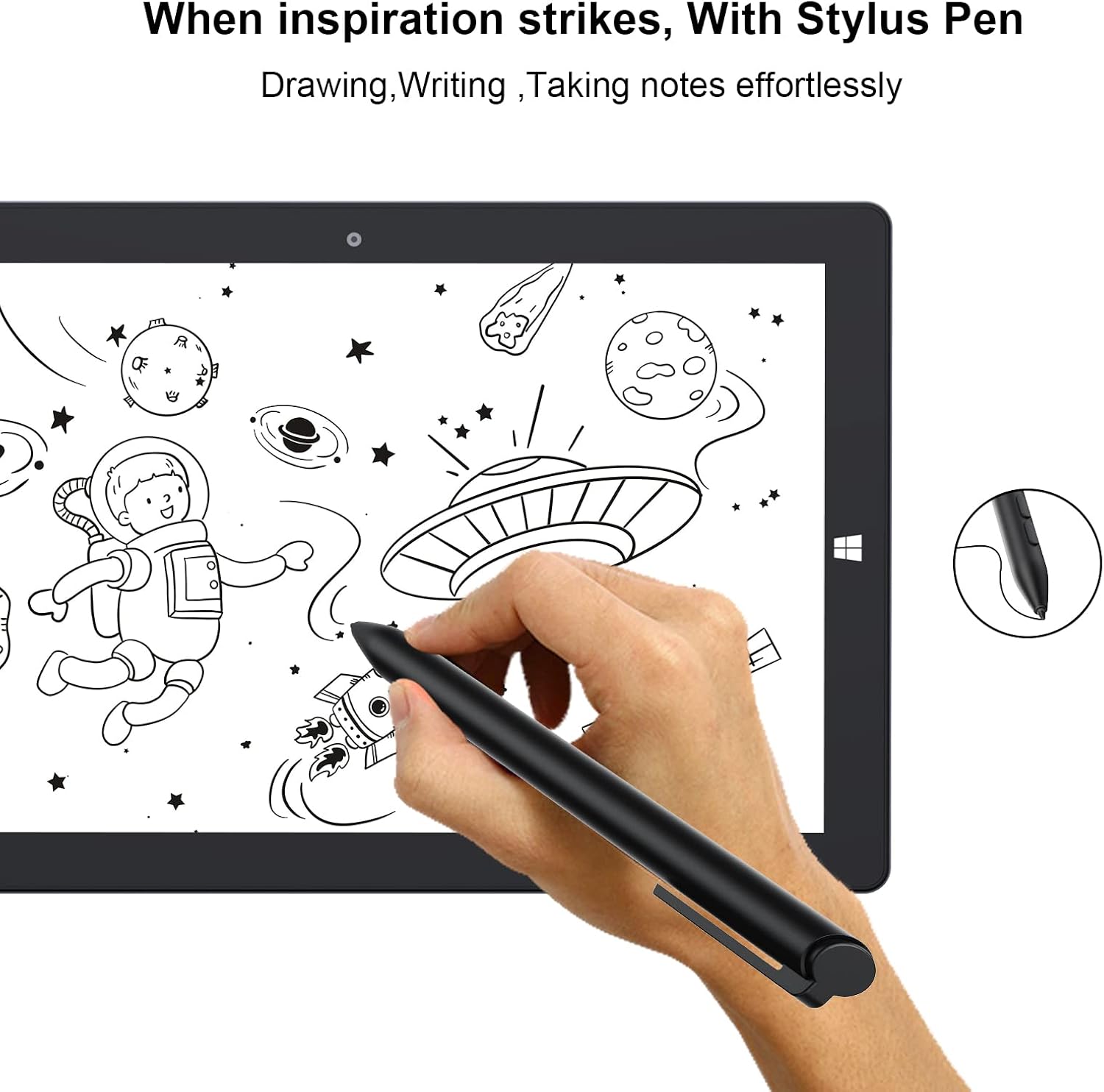
Image: The AWOW AiBook 10 tablet with its detachable keyboard securely attached, ready for use in laptop mode.
3.4 Windows-ni dastlabki sozlash
Upon first power-on, you will be guided through the Windows 10 Home setup process. Follow the on-screen prompts to select your region, language, connect to a Wi-Fi network, create a user account, and configure privacy settings.
4. Foydalanish bo'yicha ko'rsatmalar
4.1 Switching Between Tablet and Laptop Modes
The AiBook 10 automatically detects when the keyboard is attached or detached and prompts you to switch between tablet and desktop modes in Windows. You can also manually switch via the Action Center (swipe in from the right edge of the screen or click the icon in the taskbar).

Image: The AWOW AiBook 10 configured in laptop mode, demonstrating its functionality with the keyboard and kickstand.
4.2 Sensorli ekran va stilusdan foydalanish
The 10.1-inch IPS display supports multi-touch gestures. Use your fingers for navigation, tapping, pinching to zoom, and swiping. If your model includes a stylus, it can be used for precise input, drawing, and note-taking.

Image: A hand using the stylus pen on the AWOW AiBook 10 tablet screen for drawing or writing.
4.3 Wi-Fi va Bluetooth ga ulanish
- Wi-fi: ga boring Sozlamalar > Tarmoq va Internet > Wi-Fi. Turn Wi-Fi on and select your desired network, then enter the password if required.
- Bluetooth: ga boring Sozlamalar > Qurilmalar > Bluetooth va boshqa qurilmalar. Turn Bluetooth on and select 'Add Bluetooth or other device' to pair with compatible accessories.
4.4 Kickstanddan foydalanish
The integrated kickstand allows you to prop up the tablet at various angles (up to 150 degrees) for comfortable viewing, typing, or drawing. Gently pull out the kickstand from the back of the tablet to adjust its position.
Video: This video demonstrates the AWOW AiBook 10's versatility, showcasing its tablet, studio, stand, and laptop modes, along with its adjustable kickstand, internal components, and various ports.
5. Xizmat ko'rsatish
5.1 Qurilmangizni tozalash
- Ekran: Elektronika uchun maxsus mo'ljallangan yumshoq, tuksiz matodan foydalaning. Qattiq dog'lar uchun ozgina quriting.amplattaga suv yoki ekran tozalagich soling. Qattiq kimyoviy moddalardan saqlaning.
- Tana: Wipe the tablet and keyboard surfaces with a soft, dry cloth. Keep liquids away from ports and openings.
5.2 Batareyani parvarish qilish
- Haddan tashqari haroratlardan saqlaning, chunki ular batareyaning ishlash muddatini pasaytirishi mumkin.
- Batareyaning optimal uzoq umr ko'rishi uchun zaryad darajasini 20% dan 80% gacha ushlab turishga harakat qiling.
- Agar qurilma uzoq vaqt saqlansa, uni o'chirishdan oldin taxminan 50% gacha zaryadlang.
5.3 Dasturiy ta'minotni yangilash
Regularly check for and install Windows updates to ensure your device has the latest security patches and performance improvements. Go to Sozlamalar > Yangilash va xavfsizlik > Windows yangilash.
5.4 Saqlashni boshqarish
The AiBook 10 comes with 128GB of eMMC storage. To manage space, regularly delete unnecessary files, uninstall unused applications, and utilize the TF card slot for additional storage of documents, photos, and videos.
6. Muammolarni bartaraf qilish; nosozliklarni TUZATISH
This section addresses common issues you might encounter with your AWOW AiBook 10.
6.1 Qurilma yoqilmaydi
- Ensure the device is fully charged. Connect the power adapter and wait a few minutes before attempting to power on again.
- Try holding the Power button for 10-15 seconds to perform a hard reset.
6.2 Wi-Fi yoki Bluetooth ulanishi bilan bog'liq muammolar
- Toggle Wi-Fi/Bluetooth off and on in Windows settings.
- Planshetni qayta ishga tushiring.
- Ensure your router or Bluetooth device is functioning correctly and within range.
- Tarmoq adapteri drayverlarini Qurilma menejeri orqali yangilang.
6.3 Sensorli ekran javob bermayapti
- Planshetni qayta ishga tushiring.
- Ekran toza va axlatdan xoli ekanligiga ishonch hosil qiling.
- Check for Windows updates that might include touchscreen driver fixes.
6.4 Klaviatura javob bermayapti
- Ensure the keyboard is securely attached to the tablet's magnetic connector.
- Detach and reattach the keyboard.
- Planshetni qayta ishga tushiring.
6.5 Sekin ishlash
- Orqa fonda ishlaydigan keraksiz ilovalarni yoping.
- Windows yangilanishlarini tekshiring va o'rnating.
- Diskni tozalash va defragmentatsiyani ishga tushiring (SSD emas, HDD uchun).
- Etarli bo'sh saqlash joyini ta'minlang.
6.6 Zavod sozlamalarini tiklash
If persistent issues occur, you may consider a factory reset. This will erase all data and reinstall Windows. Back up all important files before proceeding. Go to Settings > Update & Security > Recovery > Reset this PC.
7. Texnik shartlar
Detailed technical specifications for the AWOW AiBook 10.

Image: A graphic detailing the core specifications of the AWOW AiBook 10, including CPU, GPU, RAM, SSD, battery life, and camera resolution.
| Xususiyat | Spetsifikatsiya |
|---|---|
| Ekran o'lchami | 10.1 dyuym |
| Ekran ravshanligi | 1280 x 800 Pixels (IPS HD) |
| Protsessor | Intel Celeron N4120 (1.1 GHz, 4 Cores, up to 2.6 GHz Boost) |
| Grafika | Intel UHD Graphics 600 (Integratsiyalashgan) |
| Ram | 8 GB LPDDR4 |
| Saqlash | 128 GB eMMC SSD |
| Kengaytiriladigan xotira | TF Card Slot (up to 512GB) |
| Operatsion tizim | Windows 10 Bosh sahifa |
| Simsiz ulanish | 2.4G+5G WiFi, Bluetooth 4.2 |
| Portlar | 1x USB 3.0, 1x Micro HDMI, 1x DC-in (12V/3A), 1x 3.5mm Earphone Jack, 1x TF Card Slot |
| Kameralar | Old 2 MP, orqa 5 MP |
| Batareya | 6500mAh (Approx. 7-8 hours average use) |
| Olchamlari (UxKxY) | 10.1 x 6.8 x 0.38 dyuym |
| Element og'irligi | 2.97 pounds (with keyboard) |
8. Kafolat va qo'llab-quvvatlash
8.1 Mahsulot kafolati
The AWOW AiBook 10 typically comes with a 1-year limited warranty from the date of purchase. This warranty covers manufacturing defects and hardware malfunctions under normal use. Please retain your proof of purchase for warranty claims.

Image: A feature overview highlighting key aspects of the AiBook 10, including the 1-year support period, expandable storage, and battery capacity.
8.2 Mijozlarni qo‘llab-quvvatlash
For technical assistance, warranty inquiries, or any questions regarding your AWOW AiBook 10, please contact AWOW customer support. Refer to the contact information provided in your product packaging or visit the official AWOW webqo'llab-quvvatlash manbalari uchun sayt.
ga ham tashrif buyurishingiz mumkin AWOW Store on Amazon for more product information and support options.