1. Kirish
This manual provides detailed instructions for the setup, operation, and maintenance of your AWOW AK41 Mini PC. The AK41 is a compact and powerful desktop computer featuring an Intel Celeron J4125 processor, 8GB DDR4 RAM, and a 128GB NVMe M.2 SSD, pre-installed with Windows 11 Pro. It is designed for various applications including office work, home theater, study, and security monitoring.
2. Paket tarkibi
Iltimos, paketingizda barcha narsalar mavjudligini tekshiring:
- AWOW AK41 Mini PC
- Quvvat adapteri
- HDMI kabeli
- Mounting Bracket with Screws (for VESA mounting)
- Foydalanuvchi uchun qo'llanma

Image 2.1: AWOW AK41 Mini PC with included accessories.
3. Mahsulot tugadiview
The AWOW AK41 Mini PC is engineered for efficiency and versatility. Below is an overview of its key components and ports.
3.1 Front and Side Panel

3.1-rasm: Old va yon tomonlar view of the AWOW AK41 Mini PC, highlighting the USB 3.0 ports, audio jack, and power button.
- Quvvat tugmasi: Qurilmani yoqish yoki oʻchirish uchun bosing.
- USB 3.0 portlari (x2): Yuqori tezlikdagi USB qurilmalarini ulash uchun.
- Audio uyasi (3.5 mm): Eshitish vositasi yoki tashqi dinamiklar uchun.
3.2 Orqa panel

3.2-rasm: orqa view of the AWOW AK41 Mini PC, illustrating the DC power input, HDMI ports, Gigabit Ethernet, USB 2.0 ports, and Type-C port.
- DC quvvat kiritish: O'rnatilgan quvvat adapterini ulang.
- HDMI 2.0 portlari (x2): Connect to displays for 4K@60Hz output.
- Gigabit Ethernet porti: Simli tarmoq ulanishi uchun.
- USB 2.0 portlari (x2): Standart USB qurilmalarini ulash uchun.
- Full-Function Type-C Port (x1): Supports data transfer, video output (4K), and PD fast charging.
- Micro SD karta uyasi: For additional storage expansion.
4. O'rnatish bo'yicha qo'llanma
Follow these steps to set up your AWOW AK41 Mini PC:
- Displeyga ulanish: Connect your monitor(s) to the Mini PC using the HDMI ports or the Type-C port. The device supports up to three displays simultaneously.
- Periferik qurilmalarni ulang: Klaviatura, sichqoncha va boshqa USB qurilmalaringizni mavjud USB 2.0 yoki USB 3.0 portlariga ulang.
- Tarmoqqa ulanish: For a wired connection, connect an Ethernet cable to the Gigabit Ethernet port. For wireless, the device supports 2.4G/5G dual-band WiFi.
- Yoqilgan: Connect the power adapter to the DC power input on the Mini PC, then plug the adapter into a power outlet. Press the power button on the front panel to turn on the device.
- Dastlabki sozlash: Upon first boot, follow the on-screen instructions to complete the Windows 11 Pro setup, including language, region, and network configuration.
5. Foydalanish bo'yicha ko'rsatmalar
5.1 Windows 11 Pro
Your AWOW AK41 Mini PC comes pre-installed with Windows 11 Pro 64-bit. Familiarize yourself with the Windows 11 interface for optimal use.
- Boshlash menyusi: Ilovalar, sozlamalar va quvvat parametrlariga kirish.
- Vazifa paneli: Pin frequently used applications and manage open windows.
- Sozlamalar: Customize system preferences, network settings, and display options.
5.2 Multi-Display Setup
The AK41 supports connecting up to three displays simultaneously at 4K@60Hz. This can be achieved using the two HDMI 2.0 ports and the full-function Type-C port.

Image 5.1: The AWOW AK41 Mini PC supporting multiple 4K displays for enhanced productivity.
To configure multiple displays in Windows 11:
- Ish stolida sichqonchaning o'ng tugmachasini bosing va "Displey sozlamalari" ni tanlang.
- Windows will detect the connected displays. You can arrange them, choose display modes (Extend, Duplicate, Show only on 1/2/3), and adjust resolution.
6. Saqlash maydonini kengaytirish
The AWOW AK41 Mini PC offers flexible storage expansion options:

Image 6.1: Visual guide for expanding storage on the AWOW AK41 Mini PC.
- 2.5-inch SATA HDD/SSD: You can add a 2.5-inch SATA hard drive or SSD (up to 2TB, not included) into the dedicated bay.
- M.2 SATA SSD: An additional M.2 SATA SSD (up to 2TB, not included) can be installed. Note that the M.2 port supports PCIe X2, and compatibility with PCIe X4 might vary.
- Tashqi xotira: Utilize the USB 3.0 and USB 2.0 ports to connect external hard drives or USB flash drives.
- Micro SD karta: Insert a Micro SD card into the dedicated slot for portable storage.
7. Ulanish
7.1 ta Wi-Fi
The AK41 supports dual-band 2.4G/5G Wi-Fi (802.11a/b/g/n/ac) for robust wireless connectivity.
- Windows vazifalar panelidagi Wi-Fi belgisini bosing.
- Ro'yxatdan o'zingiz xohlagan tarmoqni tanlang.
- Enter the network password if prompted and click "Connect."
7.2 Ethernet
For a stable and high-speed internet connection, use the Gigabit Ethernet port.
- Connect one end of an Ethernet cable to the Gigabit Ethernet port on the Mini PC.
- Ethernet kabelining ikkinchi uchini router yoki modemingizga ulang.
- The system will automatically detect and connect to the wired network.
7.3 Bluetooth
The Mini PC includes Bluetooth 4.2 for connecting wireless peripherals.
- Go to Windows Settings > Bluetooth & devices.
- Bluetooth yoqilganligini tekshiring.
- Click "Add device" and select "Bluetooth."
- Select your Bluetooth device from the list and follow the pairing instructions.
8. Xizmat ko'rsatish
Proper maintenance ensures the longevity and optimal performance of your Mini PC.
- Tozalash: Tashqi qismini tozalash uchun yumshoq, quruq matodan foydalaning. Shamollatish teshiklarida chang to'planishi uchun siqilgan havodan foydalaning. Tozalashdan oldin qurilmaning o'chirilganligiga va elektrdan uzilganligiga ishonch hosil qiling.
- Ventilyatsiya: Do not block the ventilation holes. Ensure adequate airflow around the device to prevent overheating. The AK41 features a built-in quiet fan for efficient heat dissipation.
- Dasturiy ta'minot yangilanishlari: Regularly update Windows 11 and device drivers to maintain security and performance.
- Atrof-muhit sharoitlari: Operate the Mini PC in a clean, dry environment, away from direct sunlight, extreme temperatures, and excessive humidity.

Image 8.1: The AWOW AK41 Mini PC's internal cooling system with a quiet large fan for effective heat dissipation.
9. Muammolarni bartaraf qilish; nosozliklarni TUZATISH
If you encounter issues with your AWOW AK41 Mini PC, refer to the following common solutions:
- Quvvat yo'q:
- Quvvat adapteri Mini PC va ishlaydigan elektr rozetkasiga ishonchli ulanganligiga ishonch hosil qiling.
- Boshqa elektr rozetkasini sinab ko'ring.
- Displey yo'q:
- Verify that the HDMI or Type-C cable is firmly connected to both the Mini PC and the monitor.
- Monitor yoqilganligiga va to'g'ri kirish manbasiga o'rnatilganligiga ishonch hosil qiling.
- Test with a different cable or monitor if possible.
- Internetga ulanish yo'q:
- For Wi-Fi, check if the Wi-Fi adapter is enabled in Windows settings and if you are connected to the correct network with the right password.
- For Ethernet, ensure the cable is properly connected and your router/modem is functioning.
- Router/modemingizni va Mini kompyuteringizni qayta ishga tushiring.
- Sekin ishlash:
- Orqa fonda ishlaydigan keraksiz ilovalarni yoping.
- Har qanday kutilayotgan Windows yangilanishlarini tekshiring va o'rnating.
- SSD-da etarli bo'sh joy mavjudligiga ishonch hosil qiling.
10. Texnik shartlar
| Xususiyat | Spetsifikatsiya |
|---|---|
| Brend | AVOW |
| Model raqami | AK41 |
| Operatsion tizim | Windows 11 Pro |
| Protsessor | Intel Celeron J4125 Quad-Core (2.0 GHz base, up to 2.7 GHz burst) |
| Ram | 8 GB DDR4 |
| Ichki xotira | 128 GB NVMe M.2 SSD (PCIe x2) |
| Grafika | Intel UHD Grafik 600 |
| Displey chiqishi | 2x HDMI 2.0, 1x Full-Function Type-C (supports 4K@60Hz, triple display) |
| Rezolyutsiya | Up to 4096 x 2304 (4K) |
| Simsiz ulanish | Dual-band Wi-Fi (802.11a/b/g/n/ac), Bluetooth 4.2 |
| Simli ulanish | 1x Gigabit Ethernet |
| USB portlari | 2x USB 3.0, 2x USB 2.0 |
| Boshqa portlar | 1x 3.5mm Audio Jack, 1x Micro SD Card Slot, 1x DC Power Input |
| Olchamlari (U x G x Y) | 12.5 x 11 x 4 sm |
| Og'irligi | 710 gramm |
| Quvvat turi | DC |
| Maxsus foydalanish | Multimedia, Personal, Professional |
11. Kafolat va qo'llab-quvvatlash
AWOW is committed to providing reliable products and customer satisfaction.
- Kafolat: Your AWOW AK41 Mini PC comes with a 1-year warranty.
- Qaytaradi: Enjoy a 1-month free return period.
- Texnik yordam: AWOW offers lifetime technical consulting services and 24-hour customer support.
If you encounter any issues or have questions, please contact AWOW customer service for assistance.
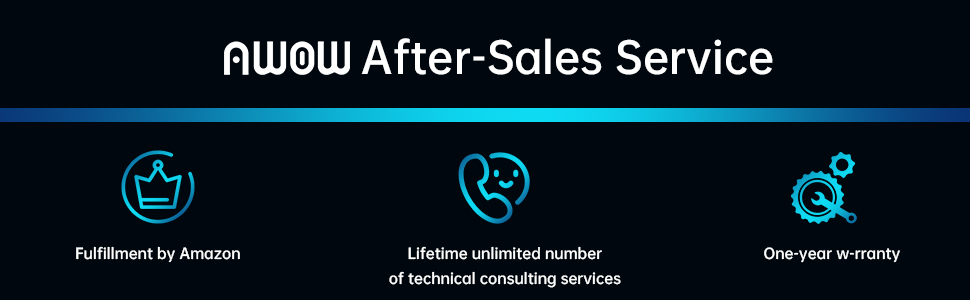
11.1-rasm: tugadiview of AWOW's after-sales service commitments.


