1. Mahsulot tugadiview
The ZIOCOM 2-in-1 Wireless Bluetooth Transmitter/Receiver is a versatile audio adapter designed to enhance your audio experience by adding Bluetooth capabilities to non-Bluetooth devices. It functions as both a transmitter (TX mode) to send audio from your TV, PC, or MP3 player to Bluetooth headphones or speakers, and a receiver (RX mode) to stream audio from your smartphone or tablet to wired speakers, car stereos, or home sound systems. Featuring Bluetooth 5.0 and aptX Low Latency technology, it ensures high-quality audio with minimal delay.

Figure 1: ZIOCOM 2-in-1 Wireless Bluetooth Transmitter/Receiver and accessories.
Paket tarkibi:
- ZIOCOM 2-in-1 Bluetooth Transmitter/Receiver (BH045B)
- 3.5 mm audio kabel
- RCA dan 3.5 mm gacha audio kabel
- USB zaryadlovchi kabeli
- Foydalanuvchi uchun qo'llanma

Figure 2: Package contents including the device, various cables, and user manual.
2. Qurilmaning joylashuvi va boshqaruv elementlari

Figure 3: Device layout with key components labeled.
- Ko'p funktsiyali tugma: Power On/Off, Play/Pause, Answer/End/Reject Calls, Redial.
- Volume Up/Previous Song Button: Increase volume, navigate to previous track.
- Volume Down/Next Song Button: Decrease volume, navigate to next track.
- Juftlik tugmasi: Bluetooth ulanish rejimini ishga tushiradi.
- TX/RX Switch: Toggles between Transmitter and Receiver modes.
- Ko'rsatkich chirog'i: Qurilma holatini ko'rsatadi (ulanish, ulanish, zaryadlash).
- Ichki mikrofon: For hands-free calling in RX mode.
- Type-C zaryadlash porti: Ichki batareyani zaryad qilish uchun.
- AUX porti: 3.5mm audio input/output.
3. Sozlash va zaryadlash
Dastlabki zaryadlash:
Before first use, fully charge the device. Connect the supplied USB charging cable to the Type-C charging port on the adapter and the other end to a USB power source (e.g., computer USB port, USB wall adapter). The indicator light will show charging status and turn off when fully charged. A full charge takes approximately 2 hours.
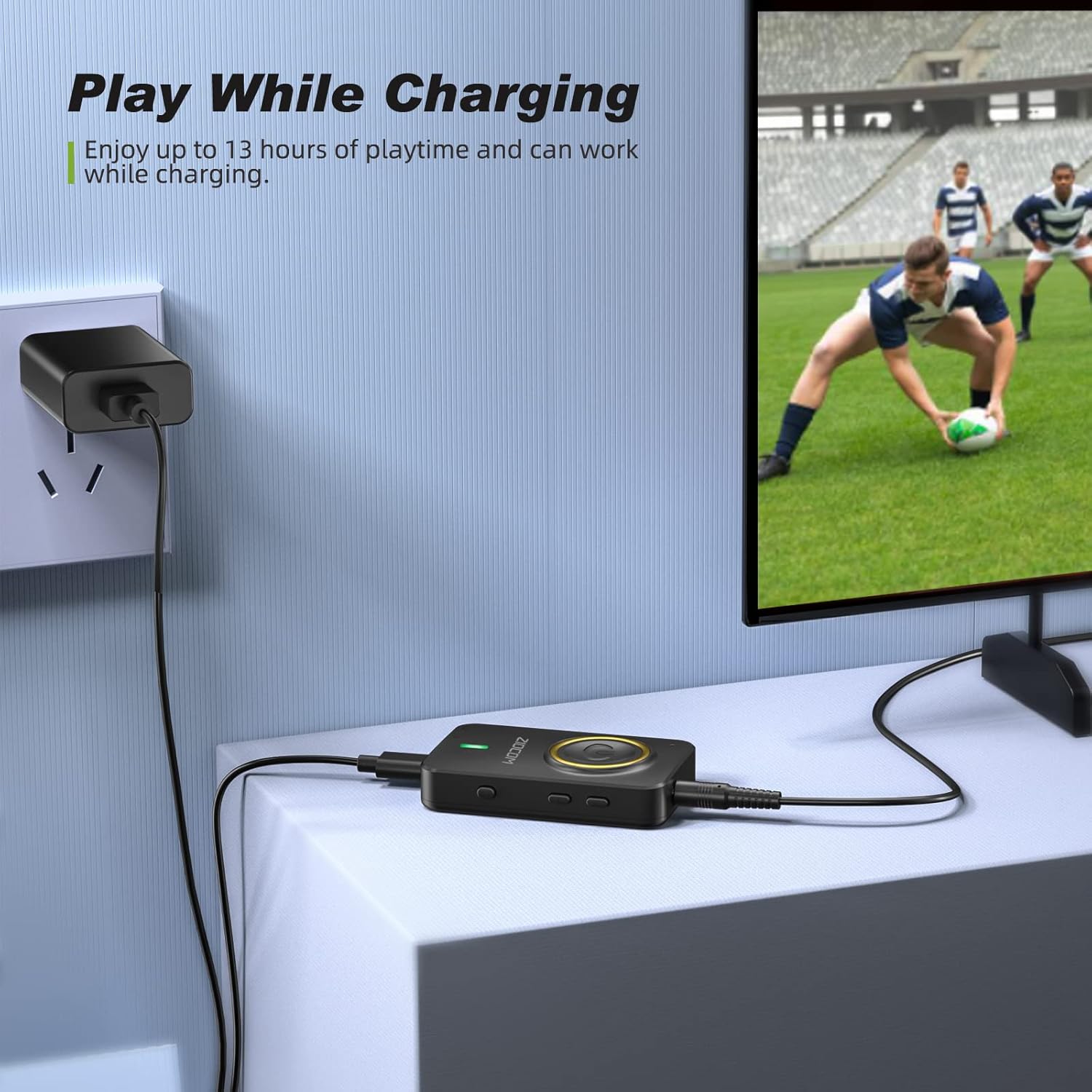
Figure 4: The device can be used while charging, providing extended playtime.
Quvvatni yoqish/oʻchirish:
- Yoqilgan: Press and hold the Multifunction Button for 3 seconds until the indicator light turns on.
- O'chirish: Press and hold the Multifunction Button for 3 seconds until the indicator light turns off.
4. Ishlash rejimlari
The ZIOCOM adapter supports two primary operating modes: Transmitter (TX) and Receiver (RX). Use the TX/RX kaliti on the side of the device to select the desired mode.

5 -rasm: tugadiview of Transmitter (TX) and Receiver (RX) modes.
4.1. Transmitter (TX) rejimi
In TX mode, the adapter transmits audio from non-Bluetooth devices (e.g., TV, PC, MP3 player) to Bluetooth-enabled headphones or speakers.
Setup for TX Mode:
- Qurilmani quyidagiga o'tkazing TX mode using the TX/RX switch.
- Connect the ZIOCOM adapter to your audio source (TV, PC, MP3 player) using the 3.5mm audio cable or the RCA to 3.5mm audio cable. Plug the 3.5mm end into the adapter's AUX port and the other end into the audio output port of your source device.
- Power on the adapter. It will automatically enter pairing mode, indicated by a rapidly flashing blue light.
- Place your Bluetooth headphones or speaker into pairing mode.
- The adapter will automatically search for and connect to nearby Bluetooth devices. Once connected, the indicator light will turn solid blue.

Figure 6: Enjoying low latency audio from TV in TX mode. (Note: Your receiving device must also support aptX Low Latency for optimal performance.)
Dual-Link in TX Mode:
The adapter can connect to two Bluetooth headphones/speakers simultaneously in TX mode.
- Connect the first Bluetooth device as described above.
- Once the first device is connected, press the Ulanish tugmasi on the ZIOCOM adapter. The indicator light will flash rapidly again.
- Put the second Bluetooth headphone/speaker into pairing mode.
- The adapter will connect to the second device. Both devices will now receive audio simultaneously.

Figure 7: Dual-link feature allowing two Bluetooth headphones to connect to a TV.
4.2. Qabul qiluvchi (RX) rejimi
In RX mode, the adapter receives audio from Bluetooth-enabled devices (e.g., smartphones, tablets) and plays it through wired speakers, car stereos, or home sound systems.
Setup for RX Mode:
- Qurilmani quyidagiga o'tkazing RX mode using the TX/RX switch.
- Connect the ZIOCOM adapter to your wired audio system (speakers, car stereo) using the 3.5mm audio cable or the RCA to 3.5mm audio cable. Plug the 3.5mm end into the adapter's AUX port and the other end into the audio input port of your wired system.
- Power on the adapter. It will automatically enter pairing mode, indicated by a rapidly flashing blue light.
- Smartfon yoki planshetingizda Bluetooth-ni yoqing va qidiring
Tegishli hujjatlar - BH045B

ZIOCOM BT5804F Bluetooth transmitter qabul qiluvchisi foydalanuvchi qo'llanmasi
ZIOCOM BT5804F Bluetooth uzatuvchi va qabul qiluvchisini o'rganing. Ushbu foydalanuvchi qo'llanmasi audio adapter uchun batafsil ko'rsatmalar, spetsifikatsiyalar va xususiyatlarni, shu jumladan aptX Low Latency va Bypass rejimini o'z ichiga oladi.
ZIOCOM BT5809 Bluetooth 5.0 Transmitter qabul qiluvchisi foydalanuvchi qo'llanmasi
ZIOCOM BT5809, simsiz uzoq masofali Bluetooth 5.0 uzatuvchi, qabul qiluvchi va aylanib o'tish moslamasi uchun to'liq foydalanuvchi qo'llanmasi. Mahsulot spetsifikatsiyalari, sozlash, ishlash rejimlari (qabul qiluvchi, uzatuvchi, aylanib o'tish), juftlashtirish, nosozliklarni bartaraf etish va kafolat ma'lumotlari haqida bilib oling.
ZIOCOM RC02 Bluetooth Aux Adapter User Manual
User manual for the ZIOCOM RC02 Bluetooth Aux Adapter. Learn about product specifications, how to pair and use the device for wireless audio streaming and hands-free calls, troubleshooting, and maintenance. Compatible with car stereos and home audio systems.
ZIOCOM BT4853C Bluetooth 5.0 transmitter qabul qiluvchisi foydalanuvchi qo'llanmasi
ZIOCOM BT4853C Bluetooth 5.0 uzatuvchi va qabul qiluvchisi uchun foydalanuvchi qo'llanmasi. Ushbu simsiz audio adapterni sozlash, TX va RX rejimlarida ishlash, ulash, ovoz balandligini boshqarish va muammolarni bartaraf etish bo'yicha ko'rsatmalar beradi.
ZIOCOM LK02 Air Conduction Headphones User Manual
User manual for ZIOCOM LK02 Air Conduction Headphones. Details specifications, connection methods, controls, how to wear, charging, precautions, and support for these Bluetooth V5.1 wireless headphones.
ZIOCOM PTX-BT4807B Bluetooth qabul qiluvchisi foydalanuvchi qo'llanmasi
User manual for the ZIOCOM PTX-BT4807B Bluetooth Receiver, providing instructions on setup, operation, and specifications for wireless audio streaming to home stereo systems and car speakers.