Kirish
This manual provides detailed instructions for the BEITONG BAT 2 Wired USB Gaming Controller. It covers setup, operation, maintenance, and troubleshooting to ensure optimal performance and longevity of your device. The BEITONG BAT 2 is designed for a responsive and immersive gaming experience on compatible platforms.
Mahsulot xususiyatlari
- 8th Generation Upgraded Chip: Features ultra-low latency (≤ 0.008 s) for smooth and responsive gameplay.
- Simli USB ulanishi: Ensures stable and reliable connectivity.
- Ko'p platformali muvofiqlik: Supports PC (Windows 7/8/10/11), Laptops, Android TV, and Tesla Model 3/Y (before 11/2021). Note: Does not support Xbox, PS4/5, or Switch.
- High Precision Joysticks: Designed for 360° flexible positioning and fine-tuning, enhancing control in various game genres.
- Dual Vibrating Motors: Built-in asymmetrical motors provide varied vibration feedback based on in-game events, increasing immersion. (Vibration effect is active only when supported by the game.)
- Turbo funktsiyasi: A dedicated turbo button simplifies complex combo inputs, offering an advantage tezkor o'yinlarda.
Paket tarkibi
- BEITONG BAT 2 Wired USB Gaming Controller
- Foydalanuvchi uchun qo'llanma (ushbu hujjat)
O'rnatish bo'yicha ko'rsatmalar
- Tekshirish moslamasini ulang: Insert the USB connector of the BEITONG BAT 2 controller into an available USB port on your PC, Laptop, Android TV, or compatible Tesla vehicle.

Image: The BEITONG BAT 2 controller connected via USB to a laptop, desktop PC, Steam Deck (with OTG adapter), Android TV, and Tesla car screen. This illustrates the multi-platform compatibility.
- Haydovchi o'rnatish: For Windows operating systems (7/8/10/11), the necessary drivers should install automatically upon first connection. Allow a few moments for the system to recognize the device.
- Ulanishni tekshirish: Once connected, the controller's indicator light should illuminate, signifying a successful connection. You can test the controller's functionality through your operating system's game controller settings.
- Tesla Compatibility Note: For Tesla Model 3 and Model Y, ensure your vehicle was manufactured before November 2021 for compatibility. An OTG adapter may be required for some devices, such as the Steam Deck.
Foydalanish bo'yicha ko'rsatmalar
Controller Layout and Functions
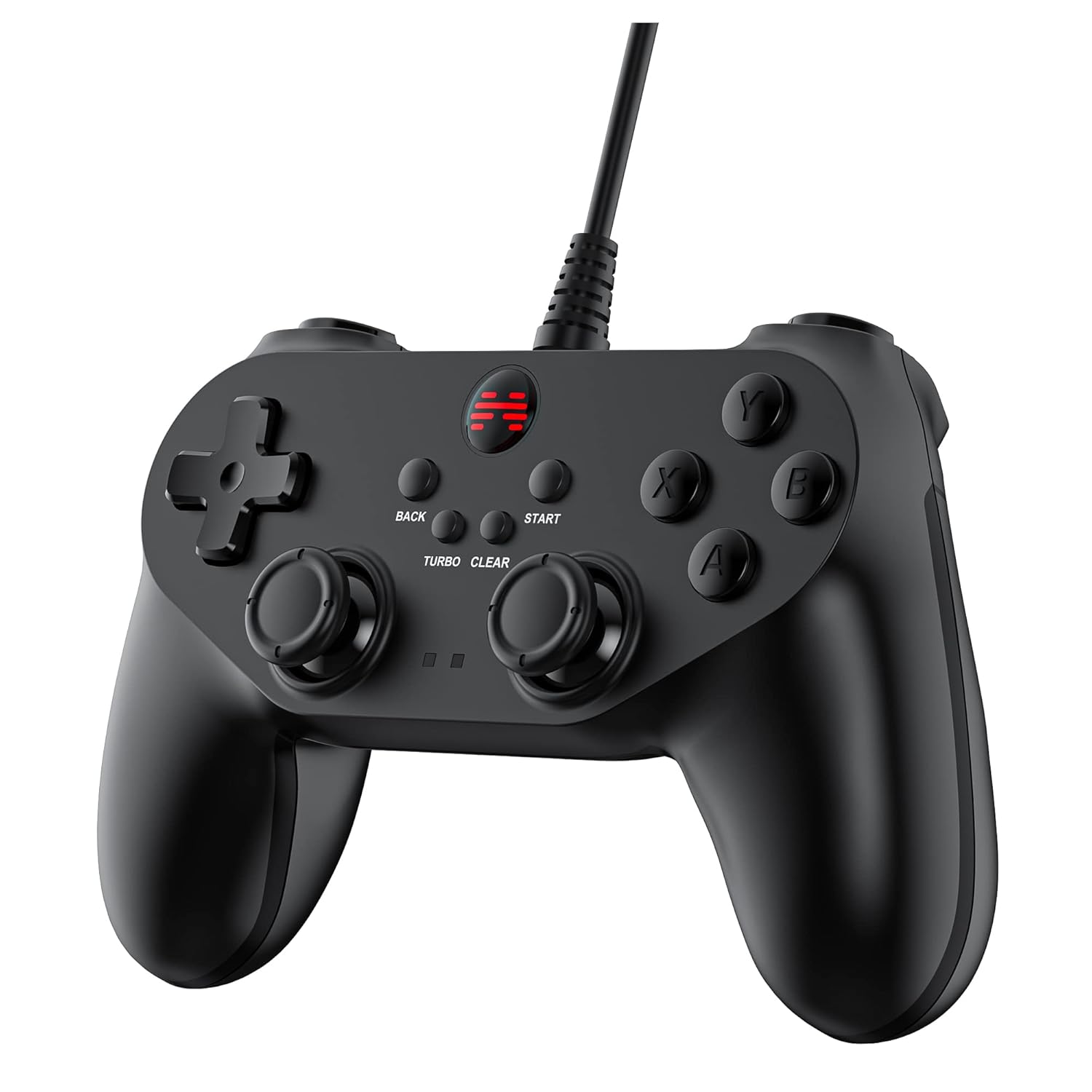
Rasm: batafsil jabha view of the BEITONG BAT 2 controller, highlighting the ergonomic design, dual analog sticks, D-pad, action buttons (A, B, X, Y), and central function buttons (Back, Start, Turbo, Clear).
- Analog joystiklar: Use for precise 360° movement and camera control in games. The joysticks are designed for high precision and flexible positioning.
- D-Pad: Used for directional input, often for menu navigation or specific game actions.
- Harakat tugmalari (A, B, X, Y): O'yin ichidagi harakatlar uchun asosiy kiritish tugmalari.
- Yelka tugmalari (L1, R1) va tetiklar (L2, R2): Located on the top of the controller for additional actions. Note that L2 and R2 are digital buttons, not analog triggers.
- BACK and START Buttons: Standard function buttons for pausing games, accessing menus, or other in-game commands.
- TURBO tugmasi: Activates the turbo function.
- CLEAR tugmasi: Deactivates the turbo function.
Turbo funksiyasidan foydalanish
- Turbo-ni yoqish: ni bosing va ushlab turing TURBO button, then press the action button (e.g., A, B, X, Y, L1, R1, L2, R2) you wish to apply turbo to. The selected button will now repeatedly register input as long as it is held down.
- Turbo-ni o'chirish: ni bosing va ushlab turing TOZLASH button, then press the action button that has turbo enabled. The turbo function for that specific button will be deactivated.
- Global Turbo Clear: To clear all active turbo settings, press and hold the TOZLASH tugmasini taxminan 3 soniya bosib turing.

Rasm: yaqindan view of the central part of the controller, highlighting the "TURBO" and "CLEAR" buttons, indicating their function for rapid input.
Vibratsiyali aloqa
The controller features dual asymmetrical vibrating motors that provide haptic feedback during gameplay. The intensity and pattern of vibration vary based on in-game events, such as impacts, explosions, or specific actions. This feature is active only when supported by the game being played.
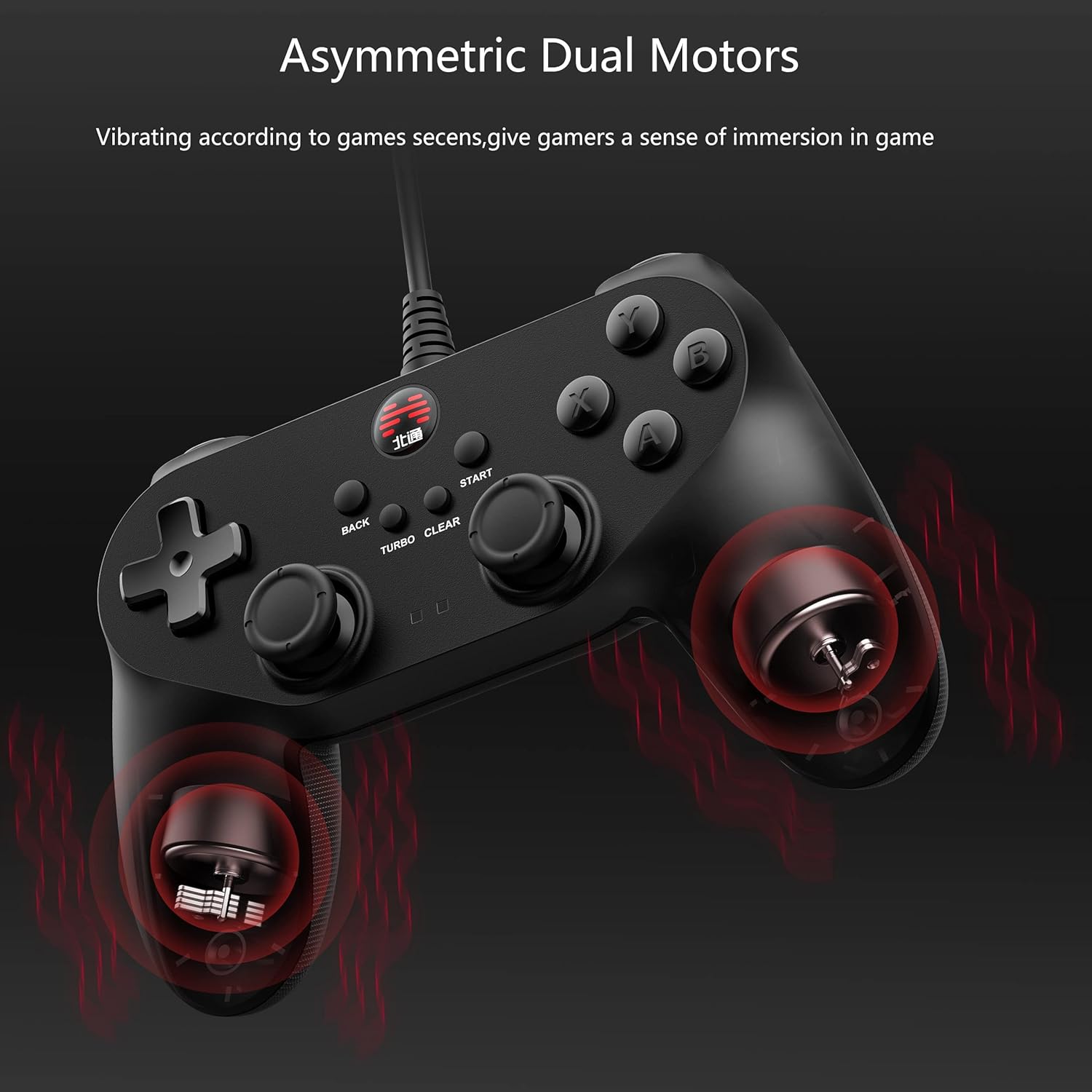
Image: An X-ray style diagram of the BEITONG BAT 2 controller, illustrating the placement of the two asymmetrical vibrating motors within the grips, with red waves indicating vibration.
Xizmat va parvarish
- Tozalash: Kontrollerni tozalash uchun yumshoq, quruq matodan foydalaning. Qattiq kirlar uchun ozgina tozalang.amp Matodan foydalanish mumkin, lekin qurilmaga namlik tushmasligiga ishonch hosil qiling. Qattiq kimyoviy moddalar yoki abraziv tozalagichlardan saqlaning.
- Saqlash: Kontrollerni salqin, quruq joyda, to'g'ridan-to'g'ri quyosh nuri va haddan tashqari haroratdan uzoqroq joyda saqlang. Kontroller ustiga og'ir narsalarni qo'ymang.
- Kabelni parvarish qilish: Do not sharply bend or pull the USB cable. Always grasp the plug when disconnecting, not the cable itself, to prevent damage.
- Damlamalardan saqlaning: Protect the controller from drops and impacts, as these can damage internal components.
Muammolarni bartaraf qilish; nosozliklarni TUZATISH
- Controller not recognized by PC/device:
- Ensure the USB cable is securely plugged into both the controller and the device.
- Try a different USB port on your computer or device.
- Kompyuteringizni yoki qurilmangizni qayta ishga tushiring.
- Check your operating system's device manager or game controller settings to see if the controller is listed. If there's an error, try updating or reinstalling drivers.
- Verify compatibility: The controller does not support Xbox, PS4/5, or Switch consoles.
- Vibratsiya ishlamayapti:
- Confirm that the game you are playing supports vibration feedback.
- Vibratsiya yoqilganligiga ishonch hosil qilish uchun o'yin ichidagi sozlamalarni tekshiring.
- Some games may require specific drivers or software updates for full functionality.
- Buttons or joysticks unresponsive/inaccurate:
- Ensure the controller is properly connected and recognized.
- Calibrate the controller through your operating system's game controller settings.
- Clean around the buttons and joysticks to remove any debris that might be causing sticking.
- If the issue persists, contact BEITONG customer support.
- Turbo funksiyasi ishlamayapti:
- Follow the operating instructions carefully to activate and deactivate turbo for specific buttons.
- Ensure you are pressing the correct combination of TURBO/CLEAR and action buttons.
Texnik xususiyatlari
| Xususiyat | Tafsilot |
|---|---|
| Model raqami | BTP-BD2E |
| Ulanish | Simli USB |
| Moslik | PC (Windows 7/8/10/11), Laptop, Android TV, Tesla Model 3/Y (before 11/2021) |
| Kechikish | ≤ 0.008 soniya |
| Tebranish | Dual Asymmetrical Motors |
| O'lchamlari | 5.91 x 4.33 x 1.97 dyuym |
| Og'irligi | 9.6 untsiya |
| Ishlab chiqaruvchi | BEYTONG |
Kafolat va qo'llab-quvvatlash
BEITONG is committed to providing quality products and customer satisfaction. While specific warranty details are not provided in this manual, the BEITONG technology team is available to provide support for any issues encountered with your controller.
For technical assistance, troubleshooting, or inquiries regarding your BEITONG BAT 2 controller, please refer to the official BEITONG website or contact their customer service channels. Contact information can typically be found on the product packaging or the manufacturer's official websayt.


