Kirish
This manual provides detailed instructions for the setup, operation, maintenance, and troubleshooting of your NiPoGi AK1 PRO Mini PC. The AK1 PRO is a compact desktop computer powered by an 11th Generation Intel Celeron N5105 processor, designed for efficient daily tasks, multimedia playback, and business applications. It features 12GB DDR4 RAM, a 256GB M.2 SSD, 4K UHD video output, dual display support, Dual Band WiFi, and Bluetooth 4.2.
Qutida nima bor
Please check the contents of your package upon arrival. The standard package includes:
- 1 x NiPoGi AK1 PRO Mini PC (12GB RAM, 256GB ROM)
- 1 x Yevropa Ittifoqi quvvat adapteri
- 1 x HDMI kabeli
- 1 x VESA Bracket with Screws
- 1 x foydalanuvchi qo'llanmasi
Mahsulot tugadiview
The NiPoGi AK1 PRO Mini PC is designed with various ports for connectivity and expansion. Familiarize yourself with the layout below.
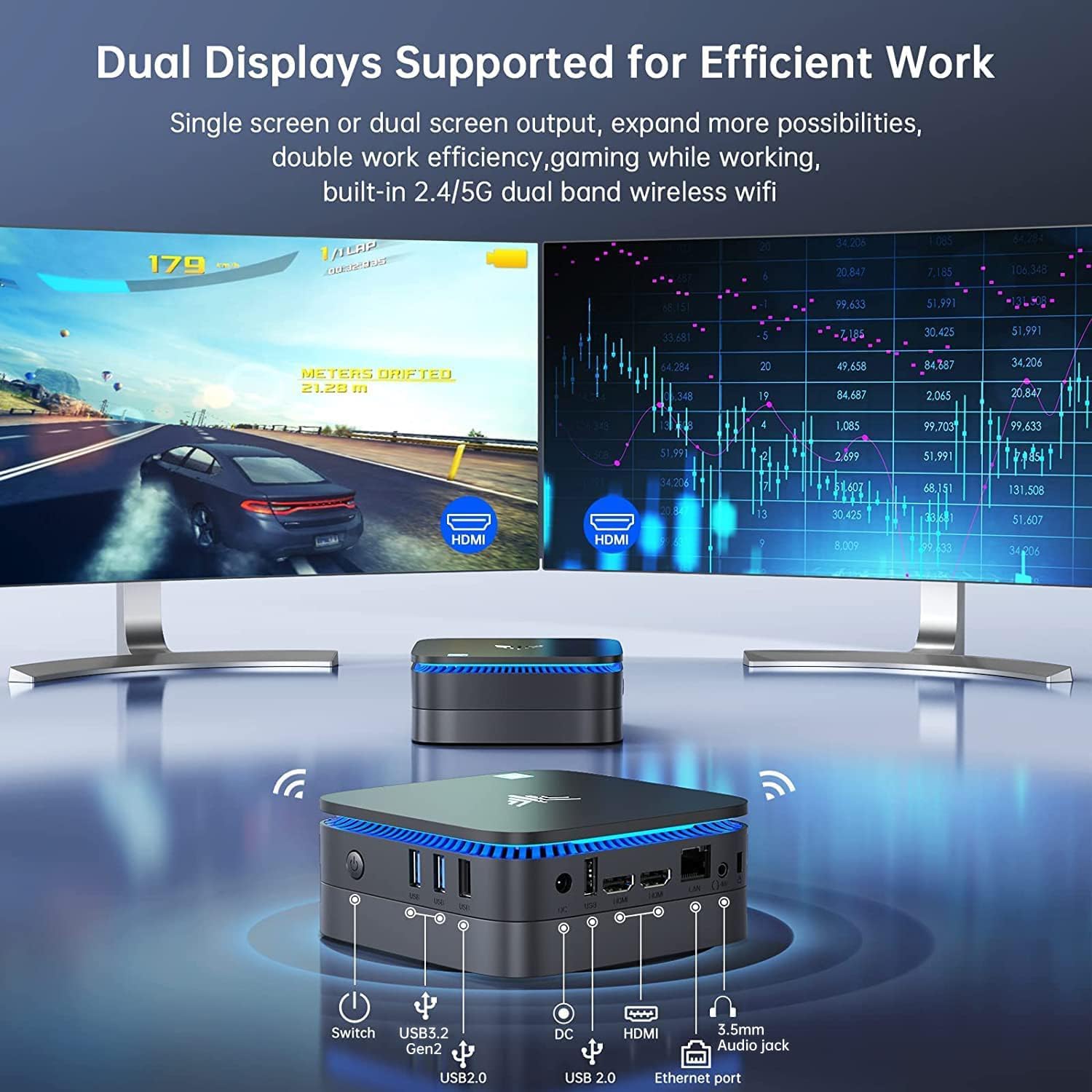
Rasm: Old va orqa view of the NiPoGi AK1 PRO Mini PC, highlighting its various ports and compact design. The front features the power button and USB ports, while the rear includes HDMI, Ethernet, and additional USB ports.
Port tartibi:
- Old: Power Button, 2 x USB 3.0 ports, 2 x USB 2.0 ports
- Orqa: DC Power Input, 2 x HDMI ports, 1 x RJ45 Gigabit Ethernet port, 1 x 3.5mm Audio Jack
Asosiy xususiyatlar:
- Protsessor: 11th Gen Intel Celeron N5105 Quad-Core (up to 2.9 GHz)
- Grafika: Intel UHD Graphics, supporting 4K UHD (4096x2160@60Hz)
- Xotira: 12 GB DDR4 operativ xotira
- Saqlash: 256GB M.2 SSD (expandable with 2.5-inch SSD/HDD up to 2TB)
- Ulanish: Dual Band 2.4GHz+5GHz WiFi, Gigabit Ethernet, Bluetooth 4.2
- Displey chiqishi: Dual HDMI for dual screen setup
- Operatsion tizim: Oldindan o'rnatilgan OS
O'rnatish uchun qo'llanma
Follow these steps to set up your NiPoGi AK1 PRO Mini PC for the first time.
- Displeyga ulanish: Use the provided HDMI cable to connect the Mini PC to your monitor or TV. The AK1 PRO supports dual displays, so you can connect two monitors via the two HDMI ports.
- Periferik qurilmalarni ulang: Plug in your USB keyboard and mouse into the available USB ports.
- Quvvatga ulanish: Connect the EU power adapter to the DC input port on the Mini PC, then plug the adapter into a power outlet.
- Yoqilgan: Press the power button located on the front of the Mini PC. The device will boot up, and the blue light will illuminate.
- Initial OS Setup: Follow the on-screen instructions to complete the operating system setup, including language, region, and network configuration.
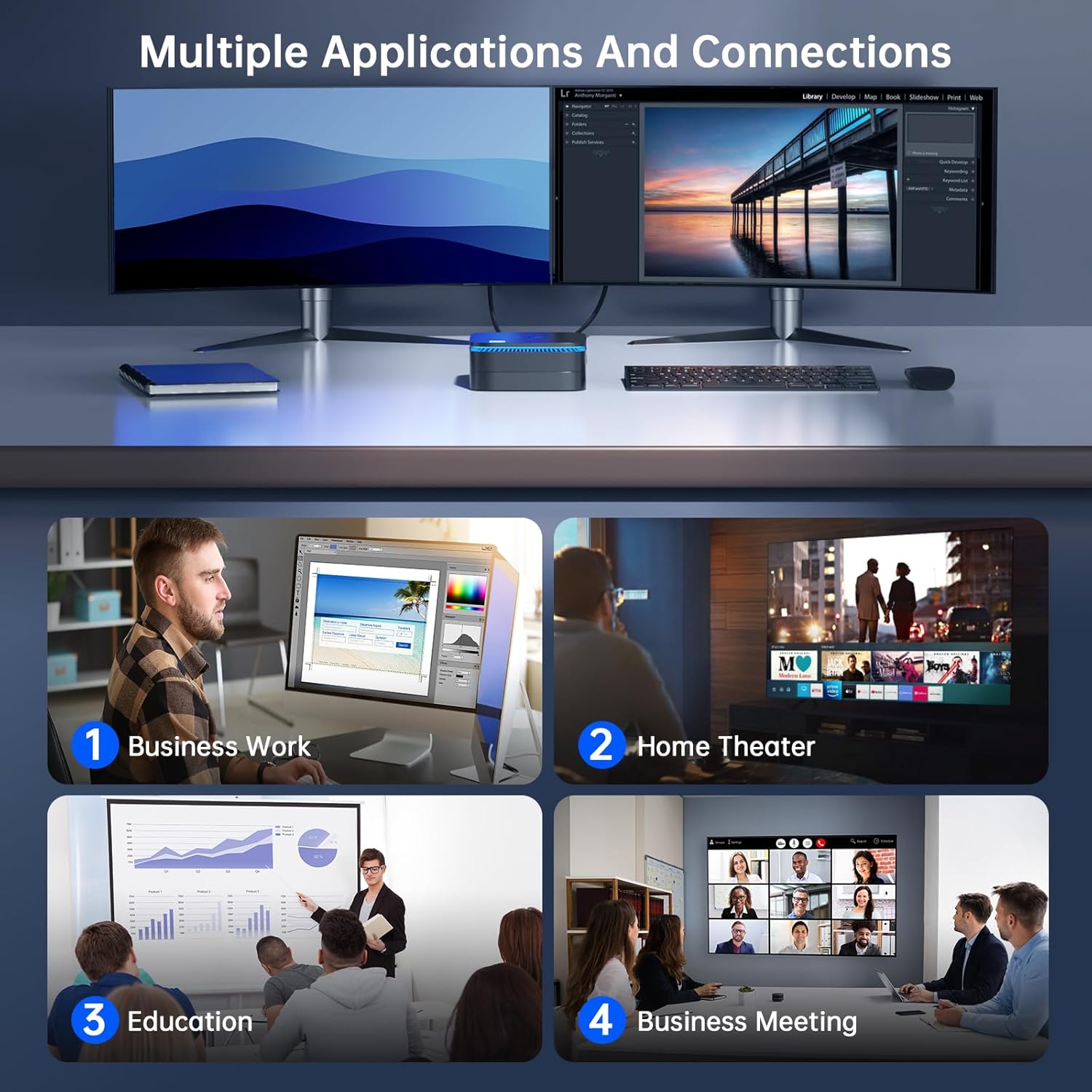
Rasm: The NiPoGi AK1 PRO Mini PC demonstrating multiple applications and connections, including business work, home theater, education, and business meetings, showcasing uning ko'p qirraliligi.
Foydalanish bo'yicha ko'rsatmalar
Asosiy operatsiya:
- Quvvatni yoqish/oʻchirish: Press the front power button to turn the PC on. To turn off, use the operating system's shutdown function or press and hold the power button for a few seconds for a forced shutdown (not recommended for regular use).
- Qayta ishga tushirish: Operatsion tizimning qayta ishga tushirish funksiyasidan foydalaning.
- Kutish rejimi: The PC can enter sleep mode to save power. Wake it up by moving the mouse or pressing a key on the keyboard.
4K UHD Video Playback:
The integrated Intel UHD Graphics supports 4K UHD resolution (4096x2160@60Hz), providing a clear visual experience for movies, streaming, and presentations.

Rasm: A person enjoying 4K HD video playback on a large display, powered by the NiPoGi AK1 PRO Mini PC, highlighting its multimedia capabilities and wireless Bluetooth support.
Ikkilik displey konfiguratsiyasi:
Connect two monitors to the two HDMI ports for an extended desktop experience. This can enhance productivity for work or provide a more immersive entertainment setup. Configure display settings within your operating system.
Saqlashni kengaytirish
The NiPoGi AK1 PRO Mini PC comes with a 256GB M.2 SSD. For additional storage, you can install a 2.5-inch SSD or HDD (not included) in the removable base, supporting up to 2TB.
O'rnatish bosqichlari:
- Ensure the Mini PC is powered off and disconnected from the power adapter.
- Carefully open the bottom cover of the Mini PC.
- Insert your 2.5-inch SSD/HDD into the designated slot in the removable base.
- Secure the drive with screws if necessary (check the base for mounting points).
- Reattach the bottom cover.
- After powering on, you may need to initialize and format the new drive through your operating system's disk management tools.

Rasm: A visual tutorial demonstrating how to install a 2.5-inch SSD or HDD into the NiPoGi AK1 PRO Mini PC by opening the bottom cover and inserting the drive into the expansion bay.
VESA o'rnatish moslamasi
The included VESA bracket allows you to mount the Mini PC to the back of a compatible monitor or TV, saving desk space and creating an all-in-one computing solution.
O'rnatish bosqichlari:
- Attach the VESA bracket to the back of your monitor using the provided screws. Ensure your monitor has standard VESA mounting holes.
- Slide the NiPoGi AK1 PRO Mini PC onto the VESA bracket until it clicks securely into place.
- Connect all necessary cables (power, HDMI, peripherals) to the Mini PC.

Rasm: The NiPoGi AK1 PRO Mini PC shown mounted on the rear of a computer monitor using a VESA bracket, illustrating how it can transform into an all-in-one computer and save desk space.
Xizmat
Proper maintenance ensures the longevity and optimal performance of your Mini PC.
- Tozalash: Regularly clean the exterior of the Mini PC with a soft, dry cloth. Use compressed air to clear dust from ventilation openings to prevent overheating.
- Dasturiy ta'minot yangilanishlari: Keep your operating system and drivers updated to ensure security and performance.
- Atrof-muhit sharoitlari: Operate the Mini PC in a well-ventilated area, away from direct sunlight, excessive heat, and moisture.
- Quvvatni boshqarish: Use the provided power adapter. Avoid frequent abrupt power cuts.
Muammolarni bartaraf qilish; nosozliklarni TUZATISH
If you encounter issues with your Mini PC, refer to the following common troubleshooting steps.
- Quvvat yo'q:
- Quvvat adapteri Mini PC va ishlaydigan elektr rozetkasiga ishonchli ulanganligiga ishonch hosil qiling.
- Elektr rozetkasining ishlashini boshqa qurilmaga ulash orqali tekshiring.
- Displey yo'q:
- Check that the HDMI cable is firmly connected to both the Mini PC and the monitor.
- Monitor yoqilganligiga va to'g'ri kirish manbasiga (HDMI 1, HDMI 2 va boshqalar) o'rnatilganligiga ishonch hosil qiling.
- Agar mavjud bo'lsa, boshqa HDMI kabeli yoki monitorni sinab ko'ring.
- Internetga ulanish yo'q (Wi-Fi/Ethernet):
- For Wi-Fi, ensure the Wi-Fi adapter is enabled in the operating system and you are connected to the correct network with the correct password.
- For Ethernet, ensure the Ethernet cable is securely connected to both the Mini PC and your router/modem. Check router status.
- Router/modemingizni va Mini kompyuteringizni qayta ishga tushiring.
- Sekin ishlash:
- Orqa fonda ishlaydigan keraksiz ilovalarni yoping.
- Ensure there is sufficient free space on your primary drive.
- Check for and install any pending operating system updates.
- Monitor CPU and RAM usage through Task Manager (Windows) to identify resource-intensive processes.
Texnik xususiyatlari
Detailed technical specifications for the NiPoGi AK1 PRO Mini PC.
| Xususiyat | Tafsilot |
|---|---|
| Brend | NiPoGi |
| Model seriyalari | AK1PRO N5105/12GB RAM+256GB ROM |
| Protsessor | Intel Celeron N5105 (11th Gen, Quad-Core, up to 2.9 GHz) |
| Grafik protsessor | Intel UHD Grafikasi |
| Ram | 12 GB DDR4 |
| Saqlash | 256GB M.2 SSD (Expandable with 2.5" SSD/HDD up to 2TB) |
| Operatsion tizim | OS |
| Ulanish | Dual Band Wi-Fi (802.11a/b/g/n/ac), Bluetooth 4.2, Gigabit Ethernet |
| USB portlari | 2x USB 3.0, 2x USB 2.0 |
| HDMI portlari | 2 (supports dual display, 4K UHD resolution) |
| Audio | 1 x 3.5 mm audio uyasi |
| O'lchamlari | 12.8 x 12.8 x 5.15 sm (taxminan 5.04 x 5.04 x 2.05 dyuym) |
| Og'irligi | 274 gramm |
| Rang | Qora |
Kafolat va qo'llab-quvvatlash
NiPoGi provides comprehensive support and warranty services for your Mini PC.
Qo‘llab-quvvatlash xizmatiga murojaat qiling:
- Amazon Orders: Log in to Amazon, go to "Your Account", then "Your Orders", and select "Ask Product Question" for assistance.
- Elektron pochta orqali yordam: support@inipogi.com
- Telefon qo'llab-quvvatlash: +44 808 175 2348 (Monday-Friday, 9am-5pm EST)
NiPoGi offers maintenance points for exchange or repair of your mini PC during the warranty period. Please retain your proof of purchase for warranty claims.

Rasm: Information regarding NiPoGi's "All-Around Protection" plan, including contact methods for support via Amazon, email, and phone, and details about maintenance services.


